Description
Pricing
Features
Specification
Review
Compare
FAQs
Alternatives
 Get Free Advice
Get Quote
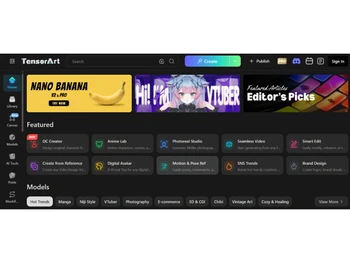
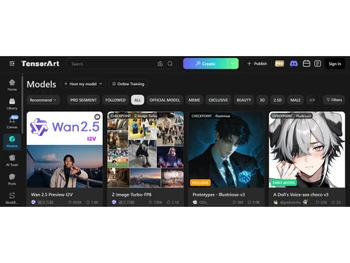
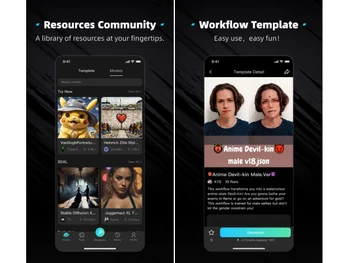
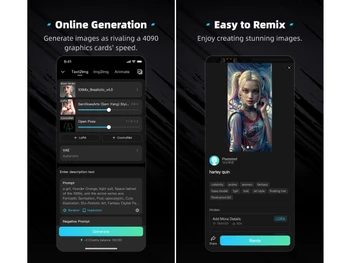


See
More
Brand : Tensor Art


Have Questions?
Starting at
$ 10
Save Extra with 2 Offers
 Save upto 18%, Get GST Invoice on your business purchase |
Users with registered businesses can purchase goods from merchants on the platform to satisfy their business needs. Users are not permitted to utilize any products acquired through the platform for resale, advertising, business, or further distribution.
For each purchase made, users will receive a Tax Invoice (or 'GST invoice') that includes specific details such as:
the GSTIN of the user associated with their registered business, and
the specified Entity Name for their business.
It should be noted that not all products are eligible for GST Invoice. Only the products displayed by participating sellers with the 'GST-based Invoice Available' callout on the product description page would qualify.
Certain goods and services are not eligible to get a GST Invoice, including items with VAS, i.e., Value Added Services (e.g., Total Mobile Protection/Assured Buyback) and those involving an exchange offer at the time of purchase.
Users must ensure the accuracy of the GSTIN, and business entity name provided for the GST Invoice. Requests for corrections into GST Invoice would not be accommodated by Techjockey.com or any Seller, and any issues arising from user-provided information are the sole responsibility of users.
Techjockey.com is not liable for the GST Invoice or any associated input tax credit. To efficiently claim an input tax credit, users should select the registered place of business address as per the GST authority's data and follow the provisions of the GST Act and rules.
To claim an input tax credit, the delivery and billing addresses must match. Furthermore, input tax credits will not be granted if the delivery address and GSTIN on the invoice are from different states. In case of incorrect GST details provided during the order placement, the order will be canceled automatically.
Buy Now & Pay Later, Check offer on payment page. A cloud-based AI image generation platform with over 10,000 models and built-in LoRA training capabilities. ...Read more
 Get Instant Expert
  Safe & Secure
  Assured Best Price
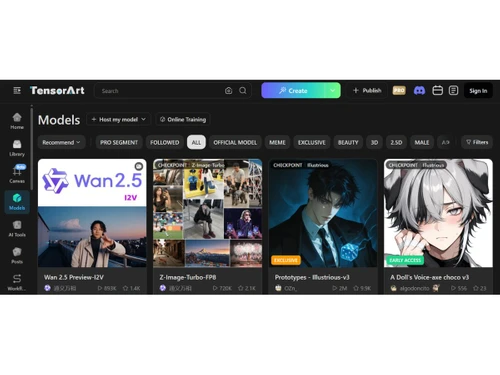
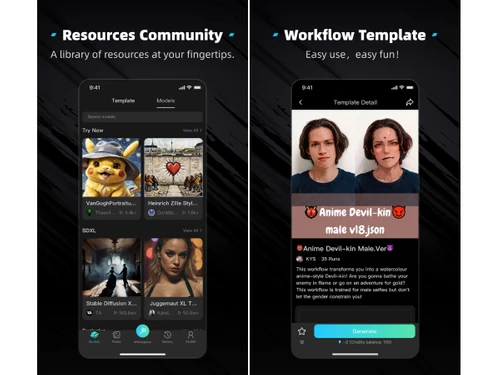
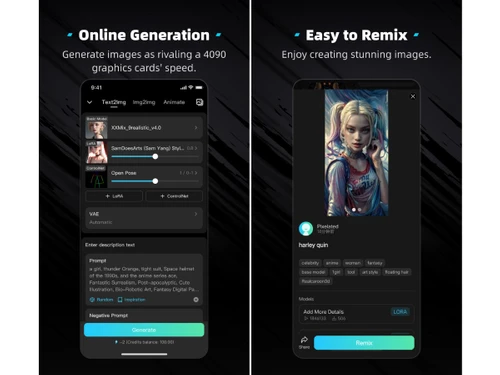
Image Generation and Processing
 Real-time Preview Displays iterative preview results during generation to refine prompts and settings quickly. Text-to-Image Generation Core feature allowing prompt-based generation of high-quality AI images. Image-to-Image Transformation Modify existing images using prompts, strength settings, and style controls. Real-Time Rendering Fast GPU-backed rendering delivers near real-time image outputs. High-Resolution Output Supports generation of detailed, high-resolution images with quality tuning. Batch Generation Generate multiple image variations in one run for efficient exploration. Preset Styles Provides predefined styles and model presets for quick creative workflows. Drag and Drop Supports drag-and-drop image upload for image-to-image workflows. Multi-Layer Image Processing Builds pictures layer by layer adjusting various components to produce more precise and detailed images
 Editing and Customization Tools
Content Filters Built-in safety filters help restrict NSFW or unsafe outputs and ensure platform compliance. Style Transfer Apply artistic styles from models or LoRAs to transform images into unique visual outputs. AI Editor Includes editing controls like inpainting/outpainting for modifying generated visuals. Adjustable Parameters Fine-tune steps, CFG scale, sampler, seed, and other parameters for precision control. Realistic Object Generation Advanced models produce photorealistic objects, characters, and environments. Resolution Control Customize output resolution and aspect ratio for different use cases. Image Upscaling Built-in upscalers enhance image clarity and resolution after generation. Object Removal Inpainting allows removal or replacement of objects within generated images. Image Tiling Supports seamless tiling for textures and repeating background generation. Denoising Adjustable denoising strength helps control image transformation and refinement. Image Weights Control influence of input images in img2img workflows for better composition control. Style Adaptation Models adapt styles dynamically based on prompt and LoRA inputs. 3D Effects Make 3D design images from simple text descriptions Layer Control Allows users to manipulate layers, background, objects, shadows, etc. Background Removal Smartly detects the image and removes the elements as per the users' choice Text Overlay Allows the user to add text over the generated images Prompt Control and Enhancements
Prompt Sensitivity Highly responsive to prompt wording, enabling precise creative control. Prompt Flexibility Supports complex prompts with modifiers, weights, and structured inputs. Prompt Editing Easily edit and refine prompts to iterate on outputs without restarting workflows. Prompt Enhancer Community tools and presets help enhance prompts for better results. Prompt Matrix Generate multiple prompt variations simultaneously using matrix-style inputs. Negative Prompt Exclude unwanted elements by specifying negative prompts during generation. Seed Use seeds to reproduce or slightly vary generated images consistently. Real-Time Generation Fast generation speeds provide near-instant outputs depending on load and settings. Model and AI Capabilities
Multi-Model Support Supports multiple models (SDXL, LoRA, custom models) for diverse styles. Fine Tuning Train and fine-tune LoRA models directly on the platform. Model Merging Combine multiple models or LoRAs to create hybrid styles and outputs. Collaboration and Sharing
Collaboration Tools Community sharing, remixing, and workflow reuse enable collaborative creative exploration. Prompt Libraries Access community prompts and saved templates for reuse and inspiration. Image Sharing Share generated images publicly and explore creations from other users. Custom Templates Save workflows and prompts as reusable templates for consistent output creation. Branding and Commercial Use
Data Privacy Handles user data securely with account-based access and model usage protections. Commercial Rights Allows commercial usage depending on model licensing and platform terms. Brand Kit Integration Enables users to brand created photos, guaranteeing uniformity across material Integration Supported
API Integration Offers API access for developers to integrate AI image generation into apps and services. Cloud Storage and Collaboration Tools Integration Cloud-based storage enables saving and accessing generated images online. NFT Marketplaces Community supports NFT-style artwork sharing and potential export for minting. Content Management Systems (CMS) Integration Allowing direct integration with CMS platforms allowing user to publish images on websites Design and Editing Software Integration Connectiing the design other editing tools for further image refinement E-Commerce Platforms Integration Provides the ability to generate product images directly for use on platforms 3D Modeling Software Integration Allow the user to create and modify 3D components inside the images using 3D applications Game Engines Integration Allows created pictures to be seamlessly integrated with gaming engines Video Editing Tools Integration Allows the user to connects with video editing software Animation Tools Integration Enables the mixing of AI-generated images with animation software Plugin & Extensions Extending functionality by adding add-ons and plugins 

 20,000+ Software Listed
 Best Price Guaranteed
 Free Expert Consultation
 2M+ Happy Customers
 USA
USA UAE
UAE
 Write a Review