7 HVAC Duct Design Software Tools That Make Ductwork Planning Easier
7 HVAC Duct Design Software Tools That Make Ductwork Planning Easier
Designing Heating, Ventilation, and Air Conditioning (HVAC) ducts is like mapping roads for air. If poorly connected, airflow suffers, leaving rooms too hot, too cold, or simply uncomfortable to be in.
With modern HVAC duct design software, however, engineers, contractors, and HVAC professionals get a chance to create accurate duct layouts, calculate airflow, and size ducts correctly before installation even begins. Basically, calculations that used to take hours earlier now get done much faster and with fewer errors.
The best part? Many of these tools don’t just draw ductwork. They also help optimize system performance, improve energy efficiency, and ensure every space gets the airflow it needs. Intriguing much? Let’s look at some of the best HVAC duct sizing software available today.
What is HVAC Duct Design Software?
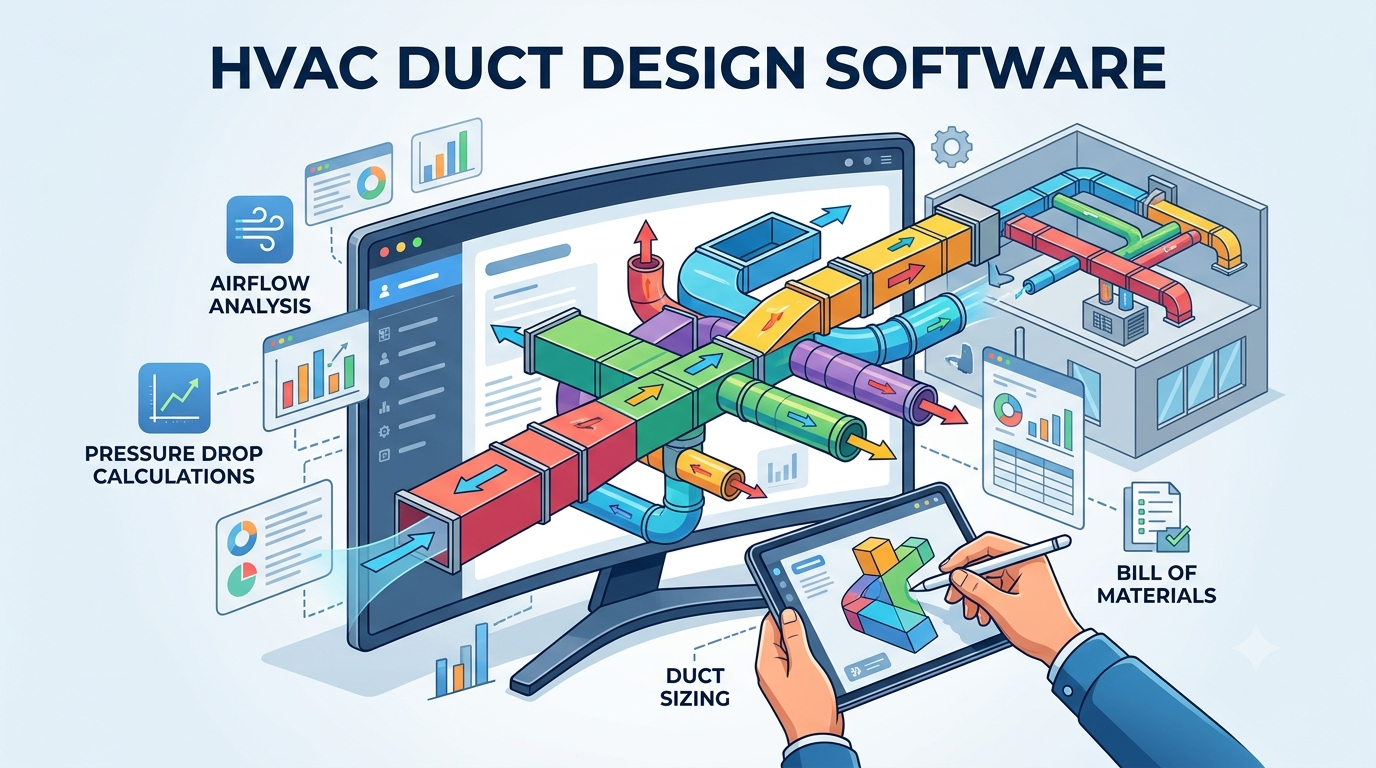
HVAC duct design software is a tool used to plan and design the network of ducts that carries air through a building. Instead of doing complex calculations by hand, users can create duct layouts, calculate airflow, and determine the right duct sizes with the help of software.
It helps ensure that every room receives the right amount of air while reducing energy waste and system inefficiencies. Many tools also assist with pressure loss calculations, system balancing, and layout visualization.
All in all, HVAC duct design software takes the guesses out of duct planning and helps create more reliable HVAC systems.
List of 7 Best HVAC Duct Design Software Solutions in 2026
Some of the leading HVAC ductwork design software are listed below for your convenience…
Duct Sizing Software
Best For
Standout Feature
Wrightsoft Right-Suite Universal
Residential HVAC contractors and designers
ACCA-based load calculations, duct sizing, and HVAC system design in one package.
Autodesk Revit
Large commercial and BIM-based projects
3D ductwork modeling with coordination across building systems.
h2x Engineering
Consultants and HVAC professionals seeking cloud-based design
Web-based HVAC design with automated calculations and report generation.
Elite Software
Engineers requiring detailed HVAC analysis
Advanced duct sizing, airflow calculations, and engineering reports.
Plandroid
HVAC contractors designing ducted air-conditioning systems
CAD-style layout planning, system design, and project quoting.
Carrier Hourly Analysis Program (HAP)
Commercial HVAC system designers
Detailed load calculations and energy analysis for system sizing.
Mech-Q HVAC Ducting
AutoCAD users designing duct systems
CAD-integrated ductwork drafting with automated fittings and sizing tools.
Now, let’s take a deep dive into the functioning of each one of them because why not?
1. Wrightsoft Right-Suite Universal
Wrightsoft Right-Suite Universal is a popular HVAC duct design software used for residential and light commercial projects. It helps users calculate heating and cooling loads, size ducts, and design complete HVAC systems following industry standards. The software is known for its guided workflow, making it easier for contractors and designers to create accurate duct layouts without spending hours on manual calculations.
Key Features of Wrightsoft Right-Suite Universal:
Provides ACCA-approved HVAC load calculations, equipment selection, and duct design in one platform
Supports Manual J, Manual S, and Manual D calculations for accurate system sizing
Includes residential and commercial HVAC design capabilities
Offers automated duct design and layout tools
Enables drag-and-drop floor plan creation through Right-Draw
Generates parts takeoff lists, proposals, and permit-ready reports automatically
Provides radiant, hydronic, geothermal, and high-velocity system design tools
Includes energy analysis and cost comparison features
Supports CAD integration and 3D design capabilities
Updates loads, ducts, and proposals automatically through Hotlink Technology
Pros and Cons of Wrightsoft Right-Suite Universal:
Pros
Delivers an all-in-one workflow from load calculations to final proposals
Supports both residential and commercial HVAC projects
Reduces manual calculations through automation
Offers a large manufacturer equipment database for system selection
Generates professional reports and customer proposals quickly
Handles advanced designs such as geothermal and radiant systems
Cons
Requires time to learn due to its extensive feature set
Runs only on Windows systems without a native cloud version
Presents a more traditional interface compared to newer cloud-based tools
Depends on additional add-ons for some commercial capabilities
Requires separate setup for Mac users through Windows emulation software
Wrightsoft Right-Suite Universal Pricing & Plans:
Plan
Price
Right-Suite Universal Residential
USD 900/year
Right-Suite Universal Commercial-Only
USD 900/year
2. Autodesk Revit MEP
Autodesk Revit MEP is a building design platform that includes powerful HVAC ductwork design software capabilities. It allows users to create 3D duct layouts, coordinate HVAC systems with other building components, and spot design issues before construction begins. Revit is widely used on large projects where collaboration between architects, engineers, and contractors is essential.
Key Features of Autodesk Revit MEP:
Provides BIM-based HVAC design with intelligent 3D modeling
Supports detailed ductwork, piping, and mechanical system design
Enables automatic system connections and coordinated HVAC layouts
Includes HVAC system zoning and performance analysis tools
Allows clash detection and coordination with architectural and structural models
Provides automated documentation, schedules, and design updates
Supports round, rectangular, oval, and flat-oval duct modeling
Integrates with Autodesk Construction Cloud, Navisworks, and other Autodesk tools
Offers energy analysis and building performance evaluation
Generates construction-ready HVAC documentation from a single model
Pros and Cons of Autodesk Revit MEP:
Pros
Delivers highly accurate HVAC and duct system designs
Supports seamless collaboration between architects, engineers, and contractors
Provides strong clash detection and coordination capabilities
Reduces design errors through intelligent BIM workflows
Offers advanced analysis, sizing, and performance tools for HVAC systems
Handles large commercial and institutional projects effectively
Generates synchronized drawings, schedules, and reports automatically
Cons
Requires significant training for new users
Costs more than many dedicated HVAC duct design tools
Runs only on Microsoft Windows systems
Focuses heavily on commercial BIM projects rather than simple residential jobs
Demands powerful hardware for larger projects and models
Autodesk Revit MEP Pricing & Plans:
Plan
Price
Monthly Subscription
USD 380/month
Annual Subscription
USD 3,005/year (USD 251/month billed annually)
Autodesk Flex
USD 99 for 33 tokens
3. h2x Engineering
h2x Engineering is a cloud-based duct design software that simplifies HVAC calculations and system planning. Users can create duct layouts, perform load calculations, and generate professional reports from a web browser. Its clean interface and automation features make it a good choice for HVAC professionals who want fast, accurate designs without complicated software.
Key Features of h2x Engineering:
Provides HVAC duct design, heat load calculations, and system sizing in one platform
Supports ductwork, pipework, heating, cooling, and hydronic system design
Includes real-time calculations that automatically update when designs change
Enables automatic duct sizing, airflow calculations, velocity checks, and pressure drop calculations
Offers heat load calculations directly within the design workflow
Provides 3D visualization for reviewing HVAC layouts
Supports AutoCAD and Revit exports for BIM and drafting workflows
Generates drawing sets, bills of materials, and engineering reports
Uses CIBSE-verified calculations and ASHRAE-compliant methodologies
Calculates fan duties, pump duties, and system-wide performance metrics automatically
Pros and Cons of h2x Engineering:
Pros
Delivers design and calculations in a single connected workflow
Reduces manual calculations and spreadsheet work
Updates calculations instantly whenever the design changes
Provides accurate engineering calculations backed by industry standards
Supports smooth exports to Revit and AutoCAD
Offers an intuitive interface that is easier to learn than many traditional engineering tools
Handles both small and complex HVAC projects effectively
Cons
Requires a subscription that may be costly for occasional users
Depends on external software for advanced BIM coordination workflows
Requires users to learn engineering concepts to take full advantage of advanced sizing tools
h2x Engineering Pricing & Plans: Price on request
4. Elite Software
Elite Software offers a range of HVAC tools, including HVAC duct sizing software for designing efficient duct systems. It helps users calculate airflow requirements, size ducts correctly, and evaluate system performance. The software is particularly useful for engineers and consultants who need detailed calculations and reports for residential, commercial, and industrial projects.
Key Features of Elite Software:
Provides automated HVAC duct sizing using static regain, equal friction, and constant velocity methods
Supports residential and commercial duct system design
Calculates round, rectangular, and flat-oval duct sizes
Includes built-in fan data for noise and attenuation calculations
Generates bills of materials with lab or and material costs
Allows analysis of existing duct systems by entering predefined duct sizes
Supports VAV and constant-volume HVAC systems
Integrates with AutoCAD and Elite Software’s Drawing Board tools
Provides ACCA Manual D duct design capabilities through its design suite
Handles large duct networks with detailed design and reporting options
Pros and Cons of Elite Software:
Pros
Delivers accurate duct sizing based on ASHRAE and SMACNA methodologies
Offers multiple duct sizing methods for different project requirements
Provides material takeoffs and cost estimates within the software
Supports both HVAC design and system analysis workflows
Includes integration with load calculation and drafting tools
Maintains long-standing acceptance within the HVAC industry
Handles complex duct layouts and large projects efficiently
Cons
Requires separate software modules for a complete HVAC workflow
Runs as traditional desktop software with an older-style interface
Provides fewer 3D modeling capabilities than BIM-focused solutions
Depends on Windows-based environments for operation
Requires additional purchases for drafting and load calculation integration
Elite Software Pricing & Plans:
Plan
Price
Ductsize (Equal Friction)
USD 299
Ductsize (Static Regain)
USD 499
5. Plandroid
Plandroid is a practical ductwork layout software designed to simplify fieldwork and project planning. It allows users to create layouts, manage drawings, and access project data from mobile devices. While not as calculation-heavy as some engineering tools, it helps contractors organize duct installation plans and improve coordination between office and site teams.
Key Features of Plandroid:
Provides CAD-style HVAC duct design directly on top of building and floor plans
Supports ducted air conditioning system design and job quoting in one platform
Calculates heat loads and airflow requirements automatically
Generates fully costed quotes, bills of materials, and project reports
Uses real supplier component catalogs within HVAC designs
Offers multiple design modes including refrigerated, evaporative, ventilation, hydronics, ducted gas heating, and Venturi systems
Enables reusable templates for faster future designs
Includes a dedicated Venturi Design Mode for small-duct HVAC systems
Provides lighting design capabilities through an optional module
Creates customer, installer, and supplier reports from the same design
Pro and cons of Plandroid:
Pros
Makes HVAC duct layouts easier than traditional CAD software
Combines design, costing, and quoting in a single workflow
Reduces manual drawing and estimation work
Allows quick design modifications during customer consultations
Provides professional visual system layouts for customers and installers
Supports multiple HVAC system types from one application
Offers reusable design templates that improve productivity
Cons
Focuses mainly on residential and light commercial HVAC projects
Provides fewer BIM and advanced engineering features than enterprise platforms like Revit
Requires separate module purchases for advanced functionality
Depends on additional add-ons for detailed heat load reports and specialized duct systems
Limits each license to a single machine
Plandroid Pricing & Plans:
Plan
Price
1-Year License
AUD 1,263.64/year
3-Year License
AUD 2,274.55
Heat Load Reports Module
AUD 431.82
Venturi Design Mode
AUD 540.91
Lighting Design Mode
AUD 227.27
6. Carrier Hourly Analysis Program (HAP)
Carrier HAP is a well-known duct sizing software and HVAC system design tool used for load calculations and energy analysis. It helps professionals determine heating and cooling requirements before moving on to duct design. The software is especially useful for commercial buildings where energy efficiency and accurate system sizing play a major role in project success.
Key Features of Carrier Hourly Analysis Program (HAP):
Provides HVAC load calculations, system sizing, and energy modeling in a single platform
Supports commercial HVAC system design and performance analysis
Includes detailed building load calculations for heating and cooling requirements
Offers 3D building modeling for visualizing HVAC designs
Enables energy consumption and operating cost analysis
Calculates equipment sizing for chillers, boilers, air handlers, VRF systems, and more
Provides air system analysis for VAV and constant-volume systems
Supports energy retrofit and conservation projects
Integrates HVAC design inputs directly into energy simulations
Generates documentation and reports for commercial HVAC projects
Pro and cons of Carrier Hourly Analysis Program (HAP):
Pros
Combines HVAC design and energy modeling in one application
Delivers accurate load calculations for commercial buildings
Reduces duplicate data entry by linking design and analysis workflows
Supports a wide range of commercial building types and HVAC systems
Provides advanced energy performance comparisons for design alternatives
Helps engineers make informed equipment sizing decisions
Includes regular software updates and technical support under active licenses
Cons
Focuses more on HVAC load analysis and energy modeling than dedicated duct layout design
Requires HVAC engineering knowledge to use effectively
Targets commercial projects rather than residential HVAC design
Presents a steeper learning curve for beginners due to its advanced analysis tools
Requires annual license renewals to continue receiving updates and support
Carrier Hourly Analysis Program (HAP) Pricing & Plans:
Plan
Price
Carrier HAP License
USD 1,995
7. Mech-Q
Mech-Q is a CAD-based duct design program that works with AutoCAD and other compatible drafting platforms. It helps users draw ductwork faster with built-in HVAC design tools, automated fittings, and sizing functions. For designers who already work in CAD software, Mech-Q offers a straightforward way to create detailed duct layouts without switching between multiple applications.
Key Features of Mech-Q:
Provides 2D and 3D HVAC duct design tools directly inside CAD software
Supports rectangular, round, and flat-oval duct systems
Includes duct fittings such as bends, transitions, tees, wyes, offsets, dampers, diffusers, and branches
Generates automatic bills of materials (BOMs) and material takeoffs
Offers automatic labeling for ducts, elevations, and components
Provides flat sheet development for fabrication workflows
Supports insulation, flanges, collars, and custom symbols
Includes duct equivalent size calculations and sizing utilities
Works within AutoCAD, AutoCAD LT, BricsCAD, IntelliCAD, and related CAD platforms
Generates HVAC layouts while creating documentation and reporting simultaneously
Pro and cons of Mech-Q:
Pros
Makes duct drafting faster through built-in HVAC design tools
Reduces manual documentation with automatic BOM generation
Supports both 2D and 3D HVAC workflows
Provides extensive fitting libraries for HVAC layouts
Integrates with widely used CAD platforms instead of requiring a separate design system
Offers flexible licensing through subscriptions and perpetual licenses
Handles fabrication-oriented tasks such as sheet development and material reporting
Cons
Requires a compatible CAD platform to run
Focuses primarily on drafting and layout rather than advanced HVAC load analysis
Presents a learning curve for users unfamiliar with CAD software
Depends on additional CAD licenses when not using bundled solutions like AViCAD
Choosing the right HVAC duct design software depends on your project size and budget. Some tools focus on duct sizing, while others offer advanced modeling and analysis. Pick the one that matches your needs, so you spend less time on calculations and more time building trustworthy HVAC systems.
If you need any help while at it, know that Techjockey is just a call away!
Yashika Aneja
Yashika Aneja is a Senior Content Writer at Techjockey, with over 5 years of experience in content creation and management. From writing about normal everyday affairs to profound fact-based stories on wide-ranging themes, including environment, technology, education, politics, social media, travel, lifestyle so on and so forth, she has, as part of her professional journey so far, shown acute proficiency in almost all sorts of genres/formats/styles of writing. With perpetual curiosity and enthusiasm to delve into the new and the uncharted, she is thusly always at the top of her lexical game, one priceless word at a time.