Benzinga Pro vs TradingView: Which Tool is Best for Your Trading Needs?
Benzinga Pro and TradingView are two of the most popular market analysis and charting applications among traders and investors in the U.S.
Benzinga Pro is a very fast system for financial news and events designed for traders who depend on real-time alerts, and the inflow of news that can be actioned as well as market sentiments. TradingView is a world-class technical analysis charting platform that comes with advanced charting, custom indicators, social community ideas, and support for multiple assets. But, which platform is best for you?
Let’s compare both platforms on important criteria, so you can determine which one suits your trading style and market research requirements.
Benzinga Pro vs TradingView: Comparison Table
| Feature |
Benzinga Pro |
TradingView |
| Primary Focus |
Real time news and alerts |
Charting, analysis, and trade ideas |
| Pricing |
Starts at $37/month |
Starts at $14.95/month |
| Market Data |
Fast news driven market signals |
Deep charting with multi-market data |
| Charts & Technical Tools |
Basic charts, limited technical tools |
Advanced charting and indicators |
| Alerts |
Real time alerts including news and catalysts |
Alerts on price, indicators, patterns |
| Research Tools |
News desk, calendar, sentiment, audio squawk |
Community ideas, fundamental widgets |
| Ease of Use |
News focused, fast alerts |
Highly customizable, versatile |
| Community & Social |
Limited |
Large social community and shared ideas |
| Best For |
News driven traders and active day traders |
Chart focused traders and analysts |
Benzinga Pro vs TradingView: Tools & Market Data
Benzinga Pro is best for its real-time market news and alerts. It delivers breaking news, actionable trading catalysts, economic calendar data, and live audio squawk that moves faster than many traditional feeds. Traders can use Benzinga Pro to take notes from news before market prices are fully operational. Its market depth, sentiment, and news are core strengths.
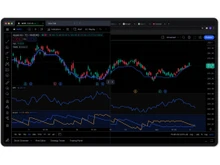
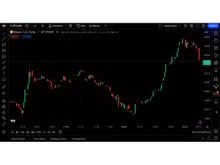
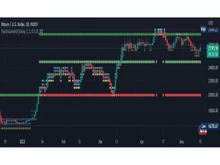
TradingView provides advanced charting, multi-timeframe analysis, and thousands of community-built indicators. It offers price data across stocks, indices, forex, crypto, futures, and more. Traders like its intuitive interface, drawing tools, scanner, and layout customization.
So, TradingView is better for tools, and Benzinga Pro is best for news. The charting toolkit of TradingView is deeper and more flexible, while the news feed and live alerts of Benzinga Pro are a plus.
TradingView vs Benzinga Pro: Real Time Alerts and Signals
Benzinga Pro has a clear upper hand over TradingView when it comes to real-time alerts and signals. It is known for its real-time alerts such as news flashes, trading catalysts, earnings, and unusual volume notifications. The audio squawk feature broadcasts all the important market news, thus making it easier for traders to act instantly.
On the other hand, TradingView’s alert system allows alerts on price levels, indicators, trend lines, and custom conditions. Depending on the setup, the alerts can reach the user through app notification, email, or SMS. The alerts are very flexible and are well-suited for strategy triggers.
Benzinga Pro versus TradingView: Charts and Technical Analysis
TradingView’s chart, technical analysis, and customization options are one of the best in the market. It offers multi-timeframe options, as well as custom indicators, drawing tools, backtesting, and pattern recognition. Users can store chart templates and link in on layouts from all their devices.
Nevertheless, Benzinga Pro does offer charts, but it is more basic compared to dedicated charting platforms. It focuses on news and market signals rather than deep technical analysis.
Benzinga Pro and Trading View: Multi Asset Coverage
TradingView is a versatile all-in-one platform for various asset classes as it offers stocks, forex, crypto, futures, indices, and commodities all in one place. This is a great advantage for traders who monitor different markets or spread their investments across various assets.
In contrast, Benzinga Pro gives priority to U.S. stocks, stock news and related areas and provides almost no support for other markets. In the end, TradingView wins the competitive battle, as its platform offers a wider selection of asset classes, all under one roof.
Trading View versus Benzinga Pro: Ease of Use and Learning Curve
News is the main attraction for Benzinga Pro, and it has a user-friendly dashboard showing alerts, audio squawk, calendars, and headlines. The setup is user-friendly for those who depend on live news but might be overwhelming for newbies at first.
TradingView is intuitive and highly visual. Its chart first interface is easy for beginners to start with, but its vast toolkit takes practice to master. Users can learn slowly by saving layouts and exploring community scripts.
Benzinga Pro and Trading View: Platforms and Accessibility
Benzinga Pro is accessible via web browser and mobile app. It allows traders to stay updated on the go with push notifications and alerts. On the other hand, TradingView is available on the web, desktop, and mobile apps. It provides seamless syncing of charts and alerts across devices, making it easy to trade or analyze from anywhere.
When to Choose Benzinga Pro or TradingView?
| Choose Benzinga Pro if… |
Choose TradingView if... |
| You need real time alerts and audio squawk |
You need advanced charting and indicators |
| Basic charts are enough |
Price and technical based alerts |
| News based and event alerts |
You want shared ideas and user signals |
| News for stocks and events |
Charts for stocks, forex, crypto, futures |
Final Verdict: Trading View or Benzinga Pro?
There you have it. Benzinga Pro and TradingView are powerful platforms, but they serve distinct trader needs.
Choose Benzinga Pro if your strategy depends on timely real time news, alerts, and market catalysts. It is perfect for traders who are active and respond promptly to occurrences and profits.
Select TradingView in case you desire better charting features, indicators that can be configured, a vast community, and a multi-market analysis.
If you are still confused, reach out to our software experts or the Techjockey Team for a free consultation and demo of the best market research and charting platforms for you.
 UAE
UAE India
India


 Comparison


 6 Ratings & 0 Reviews








 Get directly in your email inbox on your Whatsapp


