BugSnag vs Sentry: Which Error Monitoring Platform Is Right for You?
Choosing the right error monitoring and application stability platform is more than important for engineering teams. These application performance monitoring tools provide real-time visibility into production issues. BugSnag and Sentry are two of the most popular tools in this category, widely used by developers to track crashes, improve reliability, and maintain application health.
Both platforms offer powerful capabilities, such as crash reporting, error grouping, and performance monitoring, but they differ significantly in usability, depth of insights, product philosophy, and enterprise-readiness. Depending on your team size and technical needs, one may be a better fit than the other.
In this guide, we'll cover the key differences, feature comparisons, use cases, pricing tables, and the final verdict to help you choose between Sentry vs BugSnag.
TL;DR
- Error Stability Scoring: BugSnag focuses more on stability scoring and release health analytics, while Sentry emphasizes developer-centric performance and error insights.
- Performance Monitoring Depth: Sentry provides extensive APM-style performance tracking; BugSnag’s performance insights are lighter.
- Ease of Setup: BugSnag is simpler and more "plug-and-play," whereas Sentry offers deeper customization but may require more setup effort.
BugSnag vs Sentry Comparison Table
| Basis |
BugSnag |
Sentry |
| Pricing |
Starting from USD 23 |
Starting from USD 29 |
| Ease of Use |
Very easy; minimal setup |
Moderate; deeper setup for full performance monitoring |
| Error Grouping Accuracy |
Highly sophisticated; stable error prioritization |
Very strong; enhanced with traces and breadcrumbs |
| Performance Monitoring |
Basic to moderate |
Advanced APM-style performance tools |
| Mobile App Support |
Best-in-class; widely praised |
Good but less specialized |
| Integrations |
Standard developer tools |
Very broad ecosystem coverage |
| Support |
Strong enterprise support |
Strong community + enterprise tiers |
| Ideal For |
Mobile-first companies, large teams |
Full-stack dev teams, startups, web-heavy apps |
Additional Key Differences Between Sentry and BugSnag
- Data Visualization & Reporting: BugSnag offers highly intuitive dashboards; Sentry supports more technical event-level insights.
- Breadth of Integrations: Sentry integrates with a broader ecosystem; BugSnag excels in mobile SDK support.
- Scalability for Large Teams: BugSnag offers enterprise-friendly workflows; Sentry supports large-scale teams with robust performance monitoring.
- Developer Experience: Sentry provides detailed traces, breadcrumbs, and performance spans; BugSnag prioritizes actionable stability metrics.
- Cost Flexibility: Both offer tiered pricing, but Sentry is usually more cost-effective for startups, while BugSnag offers value for enterprise mobile teams.
Detailed Feature Comparison of BugSnag and Sentry
- Error Monitoring & Grouping
BugSnag’s error grouping is highly refined, making it easy to identify recurring issues and prioritize fixes. It uses stability-based metrics to surface the most impactful errors. Sentry also provides strong error grouping but adds deeper technical breadcrumbs, stack traces, and contextual data, making it ideal for engineering-heavy debugging workflows.
- Performance Monitoring & Tracing
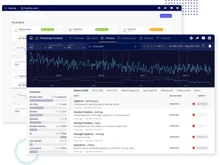
Sentry outperforms BugSnag here. Its performance monitoring offers distributed tracing, latency insights, slow transaction tracking, and detailed span analysis. BugSnag includes performance metrics, but they’re lightweight and optimized for stability rather than in-depth APM analysis.
- Release Tracking & Stability Scores
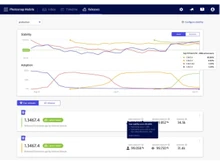
BugSnag excels in release health analytics with clear stability scores, helping teams judge whether a release is production-ready. Sentry offers release tracking, too, but its release metrics lean more toward performance and error volume rather than stability percentages.
BugSnag is considered a leader in mobile application stability monitoring, offering comprehensive SDKs, ANR tracking, and device-level insights. On the other hand, Sentry also supports mobile but is traditionally stronger on web and backend performance.
- Dashboard & User Experience
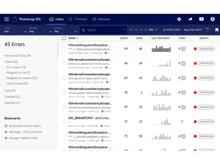
BugSnag’s UI is clean and extremely user-friendly, providing fast visibility for non-technical stakeholders. In contrast, Sentry’s dashboard is more technical and diagnostic-focused, ideal for developers who want deeper analysis and event-level granularity.
Sentry integrates with nearly every modern dev tool, from CI/CD systems to cloud platforms and version control tools. BugSnag covers the essentials but is not as broad in ecosystem coverage, although it's excellent in mobile environments.
When to Choose BugSnag or Sentry?
| Use Case |
Choose BugSnag If… |
Choose Sentry If… |
| Mobile App Monitoring |
You want best-in-class stability analytics |
You need mobile + advanced performance visibility |
| Performance Insights |
You only need lightweight metrics |
You want full APM-style monitoring |
| Ease of Setup |
You prefer a simple, intuitive setup |
You want deeper customization |
| Startup Budget |
You have mid-to-large team budgets |
You want cost-effective early-stage pricing |
| Enterprise Readiness |
You need structured stability scoring |
You need deep tracing and full-stack diagnostics |
Final Verdict: Sentry or BugSnag?
Both platforms excel, but your choice depends on your priorities. BugSnag is ideal for teams that value stability scoring, mobile monitoring, and ease of use. Sentry, on the other hand, is the better option for development teams seeking deep technical insights, performance monitoring, and full-stack observability. If your organization is focused on mobile reliability or release health, BugSnag is the standout choice. If you want a unified platform for errors and performance across your entire stack, Sentry wins.
Reach out to our software experts or the Techjockey Team for a free consultation and demo of top error monitoring tools.
 UAE
UAE India
India


 Comparison


 4 Ratings & 0 Reviews






 Get directly in your email inbox on your Whatsapp


