linkedin

GoodNotes VS Notewise

Let’s have a side-by-side comparison of GoodNotes vs Notewise to find out which one is better. This software comparison between GoodNotes and Notewise is based on genuine user reviews. Compare software prices, features, support, ease of use, and user reviews to make the best choice between these, and decide whether GoodNotes or Notewise fits your business.

Quick View

  • Rating & Review
  • Platforms
  • Recommended
  • img 17 Ratings & 13 Reviews
  • icon_desktop icon_ios icon_Android icon_mac
  • img 11 Ratings & 11 Reviews
  • icon_ubuntu icon_desktop icon_ios icon_Android icon_mac icon_linux

Key Differences Between GoodNotes and Notewise for Digital Note-Taking

  • Core Strength & Purpose: GoodNotes is a mature, versatile app focused on handwritten notes, PDF annotation, whiteboarding, and document workflows across devices. Notewise emphasizes AI-powered interactions—letting users chat with their notes, query content, and generate summaries or guided audio.
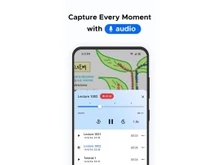
  • Input Modes & Searchability: GoodNotes supports handwriting, typing, drawing, and audio recordings, and can search across handwritten notes, typed text, PDFs, and images. Notewise offers handwriting recognition, OCR across scans and images, and allows users to highlight and ask contextual questions to both typed and handwritten content.
  • AI & Smart Tools: GoodNotes integrates generative AI features such as handwriting spellcheck, math checking, and document Q&A assistance. Notewise provides AI features like note-chat, automatic podcast generation from your content, and AI text recognition within notes.
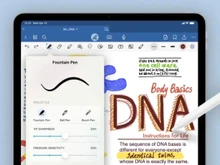
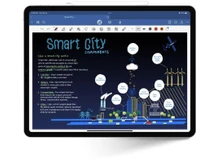
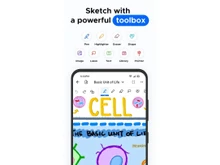
  • Canvas & Editing Experience: GoodNotes offers a flexible canvas model—whiteboards, notebooks, block-style text documents—and tools like shape assist, rulers, tape, and lasso selection. Notewise supports pen, highlighter, lasso, shapes, textbox, Zoombox (zoom on part of canvas), and real-time handwriting editing in text boxes.
  • Collaboration & Sync: GoodNotes supports real-time collaboration, cloud sync, cross-device editing, and shared notes across platforms. Notewise also enables real-time collaboration, syncing across devices, and shared notebooks via its cloud system.
  • Platform Reach & Accessibility: GoodNotes is available on iOS, macOS, web, Android (via web) and Windows (via web). Notewise is built for both Android and iOS with cross-platform capability, and features multi-window, freeform resizing, and live canvas updates.

Pricing

img

Price Plans

$ 120.00

Goodnotes Teams($10 per month/user)

View Details img

$ 2.99

Notewise Cloud 1GB

$ 3.99

Notewise Cloud 10GB

$ 9.99

Notewise Cloud 100GB

View Details img

  • Free Trial
  • Lifetime Plan
  • img
  • img

Ratings

img

Overall ratings

4.6

17 Ratings & 13 Reviews

92% Likelihood to Recommend

4.4

11 Ratings & 11 Reviews

88% Likelihood to Recommend

Pros & Cons

img

Pros

img

There is no need for a subscription. I just paid once and I have all the feature...Read more - Namita Jan 05, 2025

img

I like to zoom feature. The zoom box while writing helps me be more precise when...Read more - Daaman Rai Nov 12, 2024

img

It is convenient that I can use it without any Wi-Fi access. I can still get my ...Read more - sweety Nov 01, 2024

img

There is a Dark Mode feature included. This is good for me since I am sensitive ...Read more - Jasmeet Singh Sethi Oct 17, 2024

Cons

img

It takes up quite a lot of space. The app and all my notes take up a lot of spac...Read more - Namita Jan 05, 2025

img

I wish they had more pen selection options. There are fewer pen styles when comp...Read more - Daaman Rai Nov 12, 2024

img

It is plain and minimalist, which feels basic. The design is too plain for me. - sweety Nov 01, 2024

img

They do not have any flashcard integration. If you need it you would have to dow...Read more - Jasmeet Singh Sethi Oct 17, 2024

Reviews

img

Verified customer reviews

No Subscription Hassles but Takes Up Space

Namita Jan 05, 2025

Precise and Easy, But Limited Pen Options

Daaman Rai Nov 12, 2024

Great for On-the-Go Notetaking

sweety Nov 01, 2024

Perfect fit Night Owls

Jasmeet Singh Sethi Oct 17, 2024

Best Use for

img

Business Size:

  • img Individual
  • img 2-50 Employees
  • img 51-250 Employees
  • img 250-500 Employees
  • img 500-1000 Employees
  • img More than 1000+ Employees
  • img Individual
  • img 2-50 Employees
  • img 51-250 Employees
  • img 250-500 Employees
  • img 500-1000 Employees
  • img More than 1000+ Employees

Business Type:

  • img Small Business
  • img Startups
  • img Medium Business
  • img Enterprise
  • img SMBs
  • img SMEs
  • img MSMBs
  • img MSMEs
  • img Freelancers
  • img Individual
  • img Small Business
  • img Startups
  • img Medium Business
  • img Enterprise
  • img SMBs
  • img SMEs
  • img MSMBs
  • img MSMEs
  • img Freelancers
  • img Individual

Industries:

  • imgAll Industries
  • imgAll Industries

We provide the best software solution for your business needs

img
img

Features

img

Primary Features

  • img Text Formatting
  • img Search Functionality
  • img Offline Access
  • img Version History
  • img Web Clipper
  • img Templates
  • img To-do Lists
  • img Reminders
  • img Hierarchy Management
  • img Tagging and Labeling
  • img Voice Notes
  • img Annotations
  • img File Attachments
  • img Bookmarks
  • img Text Formatting
  • img Search Functionality
  • img Offline Access
  • img Version History
  • img Web Clipper
  • img Templates
  • img To-do Lists
  • img Reminders
  • img Hierarchy Management
  • img Tagging and Labeling
  • img Voice Notes
  • img Annotations
  • img File Attachments
  • img Bookmarks

Search and Retrieval

  • img Activity History
  • img Full-Text Search with Filters
  • img OCR (Optical Character Recognition)
  • img NLP-based Search
  • img Activity History
  • img Full-Text Search with Filters
  • img OCR (Optical Character Recognition)
  • img NLP-based Search

Collaboration

  • img Real Time Editing
  • img Note Sharing
  • img Commenting and Feedback
  • img Permissions Control
  • img Real Time Editing
  • img Note Sharing
  • img Commenting and Feedback
  • img Permissions Control

Customization & Personalization

  • img Themes and Color Options
  • img Custom Fonts and Styles
  • img Quick Access Widgets
  • img End-to-End Encryption
  • img Themes and Color Options
  • img Custom Fonts and Styles
  • img Quick Access Widgets
  • img End-to-End Encryption

Security and Privacy

  • img Biometric Login
  • img Password Protection
  • img Version control
  • img Note Recovery
  • img Biometric Login
  • img Password Protection
  • img Version control
  • img Note Recovery

Alerts & Notifications

  • img Customizable Reminders
  • img Due Date Notifications
  • img Snooze Reminders
  • img Event Reminders
  • img Push Notifications
  • img Email Notifications
  • img Calendar Alerts
  • img Customizable Reminders
  • img Due Date Notifications
  • img Snooze Reminders
  • img Event Reminders
  • img Push Notifications
  • img Email Notifications
  • img Calendar Alerts

Administrative Features

  • img User Access Management
  • img Export Notes
  • img Import Notes
  • img Access Logs
  • img Auto Backup
  • img User Access Management
  • img Export Notes
  • img Import Notes
  • img Access Logs
  • img Auto Backup

Integrations

  • img Third Party Integration
  • img API Access
  • img Calendar Integration
  • img Add-Ons
  • img API Integration
  • img Third Party Integration
  • img API Access
  • img Calendar Integration
  • img Add-Ons
  • img API Integration

AI Capabilities

  • img Summarization
  • img Smart Recommendations
  • img Voice-to-Text
  • img Image Recognition
  • img Content Generation
  • img Summarization
  • img Smart Recommendations
  • img Voice-to-Text
  • img Image Recognition
  • img Content Generation

Specifications

img

Deployment

  • img Web based
  • img On Premises
  • img Web based
  • img On Premises

Device Supported

  • img Desktop
  • img Mobile
  • img iPad
  • img Tablet
  • img Desktop
  • img Mobile
  • img iPad
  • img Tablet

Supported Platforms

  • img Windows
  • img Mac OS
  • img Android
  • img iOS
  • img Linux
  • img Ubuntu
  • img Windows
  • img Mac OS
  • img Android
  • img iOS
  • img Linux
  • img Ubuntu

Languages support

  • imgEnglish
  • imgEnglish

Compliance Regulations:

  • img COPPA
  • img HIPAA
  • img CCPA
  • img CPRA
  • img ECPA
  • img COPPA
  • img HIPAA
  • img CCPA
  • img CPRA
  • img ECPA

Alternatives

img

Top Alternative Products

Evernote

Evernote


RemNote

RemNote


Microsoft OneNote

Microsoft OneNote


Bear

Bear


See all GoodNotes alternatives img
Evernote

Evernote


Microsoft OneNote

Microsoft OneNote


RemNote

RemNote


Google Keep

Google Keep


See all Notewise alternatives img

Send this comparison to my inbox

img Get directly in your email inbox on your Whatsapp

Similar Comparison

GoodNotes vs Notewise Comparison FAQs

Software questions,
answered

GoodNotes focuses on structured notebooks and study features. Notewise focuses on speed, creativity, and advanced handwriting tools.

GoodNotes is better for studying, organizing subjects, and handling large PDF textbooks. Notewise works well for fast lecture notes and visual learning.

Yes, Notewise supports real time multi user collaboration through Notewise Cloud.

GoodNotes has a stronger AI for summaries, outlines, and writing assistance. Notewise has strong AI for math solving, handwriting recognition, and audio transcription.

Yes. GoodNotes is cross platform and works on iPad, iPhone, Android, Windows, and web.

Yes. Notewise offers layers, brushes, and precise editing tools that are great for creative sketches, diagrams, and visual thinking.

A Quick Comparison Between GoodNotes vs Notewise

Choosing any software for your organisation is a crucial decision. As a decision maker, you must ensure that the software you choose addresses the pain points of your teams and reaps maximum benefit for you.

  • GoodNotes vs Notewise: Which Note Taking App Is Right for You?
  • Quick Comparison of GoodNotes and Notewise
  • GoodNotes vs Notewise: Comparison Table
  • GoodNotes vs Notewsie: Writing Experience
  • Notewise vs GoodNotes: Organization and Workflow
  • GoodNotes versus Notewise: Productivity Tools
  • GoodNotes or Notewise: Search and Text Recognition (OCR)
  • Notewise or GoodNotes: Collaboration and Sharing Features
  • GoodNotes and Notewise: Templates and page Styles
  • AI Features: GoodNotes vs Notewise
  • When to Choose GoodNotes or Notewise?
  • Final Verdict: GoodNotes or Notewise

GoodNotes vs Notewise: Which Note Taking App Is Right for You?

GoodNotes and Notewise are two popular digital note taking software used by students, professionals, and creators in the U.S. They are similar in the functionality of handwriting, PDF support, and structured digital notes, although both exhibit differences in how they support workflow, tools, and their platform support.

GoodNotes offers a refined writing experience that is highly organized, offers study features, and has the feel of a traditional notebook. Notewise is newer, quicker and more feature packed particularly with handwriting gestures and precision erasing as well as layered note taking. But, which platform is best for you?

In this guide we will compare both apps across features, usability, customization, pricing, and user experience.

Quick Comparison of GoodNotes and Notewise

  • GoodNotes is an excellent choice to take lecture and study notes since it provides better organizing features, smooth writing, and useful tools like flashcards and templates.
  • Notewise is the better app for all kinds of creative work since it comes with layers, shape tools, and very precise editing features for detailed drawings and diagrams.
  • Both apps allow you to highlight, annotate, and sign PDFs, but GoodNotes handles larger textbooks and multi page files more smoothly.
  • Notewise offers more brush types and artistic control; however, GoodNotes gives more choice of page templates, notebook styles, and organized layouts.
  • GoodNotes is available for iOS, Android, Windows, and web which makes it convenient to sync data over devices. Notewise is best used on tablets, especially the iPad.

GoodNotes vs Notewise: Comparison Table

Feature GoodNotes Notewise
Writing Experience Smooth, natural, paper like Fast, smart, gesture based
Pricing Starts at $3.99 / month Starts at $11.99
PDF Annotation Very stable, smooth for textbooks Advanced editing tools inside PDFs
Organization Tools Folders, subjects, templates, flashcards Minimal workspace with fewer layers
Study Features Flashcards, math tools, exam mode Basic study tools focused on speed
Creative Tools Standard drawing tools Layers, brushes, precise erasing
AI Features AI summaries, outlines, document creation, audio notes AI math solving, handwriting to text, audio transcription
Collaboration Basic sharing Real time multi user collaboration
Cloud Sync iCloud and cross platform sync Notewise Cloud with encryption
Best For Students and structured note takers Creators, fast thinkers, digital sketchers

GoodNotes vs Notewsie: Writing Experience

Both the software offers best writing experience, but caters to different uses. GoodNotes presents a very smooth and familiar paper-like writing experience. It is immensely suitable for traditional note taking, journaling, and lectures. Notewise is all about the speed and smart editing. You can select the writing with a lasso, erase certain parts of strokes, apply layers, and work with advanced drawing tools.

Notewise vs GoodNotes: Organization and Workflow

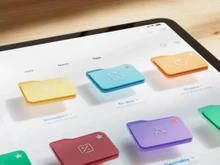
GoodNotes has notebooks, covers, folders, and subjects as a part of their organization system. It is like a digital binder which is helpful for students and professionals in keeping their notes neat and separated. Notewise is less complicated and more workspace focused. It is great for quick sketching, brainstorming, and mixed media notes with no restriction of having separate notebooks.

GoodNotes versus Notewise: Productivity Tools

GoodNotes has a clear upper hand in terms of productivity tools. It comes with the built-in flashcards, math conversion, search features, and study-friendly templates. This is great for students who are preparing for tests. Notewise focuses more on creative tools, layers, and advanced editing; hence it is more suitable for artistic professionals or users who picture their thoughts.

GoodNotes or Notewise: Search and Text Recognition (OCR)

GoodNotes has a very precise handwriting recognition feature. This feature allows you to search not only handwritten notes, but also typed text and even text within imported PDFs. With this feature, users can easily find the subjects they are looking for from the past quickly. Notewise has OCR too, but its accuracy and speed may depend on the style of the notes. Ultimately, GoodNotes usually gives more in-depth search results.

Notewise or GoodNotes: Collaboration and Sharing Features

GoodNotes allows shared documents where more than one user can add to and see notes. This is great for group projects and classroom activities. Similarly, Notewise gives sharing and viewing access but may have limited real-time collaboration features in comparison to GoodNotes.

GoodNotes and Notewise: Templates and page Styles

GoodNotes offers a huge collection of templates such as dotted, ruled, planners, checklists, graph paper, and weekly layouts. It is perfect for bullet journaling, planners, and academic notes taking. Notewise has a limited collection of templates but offers stronger editing tools in return.

AI Features: GoodNotes vs Notewise

The AI power is a major part of GoodNotes. It is so powerful that it has almost turned the user into a writing and planning assistant inside the app. Users can get their sloppy notes rearranged, and then they get the organized ideas written down. Besides, they can ask the AI to summarize the text, to build outlines, to create tables, and to draft documents, word by word, even capturing the main points from audio recordings or brainstorming sessions.

Notewise also has AI features such as recognizing handwriting, solving mathematics problems, transcribing audio, sticky note reading, and producing smart insights. It is developing so fast, but its AI mix is mainly focused on note-taking, math assistance, and handwriting conversion, rather than content generation.

When to Choose GoodNotes or Notewise?

Choose GoodNotes if… Choose Notewise if…
You want organized notes and study tools You want quick lecture notes and flexible editing
You require reliable performance for large files You want more editing tools within PDFs
You like a traditional notebook feel You prefer a modern workspace with layers
Standard drawing tools are sufficient You want brushes, layers, and creative control

Final Verdict: GoodNotes or Notewise

If you are looking for a smooth handwriting, powerful study tools, and strong PDF support, GoodNotes is the right choice for you, it is a traditional and structured digital notebook. It is a great application for students and professionals requiring a neat and tidy workspace.

Notewise, on the other hand, is perfect for those who like fast note taking, creative tools, layers, and modern AI features that quicken writing and brainstorming. If you are still confused, then get in touch with our software experts or the Techjockey Team for assistance in picking the right note-taking app that fits your needs.

Add Software to Compare

close

Recommended Products

20,000+ Software Listed 20,000+ Software Listed

Best Price Guaranteed Unbiased Comparison

Free Expert
                        Consultation Read Authentic Reviews

2M+ Happy Customers 500,000+ Monthly Users