LibreCAD vs QCAD: Which CAD Software is Right for You?
LibreCAD is an open source and free CAD software, which suits those users who require simple and efficient drafting tools but have no fees for the software. It is compatible with Windows, macOS, and Linux, and its community support is quite high, as well as other multilingual accessibility.
QCAD is a 2D CAD program that is easy to use and professional. It facilitates layers, blocks, DXF/DWG, and includes thousands of CAD parts, thus it can be used by architects, engineers, and educators.
Select LibreCAD as a simple, community-based CAD solution. Use QCAD when you need complex 2D drafting, modular tools, and professional-level precision.
LibreCAD vs QCAD: Comparison Table
| Feature |
LibreCAD |
QCAD |
| Overview |
Free, open-source 2D CAD tool for basic drafting and design. |
2D CAD software for professional and personal drafting. |
| Platform Compatibility |
Works on Windows, macOS, and Linux. |
Compatible with Windows, macOS, and Linux. |
| License Type |
Open-source under GPLv2. |
Open-source (GPLv3) and commercial editions. |
| User Interface |
Simple and community-built. |
Polished and beginner-friendly. |
| Core Functionality |
Basic 2D tools for lines, shapes, and dimensions. |
Advanced tools for construction, modification, and measurement. |
| File Compatibility |
Supports DXF; DWG via conversion. |
Supports DXF and DWG natively. |
| Customization |
Extendable via C++ plugins. |
Supports JavaScript scripting for automation. |
| Part Library |
Limited built-in library. |
4800+ ready-to-use CAD parts. |
| Performance |
Lightweight and fast. |
Smooth and precise performance. |
| Community & Development |
Active open-source community. |
Supported by RibbonSoft and global users. |
| Learning Curve |
Basic tutorials and community help. |
Easier to learn with official guides. |
| Use Case |
Best for students and hobbyists. |
Ideal for professionals and businesses. |
| Pricing |
Completely free. |
Free community version, paid Pro (~€41 one-time). |
| Support |
Forum, IRC, and Zulip community. |
Email and forum support (Pro users). |
Detailed Feature Comparison of LibreCAD and QCAD
Comparing LibreCAD and QCAD: Interface & Usability Overview
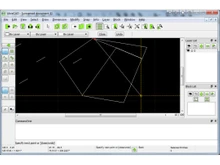
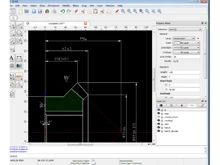
LibreCAD has a simple interface designed to provide simplicity and speed. It serves beginners and open-source users who want a minimalist program to use to draft 2D documents without distractions.
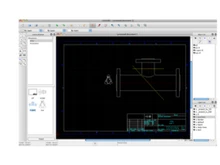
QCAD provides a more professional and easier-to-use interface and is suitable for both amateurs and experts. It has a user-friendly layout, with well-organized toolbars and dockable panels that simplify the complicated design job.
LibreCAD vs. QCAD: Design & Drawing Tools
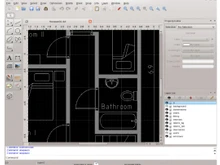
LibreCAD is a 2D-only program that is equipped with all the necessary features of drawing lines, circles, arcs, and dimensions, which is why it can be used in architectural plans, in mechanical drawings, and in schemes. It is dedicated to basic drafting skills without 3D and CAM additions.
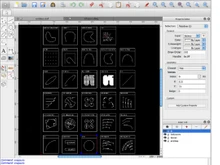
QCAD has a more comprehensive set of 2D construction and editing tools, such as blocks, hatches, and polylines, as well as more than 40 drawing and 20 editing tools. It has also integrated an in-built part library to ensure effective re-use of components.
Comparing LibreCAD and QCAD: File Format Support
LibreCAD is compatible with most CAD systems because it supports the DXF files and importing/exporting of other versions. Conversion can be used to use DWG files.
On its own, the QCAD supports the DXF and DWG formats. Thus, making it accessible to work with the existing CAD files, or to work across the software environments without the conversion problems.
Customization and Scripting Differences Between LibreCAD and QCAD
LibreCAD is extensible to C++, meaning that programmers can improve or extend the basic capabilities of the application with code. It is entirely open source, and it is easy to customize it by its contributors.
QCAD has a very strong ECMAScript (JavaScript) automation and scripting interface. This enables users to write their own macros, automate repetitive tasks, and create their own tools with ease.
Library and Resource Differences Between LibreCAD and QCAD
LibreCAD provides a simple range of standard drawing items that can be used in general drafting work. People tend to use the community to exchange custom blocks and templates.
QCAD offers a rich and diverse library of pre-built CAD components, including more than 4,800 components that simplify mechanical and architectural design work.
When to Choose LibreCAD or QCAD?
| Scenario |
Choose LibreCAD |
Choose QCAD |
| Budget |
Fully free, open-source CAD solution. |
Paid license for advanced features and support. |
| Learning |
Simple tool for students and beginners. |
Suited for professional training and workflows. |
| System Requirements |
Lightweight, runs on minimal hardware. |
Requires modern systems for smooth performance. |
| Project Size |
Small or personal drafting projects. |
Large-scale or professional 2D projects. |
| Integration |
No advanced plug-ins needed. |
Supports DWG compatibility and advanced tools. |
| User Type |
Hobbyists and DIY users. |
Professionals need precision and efficiency. |
Final Verdict: LibreCAD or QCAD
LibreCAD is created as a free and open-source 2D CAD software, with a cross-platform interface, multi-language connectivity, and a very active community-based atmosphere. It is convenient where there are beginners and hobbyists, and small projects where cost-free and easy-to-use CAD tools are acceptable.
QCAD is designed as professional software and very large organizations with high-end 2D drafting capabilities, DWG support, a large part library, and high precision features that are useful in professional or large-scale projects.
Use LibreCAD because it is free and provides community support. In the meantime, the QCAD can be beneficial to professionals and organizations that need sophisticated CAD capability, accuracy, and quality, and long-term support.
 UAE
UAE India
India


 Comparison


 4 Ratings & 0 Reviews


 Free Trial





 Get directly in your email inbox on your Whatsapp


