linkedin
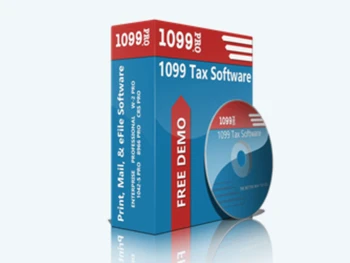
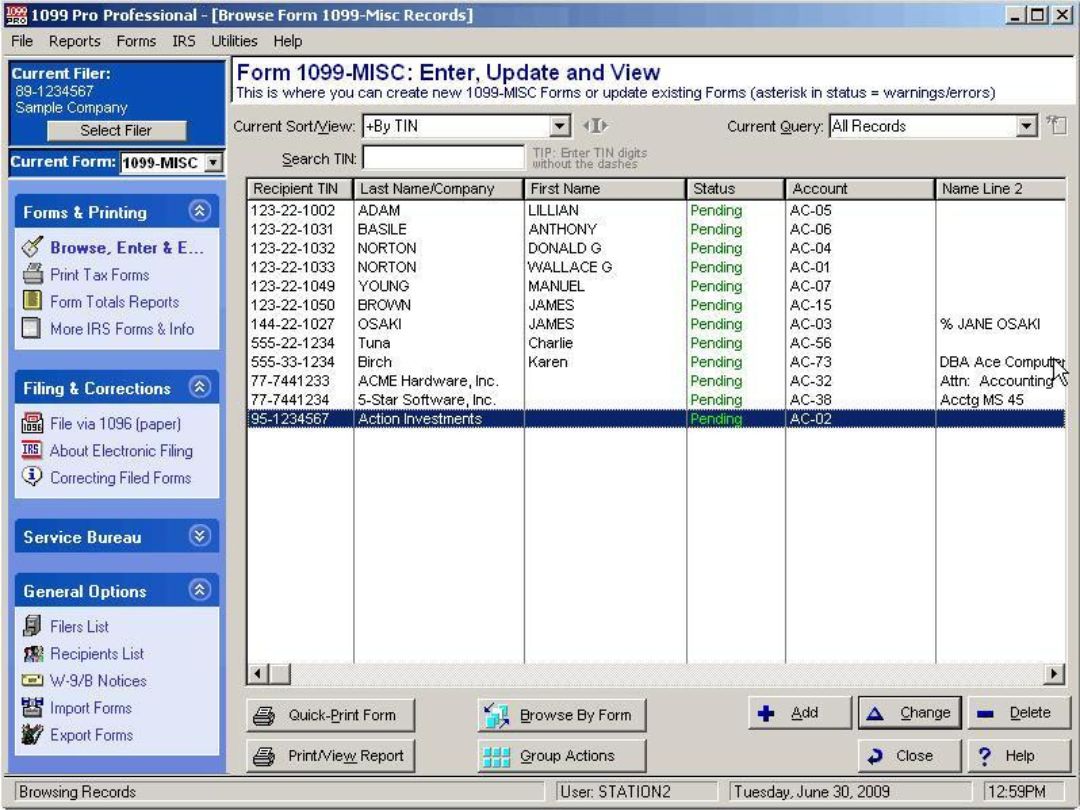
1099 Pro Professional logo
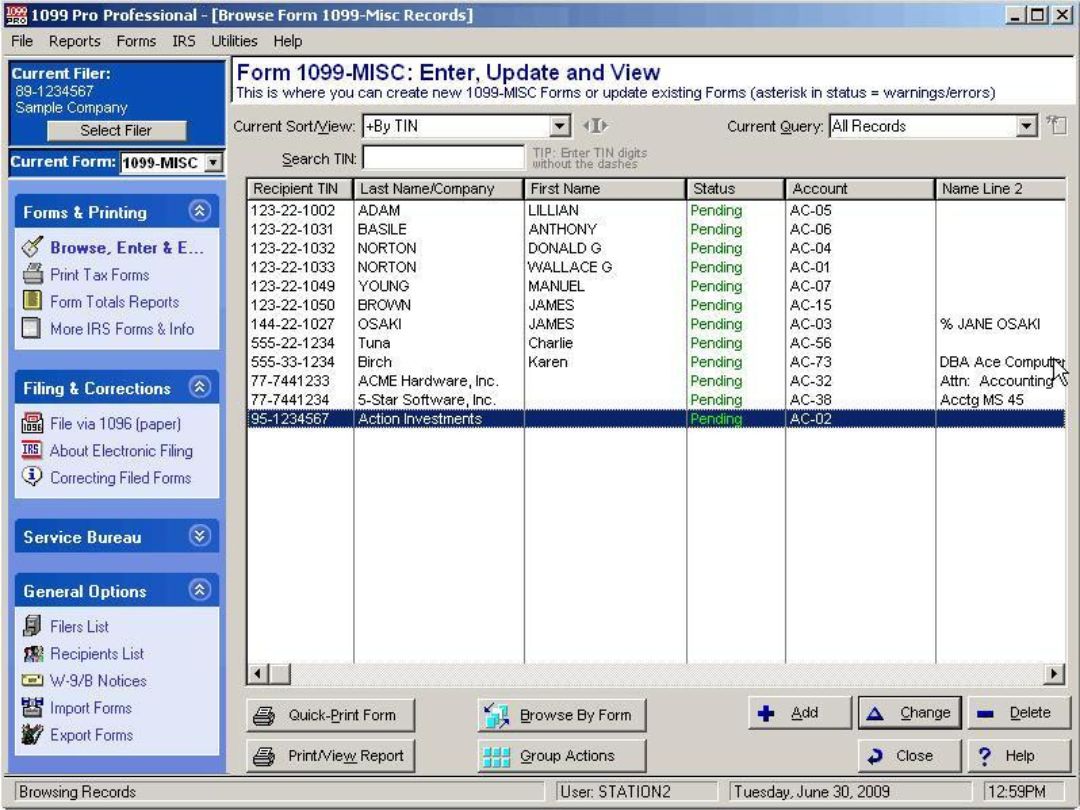
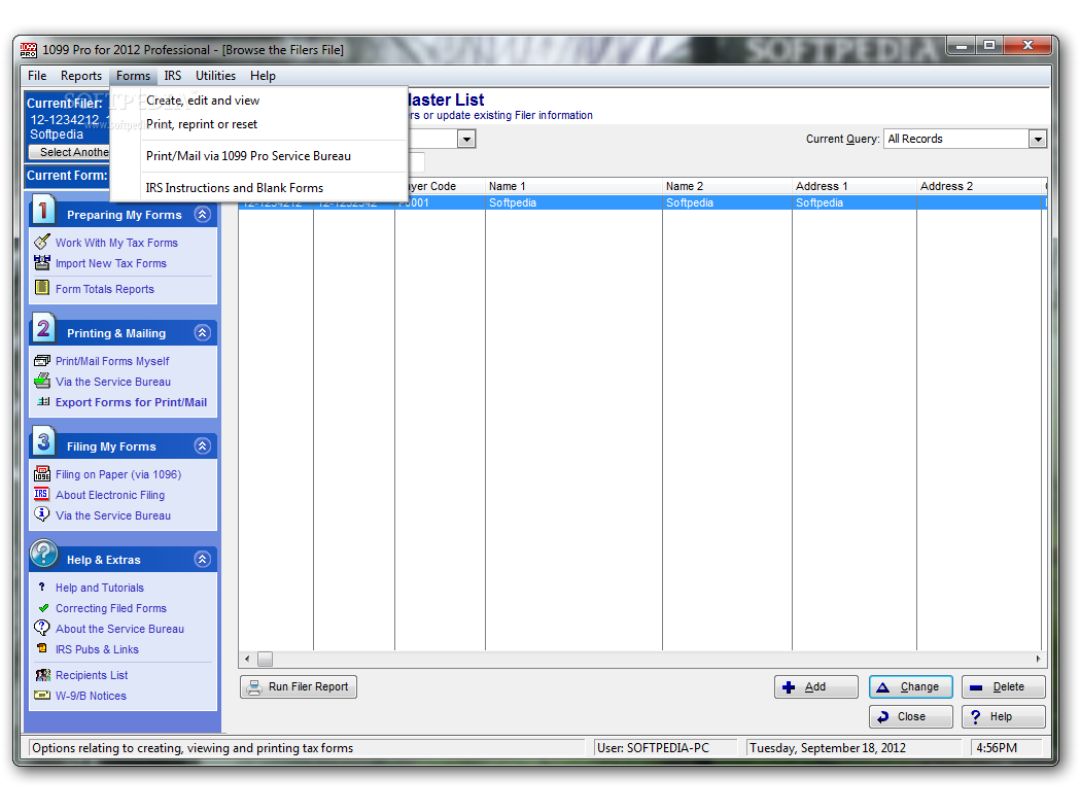
1099 Pro Professional dashboards
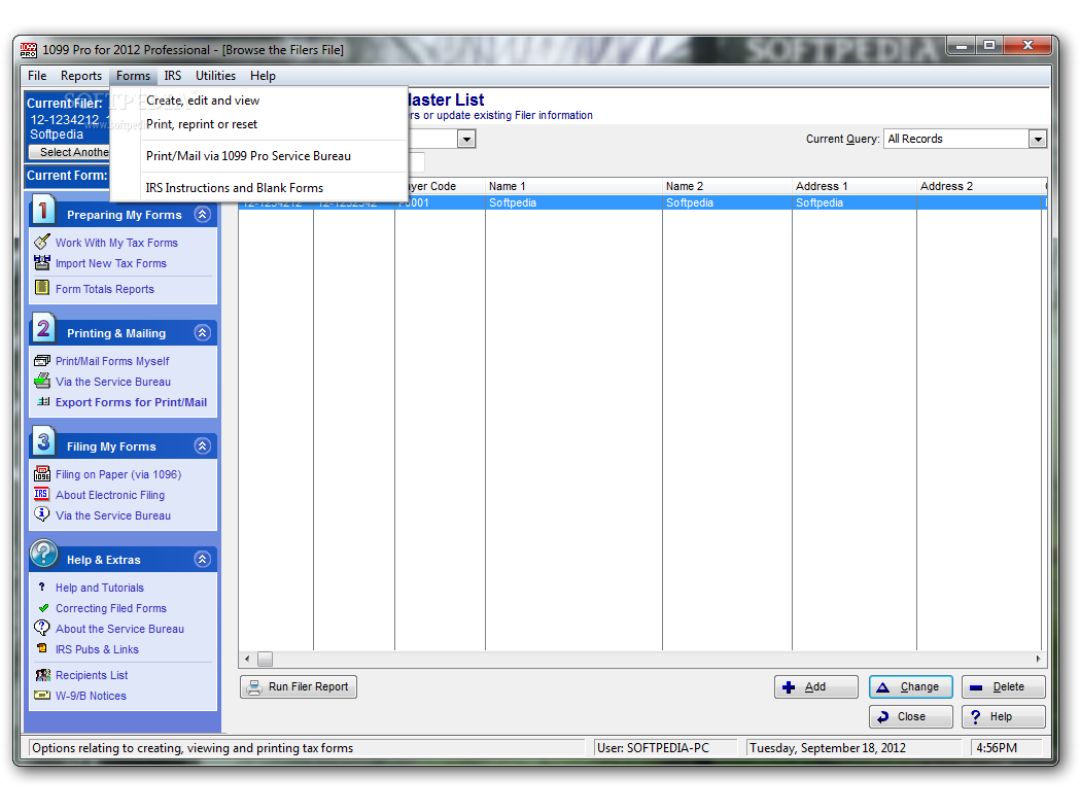
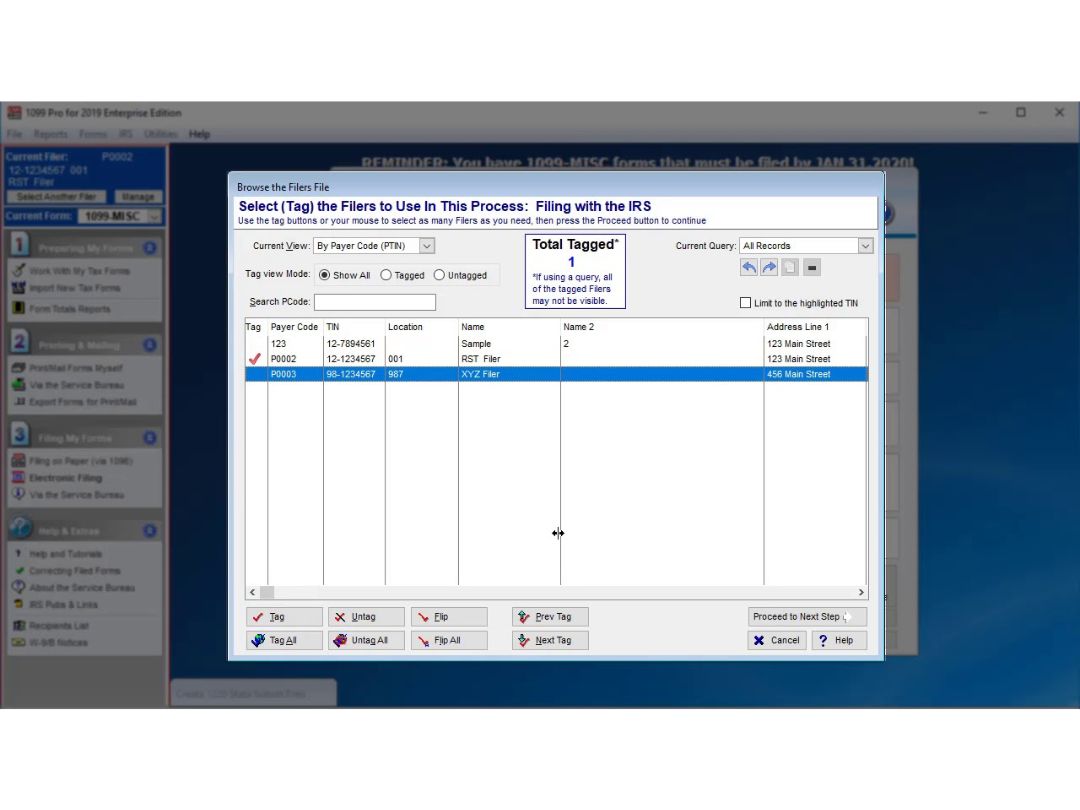
1099 Pro Professional formats
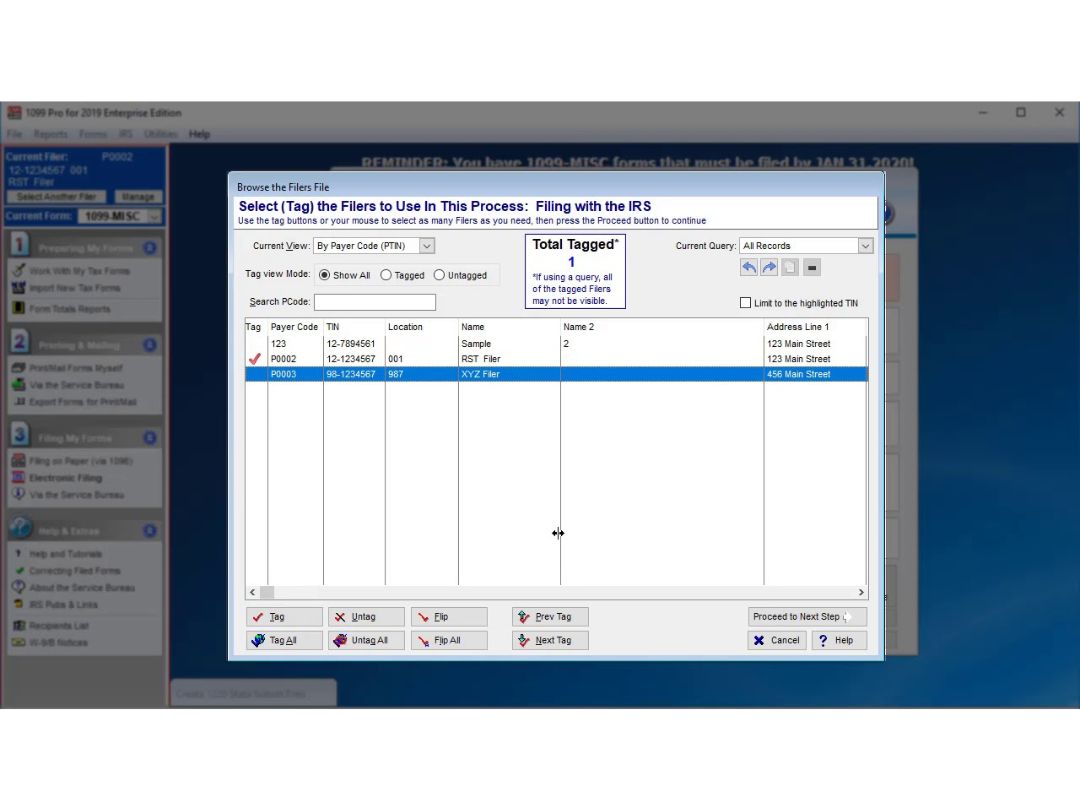
1099 Pro Professional support

1099 Pro Professional

Brand: Sovos

  • No Ratings & Reviews

1099 Pro Professional is tax filing software for small to mid-sized businesses, simplifying form preparation, printing, and compliance.

See More

Have you used 1099 Pro Professional before?

Share your insights for better experience

Add a Review
Starting Price
$359

View plans

100% Genuine
Products
Best Price
Guaranteed
Safe & Secure
Payment
  • Description

  • Pricing

  • Features

  • Specification

  • Review

  • Compare

  • Alternatives

  • FAQ

Starting at $359.00

1099 Pro Professional Software Overview

What is 1099 Pro Professional?

1099 Pro Professional is tax software for small to mid-sized businesses that uses the support of the 1099 Pro Service Bureau. It helps in tax form preparation, printing, and filing taxes through the 1099 Pro Service Bureau. The interface comes with navigation options supporting bulk import options and secure data handling of data for tax filing and compliance with IRS regulations.

1099 Pro Professional provides bulk data import of data from Excel, CSV, fixed fixed-length files. It helps in tax form preparation, guided filing, and IRS e-filing via the 1099 Pro Service Bureau. The software supports 1099, 1098, and W-2 forms, enabling printing, mailing, corrections, and TIN matching. It provides audit tracking, encryption, and compliance tools to ensure security.

Why Choose 1099 Pro Professional?

  • Tax Form Preparation: Helps businesses create and format 1099, 1098, and W-2 forms accurately, supporting IRS compliance.
  • Bulk Data Import: Allows importing tax details from Excel, CSV, and text files, reducing manual entry efforts and errors.
  • Guided E-Filing: Simplifies electronic submissions by providing step-by-step filing assistance through the 1099 Pro Service Bureau.
  • TIN Matching: Verifies taxpayer identification numbers before filing, to reduce the risk of IRS rejections.
  • Printing & Mailing: Enables businesses to print tax forms and mail them securely to recipients, for smooth document distribution.

Benefits of 1099 Pro Professional

  • Simplified Tax Filing: It guides users through tax preparation, reducing errors and meeting compliance with IRS regulations.
  • Bulk Data Handling: Enables efficient import of large datasets of different formats reducing time for entry and reducing errors.
  • Secure E-Filing: Helps in electronic tax submissions via the 1099 Pro Service Bureau, giving accuracy and security.
  • User-Friendly Interface: It offers an intuitive design that simplifies navigation and enhances the tax filing experience.
  • Compliance Ready: Includes built-in IRS compliance tools, audit tracking, and regulatory updates for proper tax management.

Pricing of 1099 Pro Professional

1099 Pro Professional Price starts at $359 per user. 1099 Pro Professional comes with multiple pricing plans and caters to a diverse customer base. For subscription-related details and offers on premium packages, please request a call back from our product experts.

Read more

Sovos Company Details

Founded Year:  1979

Sovos provides IT-driven global tax, compliance, and trust solutions for businesses in an evolving regulatory landscape.

Director/Founders Robson Souza
Company Size 1000+ Employees

1099 Pro Professional Pricing & Plans

1099 Pro 2024 Professional - Single User
Starting at $359
    • Licenses (Lifetime)

      Licenses (Lifetime)
      Licenses (Lifetime)

Key Features

  • Recommended Volume - 1 to 800

  • Unlimited filing entities

  • Tax Records - Unlimited

  • 1098, 1099, 3921, 3922, 5498, W-2G & W-9/B-Notices

1099 Pro 2024 Professional - Multi-User (2-5 users)
Starting at $949
    • Licenses (Lifetime)

      Licenses (Lifetime)
      Licenses (Lifetime)

Key Features

  • Recommended Volume - 1 to 800

  • Unlimited filing entities

  • Tax Records - Unlimited

  • 1098, 1099, 3921, 3922, 5498, W-2G & W-9/B-Notices

1099 Pro 2024 Professional - Multi-User Unlimited
Starting at $1549
    • Licenses (Lifetime)

      Licenses (Lifetime)
      Licenses (Lifetime)

Key Features

  • Recommended Volume - 1 to 800

  • Unlimited filing entities

  • Tax Records - Unlimited

  • 1098, 1099, 3921, 3922, 5498, W-2G & W-9/B-Notices

1099 Pro Professional Features

Tax Preparation & Filing

  • icon_check Federal & State Tax Filing
    Preparation and electronic submission of federal and state tax returns.
  • icon_check Automated Form Filling
    Auto-population of tax forms using imported data to minimize manual entry.
  • icon_check Multi-Year Filing
    Capability to file returns for multiple tax years, including prior periods.
  • icon_check Return Preview & Validation
    Review and validation of tax returns before submission to check for errors or omissions.
  • icon_check e-File Support
    Direct electronic submission to tax authorities.
  • icon_check Real-Time Calculations
    Instant updates on tax liabilities or refunds as data is entered.
  • icon_check Tax Extension Filing
    Assistance in filing for extensions when additional time is required.
  • icon_check Direct Deposit
    Options for direct deposit of tax refunds into bank accounts.

Income & Deductions Management

  • icon_check W-2 & 1099 Import
    Importation of income data from W-2 and 1099 forms.
  • icon_check Investment & Capital Gains Reporting
    Calculation of taxes on investment income, including stocks and bonds.
  • icon_check Rental Income Management
    Handling of income and deductions related to rental properties.
  • icon_check Charitable Contributions
    Tracking and application of deductions for eligible charitable donations.
  • icon_check Medical & Educational Expenses
    Management of deductions related to medical costs and educational expenses.
  • icon_check Retirement Income & Contributions
    Handling of taxation on retirement income and contributions to retirement accounts.
  • icon_check Self-Employment Support
    Management of income and expenses for freelancers and independent contractors.
  • icon_check Dependent Credits
    Calculation of credits and deductions for dependents.

Compliance & Audit Support

  • icon_check Automatic Updates
    Incorporation of the latest tax law changes automatically.
  • icon_check Tax Law Compliance
    Ensuring adherence to current federal and state tax regulations.
  • icon_check Error Checking
    Identification of errors with accuracy guarantees.
  • icon_check ID Validation
    Verification of taxpayer identification numbers.
  • icon_check Self-Employed & Gig Worker Compliance
    Ensuring proper reporting for self-employed individuals and gig workers.
  • icon_check Audit Risk Assessment
    Evaluation of the likelihood of an audit based on return data.
  • icon_check Audit Assistance
    Provision of support and guidance in the event of an audit.
  • icon_check Nonprofit Support
    Features tailored for non-profit organizations.
  • icon_check Franchise Tax Compliance
    Assistance with state franchise tax requirements.

Business & Enterprise Features

  • icon_check Business Tax Filing
    Preparation and filing for various business structures (C-Corp, S-Corp, LLC, Partnerships).
  • icon_check Multi-State Support
    Handling of tax filings for businesses operating in multiple states.
  • icon_check International Reporting
    Management of reporting requirements for international transactions.
  • icon_check Payroll Tax Management
    Calculation and reporting of payroll taxes.
  • icon_check Sales Tax Management
    Calculation and tracking of sales and use taxes.
  • icon_check Nexus Management
    Identification of tax obligations based on business presence in various jurisdictions.
  • icon_check Asset Depreciation
    Calculation of asset depreciation and tracking of fixed assets.

Integration & Automation

  • icon_check Financial Data Import
    Importation of financial data directly from banks and brokerage firms.
  • icon_check Accounting Software Integration
    Seamless integration with accounting platforms like QuickBooks.
  • icon_check E-Signature Integration
    Support for electronic signatures on tax documents.
  • icon_check Estimated Tax Automation
    Calculation and scheduling of estimated tax payments.
  • icon_check API Integration
    Customization and integration capabilities with other software systems.
  • icon_check Third Party Integration
    Connections with additional third-party applications for extended functionality.

Security & Data Protection

  • icon_check Data Encryption
    Protection of sensitive information through encryption.
  • icon_check Fraud Protection
    Implementation of multiple measures to prevent fraudulent activities.
  • icon_check IRS Security Standards
    Compliance with IRS regulations for secure electronic filing.
  • icon_check Data Backup
    Automatic backups and data recovery options.
  • icon_check Two-Factor Authentication (2FA)
    Enhanced security with an additional verification step.
  • icon_check Role-Based Access Control (RBAC)
    Role-based access to prevent unauthorized modifications.
  • icon_check GDPR and CCPA Compliance
    Adherence to data protection laws like GDPR and CCPA.

Analytics & Reporting

  • icon_check Customizable Reports
    Generation and export of detailed tax reports tailored to specific needs.
  • icon_check Cryptocurrency Reporting
    Calculation of taxes on cryptocurrency transactions.
  • icon_check Tax Planning & Forecasting
    Provision of future tax projections to assist in planning.

1099 Pro Professional Specifications

Supported Platforms
Windows Windows
Devices
Desktop Desktop
Deployment
Perpetual Perpetual
Suitable For
All Industries
Business Specific
All Businesses
Business Size
Small Business Startups Medium Business
Customer Support
Email Communities
Language
English
Training Resources
Webinars Videos

1099 Pro Professional Review

Be the First to Review

This product has no reviews yet. Be the first to leave your feedback.

Add Review
Compare 1099 Pro Professional With other Tax Software

Products
Ratings
Pricing
Device Supported
Deployment
Supported Platforms
  • img

    1099 Pro Professional

  • $ 359.00 excl. GST

  • Desktop

    Mobile

  • Web based

    On Premises

  • Windows

    Mac OS

  • img

    Drake Software

  • 4.4

  • Price On Request

  • Desktop

    Mobile

  • Web based

    On Premises

  • Windows

    Mac OS

  • img

    TaxAct

  • 4.5

  • Price On Request

  • Desktop

    Mobile

  • Web based

    On Premises

  • Windows

    Mac OS

  • img

    TaxWise®

  • 4.8

  • Price On Request

  • Desktop

    Mobile

  • Web based

    On Premises

  • Windows

    Mac OS

  • img

    H&R Block

  • 4.4

  • Price On Request

  • Desktop

    Mobile

  • Web based

    On Premises

  • Windows

    Mac OS

  • img

    Taxslayer Pro

  • 4.2

  • Price On Request

  • Desktop

    Mobile

  • Web based

    On Premises

  • Windows

    Mac OS

  • img

    Turbotax

  • 4.3

  • Price On Request

  • Desktop

    Mobile

  • Web based

    On Premises

  • Windows

    Mac OS

  • img

    Sprintax

  • 4.5

  • Price On Request

  • Desktop

    Mobile

  • Web based

    On Premises

  • Windows

    Mac OS

(0) Product(s) selected

1099 Pro Professional Alternatives

See All 1099 Pro Professional Alternatives

Starting Price:

$54.99 /License

Starting Price:

$1,689.00 /License

Starting Price:

$50.00 /License

Starting Price:

$50.00 /License

Available

Price on Request

Who uses 1099 Pro Professional?

1099 Pro Professional is used by small to mid-sized businesses, accountants, and tax preparers for 1099, 1098, and W-2 tax filings.

How does 1099 Pro Professional work?

1099 Pro Professional imports tax data, prepares forms, validates entries, prints documents, and submits filings through the 1099 Pro Service Bureau.

How much does 1099 Pro Professional cost?

1099 Pro Professional pricing starts at $359 per single user, with optional upgrades for different pricing ranges.

On which OS can 1099 Pro Professional run?

1099 Pro Professional runs on Windows 10 and Windows 11.

Does 1099 Pro Professional provide a demo for its users?

Yes, 1099 Pro Professional offers a demo version.

Can 1099 Pro Professional import bulk data?

Yes, 1099 Pro Professional supports Excel, CSV, and text file imports, and bulk data import.

How does 1099 Pro Professional handle tax form corrections?

1099 Pro Professional allows users to make corrections and resubmit updated tax forms to ensure accuracy.

How does 1099 Pro Professional differ from 1099 Pro Enterprise?

1099 Pro Professional is for small to mid-sized businesses and uses the support of the 1099 Pro Service Bureau for e-filing, while 1099 Pro Enterprise is built for large organizations, allowing direct IRS and state e-filing with user credentials.

Terms and Condtions

close

Users with registered businesses can purchase goods from merchants on the platform to satisfy their business needs. Users are not permitted to utilize any products acquired through the platform for resale, advertising, business, or further distribution.

For each purchase made, users will receive a Tax Invoice (or 'GST invoice') that includes specific details such as:

  • the GSTIN of the user associated with their registered business, and

  • the specified Entity Name for their business.

It should be noted that not all products are eligible for GST Invoice. Only the products displayed by participating sellers with the 'GST-based Invoice Available' callout on the product description page would qualify.

Certain goods and services are not eligible to get a GST Invoice, including items with VAS, i.e., Value Added Services (e.g., Total Mobile Protection/Assured Buyback) and those involving an exchange offer at the time of purchase.

Users must ensure the accuracy of the GSTIN, and business entity name provided for the GST Invoice. Requests for corrections into GST Invoice would not be accommodated by Techjockey.com or any Seller, and any issues arising from user-provided information are the sole responsibility of users.

Techjockey.com is not liable for the GST Invoice or any associated input tax credit. To efficiently claim an input tax credit, users should select the registered place of business address as per the GST authority's data and follow the provisions of the GST Act and rules.

To claim an input tax credit, the delivery and billing addresses must match. Furthermore, input tax credits will not be granted if the delivery address and GSTIN on the invoice are from different states. In case of incorrect GST details provided during the order placement, the order will be canceled automatically.

20,000+ Software Listed 20,000+ Software Listed

Best Price Guaranteed Unbiased Comparison

Free Expert Consultation Read Authentic Reviews

2M+ Happy Customers 500,000+ Monthly Users