linkedin
Autodesk Build logo
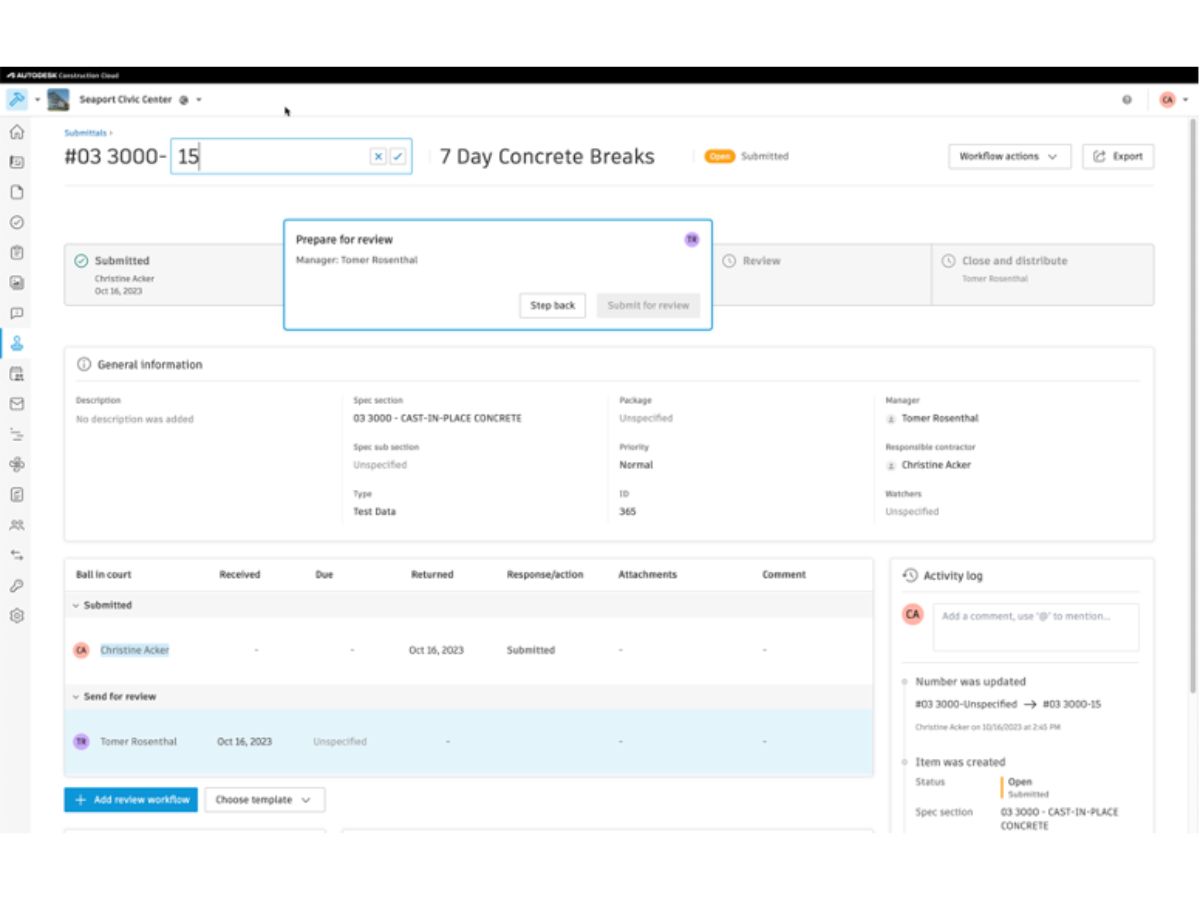
autodesk build-dashboard
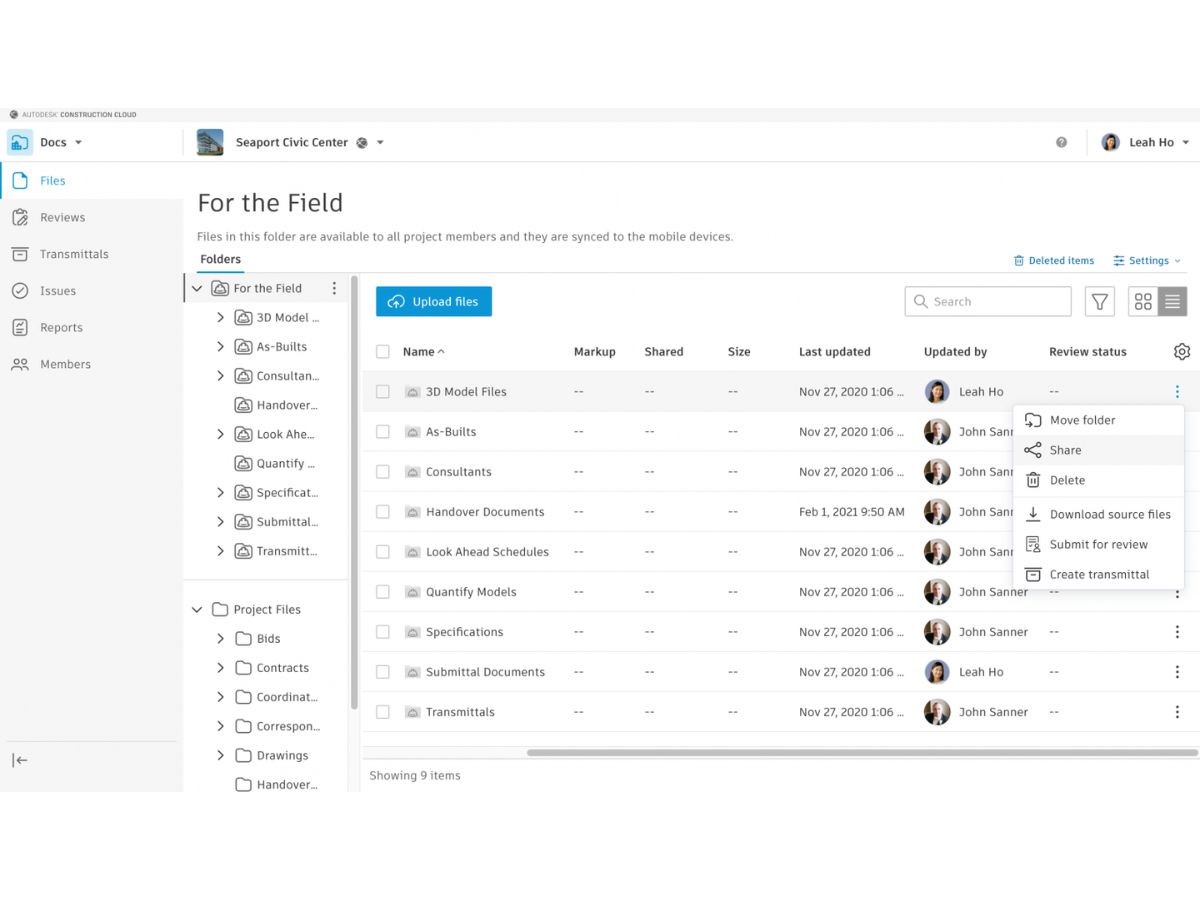
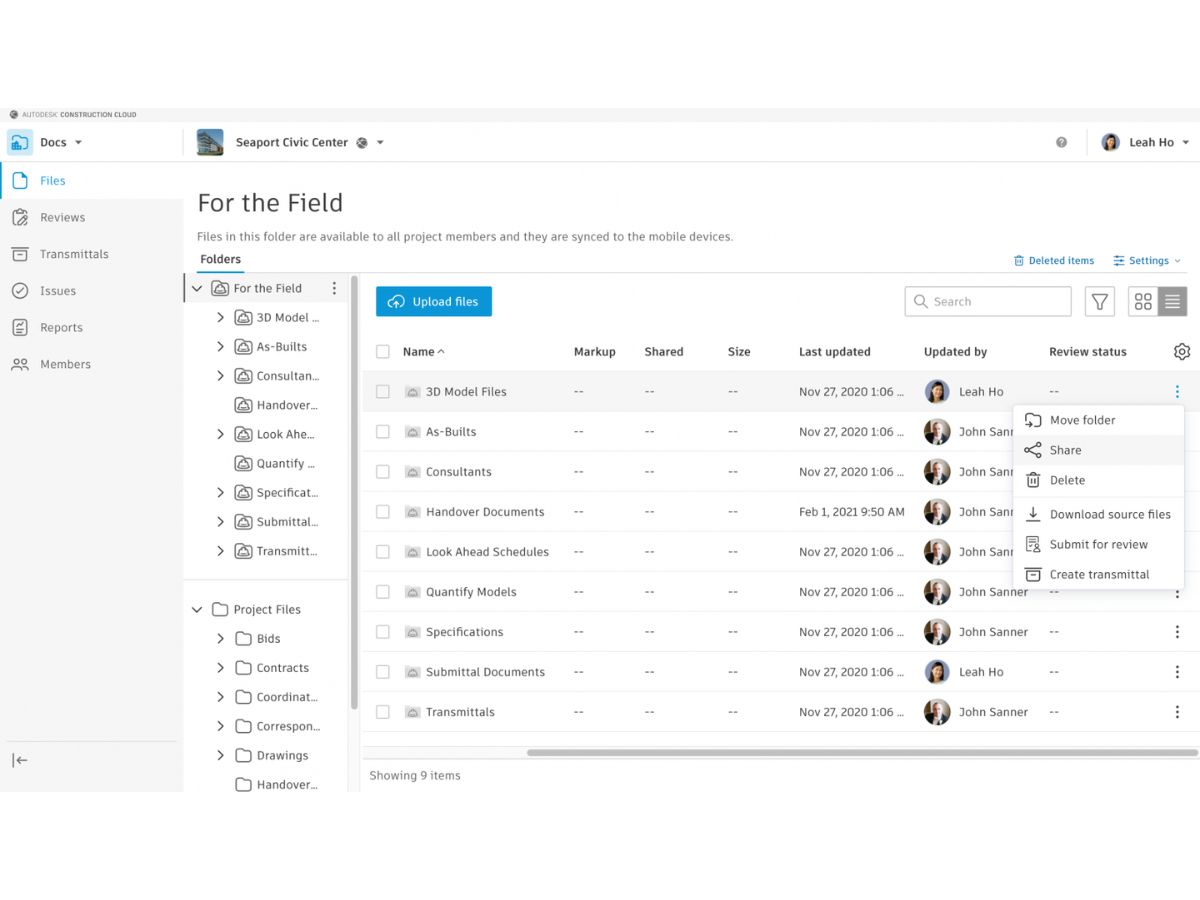
autodesk build-field
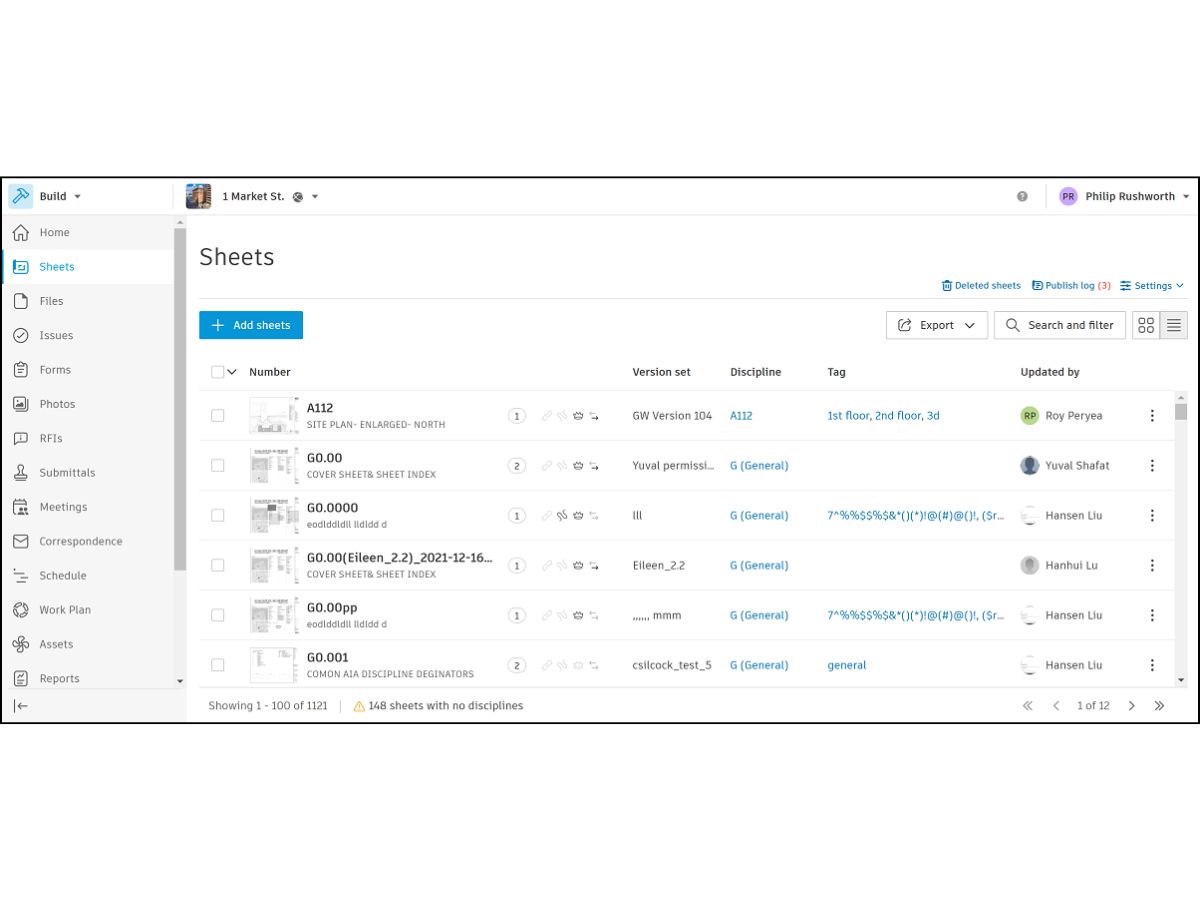
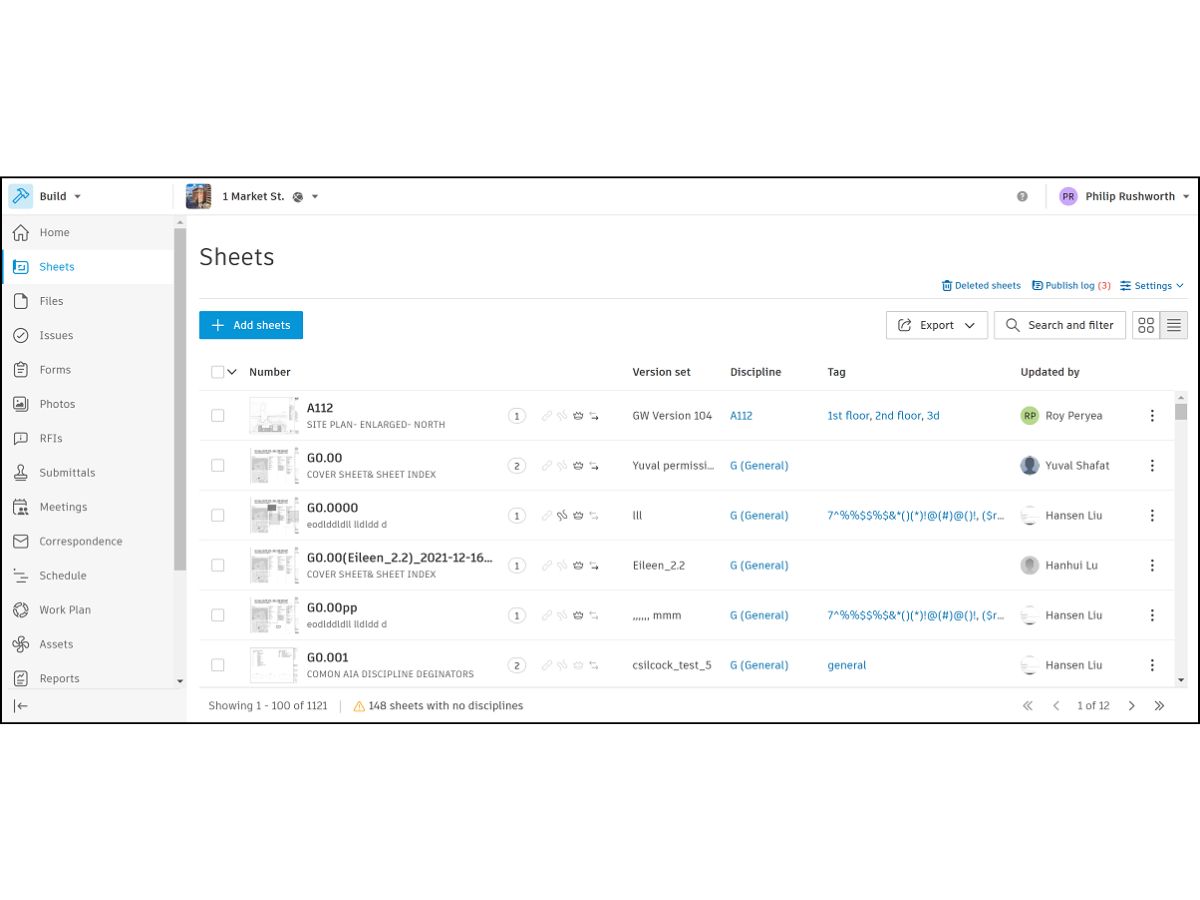
autodesk build-sheets

Autodesk Build

Brand: Autodesk

  • 4.3

  • 3 Ratings

Construction management platform for project delivery, connecting teams, data, and workflows throughout projects.

See More

Have you used Autodesk Build before?

Share your insights for better experience

Add a Review
Starting Price
$226

View plans

100% Genuine
Products
Best Price
Guaranteed
Safe & Secure
Payment
  • Description

  • Pricing

  • Features

  • Specification

  • Review

  • FAQ

Starting at $226.10

Autodesk Build Software Overview

What is Autodesk Build?

Autodesk Build is cloud-based construction management software that connects field and office workflows. It provides a unified platform that centralizes project data, connects team, and gives real-time collaboration support, thereby reducing miscommunication.

The interface is intuitive, with dashboards giving project status and key metrics, customizable forms, and integrated workflows. These tools help teams to track progress, manage documents, and resolve issues efficiently.

Autodesk Build features include project tracking, issue resolution, cost control, and safety management. The software provides features to record commitments, link essentials, and maintain organized meeting histories. The software provides quality management support by tracking issues in one place, resolving them earlier, creating RFIs, managing reviews, and linking them to issues, change orders, and meetings.

It supports generating and sharing progress reports to keep teams aligned, and predictive analytics to give visibility into high-risk issues affecting cost, schedule, quality, and safety.

Why Choose Autodesk Build?

  • Project scheduling: Autodesk Build Construction Project Management Software helps connect field and office teams by planning and sharing schedules to improve collaboration, reduce delays, and manage project timelines.
  • Report and analytics: Generate customized reports and predictive insights, keeping all stakeholders updated on progress for timely decision-making.
  • Meeting management: Track commitments, link essential details, and maintain organized meeting records, for accountability, transparency, and improved communication.
  • Quality management: Centralize issue tracking, resolve problems earlier, and standardize forms, reducing costly rework while maintaining compliance and project quality standards.
  • Cost control: Connect project management with field execution data, analyze root causes, and manage scope impacts to deliver projects on budget.

Benefits of Autodesk Build Construction Project Management Software

  • Better project management: Centralized workflows reduce miscommunication, streamline tasks, and keep construction projects consistently on track.
  • Real-time visibility: Dashboards provide instant updates, giving teams to monitor progress, identify risks, and adjust schedules quickly.
  • Better project control: Integrated tools help to connect field and office data, ensuring accurate oversight of costs, schedules, and deliverables.
  • Better communication: Connected teams can share documents, RFIs, and meeting records, improving collaboration and reducing errors across construction phases.
  • Detailed reporting: This Construction Project Management Software helps to build customized reports that deliver actionable insights, keeping stakeholders informed about progress, risks, and compliance requirements.
  • Enhanced safety programs: It provides standardized forms and repeatable processes empower teams to maintain site safety and reduce incidents effectively.

Pricing of Autodesk Build

Autodesk Build Price starts at USD 226.10 at techjockey.

Autodesk Build comes with multiple pricing plans and caters to a diverse customer base. For subscription-related details and offers on premium packages, please request a call back from our product experts.

Read more

Autodesk Company Details

Founded Year:  1982

Autodesk makes software for people who make things. If you’ve ever driven a high-performance car, admired a towering skyscraper, used a smartphone, or watched a great film, chances are you’ve experienced what millions of Autodesk customers are doing with our software.

Director/Founders John Walker / Dan Drake
Company Size 1000+ Employees

Autodesk Build Pricing & Plans

Monthly Plan
Key Features
  • Manage Project Schedules
  • Connect RFIs
  • Centralize Issue Management
  • Streamline Quality & Safety Inspections
  • Publish Docs to the Field
  • Create & Share Markups
  • Navigate 2D Drawings and 3D Models Onsite
  • Control Change Orders
Starting at $226.1
    • Users

      Users
      Users
    • Monthly

      Monthly
      Monthly

Key Features

  • Manage Project Schedules

  • Connect RFIs

  • Centralize Issue Management

  • Streamline Quality & Safety Inspections

  • Publish Docs to the Field

  • Create & Share Markups

  • Navigate 2D Drawings and 3D Models Onsite

  • Control Change Orders

Autodesk Build Features

  • icon_check Submittal Management
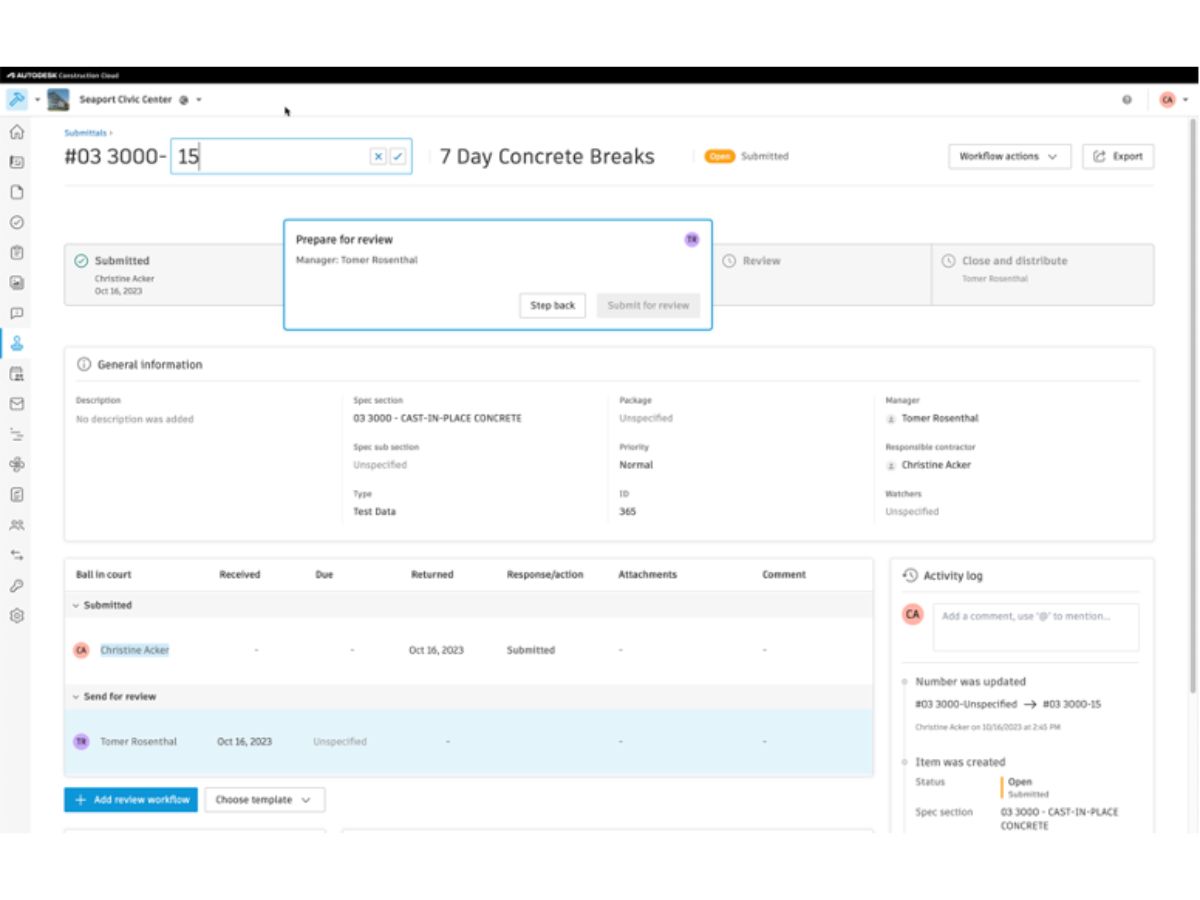
    Streamline the submittal process to ensure timely approvals and reduce project delays.
  • icon_check Issue Tracking
    Centralize design, quality, and safety issues for efficient resolution and tracking.
  • icon_check Cost Management
    Connect project management data to cost activities to understand and control project expenses.
  • icon_check Document Management
    Manage and control project documents, ensuring the latest versions are accessible to all teams.
  • icon_check Safety Management
    Develop and implement safety programs to ensure a safe working environment on-site.
  • icon_check Quality Management
    Track and manage quality issues to maintain high construction standards.
  • icon_check Inspection Management
    Standardize and manage inspections to ensure compliance and quality assurance.
  • icon_check Reporting & Analytics
    Generate customizable reports and dashboards to gain insights into project performance.
  • icon_check Change Management
    Track and manage changes to the project scope, schedule, and budget effectively.
  • icon_check Subcontractor Management
    Manage subcontractor performance and ensure timely delivery of services.
  • icon_check Audit Trail
    Maintain comprehensive logs of all project activities for accountability and compliance.
  • icon_check Team Collaboration
    Facilitate seamless communication and collaboration among project stakeholders.
  • icon_check Templates
    Utilize pre-built templates to standardize project setups and accelerate project initiation.
  • icon_check Schedule Management
    Instantly share and collaborate on project schedules between site and office teams.
  • icon_check RFI Management
    Create, manage, and connect Requests for Information (RFIs) to issues and change orders.

Autodesk Build Specifications

Supported Platforms
Windows Windows iOS iOS Android Android MacOS MacOS
Devices
Desktop Desktop Mobile Mobile Tablet Tablet iPad iPad
Deployment
Cloud-Based Cloud-Based
Suitable For
Construction
Business Specific
All Businesses
Business Size
Medium Business Enterprises
Customer Support
Phone Email Live Chat Communities
Language
English
Training Resources
Webinars Videos
AI Features
AI Integrated

Autodesk Build Review

4.3

Out of 5

img

Overall Rating

Based on
3 Verified Ratings

Rating Breakdown

  • Features 4.5
  • Value for Money 4.3
  • Ease of Use 4
  • Customer Support 4.3

80% Recommend this Product

Add Review

Be the First to Review

This product has no reviews yet. Be the first to leave your feedback.

Add Review

How much does Autodesk Build cost?

Autodesk Build pricing starts from USD 226.10 at techjockey, depending on project needs and team size.

Who uses Autodesk Build Construction Project Management Software?

Autodesk Build is used by contractors, project managers, architects, and engineers for managing construction workflows and collaboration.

How does Autodesk Build work?

Autodesk Build Construction Project Management Software works by connecting field and office teams through centralized platform giving data, real-time collaboration, tools and integrated project workflows.

Which operating systems are compatible with Autodesk Build Construction Project Management Software?

Autodesk Build runs smoothly on OS like Windows, macOS, iOS, and Android.

Is a free demo available for Autodesk Build software?

Yes, Autodesk Build offers a free demo and trial, allowing users to explore features before purchasing.

What project management features does Autodesk Build provide?

Autodesk Build Construction Project Management Software provides scheduling, RFI management, submittals, and meeting tracking to keep projects organized and on schedule.

How does Autodesk Build Construction Project Management Software improve quality management?

Autodesk Build centralizes issue tracking, enables early resolution, and reduces costly rework to maintain construction quality standards.

What safety management tools are included in Autodesk Build?

Autodesk Build Construction Project Management Software offers repeatable safety programs, standardized forms, and team accountability features to enhance site safety.

Can Autodesk Build generate reports and analytics?

Yes, Autodesk Build generates customized reports and predictive insights, keeping stakeholders informed about progress, risks, and compliance.

Terms and Condtions

close

Users with registered businesses can purchase goods from merchants on the platform to satisfy their business needs. Users are not permitted to utilize any products acquired through the platform for resale, advertising, business, or further distribution.

For each purchase made, users will receive a Tax Invoice (or 'GST invoice') that includes specific details such as:

  • the GSTIN of the user associated with their registered business, and

  • the specified Entity Name for their business.

It should be noted that not all products are eligible for GST Invoice. Only the products displayed by participating sellers with the 'GST-based Invoice Available' callout on the product description page would qualify.

Certain goods and services are not eligible to get a GST Invoice, including items with VAS, i.e., Value Added Services (e.g., Total Mobile Protection/Assured Buyback) and those involving an exchange offer at the time of purchase.

Users must ensure the accuracy of the GSTIN, and business entity name provided for the GST Invoice. Requests for corrections into GST Invoice would not be accommodated by Techjockey.com or any Seller, and any issues arising from user-provided information are the sole responsibility of users.

Techjockey.com is not liable for the GST Invoice or any associated input tax credit. To efficiently claim an input tax credit, users should select the registered place of business address as per the GST authority's data and follow the provisions of the GST Act and rules.

To claim an input tax credit, the delivery and billing addresses must match. Furthermore, input tax credits will not be granted if the delivery address and GSTIN on the invoice are from different states. In case of incorrect GST details provided during the order placement, the order will be canceled automatically.

21,000+ Software Listed 21,000+ Software Listed

Best Price Guaranteed Unbiased Comparison

Free Expert Consultation Read Authentic Reviews

5M+ Happy Customers 500,000+ Monthly Users