
Description
Pricing
Features
Specification
Review
Compare
Alternatives

 View Gallery
Brand: BinaryMark

Get Free Expert Consultation
Let us know your business needs clearly

Verified & Trusted
Vendors

Safe & Secure
Payment

Personalized
Experts Support
$ 21.95 /License
50% Off
Features
 Image Splitting Grids Fixed-Size Tile Creation Processing Automation Effects
 See all 
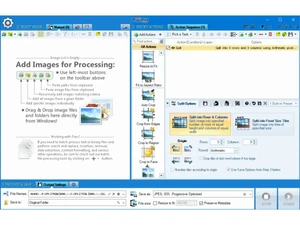
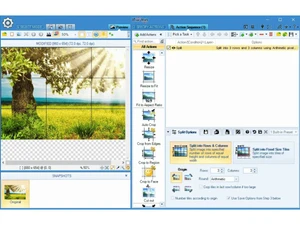
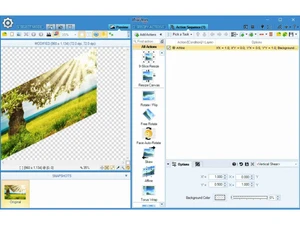
 Image Splitting Split multiple images simultaneously into tiles or slices, saving time when processing large image collections. Grids Divide images into rows and columns by defining grid layout parameters for precise segmentation results. Fixed-Size Tile Creation Generate tiles of exact pixel or percentage dimensions, useful for web design, printing, or asset generation. Processing Automation Process hundreds of images automatically with predefined workflows and action sequences to boost productivity. Effects Apply filters, enhancements, and transformations such as contrast, brightness, blur, and sharpening in batches. Trim, Crop & Resize Resize images using multiple resampling methods while maintaining quality and aspect ratio consistency. Crop & Cut Operations Perform advanced cropping, including removing mid-sections or selecting specific regions with pixel precision. Rotation & Flipping Rotate, flip, or skew images in batch mode for consistent orientation across multiple files. Face Detection Automatically detect faces to rotate or crop images intelligently based on face positioning. Watermarking Add text or image watermarks with customizable formatting, tiling, and blending modes for branding. Multi Format Compatibility Convert images to and from over 30 formats including JPG, PNG, BMP, and TIFF for broad compatibility. Preview View results before applying changes to ensure output accuracy and avoid processing errors. Conditional Processing Apply different actions based on image properties such as size, orientation, or metadata conditions. Scheduled Processing Mode Automate tasks with scheduled jobs that run at predefined times without manual intervention. Command Line Integrate the software into scripts or automated workflows using command-line execution options. Layer & Blend Modes Combine images with multiple layers and blending effects to create complex visual compositions.
 20,000+ Software Listed
 Unbiased Comparison
 Read Authentic Reviews
 500,000+ Monthly Users
 USA
USA India
India
 Write a Review