linkedin
beehiiv logo
play How to create Digital Products in beehiiv (Tutorial)
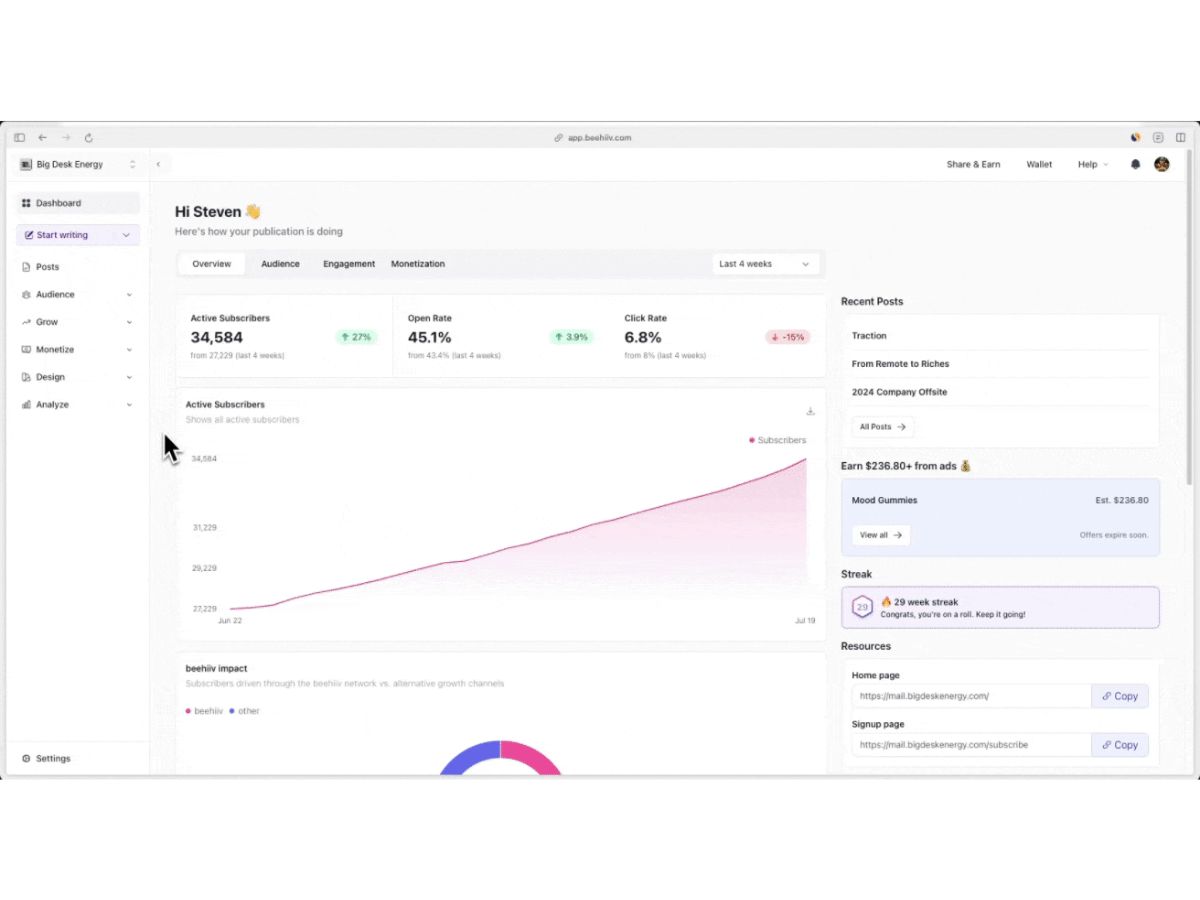
beehiiv-analytics
beehiiv-section

beehiiv

Brand: beehiiv

  • 4.2

  • 5 Ratings

Have you used beehiiv before?

Share your insights for better experience

Add a Review
Starting Price
$49

View plans

100% Genuine
Products
Best Price
Guaranteed
Safe & Secure
Payment
  • Description

  • Pricing

  • Features

  • Specification

  • Review

Starting at $49.00

beehiiv Software Overview

beehiiv Company Details

Founded Year:  2021

the operating system for the content economy

Director/Founders Benjamin Hargett, Jacob Hurd, Tyler Denk
Company Size 101-500 Employees

beehiiv Pricing & Plans

Scale
Starting at $49
    • Licenses

      Licenses
      Licenses
    • Monthly

      Monthly
      Monthly

Key Features

  • Up to 1,000 subscribers

  • Ad Network

  • Boosts Network

  • 0% Take Rate on Paid Subscriptions

  • Digital Products

  • beehiiv AI

  • Email Automations

Max
Starting at $109
    • Licenses

      Licenses
      Licenses
    • Monthly

      Monthly
      Monthly

Key Features

  • Up to 1,000 subscribers

  • Everything on Scale +

  • Remove beehiiv Branding

  • Sponsorship Storefront

  • Podcast Websites

  • Audio Newsletters

  • Digital Products (Appointments)

beehiiv Features

  • icon_check Custom Domain
    Configure unique web addresses for newsletter landing pages and archives to maintain consistent brand identity and authority.
  • icon_check Advanced Segmentation
    Categorize subscribers using engagement metrics, custom fields, and signup data to deliver targeted and relevant messaging.
  • icon_check Automated Workflows
    Create trigger-based email sequences for subscriber onboarding and retention using a visual, logic-driven automation builder.
  • icon_check Integrated Ad Network
    Access a built-in marketplace to source, manage, and insert native sponsorships directly into newsletters for monetization.
  • icon_check Referral Program
    Implement a native reward system that incentivizes existing subscribers to share the newsletter using unique tracking links.
  • icon_check Surveys
    Embed interactive feedback elements within emails to collect first-party data and understand specific audience preferences.
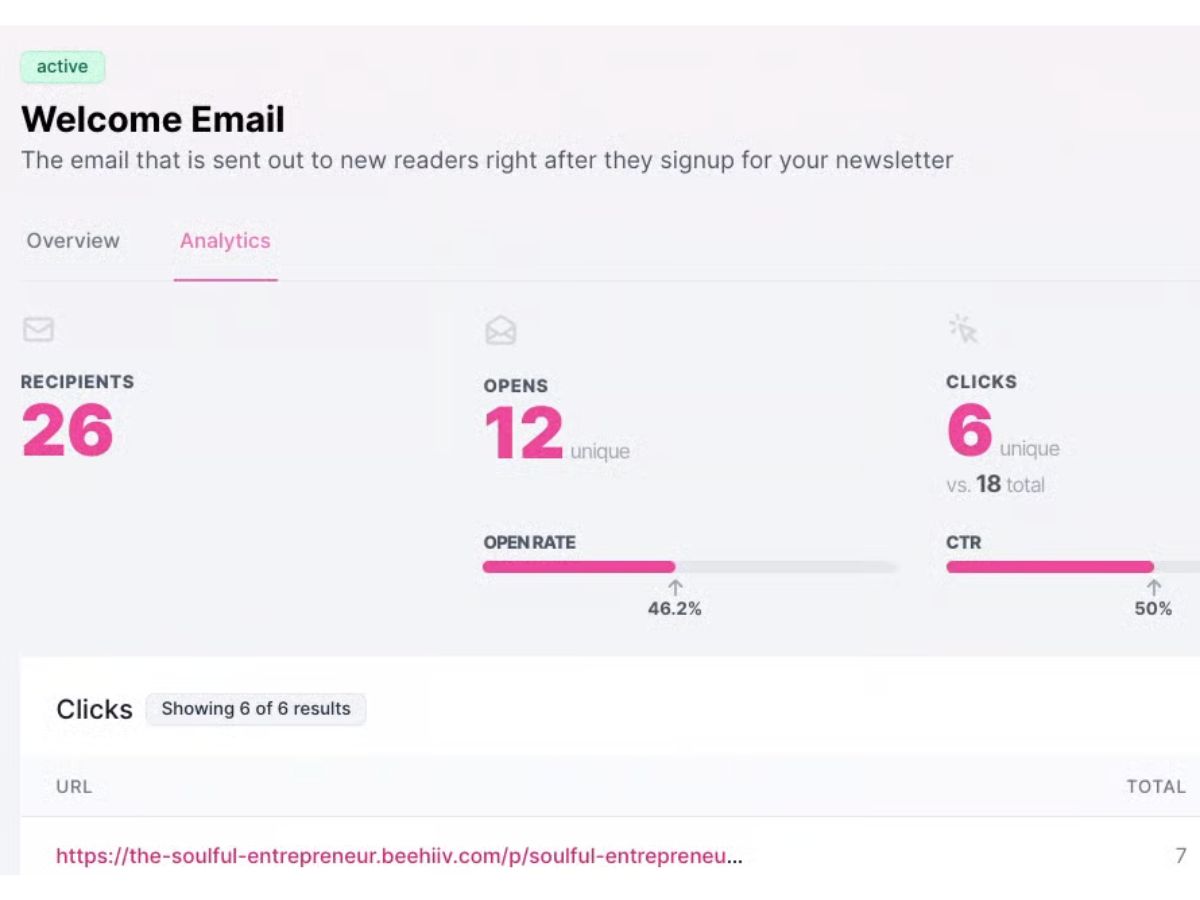
  • icon_check A/B Testing
    Evaluate multiple subject line variations on a segment of the audience to optimize open rates before the final broad send.
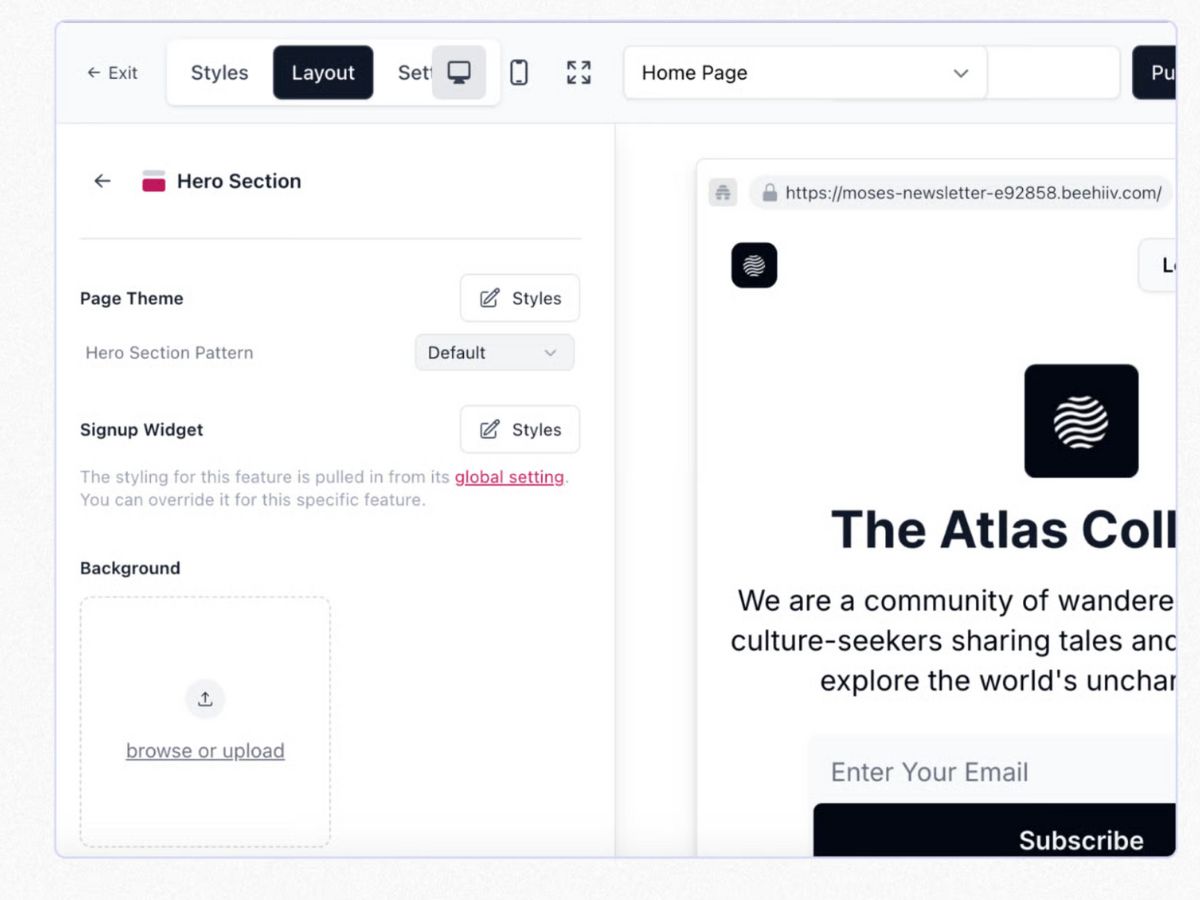
  • icon_check Website Builder
    Design and host a SEO-optimized publication website and content archive using a customizable, drag-and-drop web interface.
  • icon_check Dynamic Content Blocks
    Utilize conditional logic to show or hide specific sections of an email based on individual subscriber tags or attributes.
  • icon_check API and Webhooks
    Connect with external applications via REST API and real-time webhooks to synchronize subscriber data and automate tasks.
  • icon_check AI Assistant
    Leverage integrated machine learning tools to generate headlines, draft content sections, and refine grammar within the editor.
  • icon_check Forms Management
    Deploy customizable embed forms and pop-ups that capture subscriber data while integrating seamlessly into any website.
  • icon_check Content Tagging
    Organize the publication archive by assigning topical tags to posts, enabling better navigation for readers and creators.
  • icon_check Custom Paywall Breaks:
    Insert flexible gates within newsletter content to restrict access, prompting readers to upgrade to a paid subscription.
beehiiv Demo Video play icon

Get beehiiv Demo

Watch the demo video to explore key features, real workflows, and how the software fits your business needs.

Understand
Key Features
Personal
Demo Insights
Interactive
Demo Support

beehiiv Specifications

Supported Platforms
Ubuntu Ubuntu Windows Windows MacOS MacOS Linux Linux
Devices
Desktop Desktop
Deployment
Cloud-Based Cloud-Based
Suitable For
All Industries
Business Specific
All Businesses
Business Size
Individual Small Business Startups Medium Business Enterprises SMBs SMEs MSMBs MSMEs Freelancers
Customer Support
Email Communities
Language
English
Integration
API Integration
Training Resources
Webinars Videos
AI Features
AI Integrated
Compliance Regulation
CCPA CPRA

beehiiv Review

4.2

Out of 5

img

Overall Rating

Based on
5 Verified Ratings

Rating Breakdown

  • Features 4.2
  • Value for Money 4.4
  • Ease of Use 4.3
  • Customer Support 4.4

80% Recommend this Product

Add Review

Be the First to Review

This product has no reviews yet. Be the first to leave your feedback.

Add Review

Terms and Condtions

close

Users with registered businesses can purchase goods from merchants on the platform to satisfy their business needs. Users are not permitted to utilize any products acquired through the platform for resale, advertising, business, or further distribution.

For each purchase made, users will receive a Tax Invoice (or 'GST invoice') that includes specific details such as:

  • the GSTIN of the user associated with their registered business, and

  • the specified Entity Name for their business.

It should be noted that not all products are eligible for GST Invoice. Only the products displayed by participating sellers with the 'GST-based Invoice Available' callout on the product description page would qualify.

Certain goods and services are not eligible to get a GST Invoice, including items with VAS, i.e., Value Added Services (e.g., Total Mobile Protection/Assured Buyback) and those involving an exchange offer at the time of purchase.

Users must ensure the accuracy of the GSTIN, and business entity name provided for the GST Invoice. Requests for corrections into GST Invoice would not be accommodated by Techjockey.com or any Seller, and any issues arising from user-provided information are the sole responsibility of users.

Techjockey.com is not liable for the GST Invoice or any associated input tax credit. To efficiently claim an input tax credit, users should select the registered place of business address as per the GST authority's data and follow the provisions of the GST Act and rules.

To claim an input tax credit, the delivery and billing addresses must match. Furthermore, input tax credits will not be granted if the delivery address and GSTIN on the invoice are from different states. In case of incorrect GST details provided during the order placement, the order will be canceled automatically.

21,000+ Software Listed 21,000+ Software Listed

Best Price Guaranteed Unbiased Comparison

Free Expert Consultation Read Authentic Reviews

5M+ Happy Customers 500,000+ Monthly Users