
Description
Pricing
Features
Specification
Review
Compare
Alternatives


 View Gallery
Brand: CADian

Get Free Expert Consultation
Let us know your business needs clearly

Verified & Trusted
Vendors

Safe & Secure
Payment

Personalized
Experts Support
Price On Request
Features
 Command Aliasing Smart Dimensioning Layer Management External Reference BOM Automation
 See all 
We make it happen! Get your hands on the best solution based on your needs.


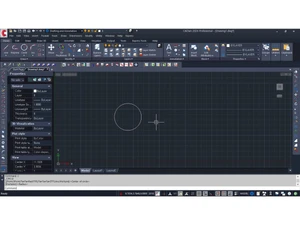
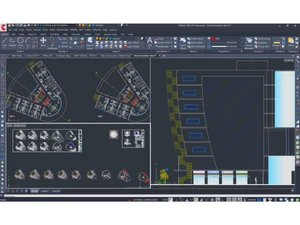
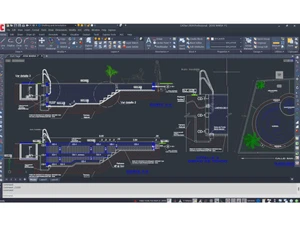
 Command Aliasing Allows for the mapping of custom keyboard shortcuts to internal functions for accelerated execution of repetitive CAD tasks. Smart Dimensioning Automatically generates linear, radial, and angular measurements for selected entities using intelligent geometry detection. Layer Management Organizes drawing components through a hierarchical system for controlling visibility, color, linetype, and plot parameters. External Reference Links external drawing files into a master project to enable collaborative design while maintaining small local file sizes. BOM Automation Extracts attribute data from blocks to generate structured Bill of Materials and schedules directly within the workspace. Batch Plotting Enables the simultaneous output of multiple drawing sheets or layouts to physical printers or digital formats like PDF. NURBS Modeling Facilitates the creation of complex three-dimensional curved surfaces using mathematically precise non-uniform splines. Raster Underlay Integrates bitmapped images like JPG or PNG into vector environments for tracing, site mapping, or hybrid documentation. Object Snapping Provides geometric precision by locking the cursor onto specific entity points such as endpoints, midpoints, or intersections. VBA Integration Supports Visual Basic for Applications to develop custom plugins and deep integrations with external database environments. Hatch Patterns Fills enclosed areas with predefined or custom vector patterns to represent materials or sections in technical drawings. Text Alignment Features specialized utilities to align single or multiline text along linear paths, arcs, or predefined geometric curves. Coordinate Systems Manages User Coordinate Systems (UCS) to define localized 2D planes for sketching within a global 3D spatial environment.
  20,000+ Software Listed
 Unbiased Comparison
 Read Authentic Reviews
 500,000+ Monthly Users
 USA
USA India
India

 Write a Review
