linkedin
background
CADMATE TakeOff logo

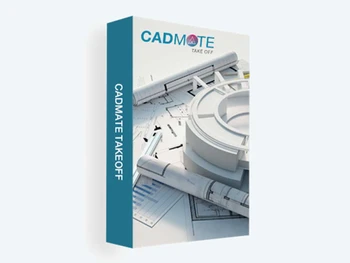
CADMATE TakeOff

Brand: CADMATE

Be the first to Reviews

Write a Review

Have Questions?

CADMATE TakeOff is a powerful CAD tool that lets you extract areas, lengths, counts, and volumes directly and automatically from PDF, DXF, DWF, DWG. ...Read more

img

Get Free Expert Consultation

Let us know your business needs clearly

Advice

Verified & Trusted
Vendors

Payment

Safe & Secure
Payment

Guaranteed

Personalized
Experts Support

Price On Request

Features

  • check_icon Multi File Format Support
  • check_icon Copy Calculations
  • check_icon Print & Plot
  • check_icon Text Properties Manager
  • check_icon Drawing Overlay
  • See all img

CADMATE TakeOff Software Pricing, Features & Reviews

What is CADMATE TakeOff?

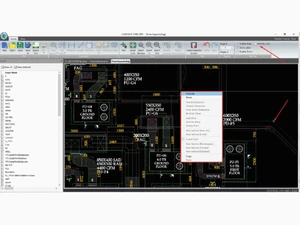
CADMATE TakeOff is a powerful digital quantity-measurement tool that lets you extract areas, lengths, counts, and volumes directly and automatically from PDF, DXF, DWF, DWG, or CAD drawings.

Instead of measuring manually, this CAD software reads your PDF or CAD files and calculates the quantities for you. This saves time and ensures your estimates are correct.

This makes estimating faster, more accurate, and easier, reducing manual errors and saving time during project planning.

Why Choose CADMATE Software?

  • Cost-effective Solution: Provides advanced take-off capabilities at a competitive price, delivering great value for contractors, estimators, and engineering teams.
  • Simple UI and Licensing: Easy-to-use interface and a straightforward licensing system, ensuring quick adoption and hassle-free setup for all users.
  • High PDF Clarity: This CAD software provides exceptional PDF clarity, allowing users to view and measure drawings with sharp, accurate detail.
  • Excel Output: Lets you export all measurements directly to Excel, making reporting, estimating, and data management seamless.
  • Lightweight: Designed to be lightweight, CADMATE Take-off runs smoothly on most computers without slowing down your system.

Benefits of CADMATE TakeOff Platform

  • Supports Multiple File Formats: Import PDFs, DWGs, DXFs, DWFs, and other common drawing formats, with MDI support to work on multiple documents at once.
  • Fast & Accurate Quantity Extraction: Measures areas, lengths, counts, and volumes directly from PDF and CAD drawings, eliminating manual errors.
  • Easy to Use: Simple and intuitive interface allowing new users to work confidently.
  • Better Cost Control: Accurate takeoff results help prepare reliable estimates and avoid budget overruns.
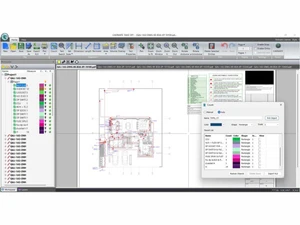
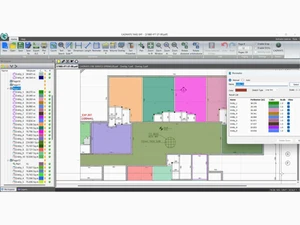
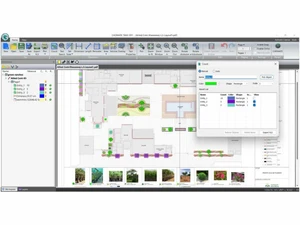
  • Clear Visualization: Color-coded measurements and markup tools make drawings easier to understand.
  • Boosts Team Productivity: Faster measurements and consistent data improve workflow efficiency.

CADMATE TakeOff Pricing

CADMATE TakeOff pricing plans are available on request at techjockey.com.

The pricing model depends on extra features, deployment type, and the number of users. For further details, you can contact our product team to learn about pricing and offers.

CADMATE TakeOff Pricing & Plans

CADMATE TakeOff
  • Multi-File Format Support
  • Copy Calculations
  • Print & Plot
  • Text Properties Manager
  • Drawing Overlay
  • Edit DWG Drawings
    • Licenses
    • Yearly

Calculated Price

AED 550.00

Get CADMATE TakeOff Demo

We make it happen! Get your hands on the best solution based on your needs.
Interacted

CADMATE TakeOff Features

  • icon_check Multi File Format Support Open and work on DWG, PDF, DWF & DXF files seamlessly.
  • icon_check Copy Calculations Transfer calculation results easily between documents via copy-paste.
  • icon_check Print & Plot Plot selected areas of drawings directly with measurement overlays.
  • icon_check Text Properties Manager Control text and annotation properties from one central interface.
  • icon_check Drawing Overlay Superimpose drawing revisions to compare changes slide-by-slide.
  • icon_check Edit DWG Drawings Directly edit entities within DWG files to speed up estimation workflows.
  • icon_check Automated Calculations Use start/stop markers to automate quantity calculations.
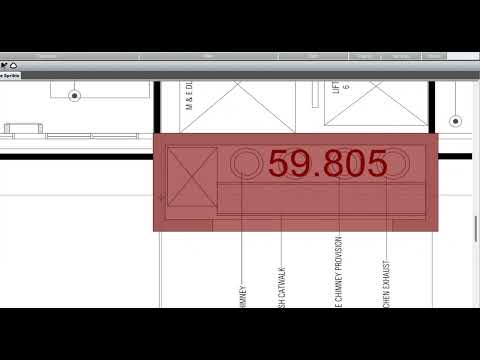
  • icon_check Automatic Quantity TakeOff Define regions to calculate quantities automatically with zero errors.
  • icon_check Multiple Deduction Options Deduct areas via sketch, circular, auto-select, or manual value entry.
  • icon_check Export to XLS Export all calculated data instantly into Excel spreadsheets for reporting.
  • icon_check Workspace Management Work with multiple files and drawings in one unified workspace.

CADMATE TakeOff Specifications

  • Supported Platforms :
  • Device:
  • Deployment :
  • Suitable For :
  • Business Specific:
  • Business Size:
  • Customer Support:
  • Training:
  • Language:
  • Windows
  • Desktop
  • Web-Based
  • Manufacturing, Architecture, Construction, Designers
  • All Businesses
  • Startups, Medium Business, Enterprises, SMBs, SMEs, MSMBs, MSMEs
  • Phone, Email, Live Chat, Communities
  • In Person, Live Online, Documentation
  • English

CADMATE TakeOff Reviews and Ratings

banner

Would you like to review this product?

Submit Reviews

CADMATE TakeOff FAQ

A CADMATE TakeOff pricing plans are available on request at techjockey.com.
A No, CADMATE TakeOff doesn’t offer mobile apps as of now.
A CADMATE is compatible with the Microsoft Windows operating system.
A Yes, CADMATE TakeOff Software offers a free trial. You can use the trial to test the software before purchasing a perpetual license.
A CADMATE TakeOff works by digitizing quantity takeoff by importing project drawings (like DWG, PDF, DWF, DXF) and using automated and manual tools to calculate quantities like length, area, and count directly on the drawings.
A CADMATE TakeOff is used by architects, engineers, and general contractors for quantity surveying and project estimation in industries like construction and manufacturing.
A Yes, a free demo is available for CADMATE Software.
A No, the desktop version of CADMATE TakeOff is not free.

CADMATE TakeOff Alternatives

See All

20,000+ Software Listed 20,000+ Software Listed

Best Price Guaranteed Unbiased Comparison

Free Expert Consultation Read Authentic Reviews

2M+ Happy Customers 500,000+ Monthly Users