linkedin
Clarip logo
play Photo Pos Pro V3 - Pop Out Photo Effect
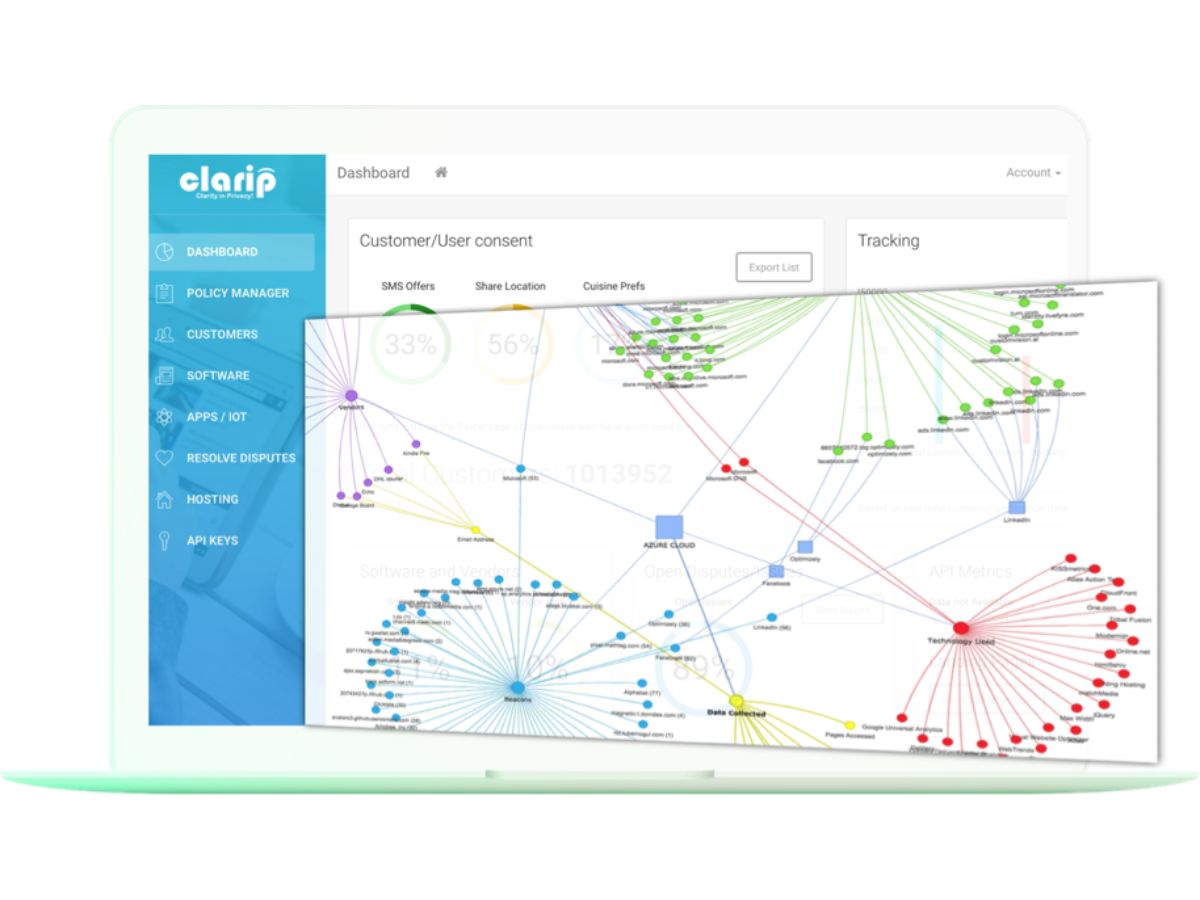
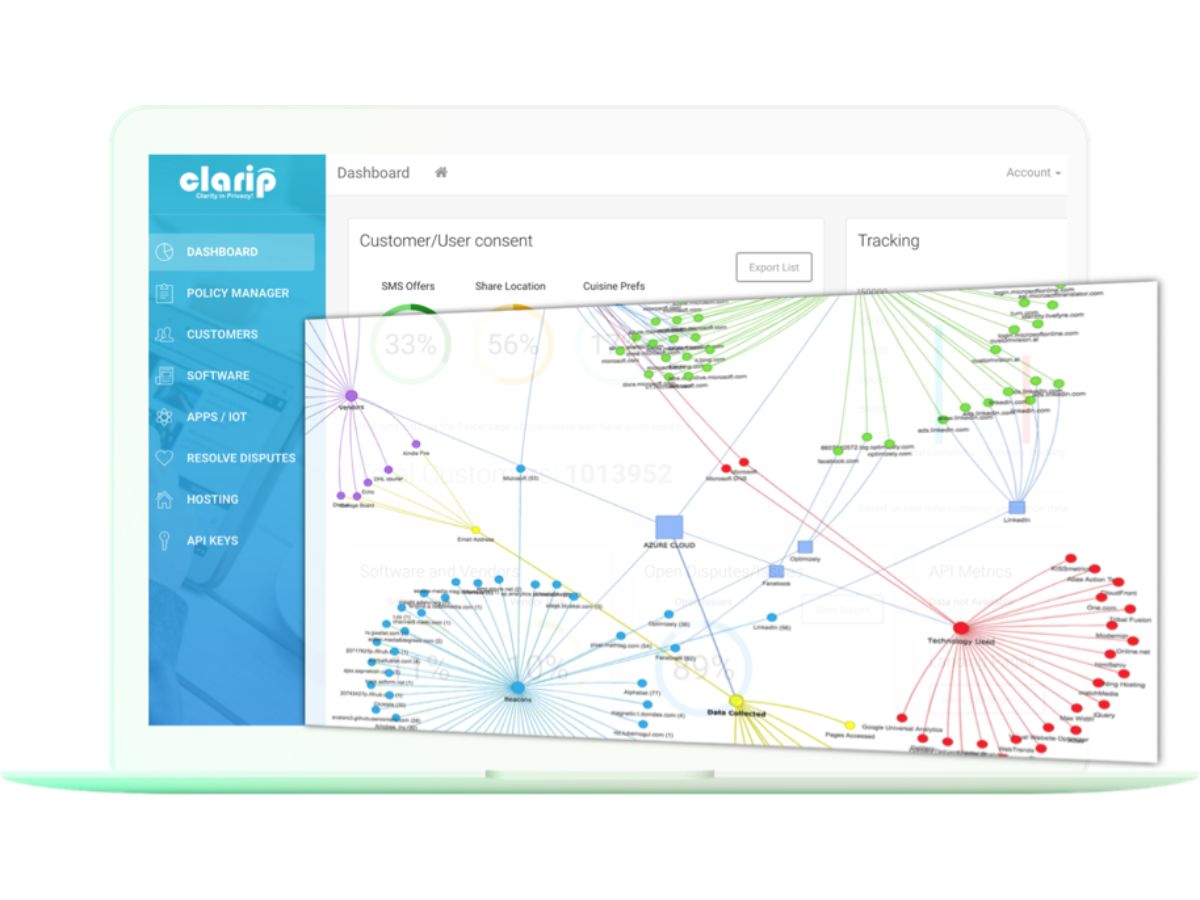
Clarip-dashboard
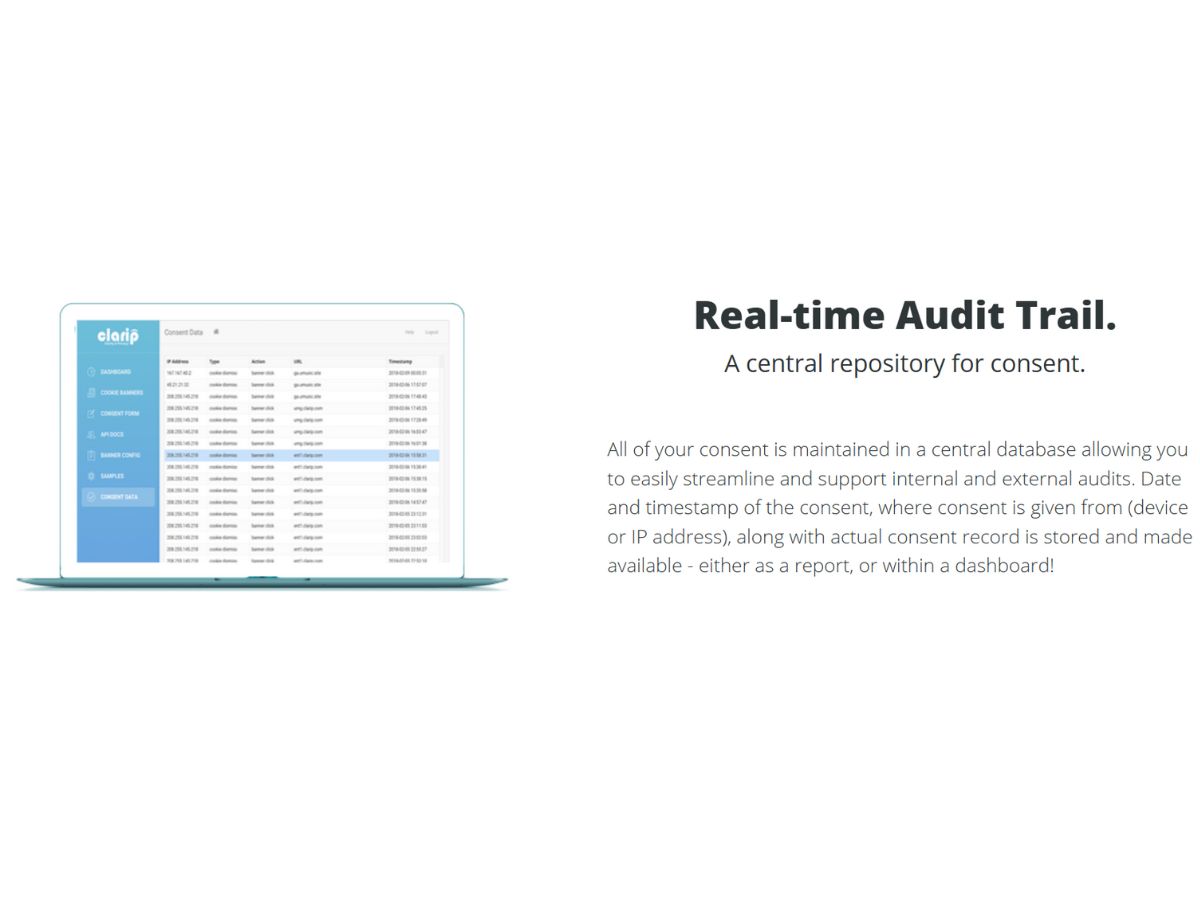
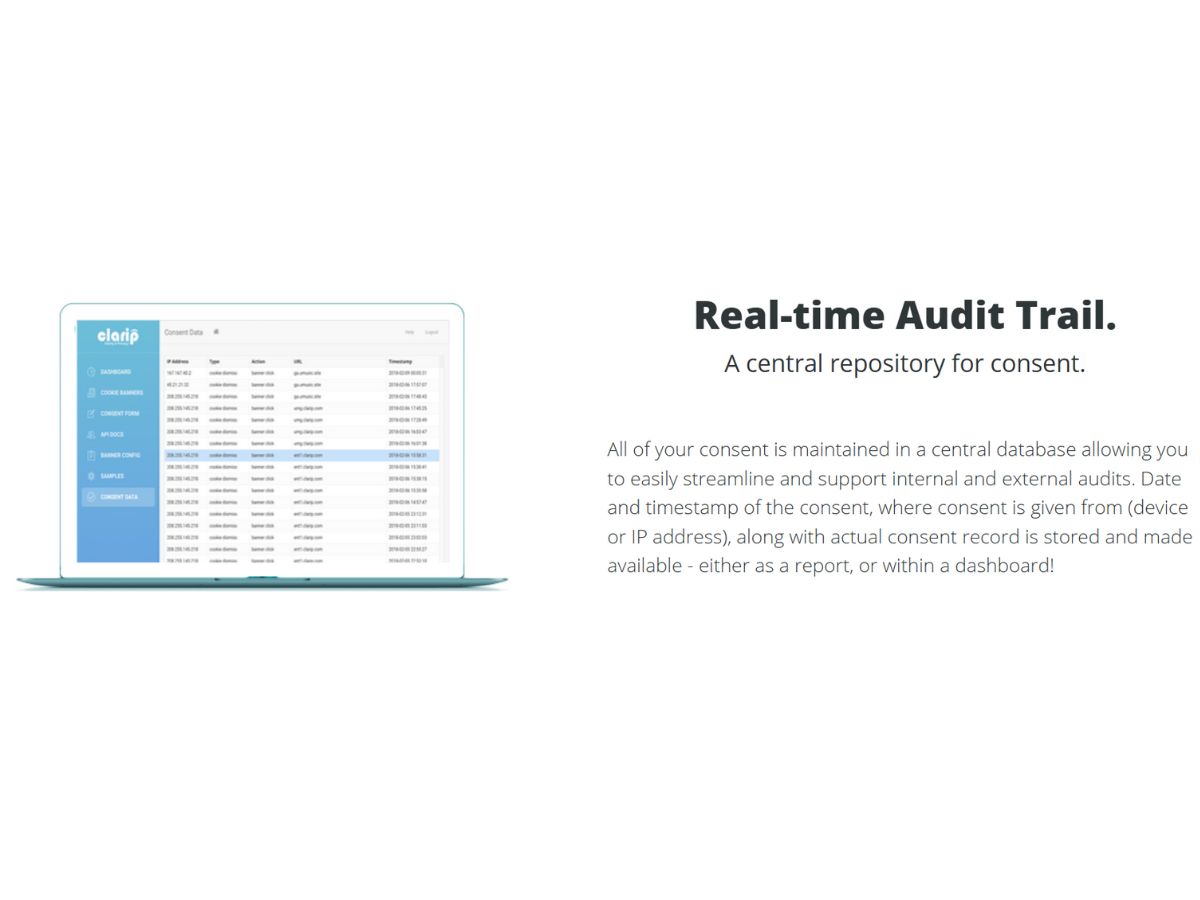
Clarip-audit trail

Clarip

Brand: Clarip Inc

  • 4.3

  • 6 Ratings

Have you used Clarip before?

Share your insights for better experience

Add a Review

Price Available on Request

Questions about pricing or customization? We’re here to help, just a click away.

100% Genuine
Products
Best Price
Guaranteed
Safe & Secure
Payment
  • Description

  • Pricing

  • Features

  • Specification

  • Review

Clarip Software Overview

Clarip Inc Company Details

Founded Year:  2015

Clarip is a data privacy platform.

Director/Founders Andy Sambandam
Company Size 1-100 Employees

Clarip Pricing & Plans

Looking for The Right Pricing?

Share your requirements and get a plan built around your business.

  • Define your business needs
  • Get customised pricing
  • Choose features that fit your workflow

Price Available on Request

Get personalised Clarip pricing that fits your needs. Our team will connect with you.

Clarip Features

  • icon_check Data Discovery
    Automatically scans structured and unstructured systems to locate personal, sensitive, and regulated data across the enterprise.
  • icon_check Data Mapping
    Creates visual maps of data flows across applications, vendors, and regions to support compliance and governance processes.
  • icon_check Consent Management
    Captures, stores, and synchronizes customer consent preferences across web, mobile, and connected systems in real time.
  • icon_check Preference Management
    Provides a centralized hub for users to manage communication choices, cookie settings, and privacy preferences easily.
  • icon_check Cookie Compliance
    Delivers customizable cookie banners and automated scanning to ensure transparency and adherence to global cookie laws.
  • icon_check Privacy Impact Assessments
    Automates risk assessments, generating reports that highlight compliance gaps and recommend mitigation strategies.
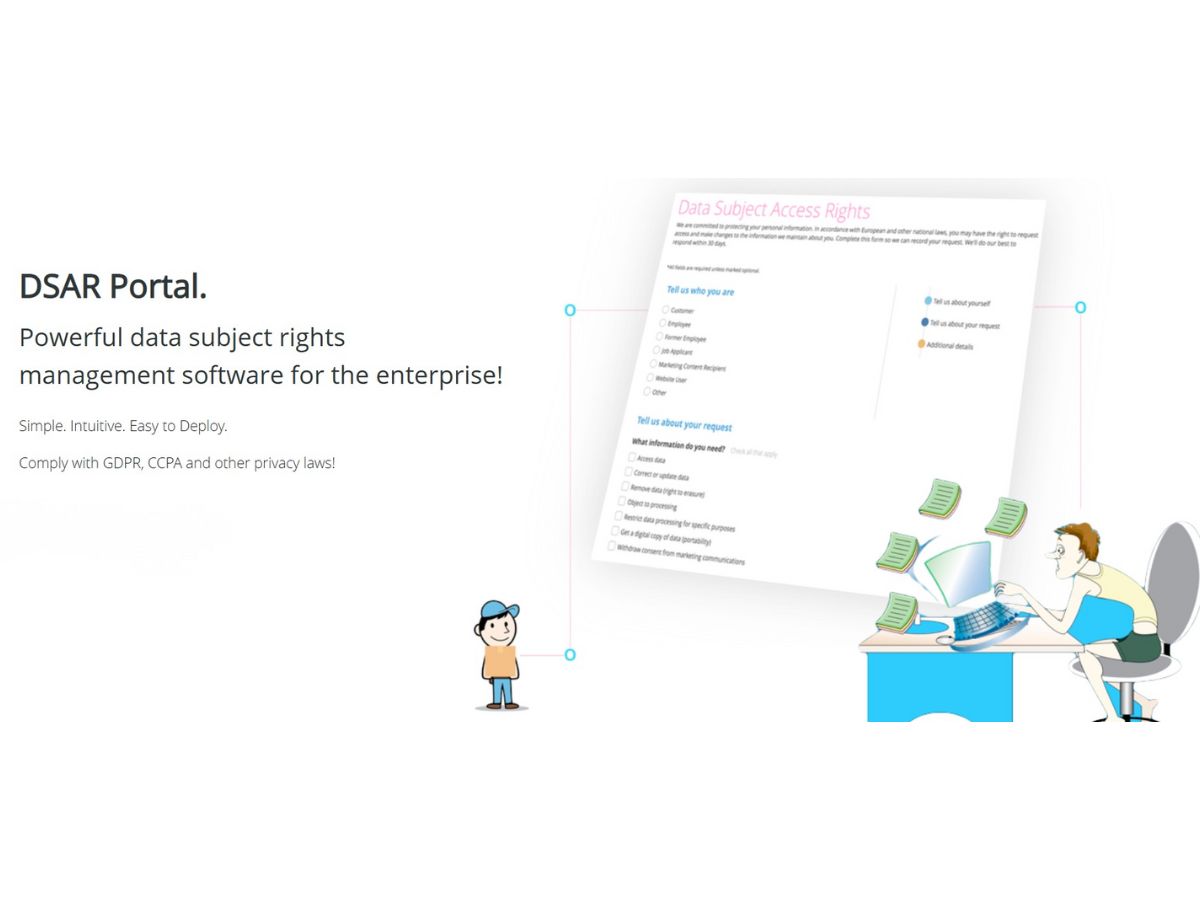
  • icon_check Data Subject Request Automation
    Streamlines intake, verification, and fulfillment of access, deletion, and portability requests required under GDPR/CCPA.
  • icon_check Policy Management
    Creates, updates, and distributes privacy policies with automated version tracking and compliance monitoring tools.
  • icon_check Vendor Risk Management
    Evaluates third-party vendors, identifies data sharing risks, and monitors privacy compliance across the supply chain.
  • icon_check Compliance Reporting
    Generates audit-ready reports showing regulatory adherence, risk levels, and operational privacy performance metrics.
  • icon_check Remove Background
  • icon_check Risk Scoring Engine
    Uses analytics to assign risk scores to systems, vendors, and datasets, enabling better prioritization of remediation tasks.
  • icon_check Remove Unwanted Objects
  • icon_check Data Minimization
    Helps identify redundant or unnecessary data, reducing storage exposure and aligning with regulatory best practices.
  • icon_check Fix Poor Photos
  • icon_check Workflow Automation
    Automates privacy operations with configurable workflows for approvals, escalations, notifications, and task tracking.
  • icon_check Frames & Collages
  • icon_check API & Integrations
    Provides robust APIs and integrations to sync privacy data with CRM, marketing tools, cloud platforms, and IT systems.
  • icon_check Advanced Photo Effects
  • icon_check Identity Verification
    Verifies individuals securely during DSR processes to prevent fraudulent requests and ensure regulatory compliance.
  • icon_check Stunning Text Effects
  • icon_check Audit Trail
    Maintains detailed logs of user actions, consent changes, DSR activities, and policy updates for compliance audits.
  • icon_check RAW Files Support
  • icon_check Color Correction
    Adjust brightness, contrast, RGB channels, hue, saturation, luminosity, temperature, and other color properties.
  • icon_check Object Removal
    Remove unwanted objects and imperfections from photos using clone, recovery, and brush-based editing tools.
  • icon_check Background Removal
    Erase, replace, or modify image backgrounds using selection and specialized background-removal tools.
  • icon_check Photo Retouching
    Retouch portraits and photographs using recovery brushes, healing tools, red-eye correction, and other editing functions.
  • icon_check Collage Maker
    Combine multiple photographs and design elements to create customized photo collages and compositions.
  • icon_check Templates
    Add decorative frames and use templates to quickly create greeting cards, designs, and other graphics.
Clarip Demo Video play icon

Get Clarip Demo

Watch the demo video to explore key features, real workflows, and how the software fits your business needs.

Understand
Key Features
Personal
Demo Insights
Interactive
Demo Support

Clarip Specifications

Supported Platforms
Windows Windows MacOS MacOS Linux Linux
Devices
Desktop Desktop
Deployment
Cloud-Based Cloud-Based
Suitable For
All Industries
Business Specific
All Businesses
Business Size
Small Business Startups Medium Business Enterprises
Customer Support
Email Communities
Language
English
Integration
API Integration
Training Resources
Videos
Compliance Regulation
CCPA

Clarip Review

4.3

Out of 5

img

Overall Rating

Based on
6 Verified Ratings

Rating Breakdown

  • Features 4.1
  • Value for Money 4.5
  • Ease of Use 4.5
  • Customer Support 4.1

80% Recommend this Product

Add Review

Be the First to Review

This product has no reviews yet. Be the first to leave your feedback.

Add Review

Terms and Condtions

close

Users with registered businesses can purchase goods from merchants on the platform to satisfy their business needs. Users are not permitted to utilize any products acquired through the platform for resale, advertising, business, or further distribution.

For each purchase made, users will receive a Tax Invoice (or 'GST invoice') that includes specific details such as:

  • the GSTIN of the user associated with their registered business, and

  • the specified Entity Name for their business.

It should be noted that not all products are eligible for GST Invoice. Only the products displayed by participating sellers with the 'GST-based Invoice Available' callout on the product description page would qualify.

Certain goods and services are not eligible to get a GST Invoice, including items with VAS, i.e., Value Added Services (e.g., Total Mobile Protection/Assured Buyback) and those involving an exchange offer at the time of purchase.

Users must ensure the accuracy of the GSTIN, and business entity name provided for the GST Invoice. Requests for corrections into GST Invoice would not be accommodated by Techjockey.com or any Seller, and any issues arising from user-provided information are the sole responsibility of users.

Techjockey.com is not liable for the GST Invoice or any associated input tax credit. To efficiently claim an input tax credit, users should select the registered place of business address as per the GST authority's data and follow the provisions of the GST Act and rules.

To claim an input tax credit, the delivery and billing addresses must match. Furthermore, input tax credits will not be granted if the delivery address and GSTIN on the invoice are from different states. In case of incorrect GST details provided during the order placement, the order will be canceled automatically.

20,000+ Software Listed 20,000+ Software Listed

Best Price Guaranteed Unbiased Comparison

Free Expert Consultation Read Authentic Reviews

2M+ Happy Customers 500,000+ Monthly Users