
Description
Pricing
Features
Specification
Review
Compare
Alternatives


 View Gallery
Brand: eSchedule

Get Free Expert Consultation
Let us know your business needs clearly

Verified & Trusted
Vendors

Safe & Secure
Payment

Personalized
Experts Support
Price On Request
Features
 Employee Scheduling Shift Management Availability Management Time-Off Management Alerts & Notifications
 See all 
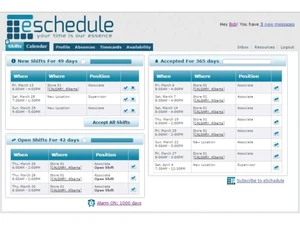
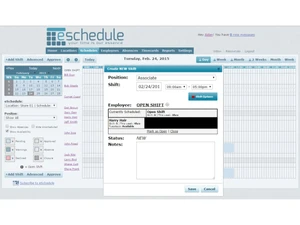
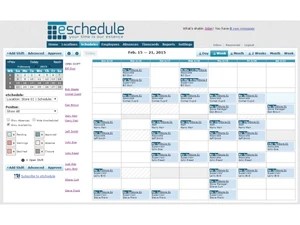
 Employee Scheduling Create, edit, and publish employee schedules quickly while ensuring coverage, fairness, and compliance. Shift Management Define shifts, rotate assignments, and manage open or unfilled shifts with minimal manual effort. Availability Management Employees submit availability preferences so schedules align with staff constraints and reduce conflicts. Time-Off Management Handle vacation, sick leave, and planned absences with approval workflows and balance tracking. Alerts & Notifications Send real-time alerts for schedule changes, approvals, and open shifts via email or mobile access. Multi-Location Manage staff schedules across multiple locations, departments, or job roles from one dashboard. Time & Attendance Tracking Track actual hours worked against scheduled shifts to improve payroll accuracy and accountability. Overtime Tracking Monitor overtime thresholds in real time to control labor costs and stay compliant with regulations. Role-Based Access Control (RBAC) Restrict system access by role so managers and employees see only relevant scheduling data. Compliance Management Support labor law rules such as rest periods, maximum hours, and scheduling constraints. Reporting & Analytics Generate workforce reports on hours, absences, overtime, and staffing trends for better decisions. Employee Self service Enable staff to view schedules, request time off, and manage availability independently. Approval Workflows Streamline approvals for shift changes, swaps, and leave requests using configurable workflows. Cloud-Based Access schedules securely from any device without local installations or complex IT setup.
 | Brand Name | eSchedule |
| Information | Eschedule is powerful and easy-to-use online employee scheduling software. |
| Founded Year | 2005 |
| Director/Founders | Kory Arsenault |
| Company Size | 1-100 Employees |
 20,000+ Software Listed
 Unbiased Comparison
 Read Authentic Reviews
 500,000+ Monthly Users
 USA
USA India
India

 Write a Review
