linkedin
Expert Estimation logo
pronamics-dashboard
pronamics-calculations
pronamics-takeoff

Expert Estimation

Brand: Pronamics

  • No Ratings & Reviews

Project estimation software that helps businesses accurately calculate effort, cost, timelines, and resources using expert-driven models and structured estimation techniques.

See More

Have you used Expert Estimation before?

Share your insights for better experience

Add a Review

Price Available on Request

Questions about pricing or customization? We’re here to help, just a click away.

100% Genuine
Products
Best Price
Guaranteed
Safe & Secure
Payment
  • Description

  • Pricing

  • Features

  • Specification

  • Review

  • FAQ

Expert Estimation Software Overview

What is Expert Estimation?

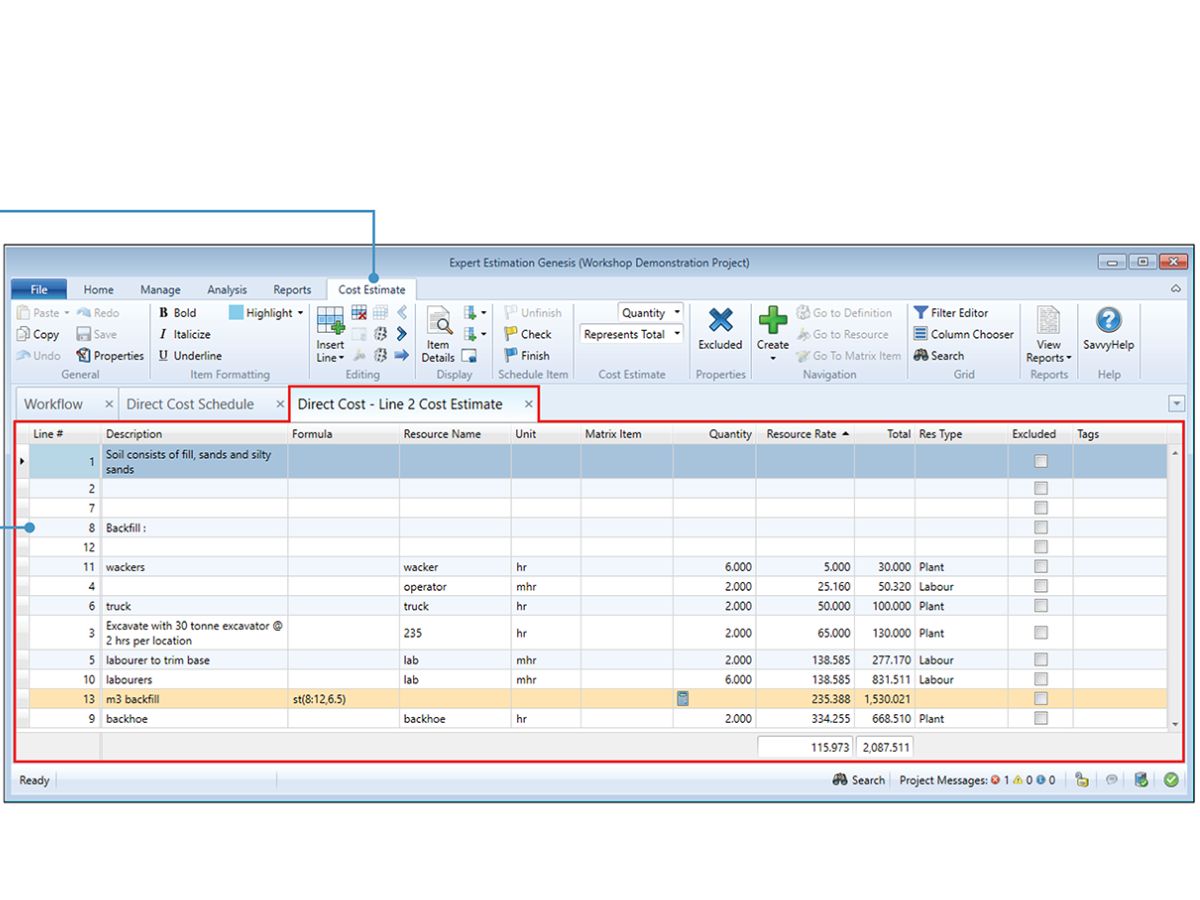
Expert Estimation is a construction estimating software that aims to estimate project costs, schedules, and resource needs more accurately. It facilitates systematic estimation processes that integrate expert judgment, experience, and pre-established parameters to minimize guesswork and overruns during project work.

The platform also allows teams to subdivide projects into tasks, approximate effort and duration, allocate resources, and compute budgets before the commencement of execution. It is extensively applied to the development of software projects, IT services, consulting projects, and high-level business undertakings in which precision has to be taken into account with regard to forecasting.

Expert Estimation also offers reporting and documentation facilities that can assist the stakeholders in reviewing the assumptions and proving the estimates to be valid, in addition to making some meaningful planning decisions.

Why Choose Expert Estimation?

  • Accurate Project Forecasting: Relies on expert-based estimation models to minimize uncertainty and unrealistic planning.
  • Structured Estimation Approach: Helps teams also use standardized estimation rather than ad-hoc estimation.
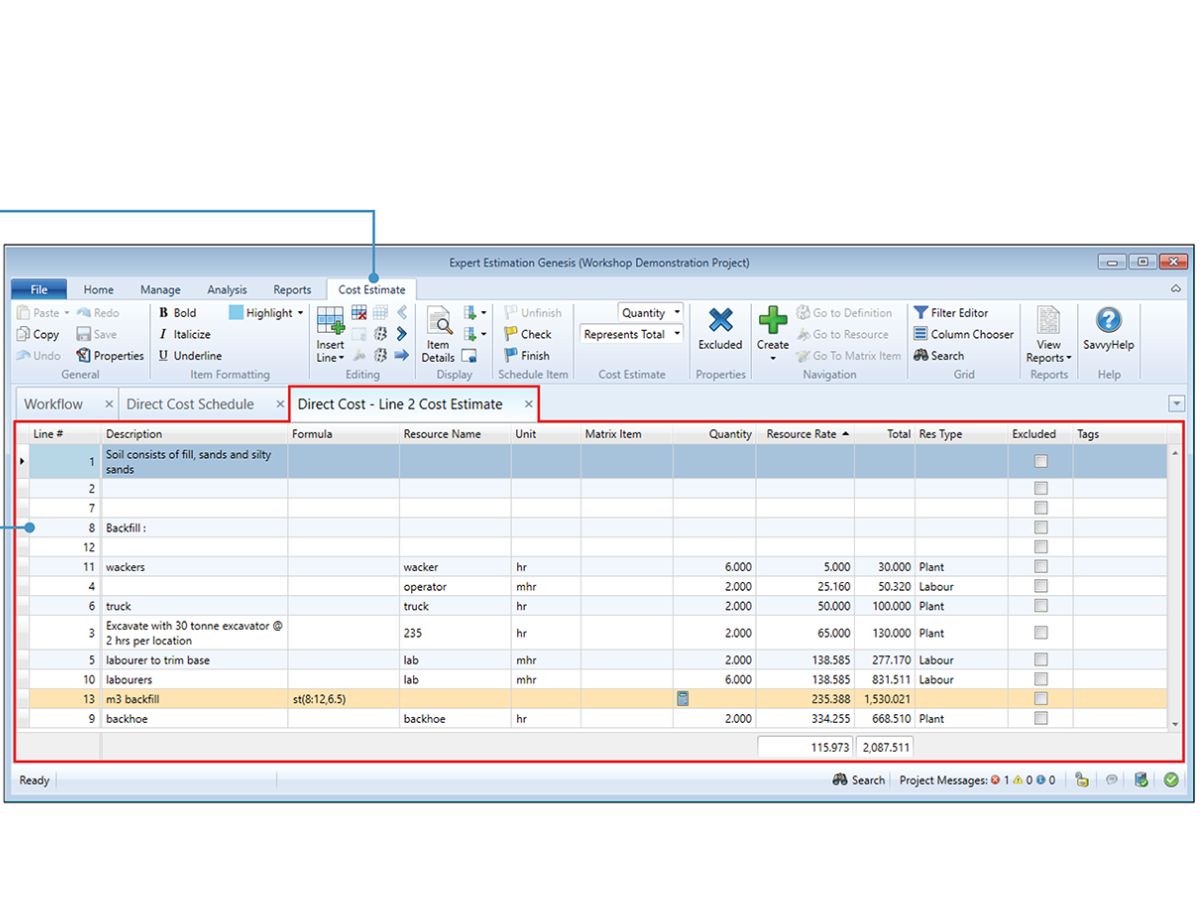
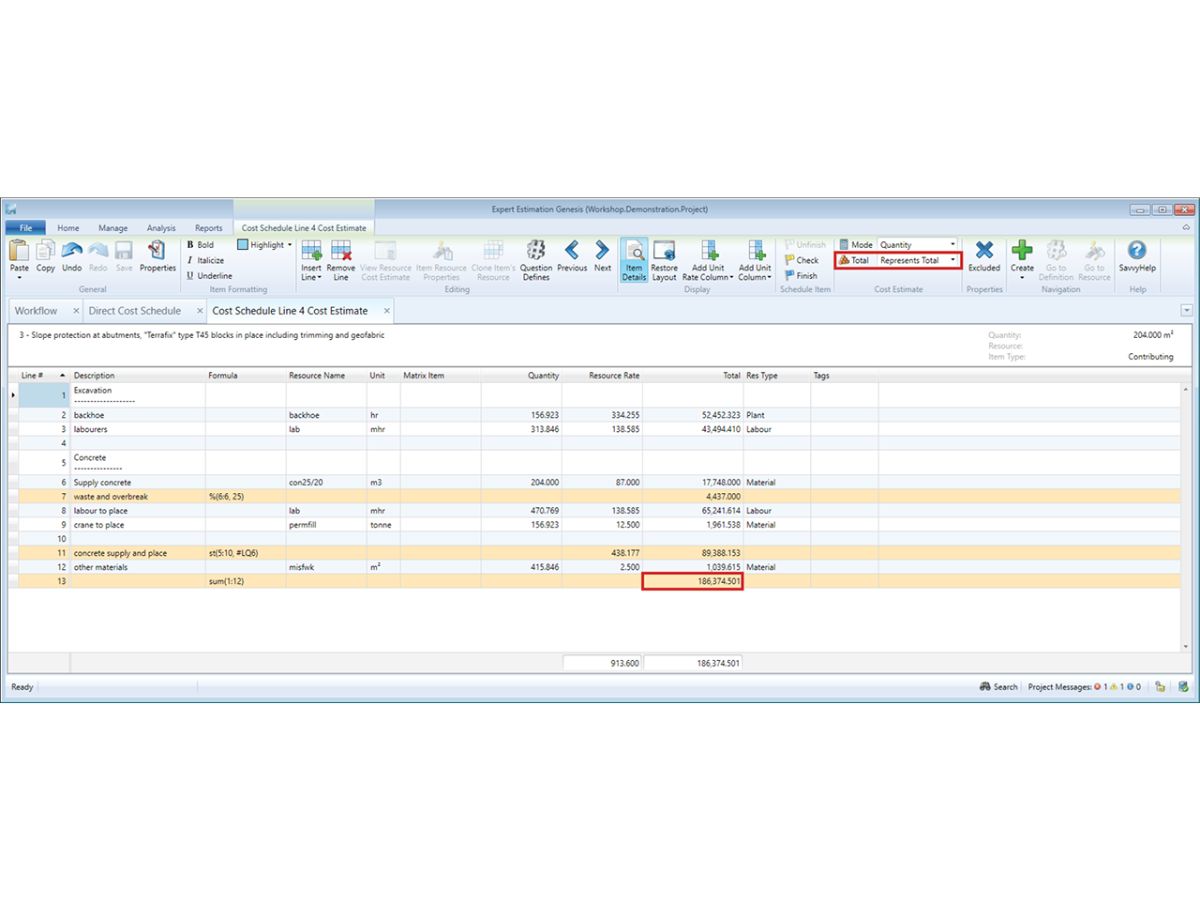
  • Effort & Cost Calculation: Effort, timing, and project costs are estimated automatically based on inputs and assumptions.
  • Resource Planning: Ensures superior assignment of people, skills, and workloads of projects.
  • Reduced Project Risks: Reduces budget variances and schedule slippage using more accurate estimates.
  • Improved Stakeholder Confidence: Estimates can be justified easily where there is clear documentation and clear assumptions.
  • Reusable Estimation Models: Store and re-use templates and past data in subsequent projects.
  • Scalable for Teams: It applies to small teams and big businesses that handle numerous projects.

Benefits of Expert Estimation

  • Better Budget Control: Helps prevent underestimation and surprise costs of the project.
  • Improved Planning Accuracy: Develops grounded, expert-driven, and logic-driven deadlines.
  • Time Savings: Minimizes the number of manual calculations and estimates.
  • Consistent Estimates: Holds comparable estimation standards between teams and projects.
  • Enhanced Decision-Making: Gives a proper understanding before deciding to execute projects.
  • Supports Complex Projects: Most suitable in high-complexity or long-term projects to be multi-phase.
  • Higher Project Success Rates: When delivery is estimated well, results are improved.

Expert Estimation Pricing

Expert Estimation pricing is available on request at Techjockey. The cost depends on factors such as deployment type, number of users, project volume, and required features.

Read more

Pronamics Company Details

Founded Year:  1987

The team at Pronamics have been developing specialist estimation and project cost management software for engineering and construction professionals since 1987.

Director/Founders Pronamics Pty Ltd
Company Size 1-100 Employees

Expert Estimation Pricing & Plans

Looking for The Right Pricing?

Share your requirements and get a plan built around your business.

  • Define your business needs
  • Get customised pricing
  • Choose features that fit your workflow

Price Available on Request

Get personalised Expert Estimation pricing that fits your needs. Our team will connect with you.

Expert Estimation Features

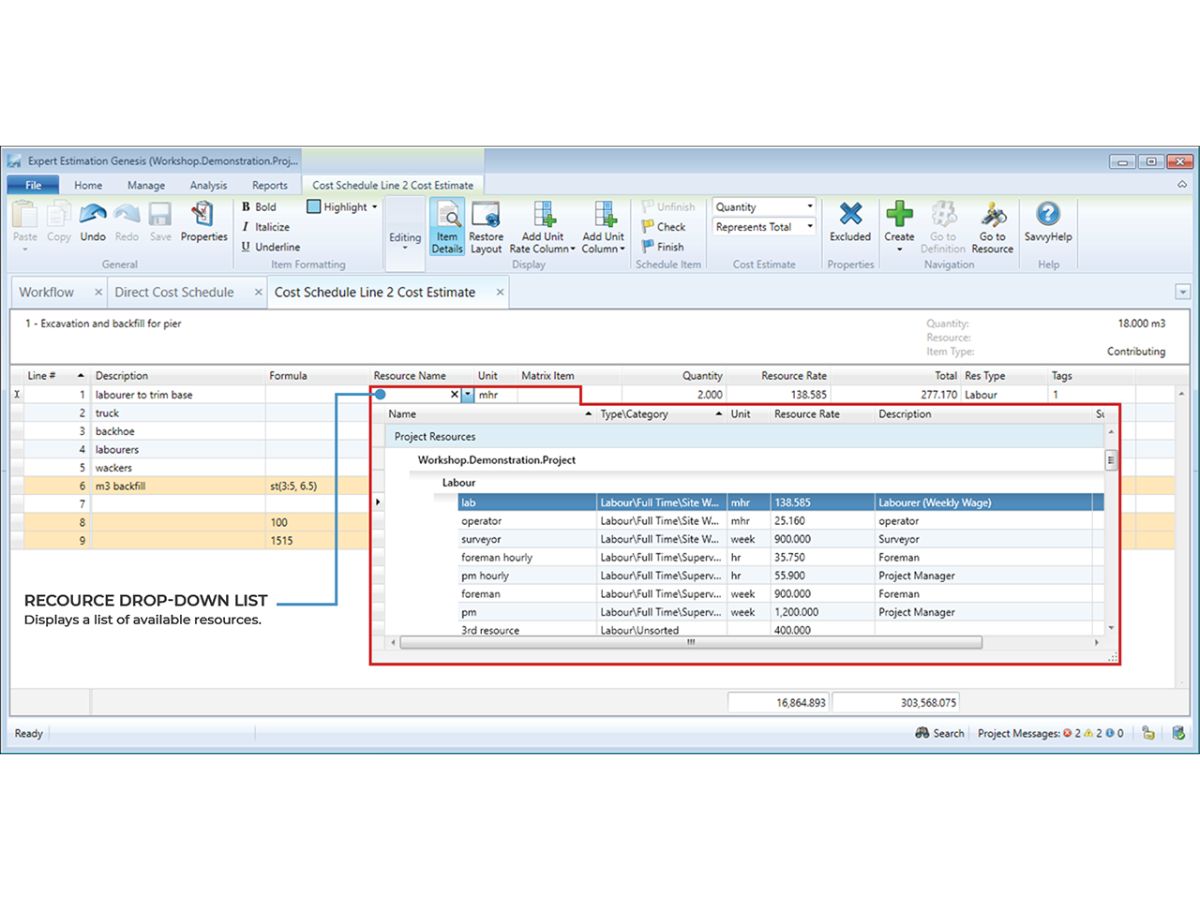
  • icon_check Resource Management
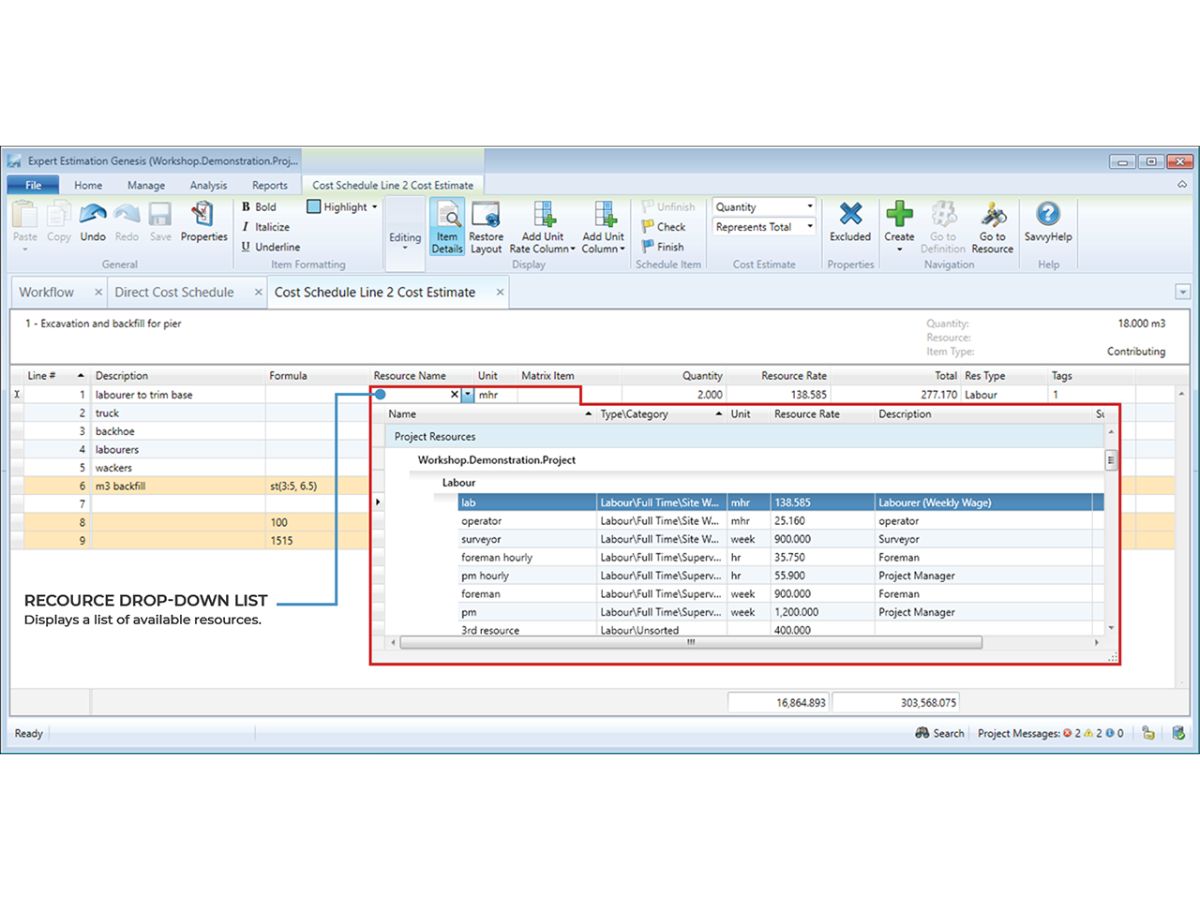
    Manage labor, materials, equipment, and subcontractor resources with adjustable rates and allocations.
  • icon_check Takeoff Management
    Link quantity takeoffs directly into cost items to automate schedule updates and maintain project accuracy.
  • icon_check Quotation Comparison
    Import, manage, and compare subcontractor and supplier quotes against internal project estimates.
  • icon_check Overhead Allocation
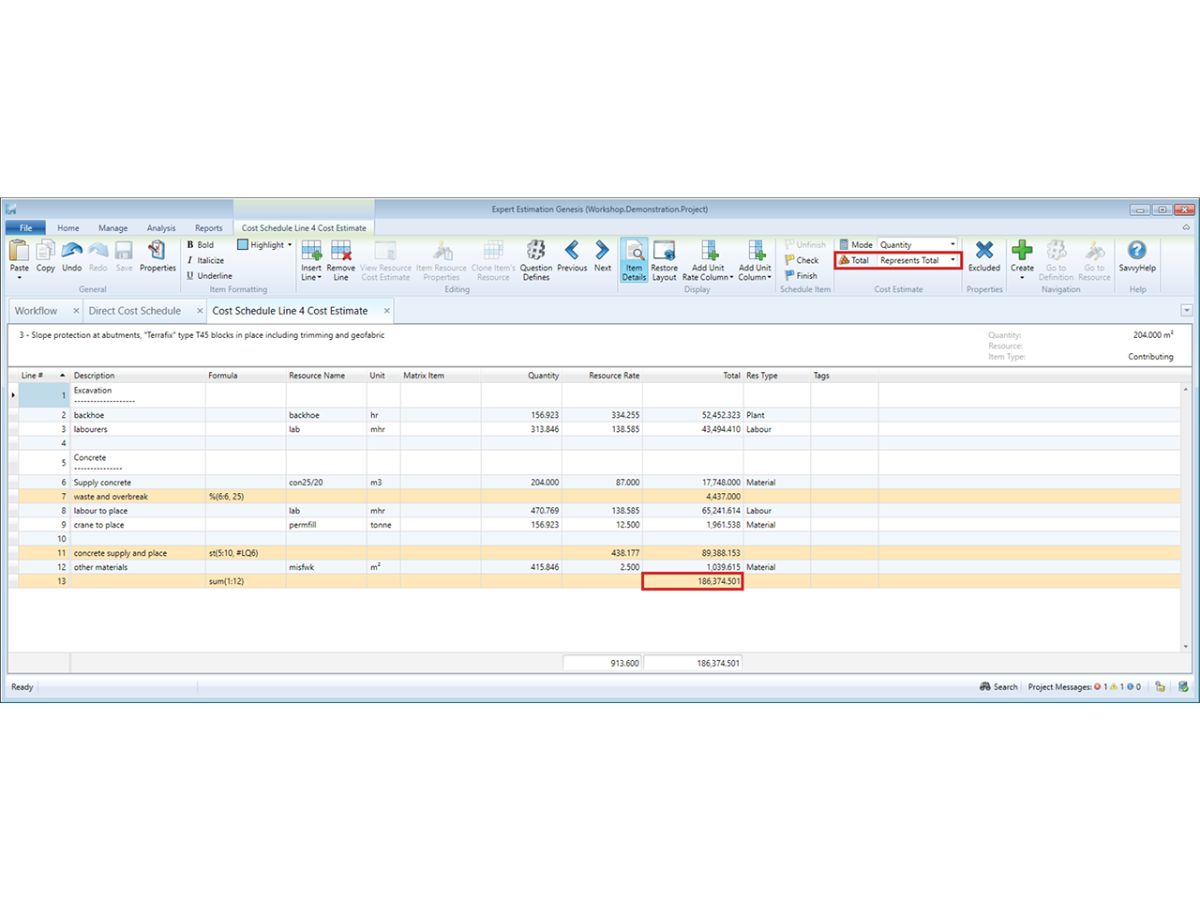
    Allocate overhead costs across project items with configurable rules to ensure accurate total project pricing.
  • icon_check Margin Management
    Apply margins across cost items, resources, or projects to reflect profit targets and commercial strategies.
  • icon_check Templates
    Create reusable templates for estimates, schedules, and formulas to maintain consistency across projects.
  • icon_check Cash Flow Forecasting
    Generate time-phased cash flow forecasts based on project schedules and expenditure allocations.
  • icon_check Cost Spreading
    Distribute costs across multiple line items or cost pools to reflect project delivery requirements.
  • icon_check Bid Management
    Manage bids from subcontractors and suppliers, and integrate accepted values into overall project estimates.
  • icon_check Audit Trail
    Maintain a record of changes across project estimates for accountability, compliance, and review processes.
  • icon_check Team Collaboration
    Allow multiple users to work concurrently on estimates with conflict resolution and role controls.
  • icon_check Scenario Analysis
    Model and compare multiple costing scenarios to evaluate risk and optimize project pricing strategies.
  • icon_check What-If Forecasting
    Test alternative resource rates, spreads, or margins to see financial impacts before project submission.

Expert Estimation Specifications

Supported Platforms
Windows Windows
Devices
Desktop Desktop
Deployment
Perpetual Perpetual
Suitable For
Construction
Business Specific
All Businesses
Business Size
Medium Business Enterprises SMBs SMEs MSMBs MSMEs
Customer Support
Email Communities
Language
English
Integration
API Integration
Training Resources
In Person Live Online Documentation Videos

Expert Estimation Review

Be the First to Review

This product has no reviews yet. Be the first to leave your feedback.

Add Review

How does Expert Estimation work?

Expert Estimation works by letting users define project tasks, input expert knowledge and historical data, and apply structured estimation models to calculate effort, cost, timeline, and resource requirements, helping teams forecast and plan projects more accurately.

What does Expert Estimation do?

Expert Estimation helps organizations calculate project effort, timelines, costs, and resources using structured and expert-based estimation methods.

How much does Expert Estimation cost?

Pricing is available on request and depends on user count, features, and project requirements.

Who uses Expert Estimation?

It is used by project managers, IT teams, software development companies, consultants, and enterprises that require accurate project planning.

Is Expert Estimation suitable for software projects?

Yes, it is widely used for software development, IT services, and technology-driven projects.

Does Expert Estimation support resource planning?

Yes, it helps allocate resources and estimate workloads across different project phases.

Can Expert Estimation reduce project risks?

Yes, accurate and structured estimates help reduce budget overruns, delays, and planning risks.

Is Expert Estimation scalable?

Yes, it can be used for small projects as well as large enterprise-level initiatives.

Terms and Condtions

close

Users with registered businesses can purchase goods from merchants on the platform to satisfy their business needs. Users are not permitted to utilize any products acquired through the platform for resale, advertising, business, or further distribution.

For each purchase made, users will receive a Tax Invoice (or 'GST invoice') that includes specific details such as:

  • the GSTIN of the user associated with their registered business, and

  • the specified Entity Name for their business.

It should be noted that not all products are eligible for GST Invoice. Only the products displayed by participating sellers with the 'GST-based Invoice Available' callout on the product description page would qualify.

Certain goods and services are not eligible to get a GST Invoice, including items with VAS, i.e., Value Added Services (e.g., Total Mobile Protection/Assured Buyback) and those involving an exchange offer at the time of purchase.

Users must ensure the accuracy of the GSTIN, and business entity name provided for the GST Invoice. Requests for corrections into GST Invoice would not be accommodated by Techjockey.com or any Seller, and any issues arising from user-provided information are the sole responsibility of users.

Techjockey.com is not liable for the GST Invoice or any associated input tax credit. To efficiently claim an input tax credit, users should select the registered place of business address as per the GST authority's data and follow the provisions of the GST Act and rules.

To claim an input tax credit, the delivery and billing addresses must match. Furthermore, input tax credits will not be granted if the delivery address and GSTIN on the invoice are from different states. In case of incorrect GST details provided during the order placement, the order will be canceled automatically.

20,000+ Software Listed 20,000+ Software Listed

Best Price Guaranteed Unbiased Comparison

Free Expert Consultation Read Authentic Reviews

2M+ Happy Customers 500,000+ Monthly Users