linkedin
ezAtlas AMS logo
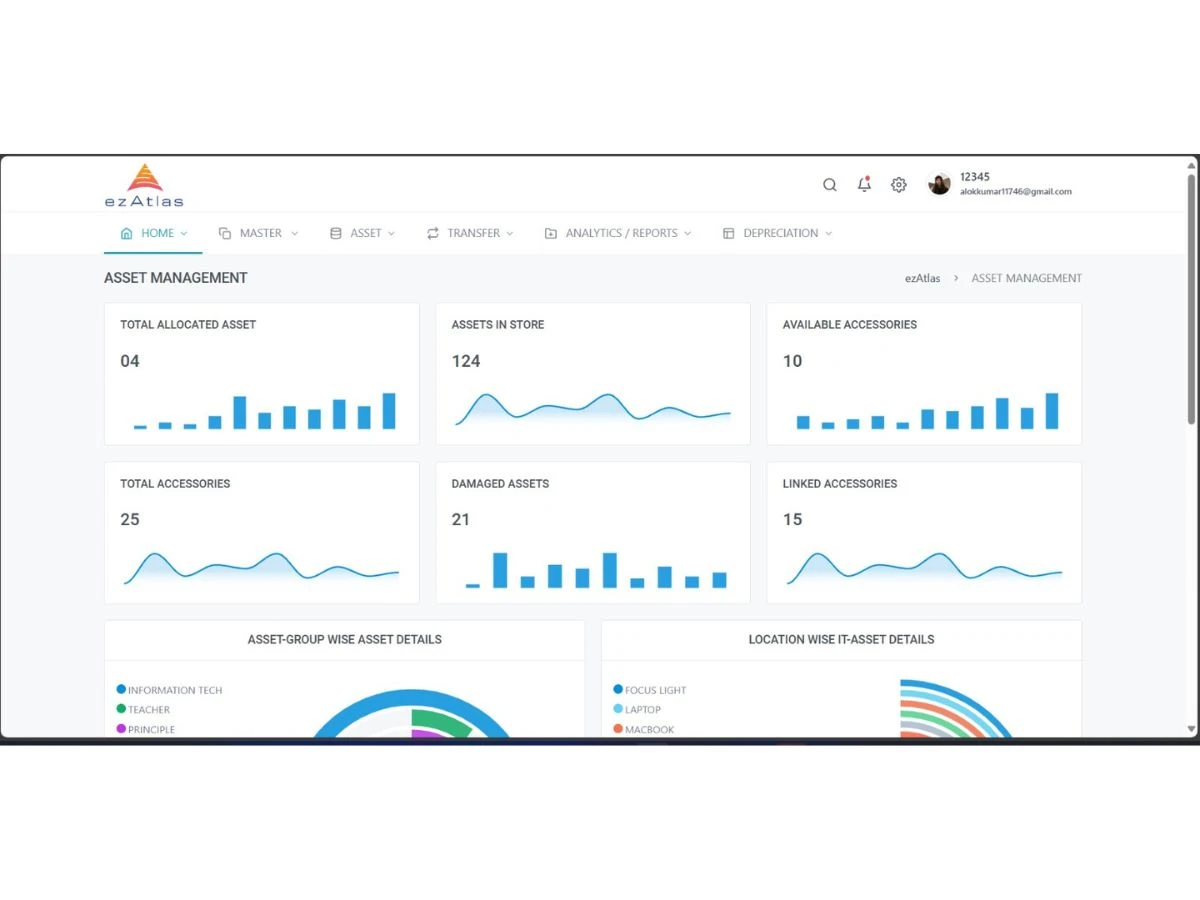
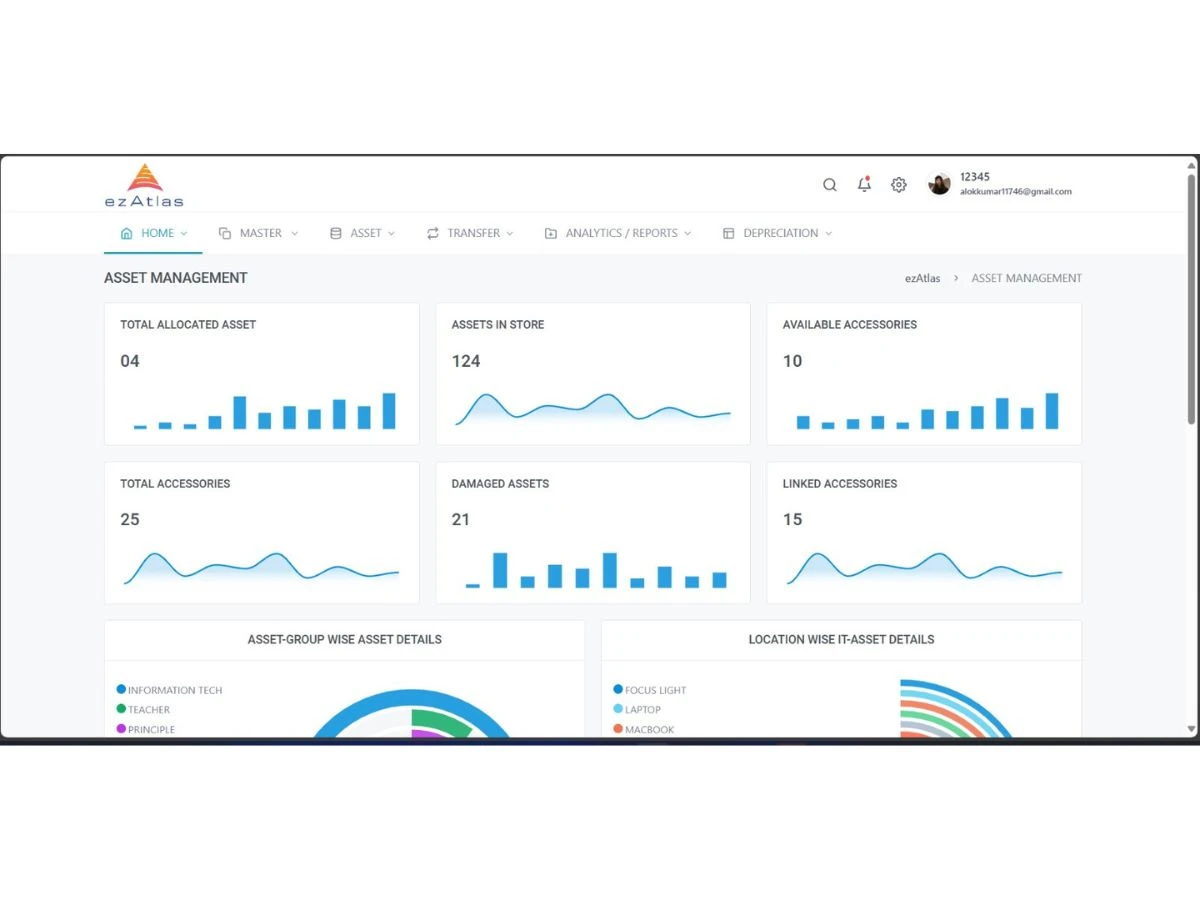
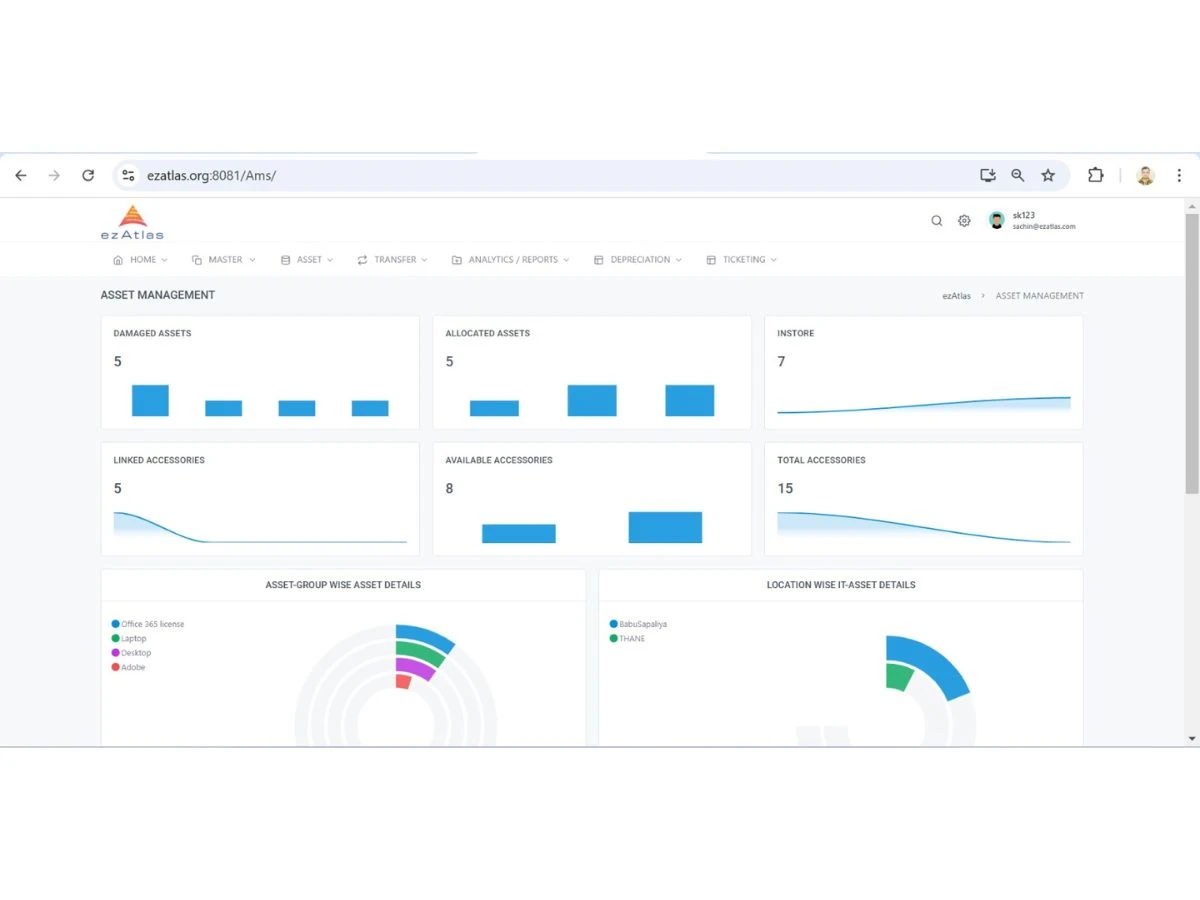
ezasset home
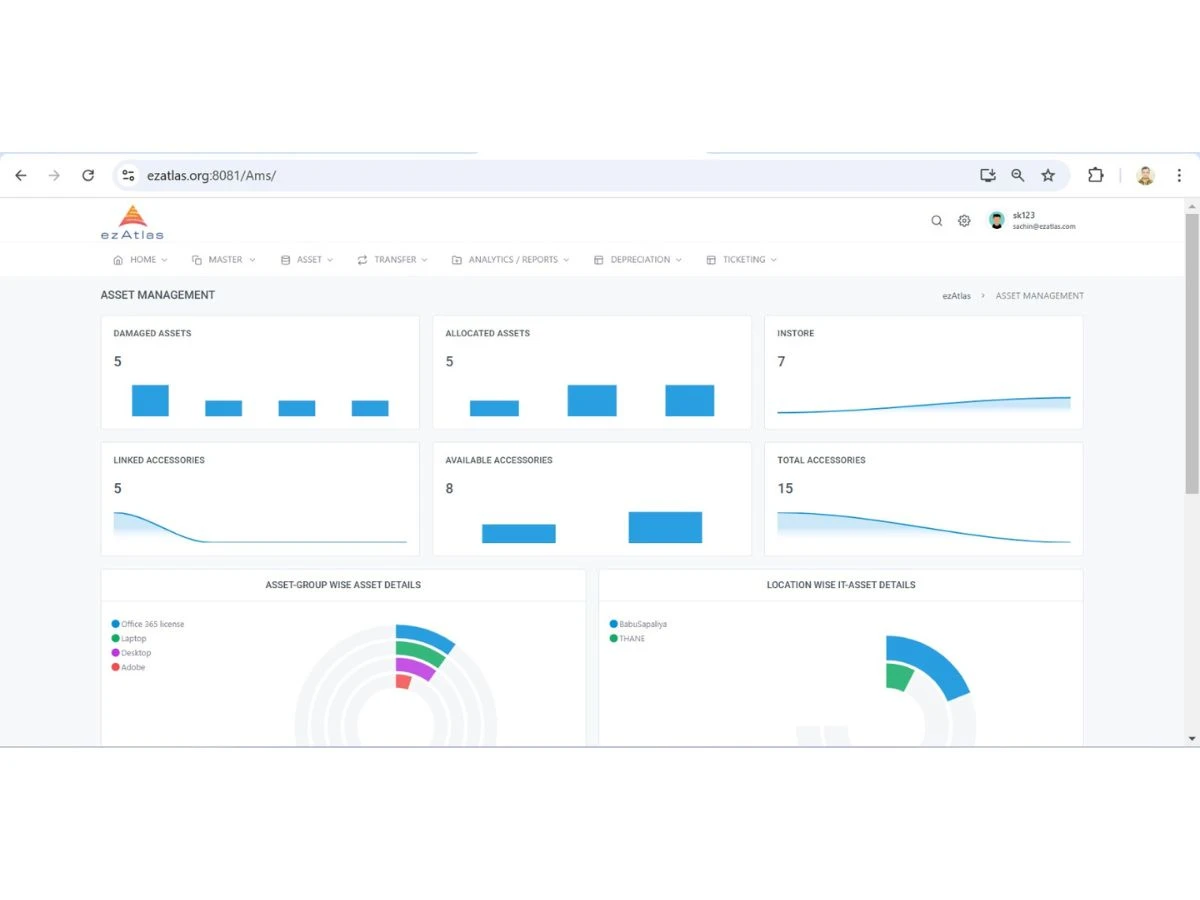
ezasset store
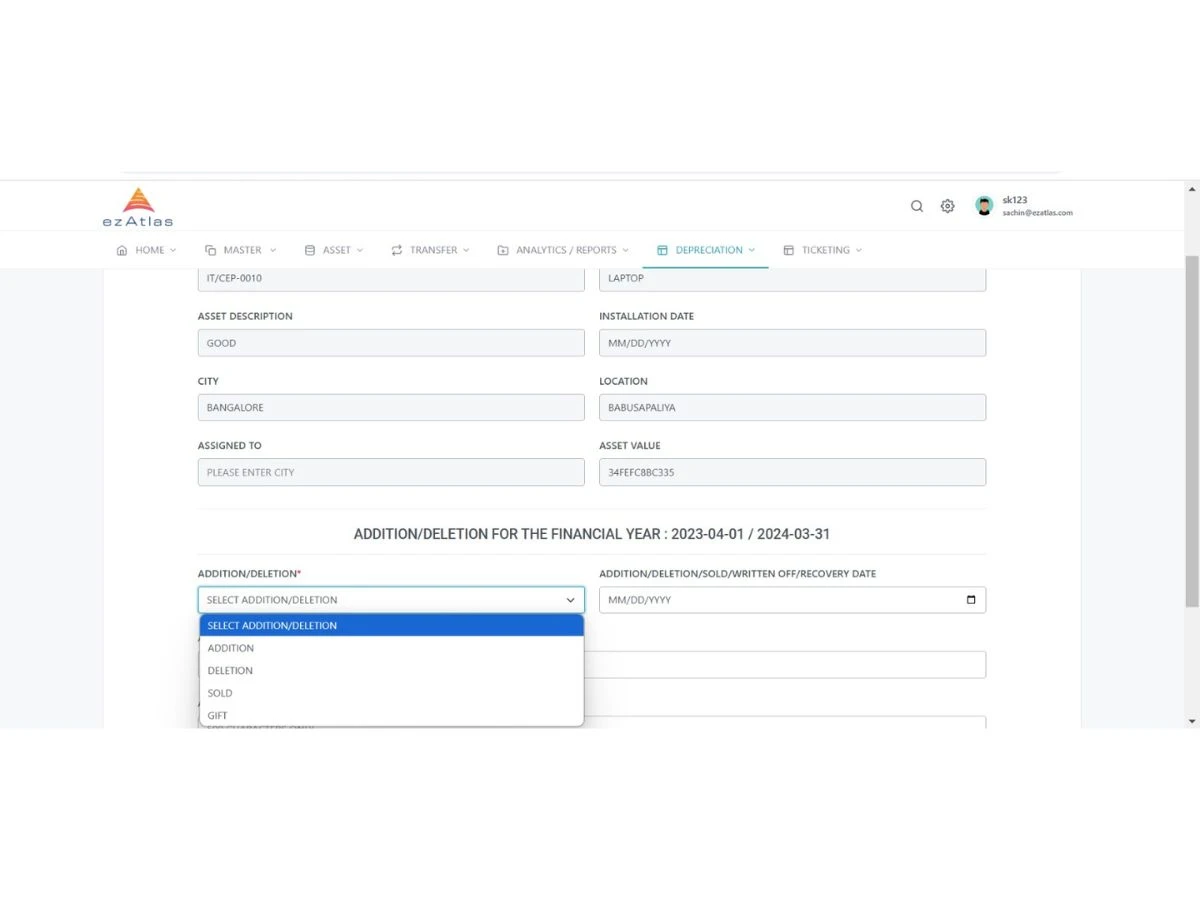
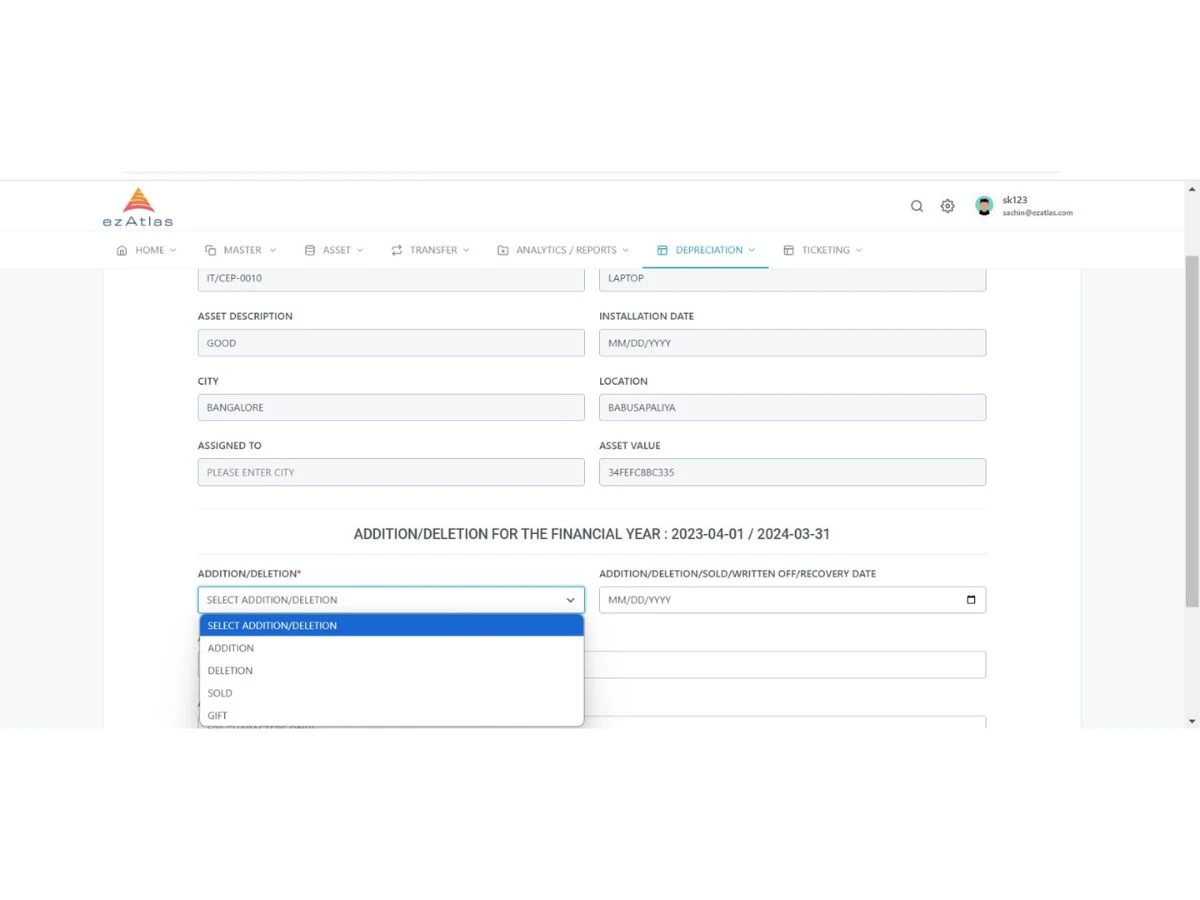
ezasset depreciation

ezAtlas AMS

Brand: ezAtlas Pvt. Ltd.

  • 4.6

  • 1 Rating & 1 Review

EzAsset is a comprehensive, cloud-based asset management software. It helps manage the entire lifecycle of fixed assets from procurement, management to disposal with a dedicated well-designed cloud-based system. It allows businesses to record, maintain and track their asset with a simple user interface. This asset management system enables organizations to schedule maintenance, define roles and t...

See More

Have you used ezAtlas AMS before?

Share your insights for better experience

Add a Review

Price Available on Request

Questions about pricing or customization? We’re here to help, just a click away.

100% Genuine
Products
Best Price
Guaranteed
Safe & Secure
Payment
  • Description

  • Pricing

  • Features

  • Specification

  • Review

  • Compare

  • Alternatives

  • FAQ

ezAtlas AMS Software Overview

What is EzAsset?

EzAsset is a comprehensive, cloud-based asset management software. It helps manage the entire lifecycle of fixed assets from procurement, management to disposal with a dedicated well-designed cloud-based system. It allows businesses to record, maintain and track their asset with a simple user interface. This asset management system enables organizations to schedule maintenance, define roles and track efficiency through a single dashboard.

EzAsset software allows businesses to track the complete lifecycle of every fixed asset and depreciate it accordingly. It enables the IT team to have greater control and more information about their asset. The software also allows corporates to track assets spread over multiple locations.

EzAsset asset management solution increases accountability and helps in better management of all the assets. Users can track allocated assets to employees, get depreciation charts as per income tax and companies act, and generate valuable reports on assets for decision making. EzAsset is a one-stop asset management system for every business.

Benefits of using EzAsset Asset Management Software

  • Track every asset in the organization based on hierarchy, ownership, location, etc.
  • Allow access and allocate company's assets to employees based on roles
  • Track the entire lifecycle of an asset with the master module
  • Manage asset transfer with proper authorization and receipts
  • You can import details of assets from excel sheets
  • Allows users to track the historical cost and present value of an asset
  • Helps generate detailed and consolidated financial reports of asset
  • Can be integrated easily with accounting and ERP systems
  • Helps the management track the allocated assets to employee for better accountability
  • Generate the depreciation chart as per income tax and companies act compliances
  • Allows tagging, scanning, and verifying of assets.

Who Can Use EzAsset Management Software

  • Educational Institutions
  • Hospitals
  • Small and medium-sized businesses
  • Trade Industry
  • IT Industry
  • Banking Industry
  • Transport and Logistics Companies
  • Gym, and much more

Why Choose EzAsset?

  • Packaged all in one solution for asset management.
  • Easy integration with third-party apps to provide detailed information on asset procurement.
  • Create and manage centralized on-cloud database remotely.
  • Easily customizable as per organizational needs and policies.
  • Excellent trainers and after-sales service to help you implement EzAsset in your organization.

How Does EzAsset Work

The latest version of EzAsset is primarily used for comprehensive asset management and tracking system. It has an intuitive interface and is simple to use. EzAsset can be easily integrated with your existing systems to ensure a smooth workflow. For more information, you can also refer to user manuals and take an online EzAsset demo at Techjockey.com.

How to Use EzAsset Software

Get started with EzAsset in 5 simple steps:   

  • Step 1: Buy EzAsset installation key from techjockey.com
  • Step 2: Install EzAsset on your system or directly log in through the official website.
  • Step 3: Sign up & create your account
  • Step 4: Add users & assign permissions
  • Step 5: Get started with EzAsset

What is the price of EzAsset Asset Management System

EzAsset pricing is available on request at Techjockey UAE.

Read moreView less

ezAtlas Pvt. Ltd. Company Details

Founded Year:  2015

Revolutionising the supply chain industry, our specialised ERP solutions at ezAtlas integrate cutting-edge AI technology. This enterprise-grade, scalable platform empowers businesses to streamline operations and navigate market intricacies swiftly.

Director/Founders Amit Holkar , Priya Raj
Company Size 1-100 Employees

ezAtlas AMS Pricing & Plans

Looking for The Right Pricing?

Share your requirements and get a plan built around your business.

  • Define your business needs
  • Get customised pricing
  • Choose features that fit your workflow

Price Available on Request

Get personalised ezAtlas AMS pricing that fits your needs. Our team will connect with you.

ezAtlas AMS Features

  • icon_check Master Module
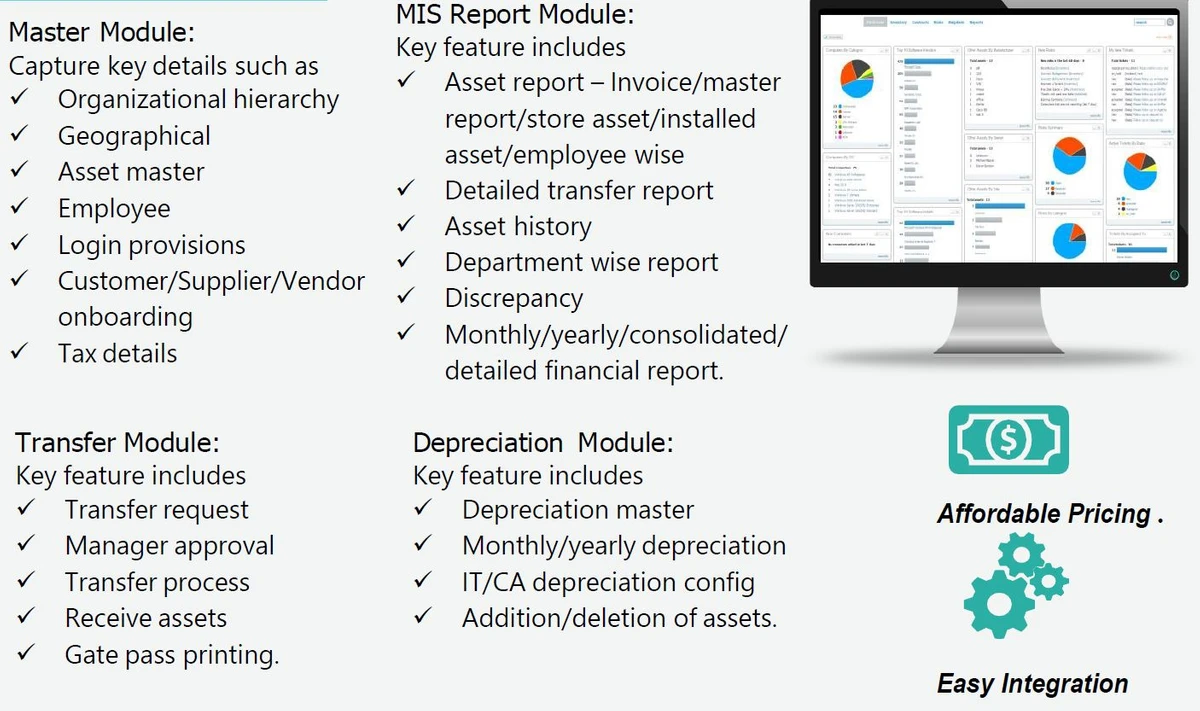
    Capture key details of assets according to organizational hierarchy, geography, and age. Onboard new customers, suppliers,
  • icon_check Transfer Module
    Streamline the entire asset transfer process with transfer requests, approval, asset receipt, and gate pass generation.
  • icon_check Asset Management
    Maintain accurate asset details with invoice entry, excel data import, IT configuration, and installation/allocation of assets.
  • icon_check MIS Reports
    Generate employee, installation, store, and department-wise reports of assets. Also, get detailed transfer reports, asset
  • icon_check Depreciation Method
    Generate monthly/annual depreciation charts as per compliance with both income tax and Companies Act, 2013. Add or delete a block
  • icon_check Easy Integration
    Easily integrate accounting software, ERP, and other business software with EzAsset solution.
  • icon_check Automated Workflow Optimization
    Create an easy workflow for procurement, recording, maintenance, and the disposal of an asset.
  • icon_check Role-based access
    Allows employees to have a control over a group of assets depending upon the role and authority.

ezAtlas AMS Specifications

Supported Platforms
Windows Windows
Devices
Desktop Desktop
Deployment
Cloud-Based Cloud-Based
Suitable For
All Industries
Business Specific
All Businesses
Business Size
Startups Medium Business Enterprises
Customer Support
Phone Email
Language
English
Training Resources
In Person

ezAtlas AMS Review

4.6

Out of 5

img

Overall Rating

Based on
1 Verified Review

Rating Breakdown

  • Features 4.5
  • Value for Money 5
  • Ease of Use 4.5
  • Customer Support 4.5

90% Recommend this Product

Add Review

Saurabh Rai

User

Industry: Automotive User since: < 6 months

4.6

Reviewed on: Feb 22, 2024

Techjockey Verified

“Very good product for Asset management”

Pros

This is a very easy to use product for asset management and it has very lean learning crve

Cons

NO CONS

Reason to switch

Upon searching for relevant product for my usage and stumbled upon this

Compare ezAtlas AMS With other Asset Management Software

Products
Ratings
Pricing
Device Supported
Deployment
Supported Platforms
  • img

    ezAtlas AMS

  • 4.6

  • Price On Request

  • Desktop

    Mobile

  • Web based

    On Premises

  • Windows

    Mac OS

  • img

    Pragma AI

  • 4.2

  • Price On Request

  • Desktop

    Mobile

  • Web based

    On Premises

  • Windows

    Mac OS

  • img

    vCom vManager

  • Price On Request

  • Desktop

    Mobile

  • Web based

    On Premises

  • Windows

    Mac OS

  • img

    Zuper

  • Price On Request

  • Desktop

    Mobile

  • Web based

    On Premises

  • Windows

    Mac OS

  • img

    FieldEZ

  • Price On Request

  • Desktop

    Mobile

  • Web based

    On Premises

  • Windows

    Mac OS

  • img

    Tenna

  • Price On Request

  • Desktop

    Mobile

  • Web based

    On Premises

  • Windows

    Mac OS

  • img

    Fulcrum

  • Price On Request

  • Desktop

    Mobile

  • Web based

    On Premises

  • Windows

    Mac OS

(0) Product(s) selected

ezAtlas AMS Alternatives

See All ezAtlas AMS Alternatives

Available

Price on Request

Available

Price on Request

Available

Price on Request

Available

Price on Request

Starting Price:

$55.00 /Month

Which operating system does EzAsset support?

EzAsset Asset Management Software is compatible with windows operating systems.

Is there any ezAsset app?

Currently, the EzAsset Asset Management app is not available.

What is the deployment type of EzAsset?

EzAsset Asset Management Software supports both on-premise ad cloud-based deployment.

Who are the potential users of EzAsset?

EzAsset Asset Management Software is typically used in the manufacturing, educational, Information technology, and trading industry.

Is there any free trial or demo for EzAsset?

EzAsset Asset Management Software demo is available for free with techjockey.com.

Is EzAsset free?

EzAsset Asset Management Software demo is available for free. The premium plan with advanced features starts at ?5899/month on techjockey.com.

How can you download EzAsset?

For EzAsset Asset Management Software installation, download the installation file in your system and open the Setup Wizard to get started.

How does EzAsset work?

EzAsset Asset Management Software helps with asset procurement, tracking, and charging depreciation. It's a complete solution for asset management, report generation, and maintenance.

Can EzAsset work offline?

Yes, EzAsset can work offline as well as online.

Can I use EzAsset on my laptop?

Yes, EzAsset software is available for the Windows operating system and could be used on a laptop.

Does EzAsset work on android?

Currently, EzAsset is not available on Google Play Store for Android devices.

How to get ezAsset lifetime deal?

Please contact our product experts to get ezAsset lifetime deal with exclusive offers.

Terms and Condtions

close

Users with registered businesses can purchase goods from merchants on the platform to satisfy their business needs. Users are not permitted to utilize any products acquired through the platform for resale, advertising, business, or further distribution.

For each purchase made, users will receive a Tax Invoice (or 'GST invoice') that includes specific details such as:

  • the GSTIN of the user associated with their registered business, and

  • the specified Entity Name for their business.

It should be noted that not all products are eligible for GST Invoice. Only the products displayed by participating sellers with the 'GST-based Invoice Available' callout on the product description page would qualify.

Certain goods and services are not eligible to get a GST Invoice, including items with VAS, i.e., Value Added Services (e.g., Total Mobile Protection/Assured Buyback) and those involving an exchange offer at the time of purchase.

Users must ensure the accuracy of the GSTIN, and business entity name provided for the GST Invoice. Requests for corrections into GST Invoice would not be accommodated by Techjockey.com or any Seller, and any issues arising from user-provided information are the sole responsibility of users.

Techjockey.com is not liable for the GST Invoice or any associated input tax credit. To efficiently claim an input tax credit, users should select the registered place of business address as per the GST authority's data and follow the provisions of the GST Act and rules.

To claim an input tax credit, the delivery and billing addresses must match. Furthermore, input tax credits will not be granted if the delivery address and GSTIN on the invoice are from different states. In case of incorrect GST details provided during the order placement, the order will be canceled automatically.

21,000+ Software Listed 21,000+ Software Listed

Best Price Guaranteed Unbiased Comparison

Free Expert Consultation Read Authentic Reviews

5M+ Happy Customers 500,000+ Monthly Users