linkedin
background
Hokusai Audio Editor logo

Hokusai Audio Editor

Brand: Wooji Juice

Be the first to Reviews

Write a Review

Have Questions?

Hokusai Audio Editor is a powerful tool for editing audio on your iPad. It's easy to use and has all the features you need to create professional-sounding audio....Read more

img

Get Free Expert Consultation

Let us know your business needs clearly

Advice

Verified & Trusted
Vendors

Payment

Safe & Secure
Payment

Guaranteed

Personalized
Experts Support

Price On Request

Features

  • check_icon Ferrite Recording
  • check_icon Audio Editing
  • check_icon Effects
  • check_icon Coming & Going
  • check_icon Streamlined
  • See all img

Hokusai Audio Editor Software Pricing, Features & Reviews

What is Hokusai Audio Editor?

Hokusai Audio Editor is a powerful audio editing app designed for iPad users. It's a versatile tool that lets you record, edit, and enhance your audio files. Think of it as a digital studio in your pocket, giving you the power to create professional-sounding audio for podcasts, music, or any other project. Hokusai Audio Editor is designed to be user-friendly, making it easy for anyone to create high-quality audio, even if you're not a professional.

Hokusai Audio Editor simplifies the process of audio editing, making it accessible to both seasoned audio professionals and beginners. The intuitive interface and comprehensive features allow you to create, edit, and refine your audio projects with ease, regardless of your experience level.

Why Choose Hokusai Audio Editor?

  • Intuitive Design for Everyone: Hokusai Audio Editor is designed to be user-friendly, so you don't need to be a tech expert to use it. The software's interface is designed with simplicity and ease of use in mind, making it accessible to users of all skill levels.
  • Professional Audio Powerhouse: Hokusai Audio Editor has all the features you need to create professional-sounding audio, including recording, editing, and effects. The comprehensive range of tools allows you to achieve professional-quality results, whether you're creating a podcast, a music track, or a sound effect.
  • Streamlined Workflow for Efficiency: Hokusai Audio Editor's streamlined workflow makes it easy to get your audio projects done quickly and efficiently. The software's intuitive workflow guides you through the editing process, making it faster and easier to achieve your desired results.
  • Mobile-First Design for On-the-Go Editing: Hokusai Audio Editor is designed specifically for iPad, so you can edit audio on the go. This mobile-first approach allows you to work on your audio projects anytime, anywhere, increasing your flexibility and productivity.

Benefits of Hokusai Audio Editing Software

  • Professional-Quality Audio for Everyone: Hokusai Audio Editor helps you create professional-sounding audio, even if you're not a professional. The software's features and tools empower you to produce high-quality audio, regardless of your experience level.
  • Increased Productivity for Faster Results: Hokusai Audio Editor's streamlined workflow helps you get your audio projects done faster. By simplifying the editing process and providing efficient tools, Hokusai Audio Editor helps you work more efficiently.
  • Creative Control Over Your Audio: Hokusai Audio Editor gives you the creative control you need to make your audio sound exactly how you want it. The software offers a wide range of editing tools, effects, and options, allowing you to shape your audio to match your artistic vision.
  • Mobile Convenience for On-the-Go Work: Hokusai Audio Editor lets you edit audio on the go, so you can work on your projects anytime, anywhere. This mobile-first approach allows you to take your creativity with you, maximising your productivity and flexibility.

Pricing Of Hokusai Audio Editing Software

Hokusai Audio Editor pricing is available on request at techjockey.com. The pricing model is based on different parameters, including the amount of bandwidth you need, the number of servers you need, and the features you need. For further queries related to the product, you can contact our product team and learn more about the pricing and offers.

Hokusai Audio Editor Pricing & Plans

Hokusai Audio Editor price is available on request

Looking for pricing details, customization requirements or have other queries? We are just a click away.

Get Hokusai Audio Editor Demo

We make it happen! Get your hands on the best solution based on your needs.
Interacted

Hokusai Audio Editor Features

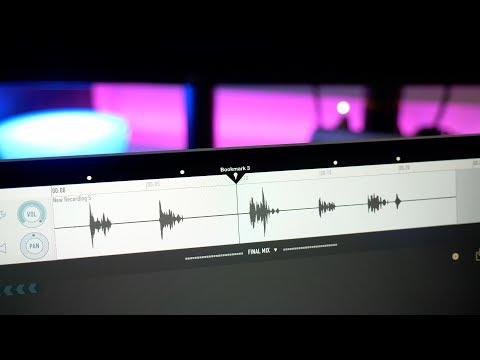
  • icon_check Ferrite Recording Capture high-quality audio directly within the app.
  • icon_check Audio Editing Edit your recordings with precision using a range of tools.
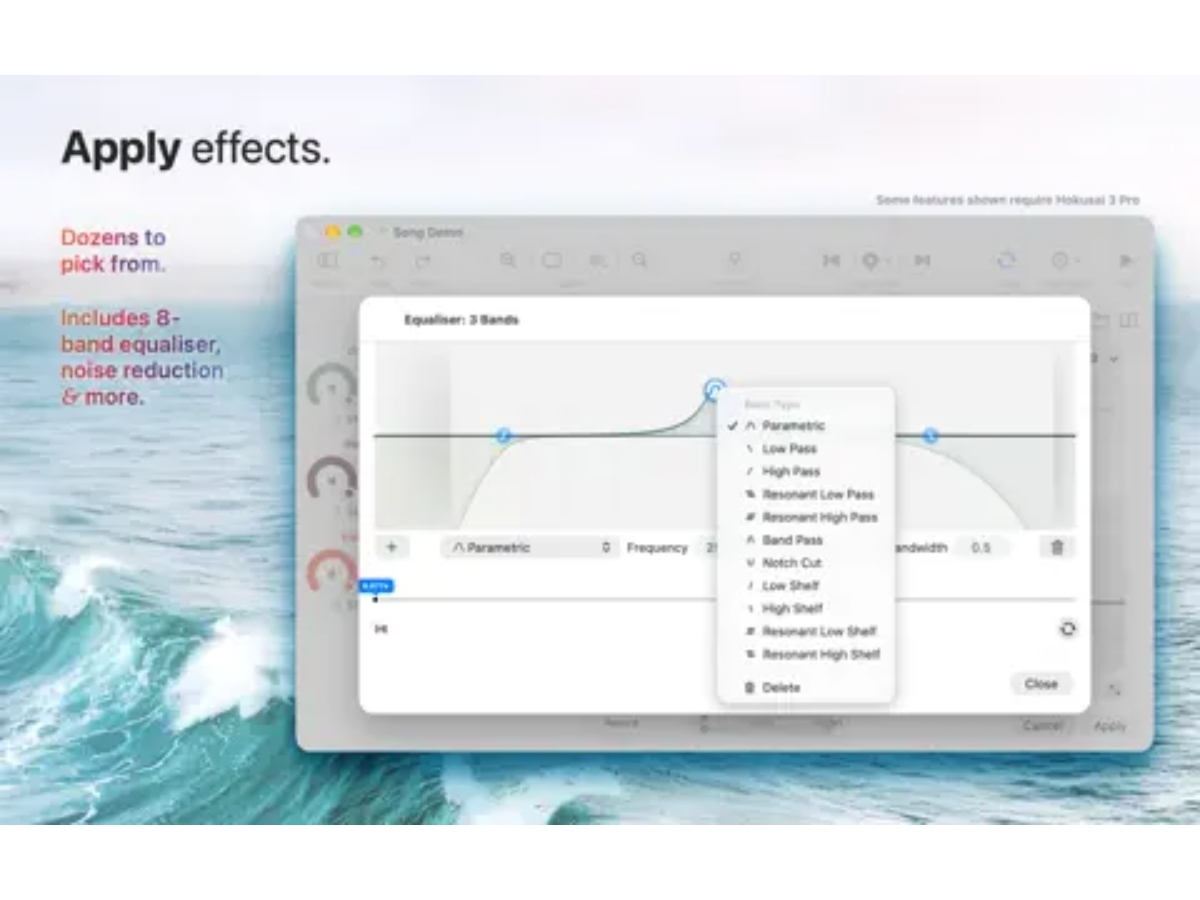
  • icon_check Effects Enhance your audio with professional-grade effects.
  • icon_check Coming & Going Fade in and out your audio for a polished sound.
  • icon_check Streamlined Enjoy a simple and intuitive workflow for easy editing.
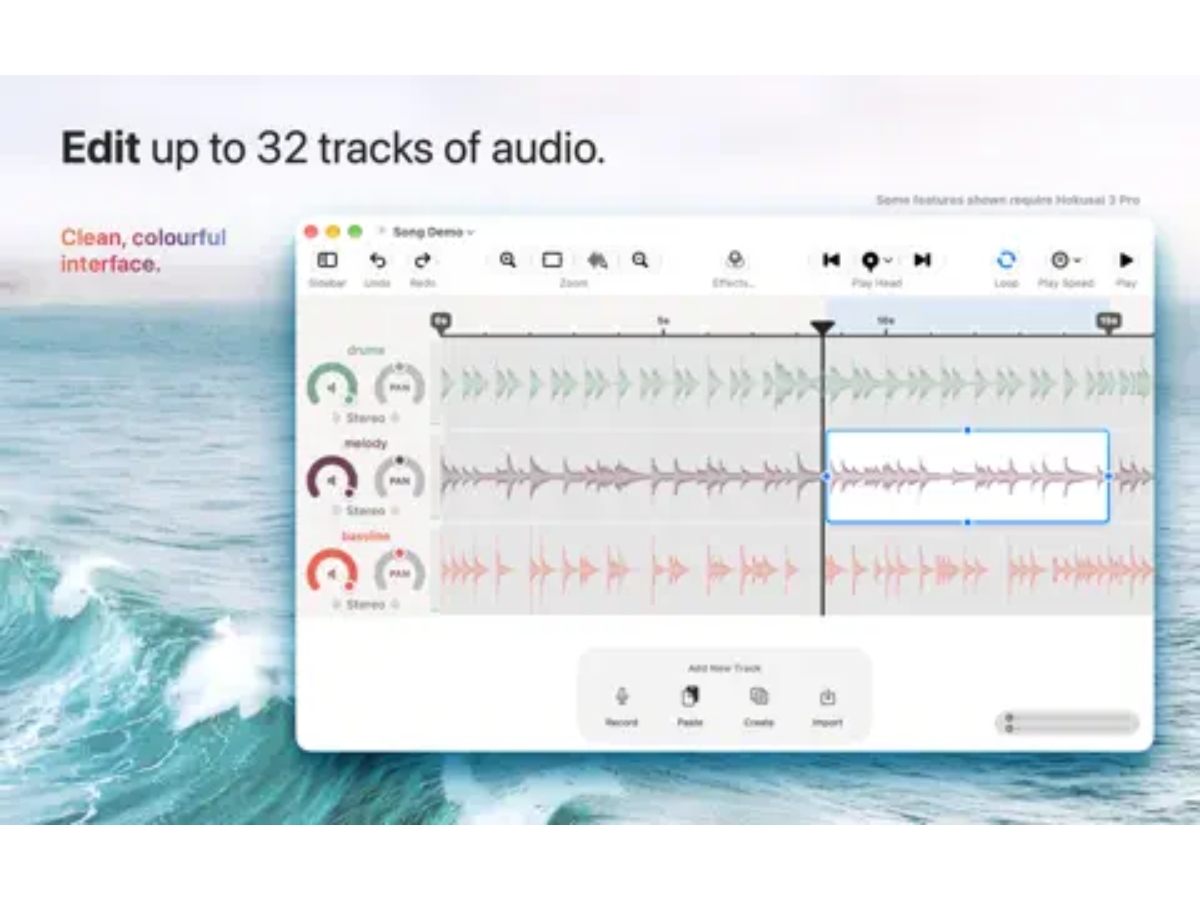
  • icon_check Multitrack MIDI Editing Edit multiple audio tracks side by side, allowing recordings to be arranged, processed, mixed, and exported together.
  • icon_check Audio Mixing Combine multiple audio tracks and adjust their individual levels to create a finished mixed recording.
  • icon_check Noise Reduction Reduce unwanted background noise from recordings to improve clarity and create cleaner audio results.
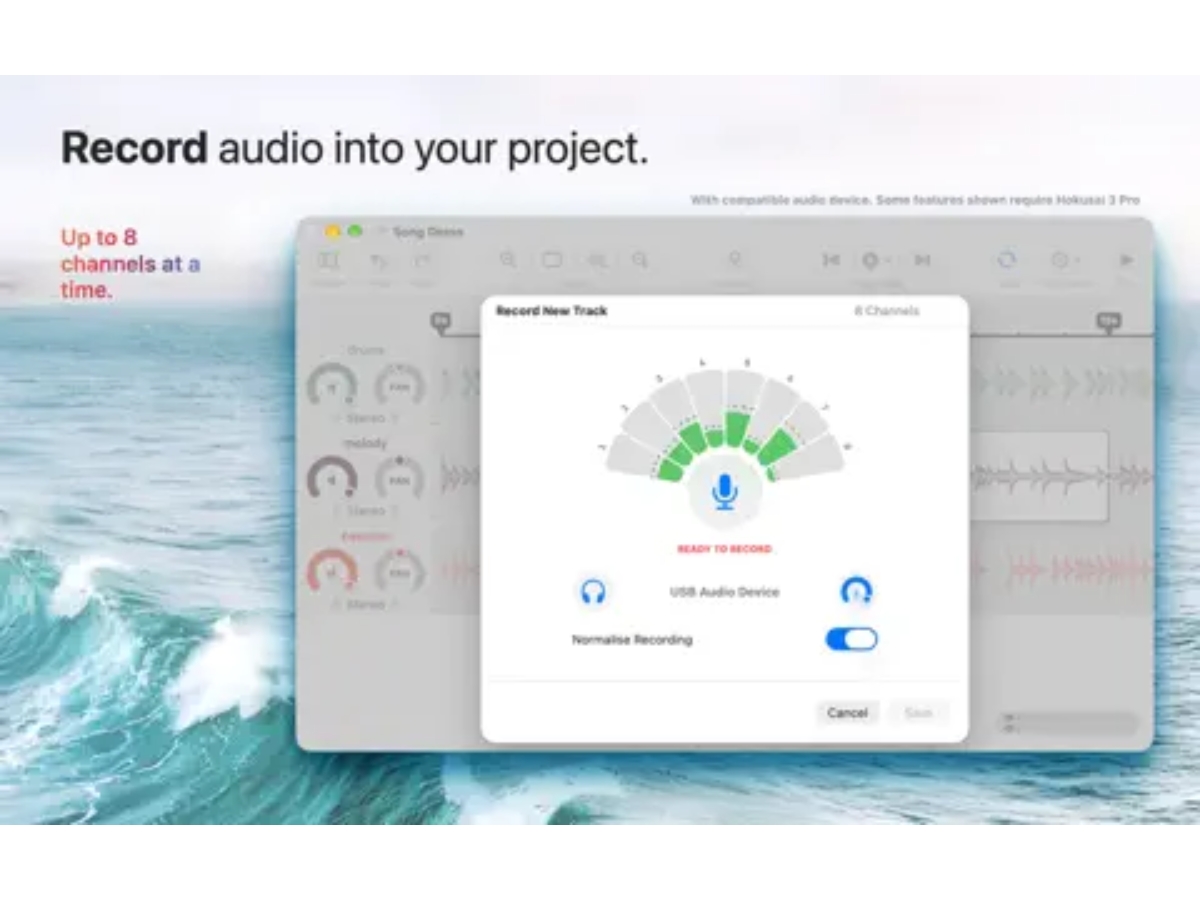
  • icon_check Multichannel Recording Record using multiple microphone channels for supported setups and preserve multichannel audio in projects.
  • icon_check Equalizer Shape the frequency balance using filters such as high-pass, low-pass, band-pass, and notch-cut processing.
  • icon_check Audio Normalization Normalize volume levels to provide consistent audio amplitude across selected recordings or project sections.
  • icon_check Volume Control Adjust the volume of individual tracks to balance different audio sources within a multitrack project.

Hokusai Audio Editor Specifications

  • Supported Platforms :
  • Device:
  • Deployment :
  • Suitable For :
  • Business Specific:
  • Business Size:
  • Customer Support:
  • Training:
  • Language:
  • iOS
  • MobileiPad
  • Cloud-Based
  • All Industries
  • All Businesses
  • Small Business, Startups, Medium Business, SMBs
  • Email
  • Videos
  • English

Hokusai Audio Editor Reviews and Ratings

banner

Would you like to review this product?

Submit Reviews

Hokusai Audio Editor FAQ

A Hokusai Audio Editor pricing is available on request at techjockey.com.
A Hokusai Audio Editor is available as an app for iPad users.
A Contact techjockey.com to explore trial options for Hokusai Audio Editor. They can provide information about available testing periods.
A Hokusai Audio Editor offers features like recording audio, editing audio, adding effects, streamlining workflow, and a mobile-first design. You can contact our product experts for more information.
A Hokusai Audio Editor is a powerful audio editing app designed for iPad users. It's a versatile tool that lets you record, edit, and enhance your audio files. Think of it as a digital studio in your pocket, giving you the power to create professional-sounding audio for podcasts, music, or any other project.
A Hokusai Audio Editor is designed for anyone who wants to create professional-sounding audio on their iPad. This includes podcasters, musicians, content creators, and anyone else who needs to edit audio on the go.
A Yes, Hokusai Audio Editor is suitable for small businesses. It can help them create professional-sounding audio for their marketing materials, podcasts, or other projects.
A Hokusai Audio Editor is a secure app that protects your audio files. It uses industry-standard security measures to keep your data safe.
A Hokusai Audio Editor supports iOS operating systems.

20,000+ Software Listed 20,000+ Software Listed

Best Price Guaranteed Unbiased Comparison

Free Expert Consultation Read Authentic Reviews

2M+ Happy Customers 500,000+ Monthly Users