linkedin
ilert logo
play Create dashboards in ilert
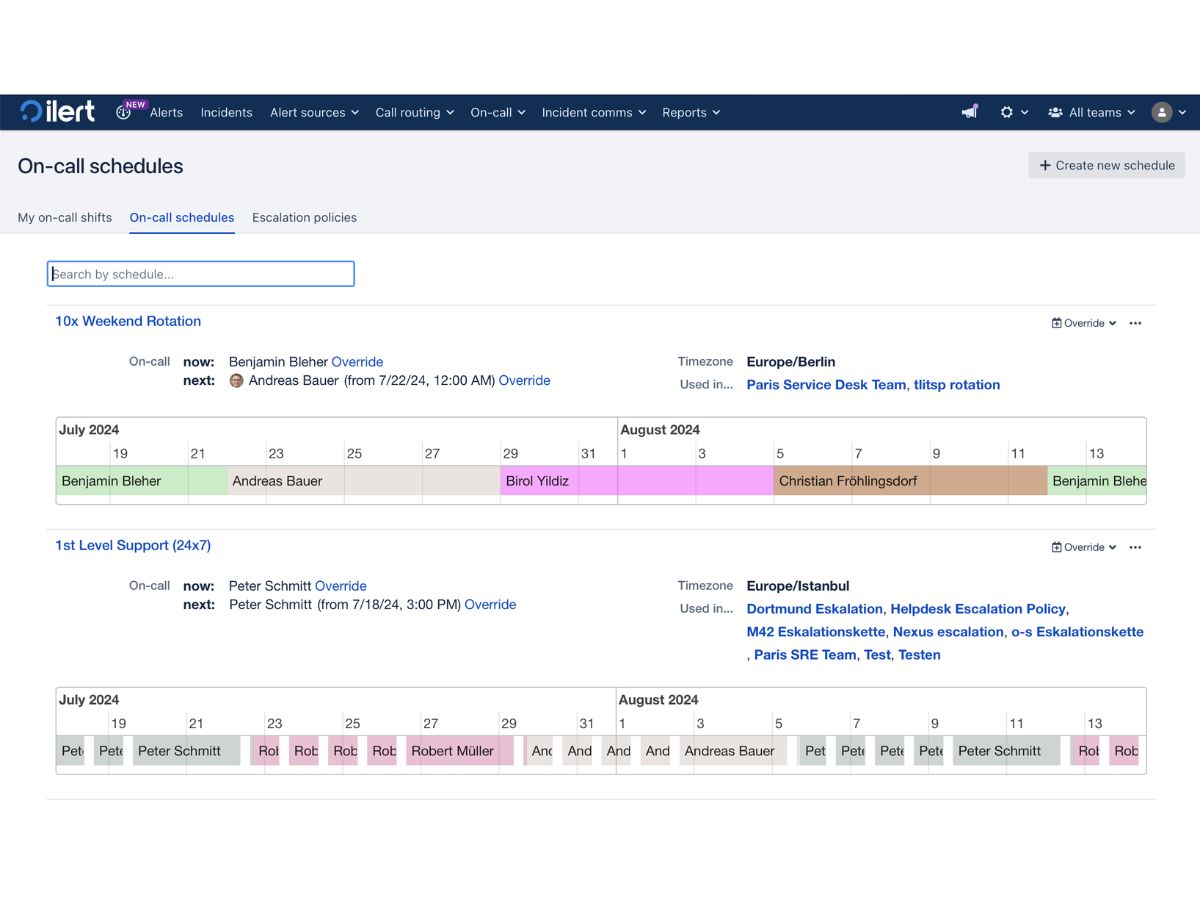
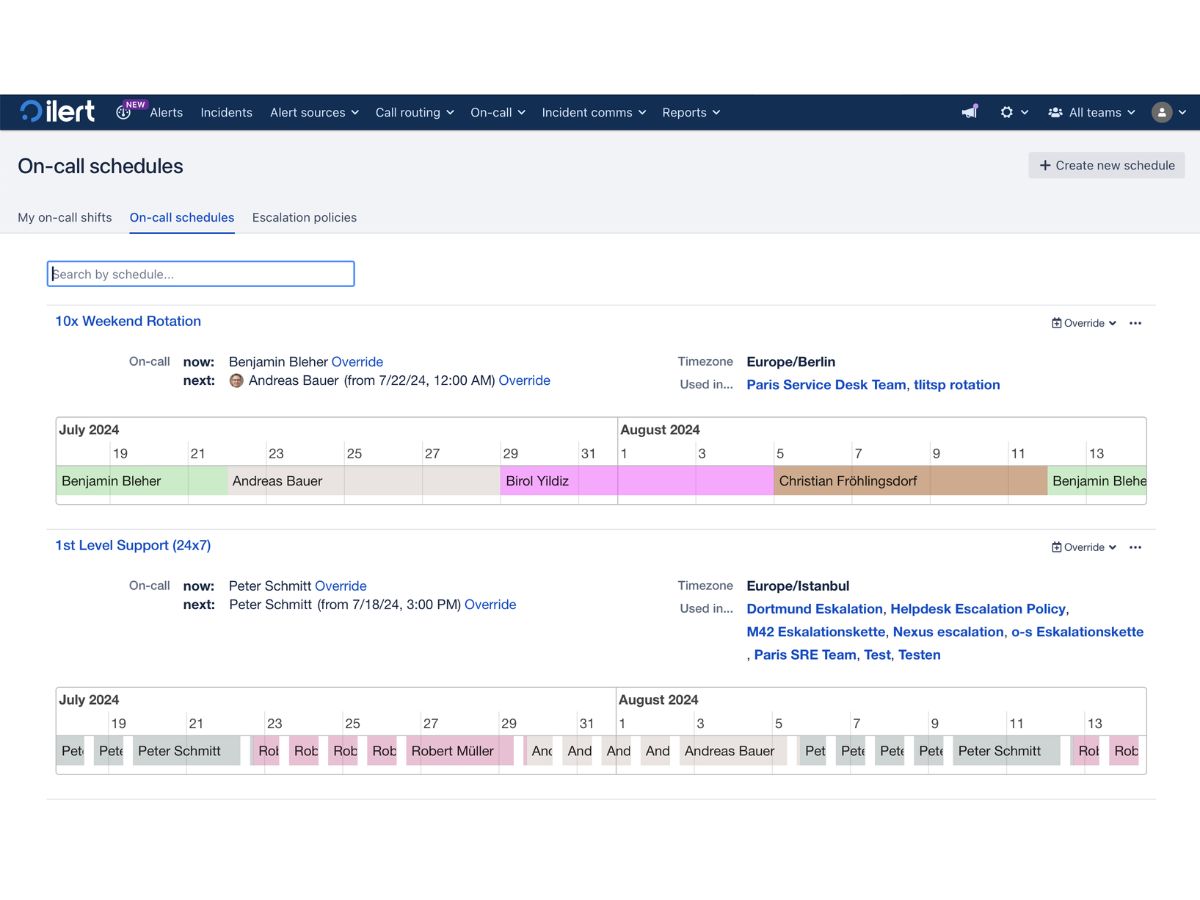
ilert-schedules
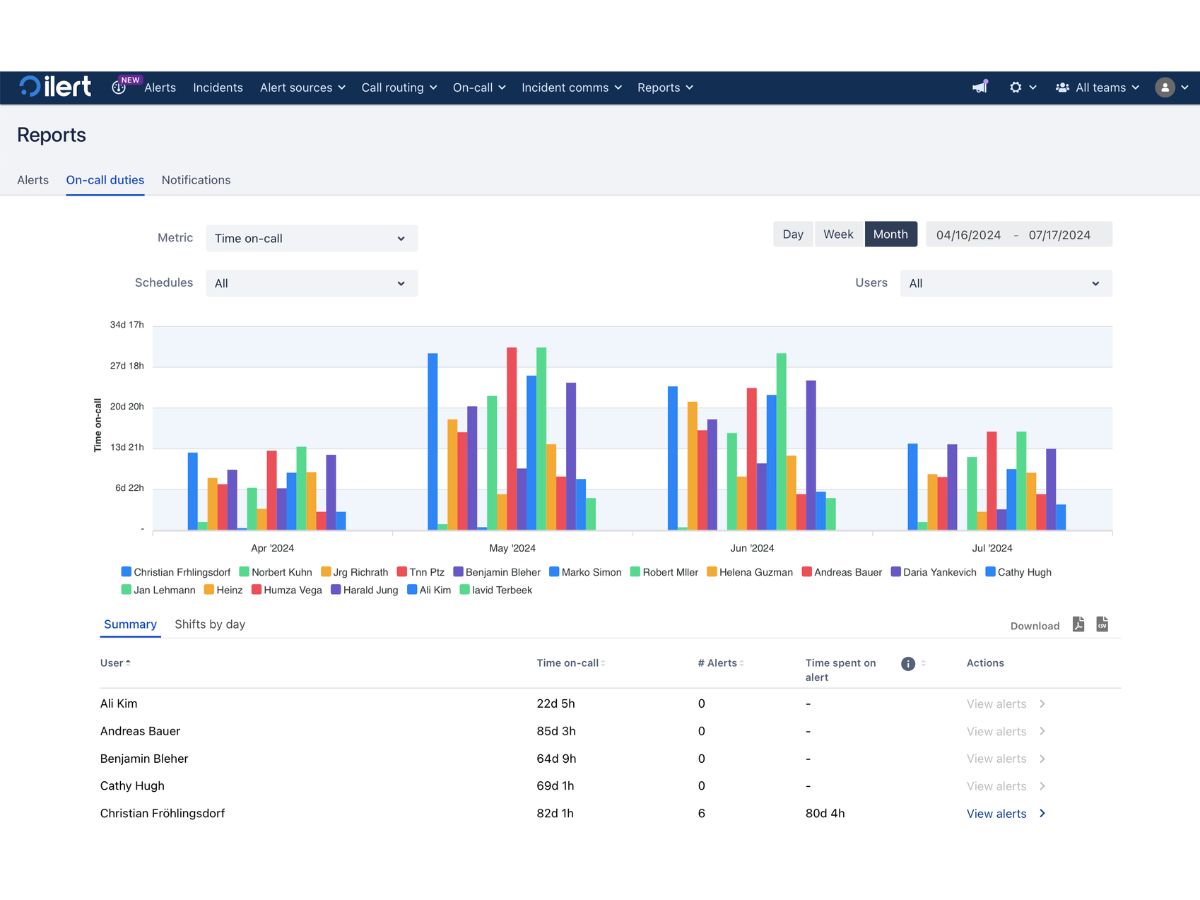
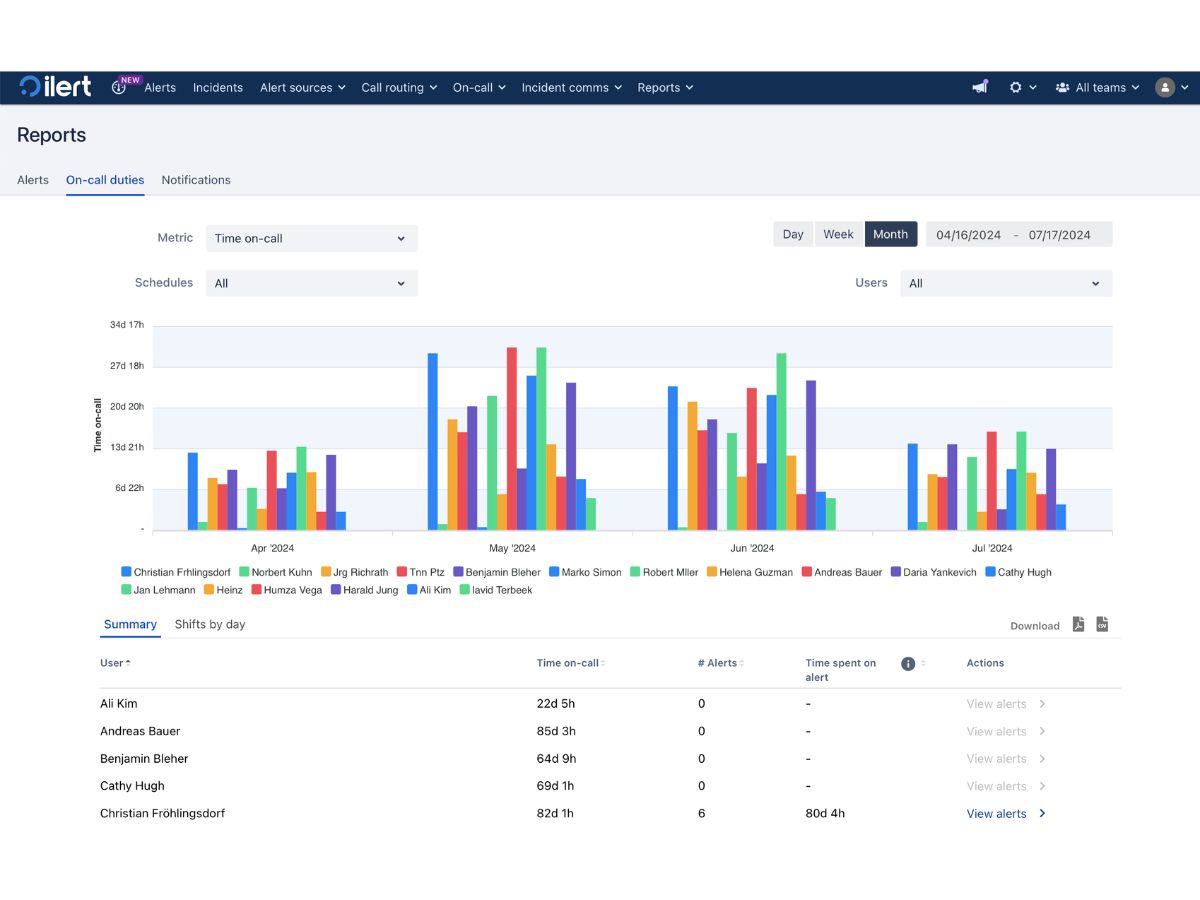
ilert-on call duties

ilert

Brand: ilert

  • No Ratings & Reviews

Have you used ilert before?

Share your insights for better experience

Add a Review
Starting Price
$24

View plans

100% Genuine
Products
Best Price
Guaranteed
Safe & Secure
Payment
  • Description

  • Pricing

  • Features

  • Specification

  • Review

Starting at $24.00

ilert Software Overview

ilert Company Details

Founded Year:  2011

iLert offers a cloud-based platform for on-call management, incident communication, uptime monitoring, and alerting.

Director/Founders Birol Yildiz
Company Size 1-100 Employees

ilert Pricing & Plans

Pro
Starting at $24
    • Licenses

      Licenses
      Licenses
    • Monthly

      Monthly
      Monthly

Key Features

  • Unlimited SMS / voice notifications

  • Single sign-on (SSO)

  • Unlimited Viewer users

  • 250 AI credits per month

Scale
Starting at $49
    • Licenses

      Licenses
      Licenses
    • Monthly

      Monthly
      Monthly

Key Features

  • Team-based organization

  • Event intelligence & workflows

  • ITSM integrations

  • 1,000 AI credits per month

ilert Features

  • icon_check Incident Management
    Centralizes incident tracking, enabling teams to detect, manage, and resolve issues quickly with structured workflows.
  • icon_check Alerts & Notifications
    Delivers real-time alerts via SMS, voice, push, and email, ensuring rapid response to critical system events.
  • icon_check On-Call Scheduling
    Automates on-call rotations and shift planning, ensuring the right personnel are always available for incidents.
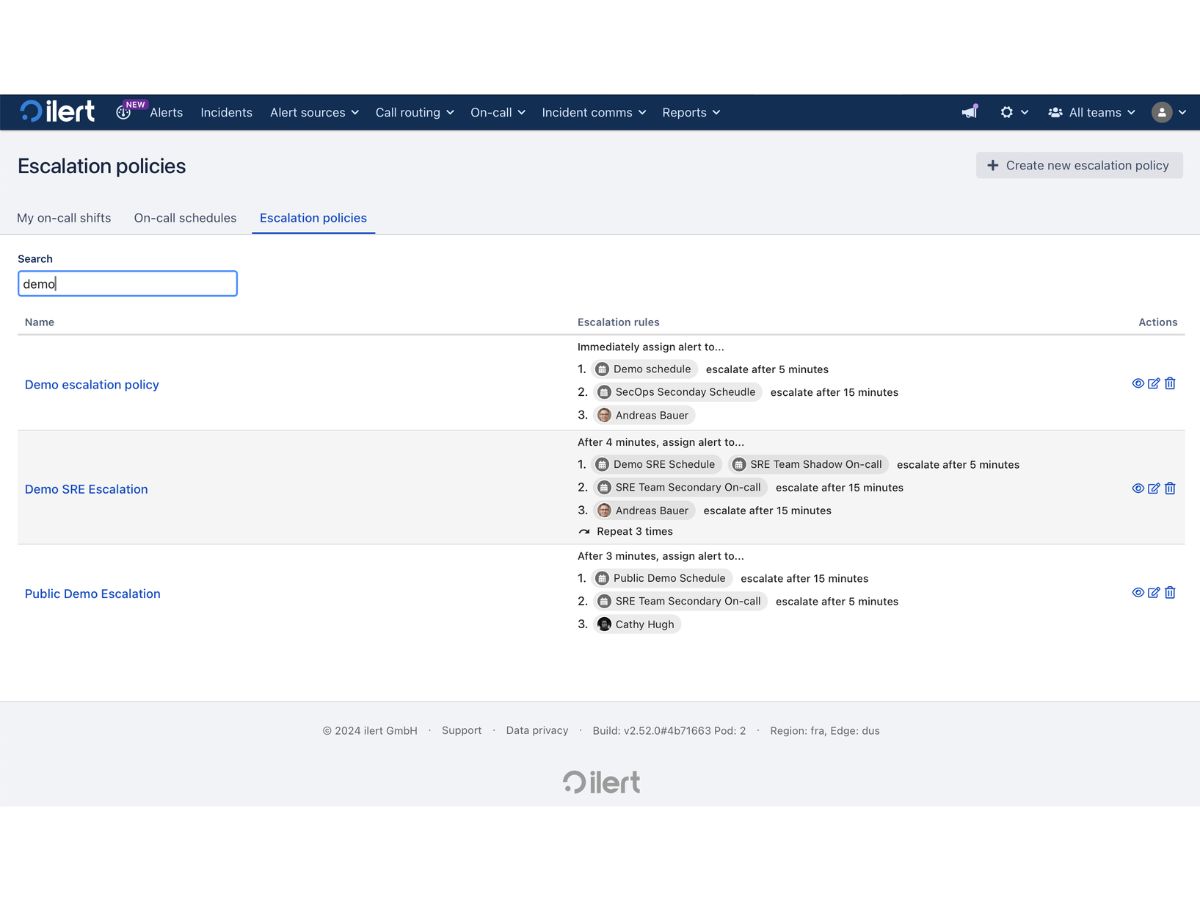
  • icon_check Escalation Management
    Automatically escalates unacknowledged alerts through predefined policies to ensure no critical issue is missed.
  • icon_check AI-Powered Incident Analysis
    Uses AI to analyze incidents, identify root causes, and recommend remediation actions for faster resolution.
  • icon_check Deduplication
    Reduces noise by grouping similar alerts, helping teams focus on real incidents instead of alert overload.
  • icon_check Multi-Channel Communication
    Enables two-way communication across Slack, MS Teams, and other platforms for coordinated incident response.
  • icon_check Integrations
    Seamlessly integrates with monitoring, ITSM, and DevOps tools like AWS, Datadog, and ServiceNow.
  • icon_check Timeline Tracking
    Maintains detailed timelines of incident events, actions, and responses for transparency and analysis.
  • icon_check Postmortem Reporting
    Generates automated incident reports with insights to help teams learn and prevent future failures.
  • icon_check Runbook Automation
    Automates standard operating procedures with runbooks to streamline and accelerate incident resolution.
  • icon_check Audit Logs
    Maintains detailed logs of all system activities for compliance, security auditing, and troubleshooting.
  • icon_check Customizable Workflows
    Allows teams to configure workflows, alerts, and escalation paths tailored to operational needs.
ilert Demo Video play icon

Get ilert Demo

Watch the demo video to explore key features, real workflows, and how the software fits your business needs.

Understand
Key Features
Personal
Demo Insights
Interactive
Demo Support

ilert Specifications

Supported Platforms
Ubuntu Ubuntu Windows Windows iOS iOS Android Android MacOS MacOS Linux Linux
Devices
Desktop Desktop Mobile Mobile Tablet Tablet iPad iPad
Deployment
Cloud-Based Cloud-Based Perpetual Perpetual
Suitable For
All Industries
Business Specific
All Businesses
Business Size
Individual Small Business Startups Medium Business Enterprises SMBs SMEs MSMBs MSMEs Freelancers
Customer Support
Phone Email Live Chat Communities
Language
English
Integration
API Integration
Training Resources
Live Online Webinars Documentation Videos
AI Features
AI Integrated
Technology
Next Generation

ilert Review

Be the First to Review

This product has no reviews yet. Be the first to leave your feedback.

Add Review

Terms and Condtions

close

Users with registered businesses can purchase goods from merchants on the platform to satisfy their business needs. Users are not permitted to utilize any products acquired through the platform for resale, advertising, business, or further distribution.

For each purchase made, users will receive a Tax Invoice (or 'GST invoice') that includes specific details such as:

  • the GSTIN of the user associated with their registered business, and

  • the specified Entity Name for their business.

It should be noted that not all products are eligible for GST Invoice. Only the products displayed by participating sellers with the 'GST-based Invoice Available' callout on the product description page would qualify.

Certain goods and services are not eligible to get a GST Invoice, including items with VAS, i.e., Value Added Services (e.g., Total Mobile Protection/Assured Buyback) and those involving an exchange offer at the time of purchase.

Users must ensure the accuracy of the GSTIN, and business entity name provided for the GST Invoice. Requests for corrections into GST Invoice would not be accommodated by Techjockey.com or any Seller, and any issues arising from user-provided information are the sole responsibility of users.

Techjockey.com is not liable for the GST Invoice or any associated input tax credit. To efficiently claim an input tax credit, users should select the registered place of business address as per the GST authority's data and follow the provisions of the GST Act and rules.

To claim an input tax credit, the delivery and billing addresses must match. Furthermore, input tax credits will not be granted if the delivery address and GSTIN on the invoice are from different states. In case of incorrect GST details provided during the order placement, the order will be canceled automatically.

20,000+ Software Listed 20,000+ Software Listed

Best Price Guaranteed Unbiased Comparison

Free Expert Consultation Read Authentic Reviews

2M+ Happy Customers 500,000+ Monthly Users