linkedin
INV24 logo
play How to Send Payment Reminders for Overdue Invoices on INV24
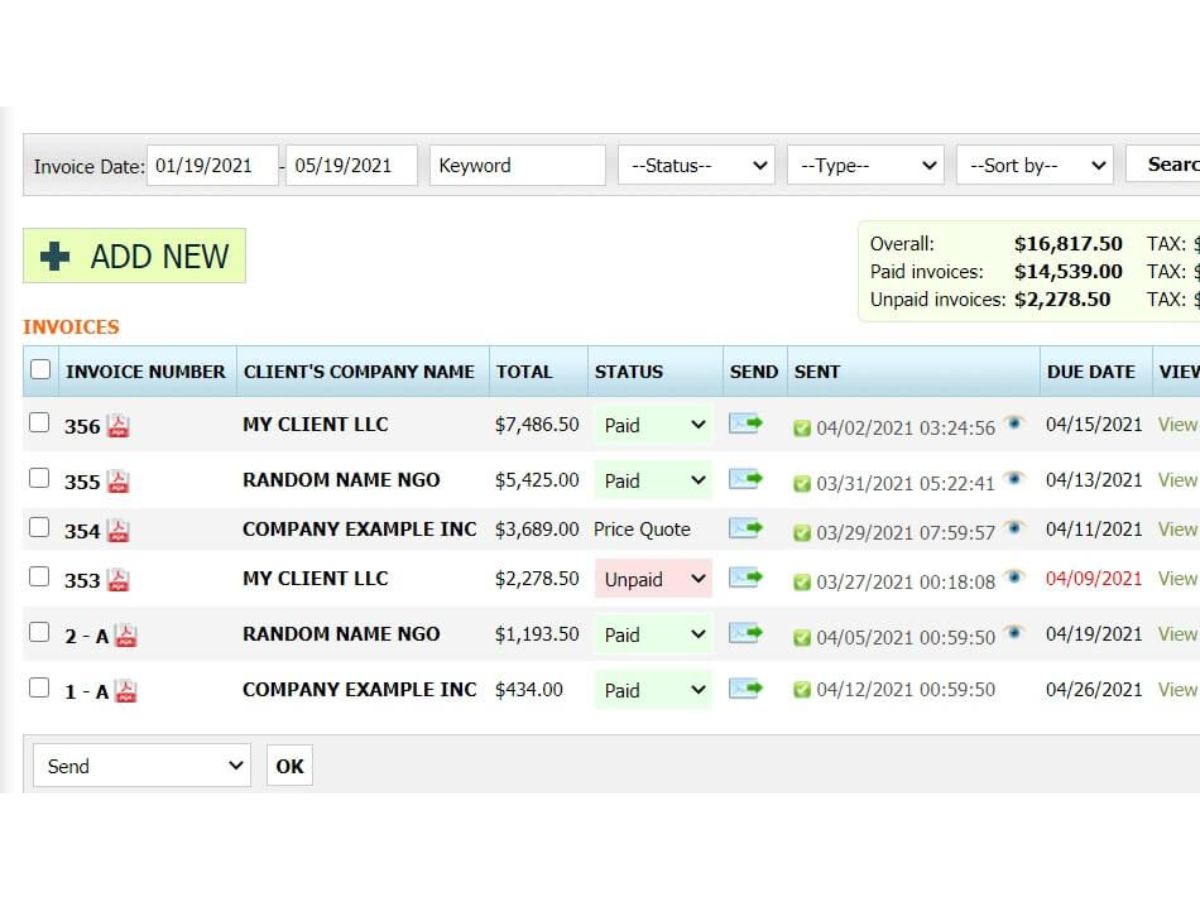
inv24-dashboard
inv24-invoices

INV24

Brand: INV24

INV24 is a cloud-based invoicing and billing software designed to help businesses create invoices, manage payments, track expenses, and maintain financial records with accuracy and ease.

See More

Explore Alternatives
img

12+ people visited in last 30 minutes

Starting Price
AED37

View plans

100% Genuine
Products
Best Price
Guaranteed
Safe & Secure
Payment
  • Description

  • Pricing

  • Features

  • Specification

  • Review

  • FAQ

Starting at AED37.00

INV24 Software Overview

What is INV24?

INV24 is an online billing and invoicing software that is used to assist businesses in preparing, controlling, and monitoring invoices. It also makes the day-to-day billing processes easier since all the activities of invoice generation, payment, and customer tracking are centralized on a single platform.

The software can be implemented in small and growing businesses that desire to have a highly organized manner of managing invoices, minimizing manual errors, and having greater visibility of their billing process without sophisticated accounting solutions.

Why Choose INV24?

  • Simplified Invoicing Workflow: INV24 simplifies the task of creating invoices and is organized so that businesses can create professional invoices without manual creation and repetitive information entry.
  • Centralized Billing Management: All the invoices, customers, and the records of payment are united in a single place, and this minimizes the confusion and enhances the financial organization.
  • Time-Saving Automation: Automates repetitive business processes like billing and invoice tracking so that the teams can concentrate more on the main business processes.
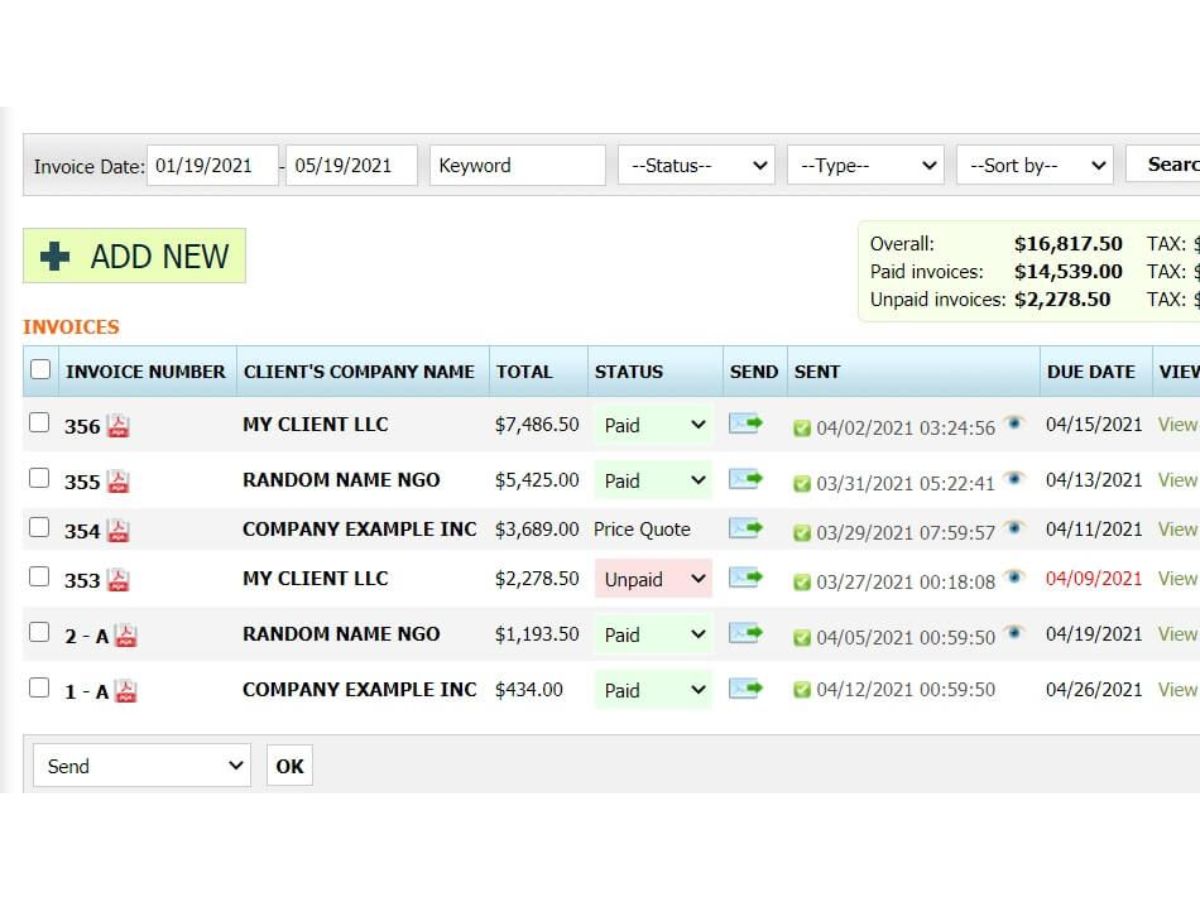
  • Improved Payment Tracking: Follows up and visibility of paid, unpaid, and overdue invoices in a clearer way, which enhances visibility in cash flow and follow-up.
  • User-Friendly Interface: INV24 is user-friendly and does not need accounting skills, unlike computer programs that are designed with users who are not technicians in mind.
  • Scalable for Growing Businesses: INV24 can be used to manage larger invoice loads without increasing operational complexity as the volume of billing increases.
  • Reduced Errors: Reduces the chances of errors in calculations and documentations that are usually experienced in manual invoicing systems.
  • Accessible Anytime: Allows companies to run invoicing activities digitally, which enhances the flexibility and control of billing.

INV24 Pricing

INV24 pricing starts from AED 37 at Techjockey. The cost may vary depending on the number of users, required features, and business size.

Read more

INV24 Pricing & Plans

Premium
Key Features
  • Invoicing
  • Price Quotes & Estimates
  • Client management
  • Inventory for Services & Products
  • Unlimited Account Administration
  • Statistics
  • PDF Invoice Format
Starting at AED37
    • Licenses

      Licenses
      Licenses
    • Monthly

      Monthly
      Monthly

Key Features

  • Invoicing

  • Price Quotes & Estimates

  • Client management

  • Inventory for Services & Products

  • Unlimited Account Administration

  • Statistics

  • PDF Invoice Format

INV24 Features

  • icon_check Quote Management
    Create and send accurate price quotes to clients, with an option to convert approved quotes to invoices.
  • icon_check Recurring Invoices
    Automate billing by scheduling recurring invoices for subscription-based services or repeat customers.
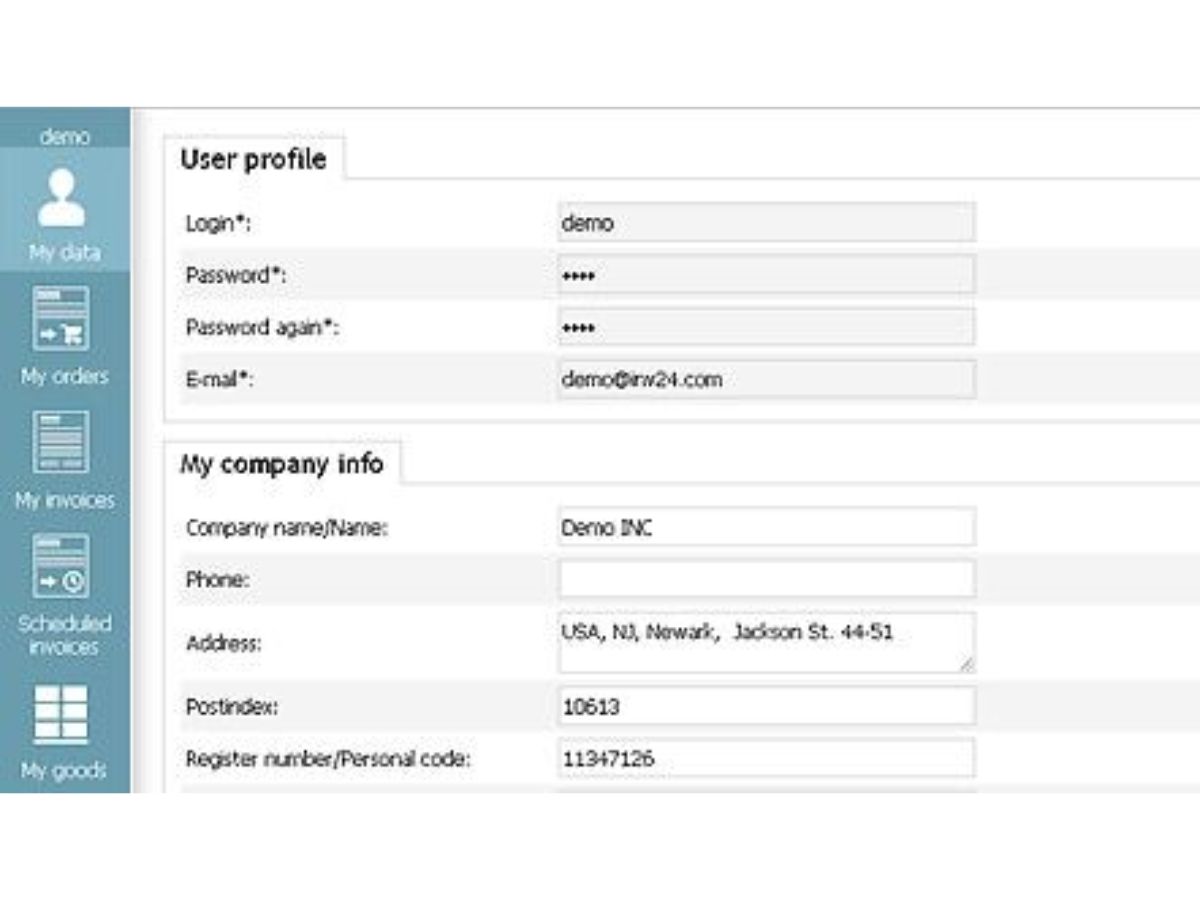
  • icon_check Customer Database
    Maintain a detailed list of clients with their contact information, billing history, and outstanding dues.
  • icon_check Product Catalog
    Store items and services in a catalog, including descriptions, unit prices, and codes for fast invoicing.
  • icon_check Multi-Currency Support
    Issue invoices and quotes in multiple currencies to serve international clients with flexibility.
  • icon_check Credit Notes
    Generate credit notes to correct billing errors or issue refunds, keeping financial records accurate.
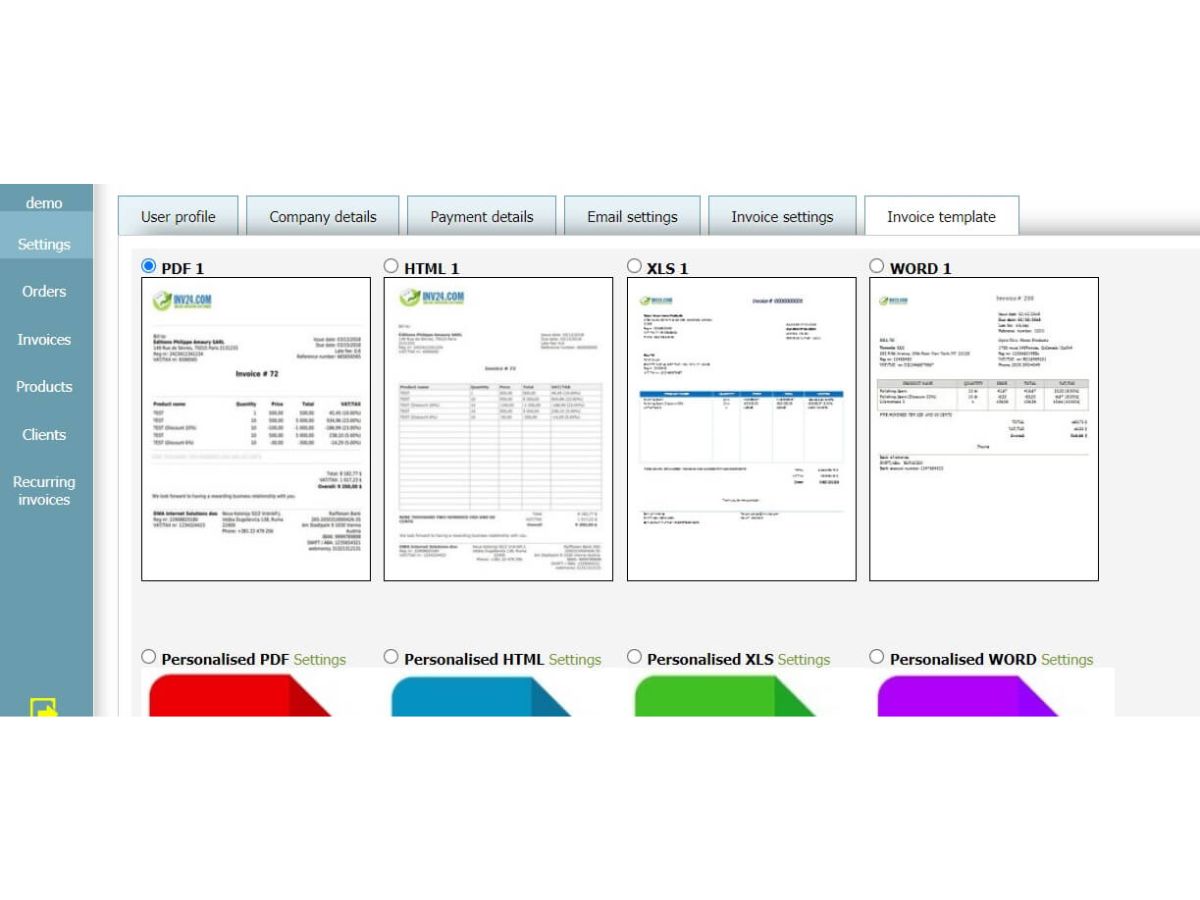
  • icon_check Templates
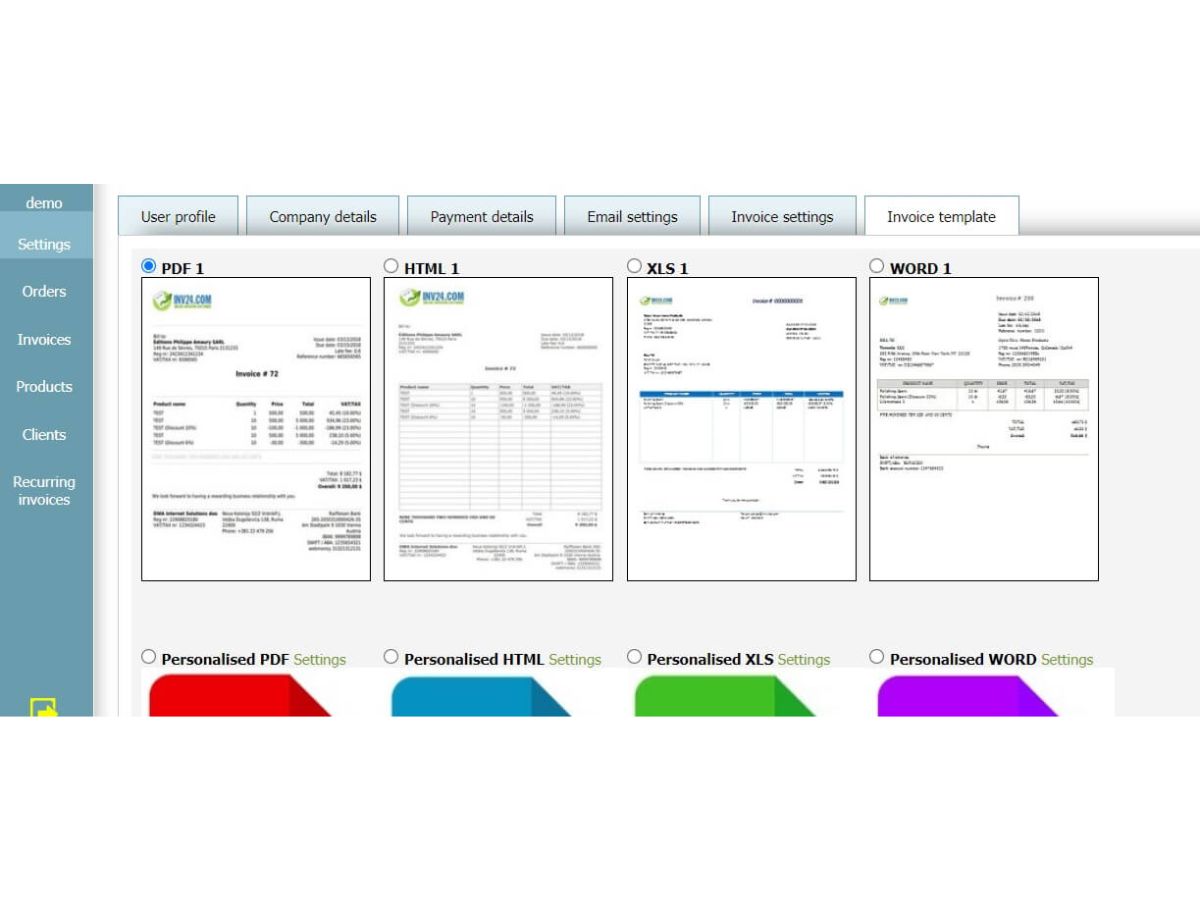
    Access a range of ready-to-use invoice layouts that can be adapted for branding and professional use.
  • icon_check Payment Reminders
    Send automated or manual reminders to clients for pending or overdue invoice payments.
  • icon_check Tax Management
    Add, manage, and apply different tax rates on invoices to comply with local taxation requirements.
  • icon_check Discount Management
    Apply percentage or fixed discounts to invoices and quotes to reflect promotional or negotiated deals.
  • icon_check Data Filtering
    Use filters and sorting tools to quickly locate invoices, quotes, or clients within the system.
INV24 Demo Video play icon

Get INV24 Demo

Watch the demo video to explore key features, real workflows, and how the software fits your business needs.

Understand
Key Features
Personal
Demo Insights
Interactive
Demo Support

INV24 Specifications

Supported Platforms
Ubuntu Ubuntu Windows Windows MacOS MacOS Linux Linux
Devices
Desktop Desktop
Deployment
Cloud-Based Cloud-Based
Suitable For
All Industries
Business Specific
All Businesses
Business Size
Small Business Medium Business SMBs
Customer Support
Email Communities
Language
English
Training Resources
Videos

INV24 Review

Be the First to Review

This product has no reviews yet. Be the first to leave your feedback.

Add Review

How much does INV24 cost?

The price of INV24 starts from AED 37 at Techjockey.

How does INV24 work?

INV24 operates based on the model of enabling its customers to generate and distribute invoices, monitor payments, log costs, and manage customer billing information within a centralized cloud platform to automate billing operations and to give real-time access to the financial performance.

What does INV24 do?

INV24 helps businesses create invoices, track payments, manage expenses, and organise financial records through a cloud-based platform.

Who should use INV24?

INV24 is ideal for freelancers, small businesses, startups, and growing companies that need simple invoicing and basic accounting features.

Does INV24 support recurring invoices?

Yes, INV24 allows users to automate recurring invoices for regular clients or subscription-based services.

Can INV24 track unpaid invoices?

Yes, the software provides real-time visibility into unpaid, overdue, and completed payments.

Is INV24 cloud-based?

Yes, INV24 is a cloud-based solution, allowing secure access to financial data from anywhere.

Does INV24 support tax calculations?

Yes, INV24 supports tax-inclusive invoices and helps simplify tax-related calculations.

Is INV24 suitable for non-accountants?

Yes, the platform is designed with a user-friendly interface that does not require accounting knowledge.

Terms and Condtions

close

Users with registered businesses can purchase goods from merchants on the platform to satisfy their business needs. Users are not permitted to utilize any products acquired through the platform for resale, advertising, business, or further distribution.

For each purchase made, users will receive a Tax Invoice (or 'GST invoice') that includes specific details such as:

  • the GSTIN of the user associated with their registered business, and

  • the specified Entity Name for their business.

It should be noted that not all products are eligible for GST Invoice. Only the products displayed by participating sellers with the 'GST-based Invoice Available' callout on the product description page would qualify.

Certain goods and services are not eligible to get a GST Invoice, including items with VAS, i.e., Value Added Services (e.g., Total Mobile Protection/Assured Buyback) and those involving an exchange offer at the time of purchase.

Users must ensure the accuracy of the GSTIN, and business entity name provided for the GST Invoice. Requests for corrections into GST Invoice would not be accommodated by Techjockey.com or any Seller, and any issues arising from user-provided information are the sole responsibility of users.

Techjockey.com is not liable for the GST Invoice or any associated input tax credit. To efficiently claim an input tax credit, users should select the registered place of business address as per the GST authority's data and follow the provisions of the GST Act and rules.

To claim an input tax credit, the delivery and billing addresses must match. Furthermore, input tax credits will not be granted if the delivery address and GSTIN on the invoice are from different states. In case of incorrect GST details provided during the order placement, the order will be canceled automatically.

20,000+ Software Listed 20,000+ Software Listed

Best Price Guaranteed Unbiased Comparison

Free Expert Consultation Read Authentic Reviews

2M+ Happy Customers 500,000+ Monthly Users