
Description
Pricing
Features
Specification
Review
Compare
Alternatives

 View Gallery
Brand: IronCAD

Get Free Expert Consultation
Let us know your business needs clearly

Verified & Trusted
Vendors

Safe & Secure
Payment

Personalized
Experts Support
Price On Request
Features
 Unified Design Space Direct Geometry Editing TriBall Manipulation Dual Engine Kernel 2D to 3D Projection
 See all 
We make it happen! Get your hands on the best solution based on your needs.

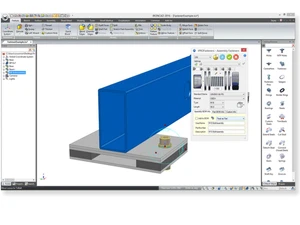
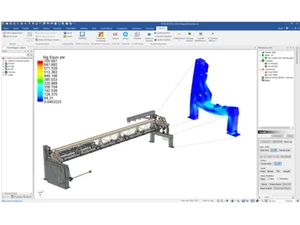
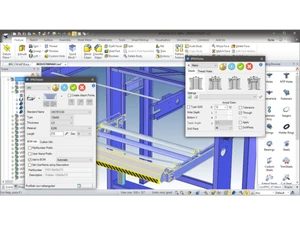
 Unified Design Space Enables the creation of multiple parts and complex assemblies within a single file environment without external referencing. Direct Geometry Editing Allows for the immediate modification of 3D model faces and edges regardless of the original feature creation history or order. TriBall Manipulation A multi-purpose graphical widget used to precisely position, rotate, and mirror 3D objects across any axis or plane in space. Dual Engine Kernel Integrates both the ACIS and Parasolid modeling kernels to ensure maximum data interoperability and geometric calculation. 2D to 3D Projection Converts standard 2D sketches and legacy DWG/DXF drawings into three-dimensional solid models through extrusion and rotation. Sheet Metal Design Features specialized tools for creating folded metal parts, including automated flat pattern generation and bend allowance. Standard Parts Library Includes a repository of mechanical fasteners like bolts, nuts, and washers that conform to international industrial codes. Bill Of Materials (BOM) Automatically extracts component data from the 3D assembly to create a comprehensive Bill of Materials for manufacturing. Dynamic Constraints Manages geometric relationships between various parts to maintain design intent and prevent interference during movement. Surface Modeling Provides advanced tools for creating complex, non-analytical shapes and smooth transitions between disparate solid faces. Technical Drafting Generates associative 2D engineering drawings, including sections and detailed views, directly from the 3D master models. Rendering Engine Produces high-fidelity visual representations of 3D models using realistic material properties and global lighting effects. Parametric Sketching Defines geometry using numerical dimensions and geometric constraints that can be updated to drive model changes globally. Geometric Analysis Provides tools to calculate physical properties such as mass, volume, center of gravity, and surface area of the 3D parts.
 | Brand Name | IronCAD |
| Information | IronCAD was founded in March 2001 with the aim of developing user-focused 3D CAD design software to improve productivity and help designers and engineers achieve success in their respective fields. |
| Founded Year | 2001 |
| Director/Founders | IronCAD |
| Company Size | 1-100 Employees |
 20,000+ Software Listed
 Unbiased Comparison
 Read Authentic Reviews
 500,000+ Monthly Users
 USA
USA India
India
 Write a Review
