
Description
Pricing
Features
Specification
Review
Compare
Alternatives


 View Gallery
Brand: Boinx Software

Get Free Expert Consultation
Let us know your business needs clearly

Verified & Trusted
Vendors

Safe & Secure
Payment

Personalized
Experts Support
$ 9.99 /Quantity
Features
 Frame-by-Frame Capture Onion Skinning Live Preview Timeline Editing Frame Rate Control
 See all 

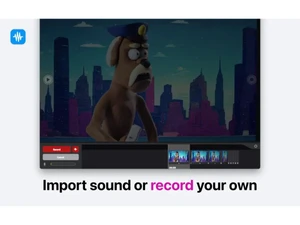
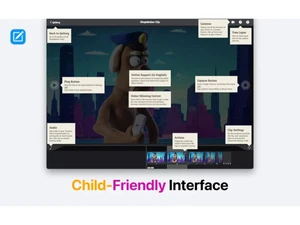
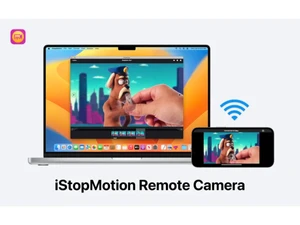
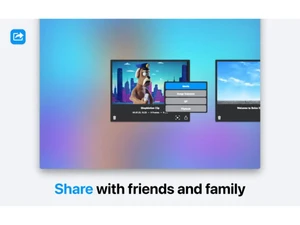
 Frame-by-Frame Capture Capture images frame by frame using connected cameras or devices to create smooth stop motion animations easily. Onion Skinning Overlay previous frames transparently to guide object movement and ensure consistent animation transitions. Live Preview View real-time animation playback while capturing frames, helping users immediately assess motion quality. Timeline Editing Organize, rearrange, and manage captured frames in a timeline interface for precise animation control. Frame Rate Control Adjust frames per second to control animation speed and create different motion effects with flexibility. Time-Lapse Recording Automatically capture frames at set intervals to create time-lapse videos from long-duration events. Audio Integration Add background music, voiceovers, or sound effects to animations directly within the software timeline. Title and Credits Support Insert titles, captions, and end credits into animations for storytelling and professional presentation. Wireless Camera Support Use iPhone or iPad as a remote camera for capturing frames wirelessly with enhanced flexibility. Image Import Import existing images or sequences into projects to combine with captured frames for mixed animations. Export Options Export animations in multiple formats including video files and GIFs for sharing across platforms. Multi-device Compatibility Seamlessly work across Mac, iPhone, and iPad devices, enabling flexible animation workflows. User Interface Provides an intuitive and beginner-friendly interface designed for students, educators, and hobbyists. Playback Controls Control playback speed, loop animations, and preview sequences to refine motion and timing accuracy. Project Management Save, organize, and reopen animation projects with structured file management for ongoing work.
 | Brand Name | Boinx Software |
| Information | Boinx Software develops animation, video production, and photography software for the Mac platform and iOS devices. |
| Founded Year | 1996 |
| Director/Founders | Achim Breidenbach |
| Company Size | 1-100 Employees |
 20,000+ Software Listed
 Unbiased Comparison
 Read Authentic Reviews
 500,000+ Monthly Users
 USA
USA India
India

 Write a Review
