linkedin
MakeShift logo
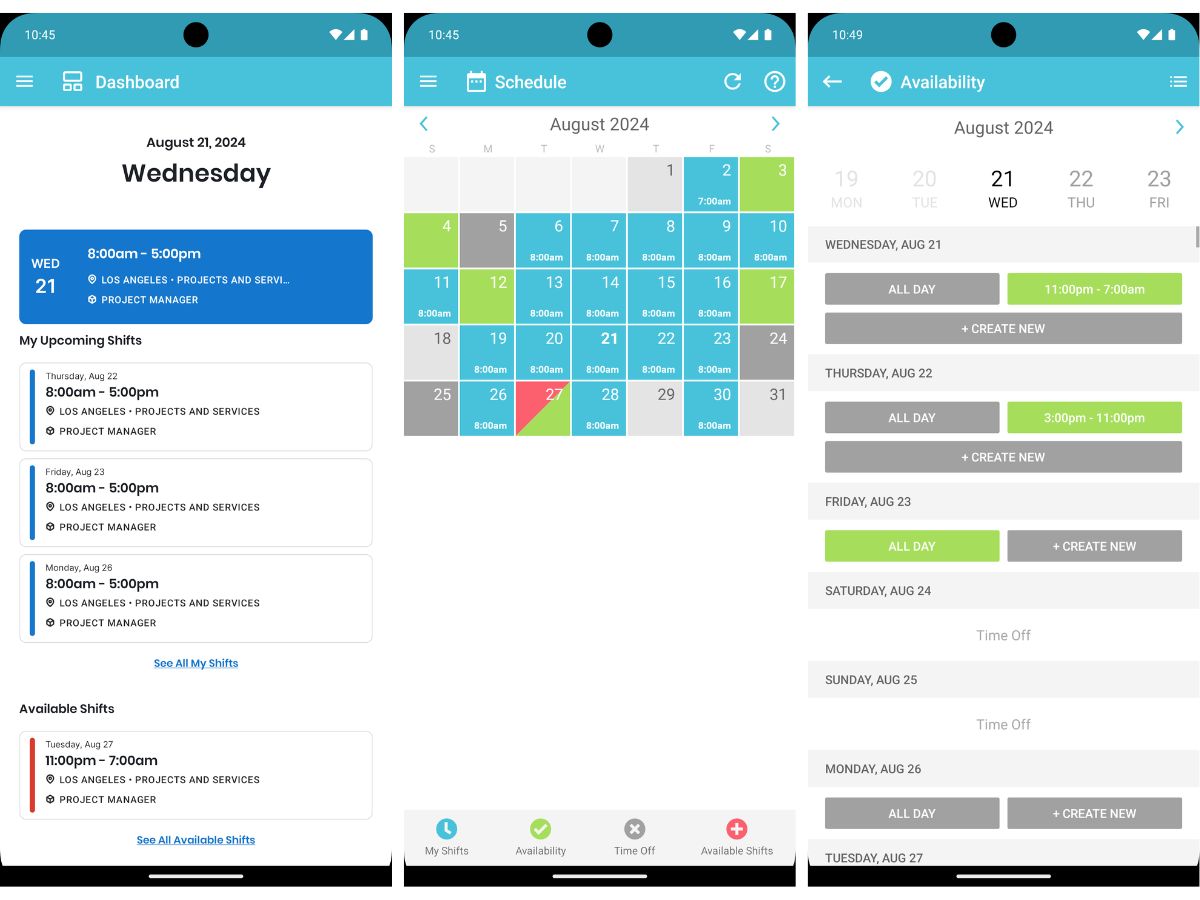
MakeShift-calendar
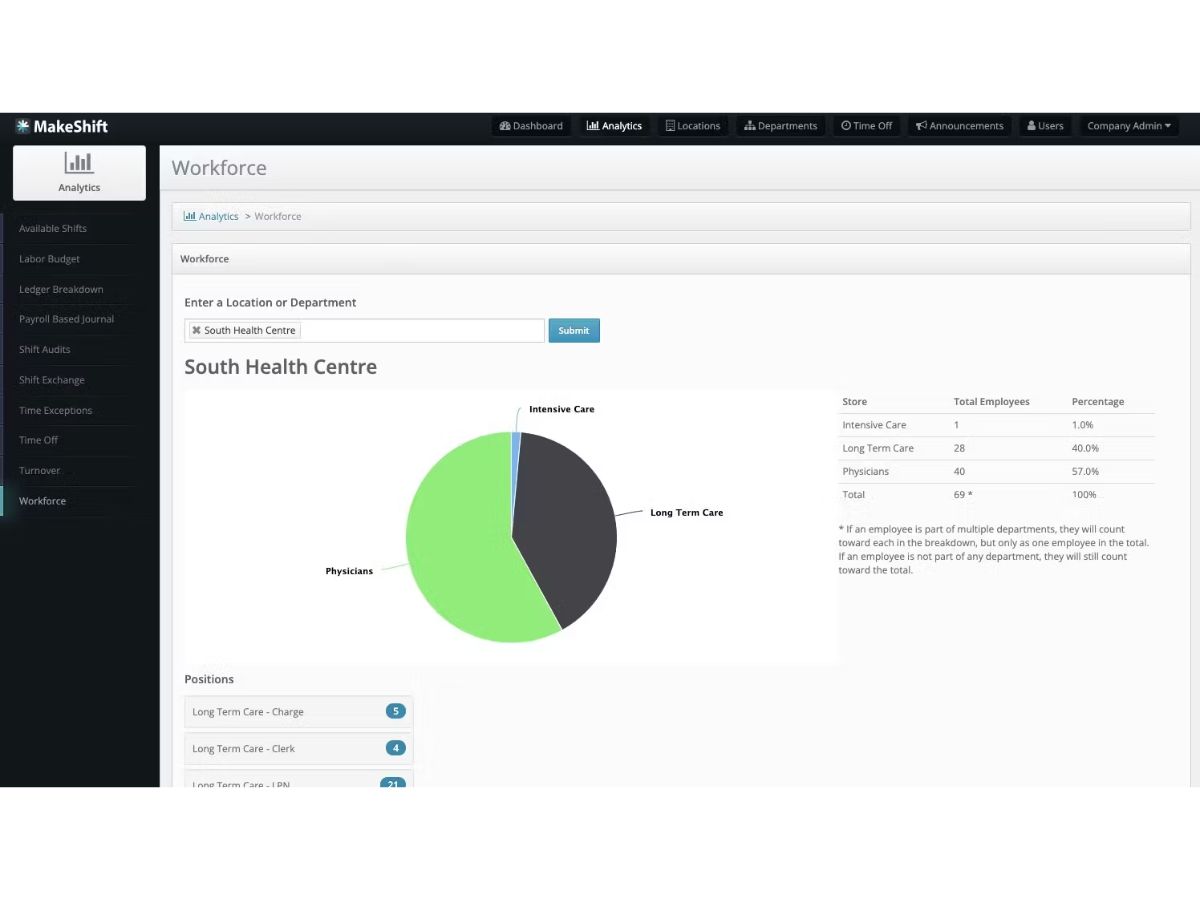
MakeShift-workforce
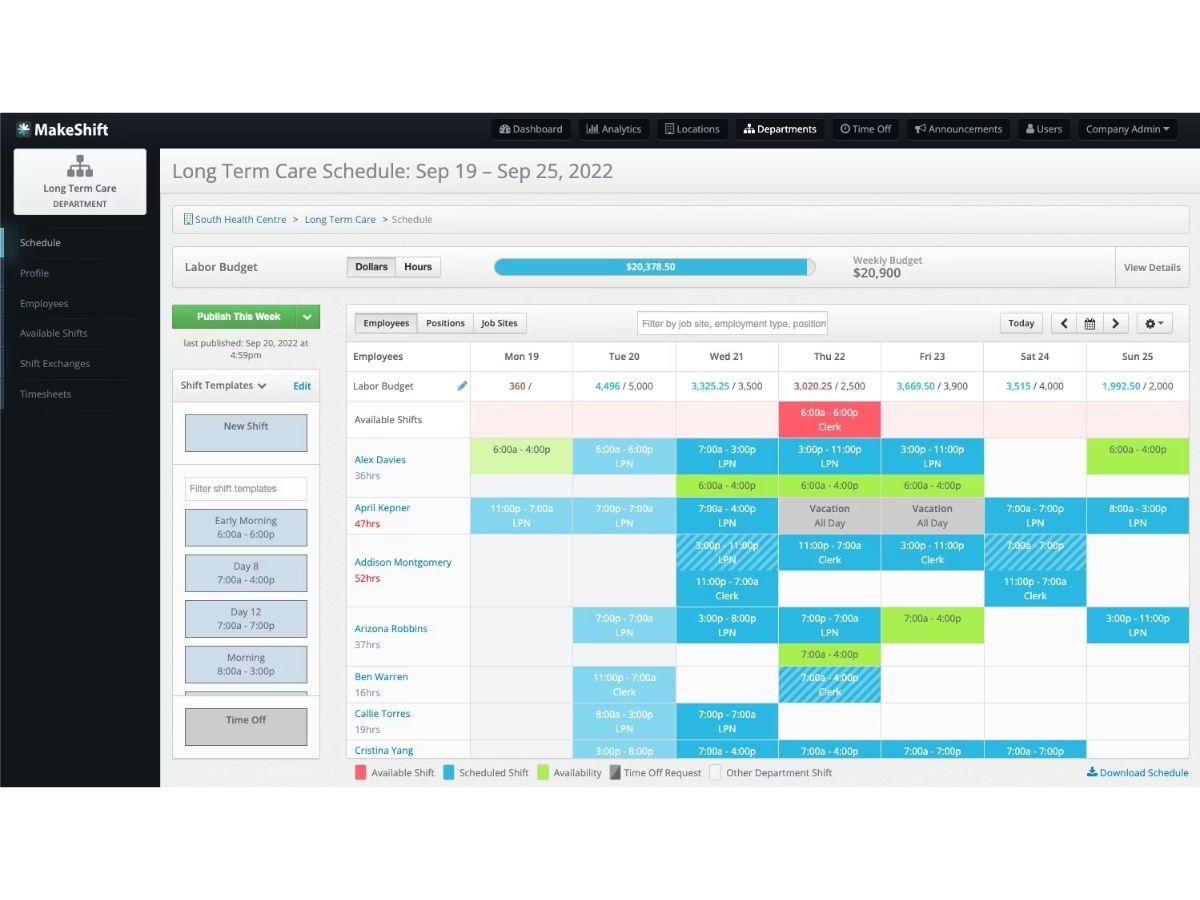
MakeShift-schedule

MakeShift

Brand: AppColony

  • No Ratings & Reviews

Have you used MakeShift before?

Share your insights for better experience

Add a Review
Starting Price
$4

View plans

100% Genuine
Products
Best Price
Guaranteed
Safe & Secure
Payment
  • Description

  • Pricing

  • Features

  • Specification

  • Review

Starting at $3.75

MakeShift Software Overview

AppColony Company Details

Founded Year:  2014

MakeShift is a web and mobile organization that plans effective team schedules for managers.

Director/Founders Adam Greenberg
Company Size 1-100 Employees

MakeShift Pricing & Plans

Core
Key Features
  • Basic Scheduling
  • Standard Rotation Templates
  • Availability Management
  • Standard Labor Budgets
  • Standard Rules Engine
  • Team Announcements
Starting at $3.75
    • Employees

      Employees
      Employees
    • Monthly

      Monthly
      Monthly

Key Features

  • Basic Scheduling

  • Standard Rotation Templates

  • Availability Management

  • Standard Labor Budgets

  • Standard Rules Engine

  • Team Announcements

MakeShift Features

  • icon_check Employee Scheduling
    Create optimized schedules quickly using rules, availability, and demand forecasts to reduce understaffing.
  • icon_check AI-Driven Forecasting
    Uses historical data and trends to predict labor demand and recommend optimal staffing levels.
  • icon_check Time & Attendance Tracking
    Tracks clock-ins, clock-outs, breaks, and overtime to ensure accurate workforce time records.
  • icon_check Shift Swapping
    Allows employees to request and trade shifts with manager approval while maintaining coverage rules.
  • icon_check Time-Off Management
    Employees can request leave digitally, with approvals automatically reflected in schedules.
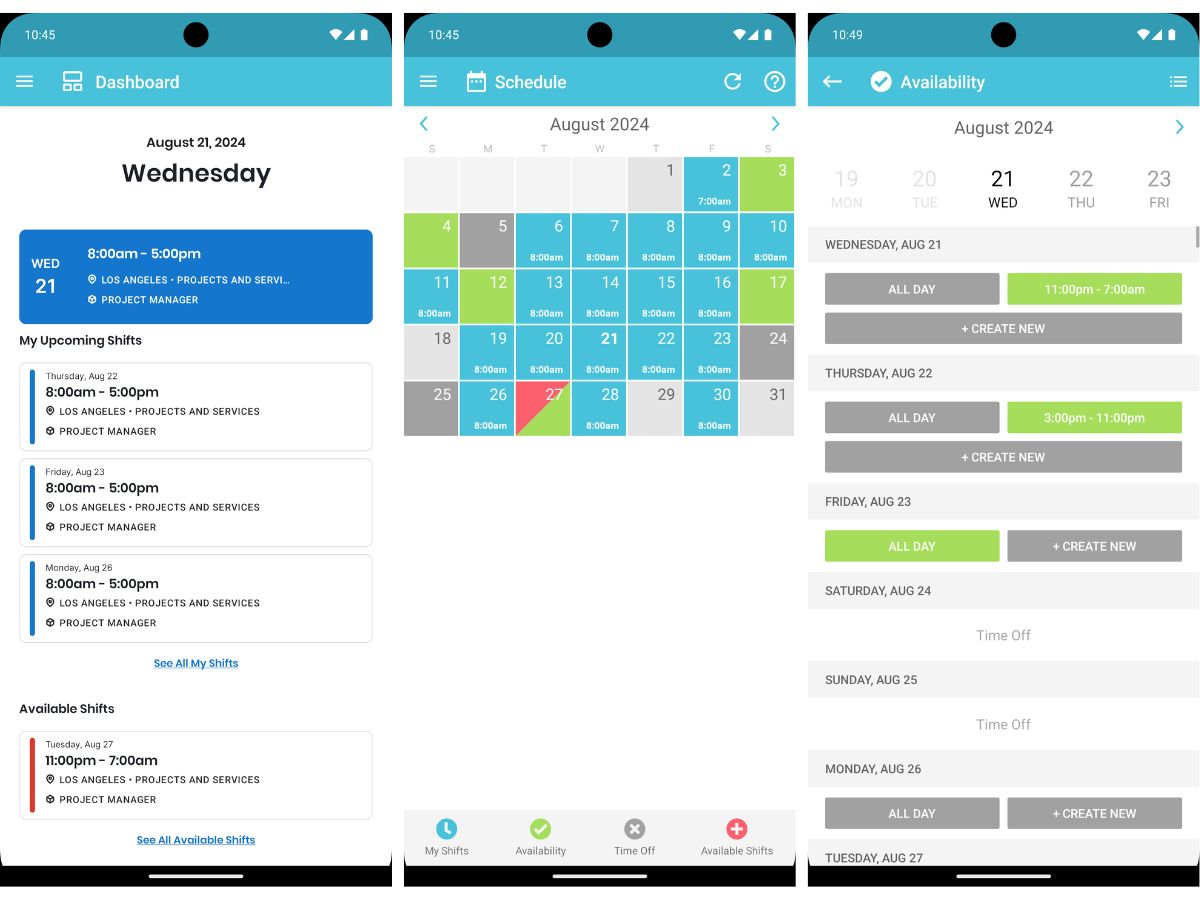
  • icon_check Mobile App Access
    Employees can view schedules, receive alerts, and manage shifts anytime using iOS or Android apps.
  • icon_check Labor Cost Management
    Monitors wage spend in real time to control overtime and stay within labor budgets.
  • icon_check Compliance Management
    Helps enforce labor laws, union rules, and contract requirements to reduce compliance risks.
  • icon_check Role-Based Access Control (RBAC)
    Restricts system access based on roles, ensuring managers and staff see only relevant data.
  • icon_check Employee Communication
    Enables messaging, announcements, and alerts to keep teams informed about schedule changes.
  • icon_check Multi-Location
    Manage schedules and staff across multiple sites from a centralized dashboard.
  • icon_check Payroll Integration
    Exports approved time data to payroll systems to reduce manual entry and errors.
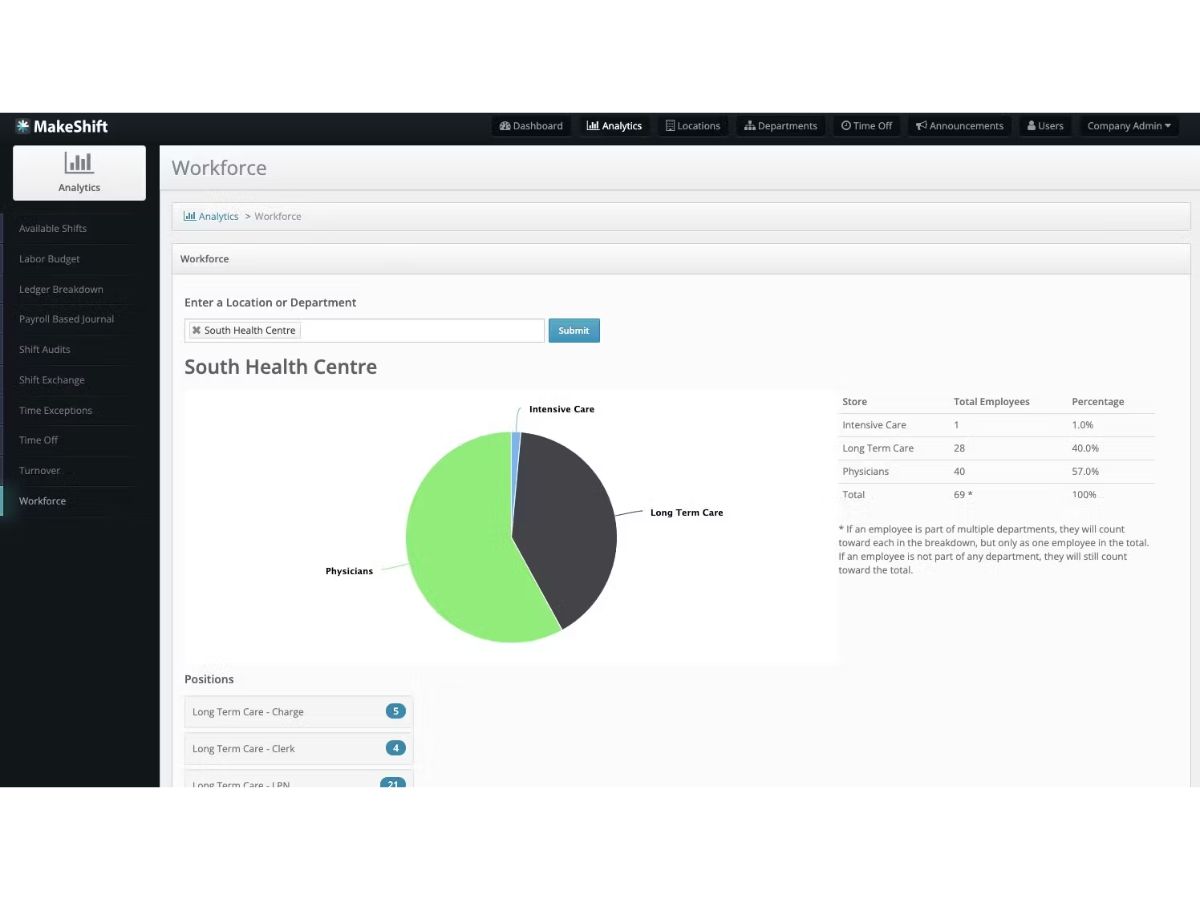
  • icon_check Analytics & Reporting
    Provides insights on staffing efficiency, attendance trends, and labor utilization.
  • icon_check Availability Management
    Employees submit availability preferences to improve scheduling accuracy and satisfaction.
  • icon_check Audit Trail
    Maintains a log of schedule changes and approvals for transparency and accountability.

MakeShift Specifications

Supported Platforms
Windows Windows iOS iOS Android Android MacOS MacOS
Devices
Desktop Desktop Mobile Mobile Tablet Tablet iPad iPad
Deployment
Cloud-Based Cloud-Based
Suitable For
All Industries
Business Specific
All Businesses
Business Size
Small Business Startups Medium Business Enterprises
Customer Support
Email Communities
Language
English
Training Resources
Videos
AI Features
AI Integrated

MakeShift Review

Be the First to Review

This product has no reviews yet. Be the first to leave your feedback.

Add Review

Terms and Condtions

close

Users with registered businesses can purchase goods from merchants on the platform to satisfy their business needs. Users are not permitted to utilize any products acquired through the platform for resale, advertising, business, or further distribution.

For each purchase made, users will receive a Tax Invoice (or 'GST invoice') that includes specific details such as:

  • the GSTIN of the user associated with their registered business, and

  • the specified Entity Name for their business.

It should be noted that not all products are eligible for GST Invoice. Only the products displayed by participating sellers with the 'GST-based Invoice Available' callout on the product description page would qualify.

Certain goods and services are not eligible to get a GST Invoice, including items with VAS, i.e., Value Added Services (e.g., Total Mobile Protection/Assured Buyback) and those involving an exchange offer at the time of purchase.

Users must ensure the accuracy of the GSTIN, and business entity name provided for the GST Invoice. Requests for corrections into GST Invoice would not be accommodated by Techjockey.com or any Seller, and any issues arising from user-provided information are the sole responsibility of users.

Techjockey.com is not liable for the GST Invoice or any associated input tax credit. To efficiently claim an input tax credit, users should select the registered place of business address as per the GST authority's data and follow the provisions of the GST Act and rules.

To claim an input tax credit, the delivery and billing addresses must match. Furthermore, input tax credits will not be granted if the delivery address and GSTIN on the invoice are from different states. In case of incorrect GST details provided during the order placement, the order will be canceled automatically.

20,000+ Software Listed 20,000+ Software Listed

Best Price Guaranteed Unbiased Comparison

Free Expert Consultation Read Authentic Reviews

2M+ Happy Customers 500,000+ Monthly Users