linkedin
Microsoft Sustainability Cloud logo
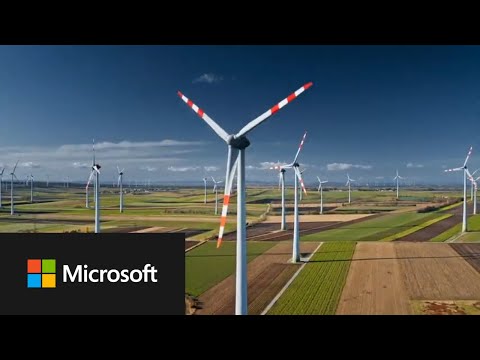
play Microsoft Cloud for Sustainability
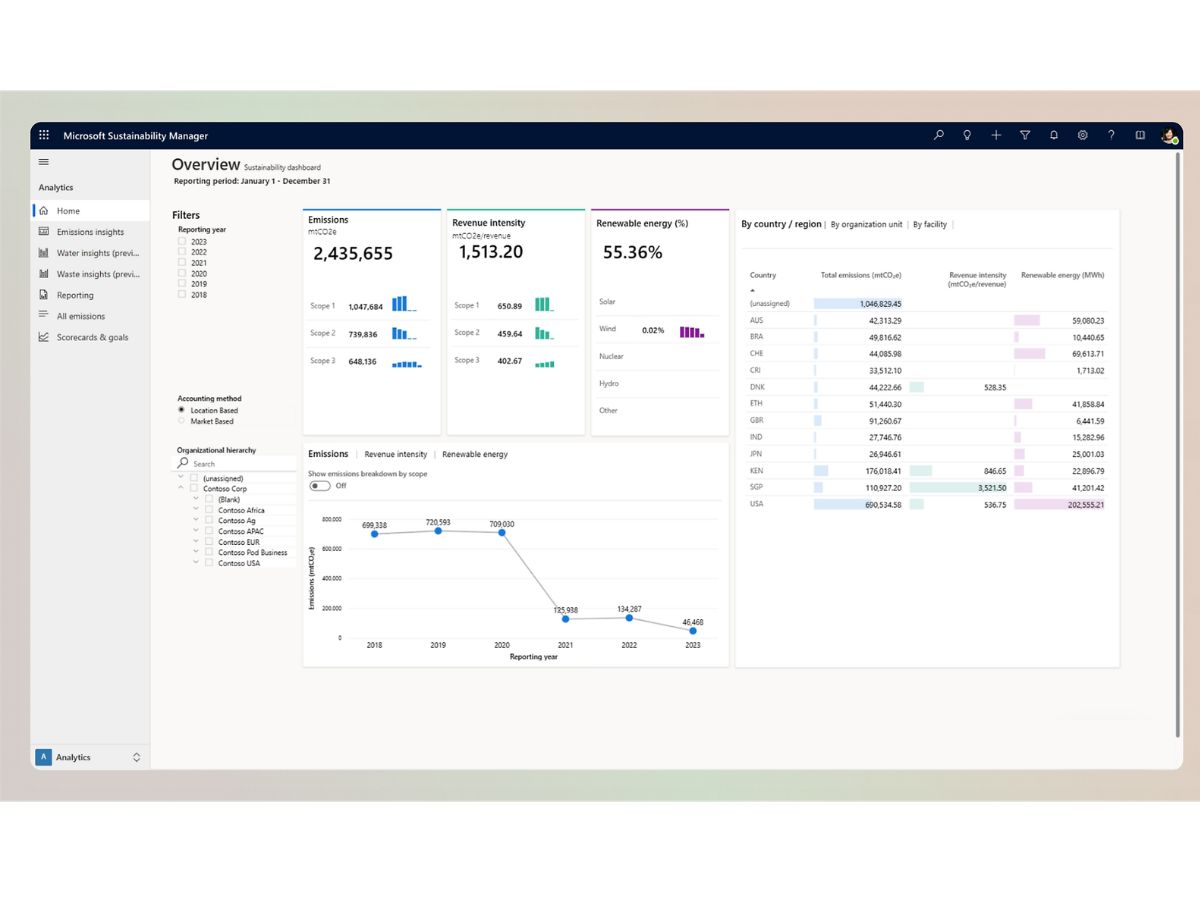
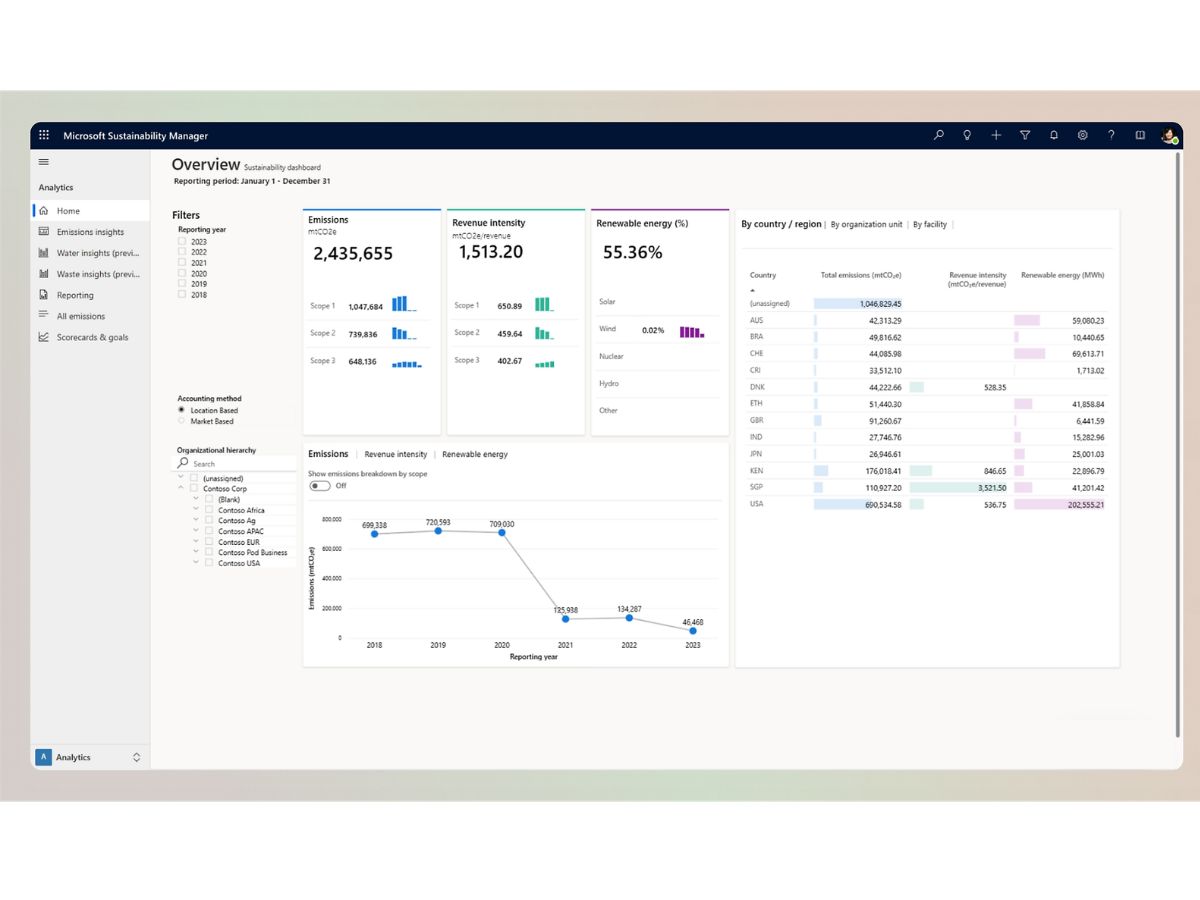
microsoft sustainability cloud-analytics
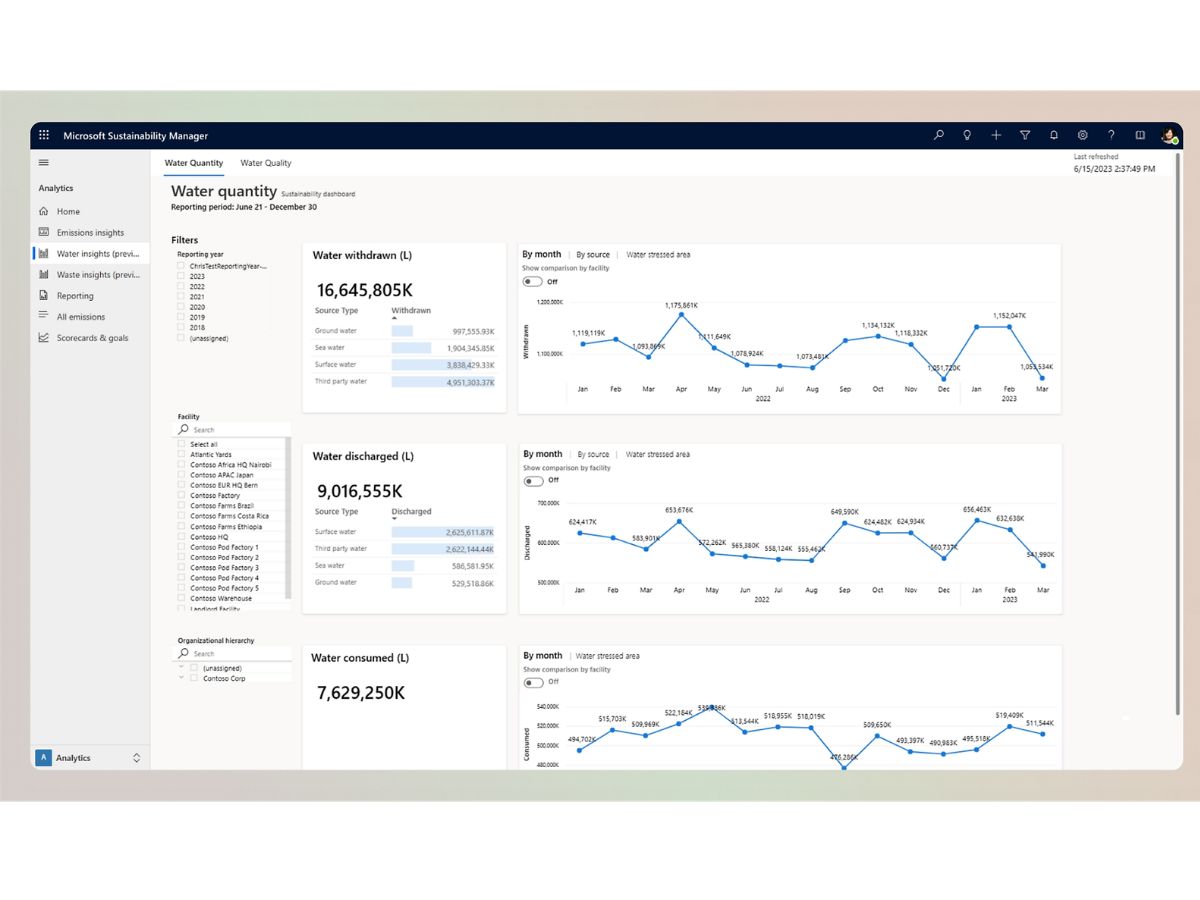
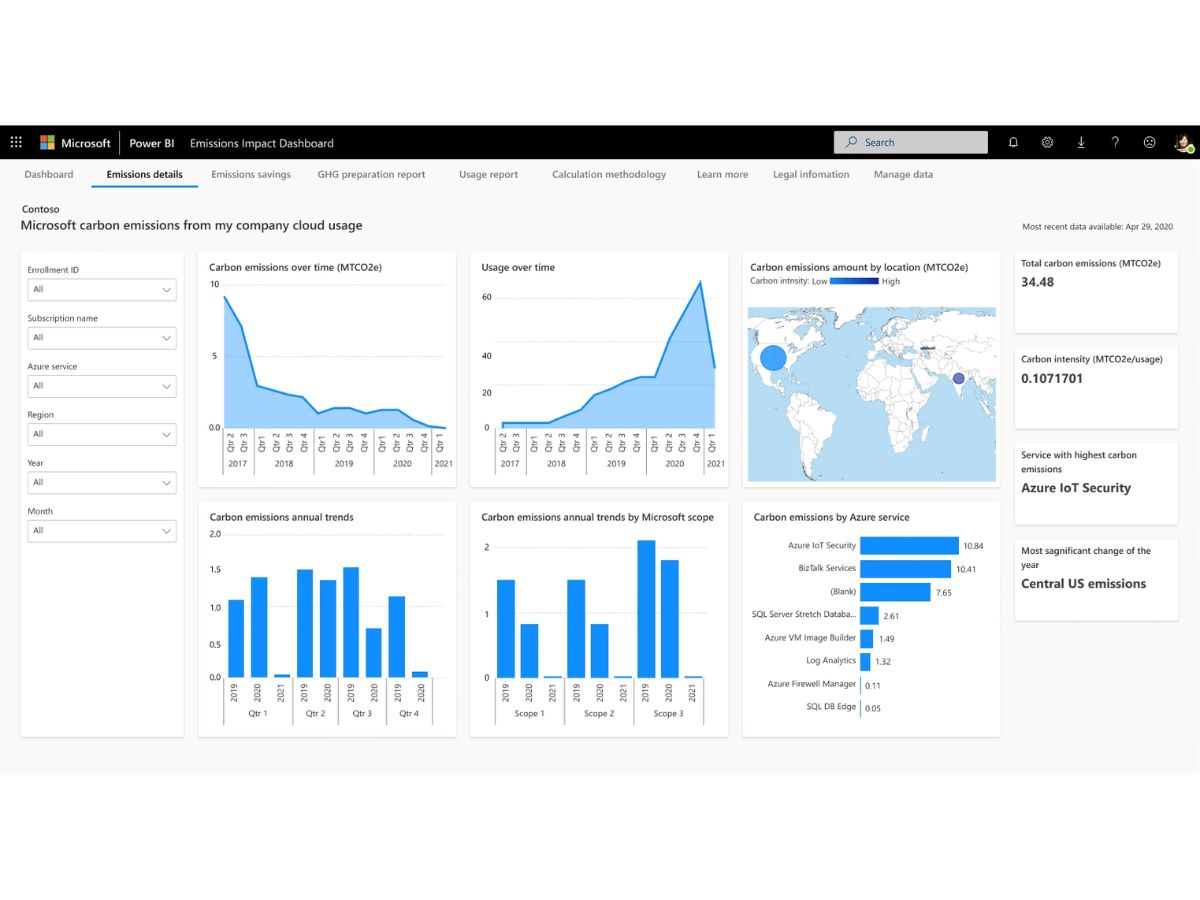
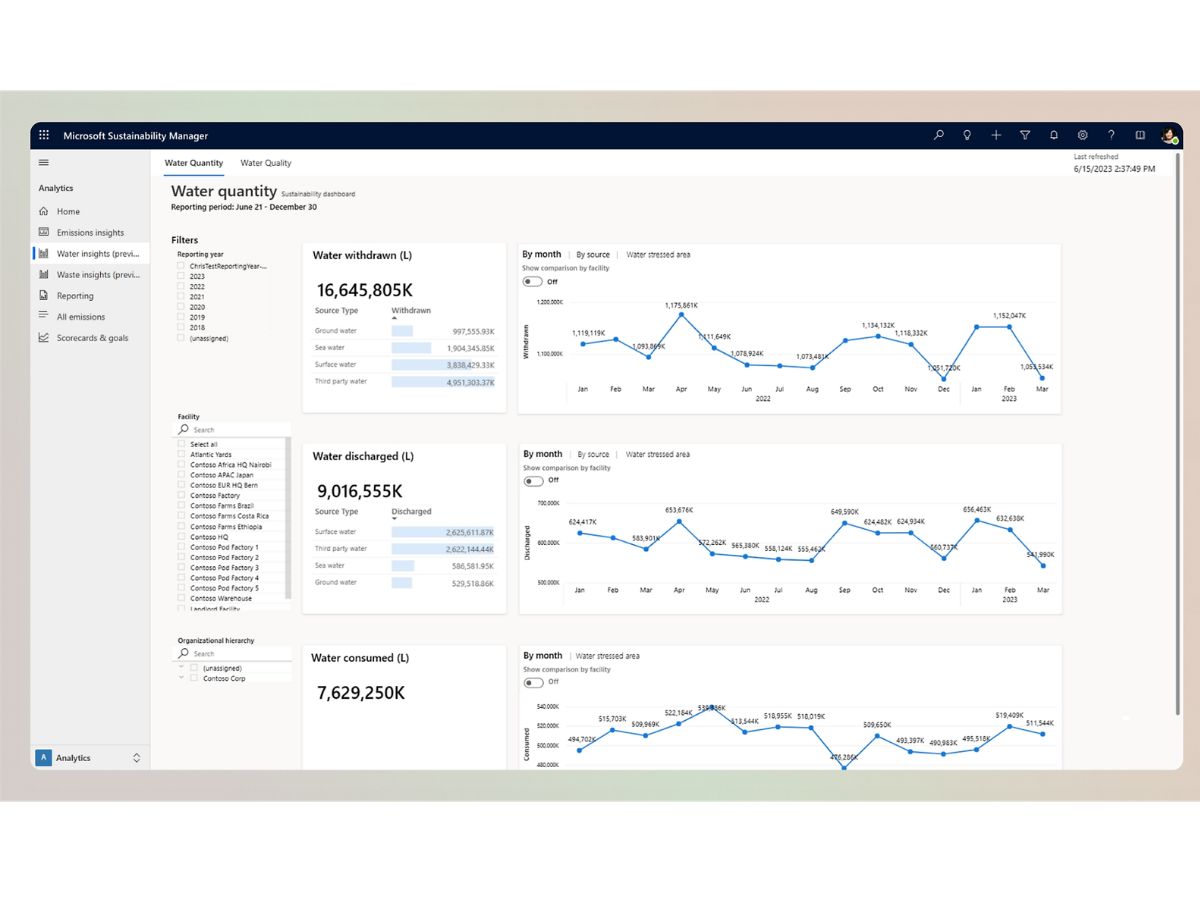
microsoft sustainability cloud-details

Microsoft Sustainability Cloud

Brand: Microsoft Corporation

  • No Ratings & Reviews

Have you used Microsoft Sustainability Cloud before?

Share your insights for better experience

Add a Review

Price Available on Request

Questions about pricing or customization? We’re here to help, just a click away.

100% Genuine
Products
Best Price
Guaranteed
Safe & Secure
Payment
  • Description

  • Pricing

  • Features

  • Specification

  • Review

Microsoft Sustainability Cloud Software Overview

Microsoft Corporation Company Details

Founded Year:  1975

Microsoft Corporation is an American multinational technology company with headquarters in Redmond, Washington.

Director/Founders Paul Allen , Bill Gates
Company Size 1000+ Employees

Microsoft Sustainability Cloud Pricing & Plans

Looking for The Right Pricing?

Share your requirements and get a plan built around your business.

  • Define your business needs
  • Get customised pricing
  • Choose features that fit your workflow

Price Available on Request

Get personalised Microsoft Sustainability Cloud pricing that fits your needs. Our team will connect with you.

Microsoft Sustainability Cloud Features

  • icon_check Data Management
    Centralizes environmental, social, and governance data from enterprise systems into a unified data model for reporting and
  • icon_check Carbon Emissions Management
    Tracks, calculates, and manages greenhouse gas emissions across Scope 1, Scope 2, and Scope 3 categories enterprise-wide
  • icon_check Scope 3 Emissions Calculation
    Calculates indirect emissions across value chains using attribution models and standardized emission factor calculation methods.
  • icon_check Disclosure Management
    Generates ESG reports aligned with regulatory frameworks and disclosure standards using structured reporting templates workflows.
  • icon_check Environmental Impact Calculation
    Quantifies carbon, water, and waste environmental impacts using standardized sustainability data models and calculation logic.
  • icon_check Data Integration
    Ingests sustainability data from enterprise systems, operational platforms, and external sources for unified sustainability
  • icon_check Analytics and Insights
    Provides analytical dashboards and metrics to evaluate environmental performance trends and sustainability program outcomes.
  • icon_check Data Governance
    Maintains audit trails, workflows, and access control policies to ensure sustainability data integrity and governance compliance.
  • icon_check Sustainability Performance Tracking
    Tracks sustainability indicators, emissions levels, and environmental metrics across facilities and organizational operations.
  • icon_check Goal Management
    Defines, monitors, and evaluates sustainability targets including emissions reduction and resource efficiency goals progress.
  • icon_check Data Aggregation
    Aggregates environmental activity data including emissions, water consumption, and waste generation for enterprise analysis.
  • icon_check Data Standardization
    Standardizes sustainability data using predefined ESG schemas and calculation methodologies for consistent reporting outputs.
  • icon_check Environmental Credit Management
    Tracks environmental credits and sustainability claims using standardized data structures and verification workflows processes.
  • icon_check Waste Management Tracking
    Tracks waste generation, disposal, and recycling data to support waste reduction analysis and environmental reporting needs.
  • icon_check Audit Trail
    Maintains traceable records of ESG data changes and processing to support audit readiness and compliance requirements.
  • icon_check Data Modeling
    Uses structured ESG data models to organize environmental data for accurate calculation, reporting, and analytical processing.
Microsoft Sustainability Cloud Demo Video play icon

Get Microsoft Sustainability Cloud Demo

Watch the demo video to explore key features, real workflows, and how the software fits your business needs.

Understand
Key Features
Personal
Demo Insights
Interactive
Demo Support

Microsoft Sustainability Cloud Specifications

Supported Platforms
Ubuntu Ubuntu Windows Windows MacOS MacOS Linux Linux
Devices
Desktop Desktop
Deployment
Cloud-Based Cloud-Based
Suitable For
All Industries
Business Specific
All Businesses
Business Size
Medium Business Enterprises SMBs MSMEs
Customer Support
Email Communities
Language
English
Integration
API Integration
Training Resources
Documentation Videos
AI Features
AI Integrated

Microsoft Sustainability Cloud Review

Be the First to Review

This product has no reviews yet. Be the first to leave your feedback.

Add Review

Terms and Condtions

close

Users with registered businesses can purchase goods from merchants on the platform to satisfy their business needs. Users are not permitted to utilize any products acquired through the platform for resale, advertising, business, or further distribution.

For each purchase made, users will receive a Tax Invoice (or 'GST invoice') that includes specific details such as:

  • the GSTIN of the user associated with their registered business, and

  • the specified Entity Name for their business.

It should be noted that not all products are eligible for GST Invoice. Only the products displayed by participating sellers with the 'GST-based Invoice Available' callout on the product description page would qualify.

Certain goods and services are not eligible to get a GST Invoice, including items with VAS, i.e., Value Added Services (e.g., Total Mobile Protection/Assured Buyback) and those involving an exchange offer at the time of purchase.

Users must ensure the accuracy of the GSTIN, and business entity name provided for the GST Invoice. Requests for corrections into GST Invoice would not be accommodated by Techjockey.com or any Seller, and any issues arising from user-provided information are the sole responsibility of users.

Techjockey.com is not liable for the GST Invoice or any associated input tax credit. To efficiently claim an input tax credit, users should select the registered place of business address as per the GST authority's data and follow the provisions of the GST Act and rules.

To claim an input tax credit, the delivery and billing addresses must match. Furthermore, input tax credits will not be granted if the delivery address and GSTIN on the invoice are from different states. In case of incorrect GST details provided during the order placement, the order will be canceled automatically.

21,000+ Software Listed 21,000+ Software Listed

Best Price Guaranteed Unbiased Comparison

Free Expert Consultation Read Authentic Reviews

5M+ Happy Customers 500,000+ Monthly Users