linkedin
monday CRM logo
play Finally, a CRM that your team will actually want to use | monday sales CRM
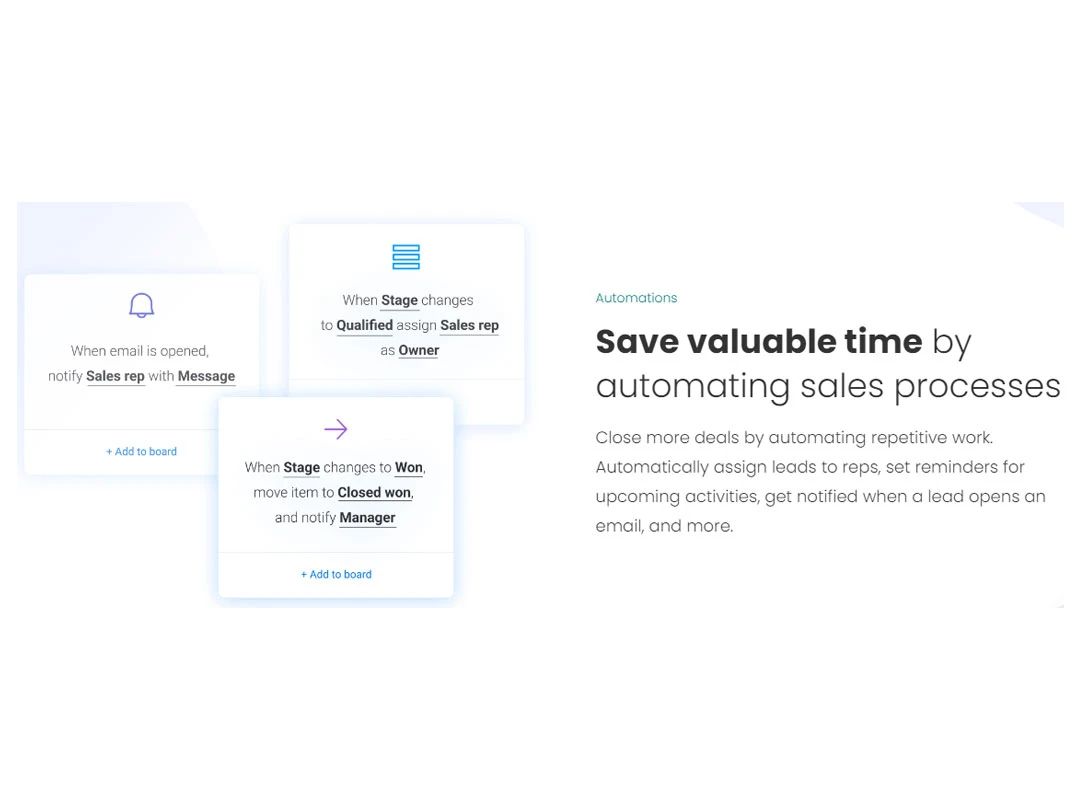
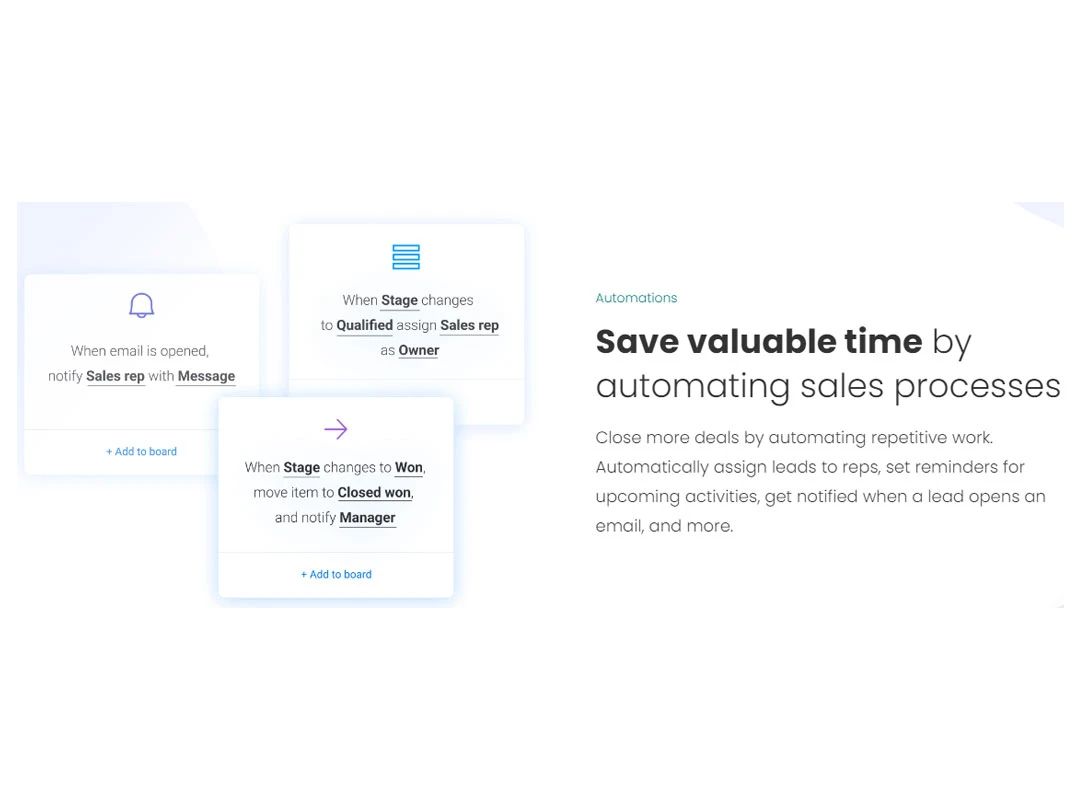
monday crm automation
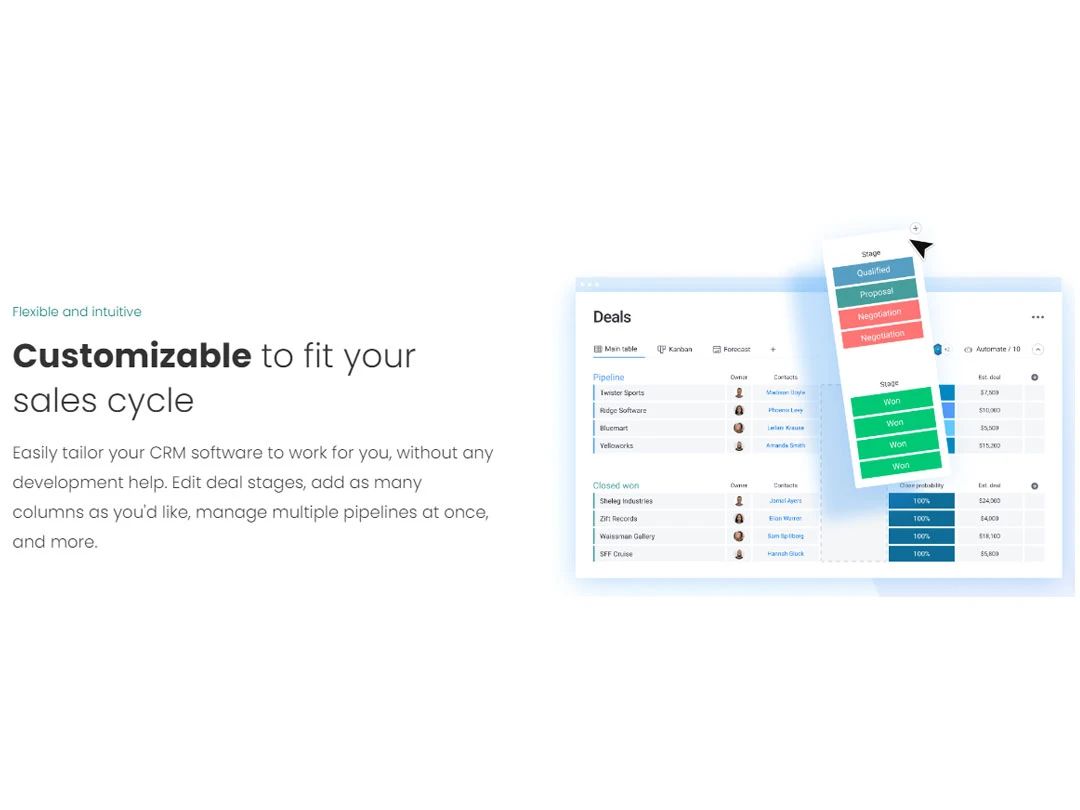
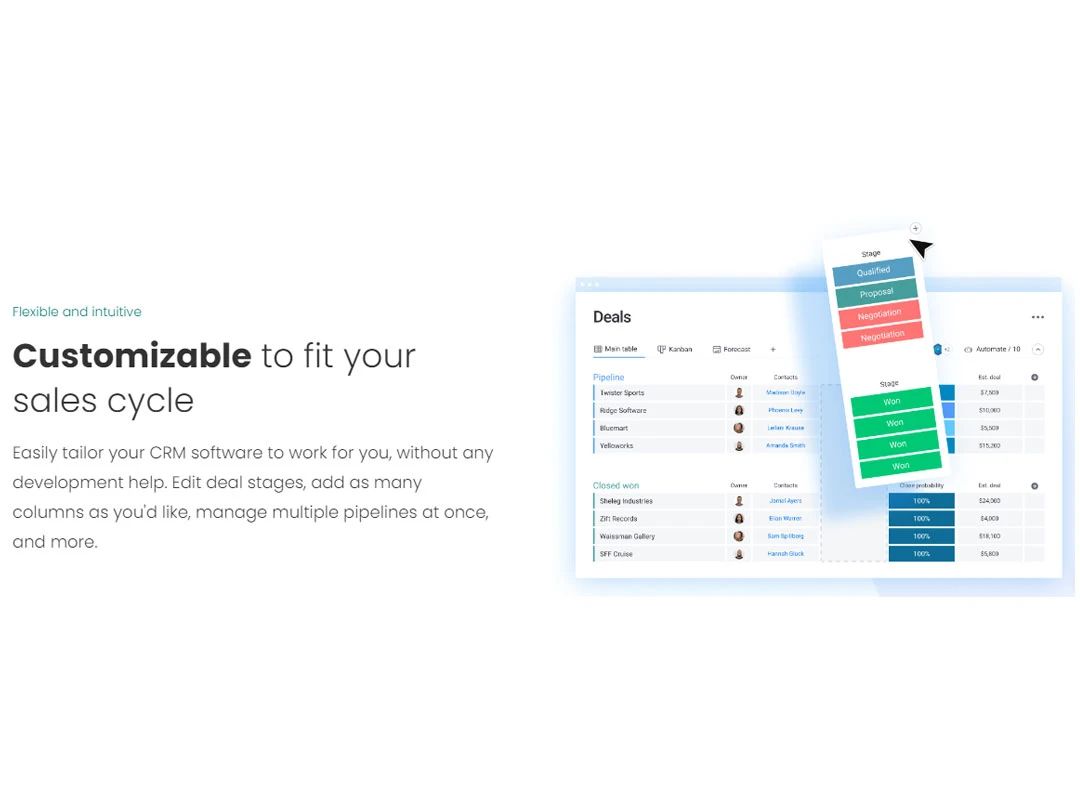
monday crm customization

monday CRM

Brand: monday

  • 4.4

  • 3 Ratings

monday CRM helps businesses manage leads, sales pipelines, and client communications in one place.

See More

Have you used monday CRM before?

Share your insights for better experience

Add a Review
Starting Price
€15

View plans

100% Genuine
Products
Best Price
Guaranteed
Safe & Secure
Payment
  • Description

  • Pricing

  • Features

  • Specification

  • Review

  • Compare

Starting at €15.00

monday CRM Software Overview

What is monday CRM?

monday CRM is a customizable, no-code sales CRM software designed to streamline sales processes. It enables teams to manage leads, track deals, automate tasks, and centralize communication all within a single platform.

With features like AI-powered email composition, automated task generation, and seamless integrations with tools like Gmail, Outlook, and Slack, monday CRM enhances team collaboration and efficiency.

Why Choose monday CRM Software?

  • AI-Powered Insights: Utilize AI for email composition, sentiment analysis, and summarizing meetings.
  • Automated Task Generation: Automatically create tasks from meeting outcomes to keep deals moving forward.
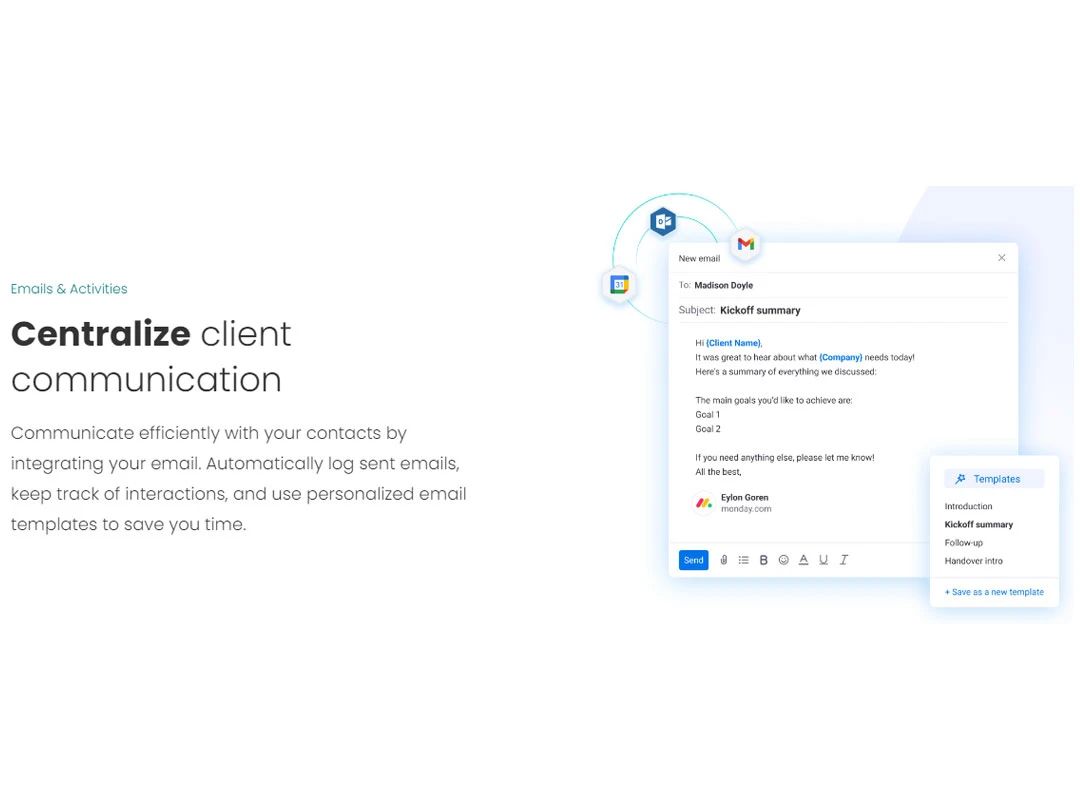
  • Email Integration: Sync with Gmail and Outlook for seamless communication tracking.
  • Deal Pipeline Management: Visualize and manage your sales pipeline with drag-and-drop functionality.
  • Email Sequences: Automate follow-up emails to nurture leads and maintain engagement.

Benefits of monday CRM Software

  • Duplicate Detection: Identify and merge duplicate records to maintain clean data.
  • Document Management: Store and manage documents related to deals and contacts.
  • Custom Fields: Add custom fields to capture specific information relevant to your business.
  • Audit Logs: Track changes and activities within the CRM for accountability.
  • API Access: Integrate with other tools and systems using monday.coms API.

monday CRM Pricing in UAE

monday CRM price in India starts at €15 at techjockey.

The pricing model is based on different parameters, including extra features, deployment type, and the total number of users. For further queries related to the product, you can contact our product team and learn more about the pricing and offers.

Read moreView less

monday Company Details

Founded Year:  2012

The monday.com Work OS is a low code- no code platform that democratizes the power of software so organizations can easily build work management tools and software applications to fit their every need.

Director/Founders Eran Kampf, Eran Zinman, Roy Mann
Company Size 1-100 Employees

monday CRM Pricing & Plans

Basic
Starting at €15
    • Quantity

      Quantity
      Quantity
    • Monthly

      Monthly
      Monthly

Key Features

  • Unlimited customizable pipelines

  • Unlimited contacts

  • Unlimited boards

  • Templates for lead, contact & deal management

Standard
Starting at €20
    • Quantity

      Quantity
      Quantity
    • Monthly

      Monthly
      Monthly

Key Features

  • Advanced account, contact, & deal management

  • 2-way email integration with Gmail and Outlook

  • AI email generator

  • Activity management

Pro
Starting at €33
    • Quantity

      Quantity
      Quantity
    • Monthly

      Monthly
      Monthly

Key Features

  • Sales forecasting

  • Email templates

  • Email tracking & automations

  • Quotes & invoices

monday CRM Features

Customer Data Management (CDM)

  • icon_check Contact Management
    Store, organize, and access customer contact details for easy retrieval and updates.
  • icon_check Account Management
    Track and manage business relationships with key accounts and clients.
  • icon_check Customer Profiles
    Build comprehensive profiles with data on preferences, interactions, and purchase history.
  • icon_check Contact Segmentation
    Group contacts based on behavior, demographics, or interests for personalized engagement.
  • icon_check Activity History
    Record and review all past customer interactions, including calls, emails, and meetings.

Lead Management

  • icon_check Lead Generation
    Capture and create leads through multiple channels for sales growth.
  • icon_check Lead Nurturing
    Engage with leads over time through automated follow-ups and relevant content.
  • icon_check Lead Tracking
    Track lead activity and behavior across multiple channels and touchpoints.
  • icon_check Lead Qualification
    Assess lead quality based on criteria to focus on high-potential prospects.
  • icon_check Lead Assignment
    Assign & distribute leads to specific reps or teams based on predefined rules.
  • icon_check Lead Prioritization
    Rank leads by their potential to close, ensuring focus on the most promising.

Sales Pipeline Management

  • icon_check Opportunity Management
    Manage and track sales opportunities from prospect to closed deal.
  • icon_check Deal Management
    Manage the entire deal lifecycle, from negotiation to final agreement.
  • icon_check Quote & Proposal Management
    Create and send tailored quotes and proposals for potential clients.
  • icon_check Territory Management
    Organize and assign sales territories to optimize coverage and performance.
  • icon_check Order Management
    Handle order processing and ensure smooth transaction flow post-sale.
  • icon_check Task Management
    Assign, track, and manage tasks and activities to ensure team productivity and accountability.
  • icon_check Deal Rotting
    Flag and manage deals that are stalling or not progressing as expected.

Collaboration and Communication

  • icon_check Internal Communication
    Enable real-time internal communication between teams with built-in messaging or chat features.
  • icon_check Document Sharing & File Storage
    Store and share important files, documents, and customer resources easily.
  • icon_check Activity Logging
    Recording all customer interactions like calls, emails, meetings, and text messages within the CRM system
  • icon_check Bulk Email and SMS
    Send emails & SMS in bulk to leads or clients for promotions or updates.
  • icon_check Built-in Dialer
    Call prospects directly from CRM in just one click to ensure high compliance and productivity.
  • icon_check Call Tracking and Recording
    Track and record sales calls for better analysis and performance review.

Integrations

  • icon_check API Access
    Customizable API for integrating with other business applications or extending CRM capabilities.
  • icon_check Calendar Integration
    Sync CRM with calendars to schedule and manage appointments and follow-ups.
  • icon_check Third Party Integrations
    Connect CRM with a variety of third-party tools and services to enhance functionality.
  • icon_check Email Marketing Tools
    Connect CRM with email tracking tools like Mailsuite or LeadSquared for measuring open rates.
  • icon_check Interactive Voice Response (IVR) Integration
    Integrate CRM with IVR systems to manage customer calls and enhance support.

Workflow Automation and Management

  • icon_check Workflow Automation
    Automate repetitive tasks and workflows to improve sales team efficiency.
  • icon_check Task Automation 
    Automate tasks like follow-up emails, lead assignment, and reminder notifications.
  • icon_check Lead Capture Automation
    Automatically capture leads from forms, websites, and social media.
  • icon_check Customizable Workflows
    Create, modify, and automate sequences of tasks, actions, or processes within the CRM.
  • icon_check Auto Qualify Leads
    Automatically evaluate leads for sales readiness using predefined criteria.

Security & Compliance

  • icon_check Audit Logs
    Maintain a log of all user actions for accountability and security auditing.
  • icon_check Data Encryption
    Encrypt data both at rest and in transit to safeguard customer information.
  • icon_check IP Whitelisting
    Prevents unauthorized access from unknown or unsecure locations.
  • icon_check Role-Based Access Control (RBAC)
    Control user access based on their roles, limiting access to sensitive data.
  • icon_check Audit Trails
    Used for auditing and compliance purposes to ensure transparency and traceability.
  • icon_check Backup & Disaster Recovery
    Ensure business continuity with secure backups and disaster recovery plans.
  • icon_check GDPR and CCPA Compliance
    Comply with regulations such as GDPR, HIPAA, and CCPA. to protect customer privacy.

AI Capabilities

  • icon_check Predictive Analytics
    Leverage AI to predict future trends, sales, and customer behavior for better decision-making.
  • icon_check Lead and Deal Scoring
    Score leads and deals to prioritize efforts based on engagement or value.
  • icon_check Chatbots
    Automate customer interactions with AI-driven chatbots to assist or direct inquiries efficiently.

Analytics and Reporting

  • icon_check Sales Forecasting
    Predict future sales revenue based on trends, historical data, and leads.
  • icon_check Custom Dashboards
    Create personalized dashboards to visualize key metrics and data relevant to your business.
  • icon_check Sales Funnel Analysis
    Monitor and analyze real-time data to make timely, informed decisions.
  • icon_check Conversion Reports
    Track individual and team sales metrics, including revenue, win rates, and pipeline health.
  • icon_check Activity Overview Reports
    Analyze customer behavior and interactions to gain actionable insights for better engagement.
  • icon_check Sales Performance Tracking
    Monitor team performance across sales activities, tracking progress against KPIs.
  • icon_check Forecasting & Trends
    Use historical data to forecast future sales and trends for improved business planning.
  • icon_check Customisable Pipeline Views
    Create customized views of sales pipeline stages for better oversight.

Alerts & Notifications

  • icon_check Event-Triggered Notifications
    Automatically notify users of key events, such as new leads, meetings, or customer actions.
  • icon_check Custom Workflow Alerts
    Create custom alerts for specific workflows or actions, ensuring nothing gets missed.
  • icon_check Customer Interaction Alerts
    Get notified when customers engage with emails, forms, or other touchpoints.
  • icon_check Workflow Trigger Alerts
    Alert users when specific workflow conditions or triggers are met.
  • icon_check Lead Activity Alerts
    Get alerts when leads take important actions (e.g., filling out a form or making a purchase).
  • icon_check System Errors/Failures
    Receive immediate notifications for any system failures or errors for quick resolution.
  • icon_check SLA Violations
    Receive notifications when service level agreements are breached or approaching deadlines.

Others

  • icon_check Customization Options
  • icon_check Touchpoint Monitoring
  • icon_check Data Import/Export
  • icon_check Campaign Management
monday CRM Demo Video play icon

Get monday CRM Demo

Watch the demo video to explore key features, real workflows, and how the software fits your business needs.

Understand
Key Features
Personal
Demo Insights
Interactive
Demo Support

monday CRM Specifications

Supported Platforms
Windows Windows iOS iOS Android Android
Devices
Desktop Desktop Mobile Mobile
Deployment
Cloud-Based Cloud-Based
Suitable For
All Industries
Business Specific
All Businesses
Business Size
Small Business Startups Medium Business Enterprises SMBs SMEs MSMBs MSMEs
Customer Support
Phone Email
Language
English
Training Resources
Videos

Explore the Best Alternative Solutions Similar to Your Business Size and Needs

monday CRM Review

4.4

Out of 5

img

Overall Rating

Based on
3 Verified Ratings

Rating Breakdown

  • Features 4
  • Value for Money 4.6
  • Ease of Use 4.3
  • Customer Support 4.6
Add Review

Techjockey Trusted Reviews from Verified Users

No reviews are currently available for monday CRM. Discover similar Sales CRM Software reviews

  • Cratio CRM

    4.3

    Whats great - It connects well with the tools I already use, like email and WhatsApp. There are no awkward tech hiccups. read more

  • Freshsales CRM

    4.0

    Whats great - 1. Unified platform with sales, marketing, chat, and phone capabilities, eliminating the need for multiple tools, 2. AI-dr... read more

  • Pipedrive CRM

    3.8

    Whats great - Intuitive drag-and-drop pipeline management with Kanban-style visualization AI-powered sales assistant provides actionable r... read more

Compare monday CRM With other Sales CRM Software

Products
Ratings
Pricing
Device Supported
Deployment
Supported Platforms
  • img

    monday CRM

  • 4.4

  • € 15.00 excl. GST

  • Desktop

    Mobile

  • Web based

    On Premises

  • Windows

    Mac OS

  • img

    Kommo CRM

  • 4.5

  • Price On Request

  • Desktop

    Mobile

  • Web based

    On Premises

  • Windows

    Mac OS

  • img

    Freshsales CRM

  • 4.0

  • Price On Request

  • Desktop

    Mobile

  • Web based

    On Premises

  • Windows

    Mac OS

  • img

    Pipeline CRM

  • 4.2

  • Price On Request

  • Desktop

    Mobile

  • Web based

    On Premises

  • Windows

    Mac OS

  • img

    Teamgate CRM

  • 4.3

  • Price On Request

  • Desktop

    Mobile

  • Web based

    On Premises

  • Windows

    Mac OS

  • img

    Pipedrive CRM

  • 3.8

  • Price On Request

  • Desktop

    Mobile

  • Web based

    On Premises

  • Windows

    Mac OS

  • img

    Cratio CRM

  • 4.3

  • Price On Request

  • Desktop

    Mobile

  • Web based

    On Premises

  • Windows

    Mac OS

  • img

    Clientell

  • 4.2

  • Price On Request

  • Desktop

    Mobile

  • Web based

    On Premises

  • Windows

    Mac OS

  • img

    Onpipeline

  • 4.2

  • Price On Request

  • Desktop

    Mobile

  • Web based

    On Premises

  • Windows

    Mac OS

  • img

    Helloleads

  • 4.3

  • Price On Request

  • Desktop

    Mobile

  • Web based

    On Premises

  • Windows

    Mac OS

(2) Product(s) selected

Terms and Condtions

close

Users with registered businesses can purchase goods from merchants on the platform to satisfy their business needs. Users are not permitted to utilize any products acquired through the platform for resale, advertising, business, or further distribution.

For each purchase made, users will receive a Tax Invoice (or 'GST invoice') that includes specific details such as:

  • the GSTIN of the user associated with their registered business, and

  • the specified Entity Name for their business.

It should be noted that not all products are eligible for GST Invoice. Only the products displayed by participating sellers with the 'GST-based Invoice Available' callout on the product description page would qualify.

Certain goods and services are not eligible to get a GST Invoice, including items with VAS, i.e., Value Added Services (e.g., Total Mobile Protection/Assured Buyback) and those involving an exchange offer at the time of purchase.

Users must ensure the accuracy of the GSTIN, and business entity name provided for the GST Invoice. Requests for corrections into GST Invoice would not be accommodated by Techjockey.com or any Seller, and any issues arising from user-provided information are the sole responsibility of users.

Techjockey.com is not liable for the GST Invoice or any associated input tax credit. To efficiently claim an input tax credit, users should select the registered place of business address as per the GST authority's data and follow the provisions of the GST Act and rules.

To claim an input tax credit, the delivery and billing addresses must match. Furthermore, input tax credits will not be granted if the delivery address and GSTIN on the invoice are from different states. In case of incorrect GST details provided during the order placement, the order will be canceled automatically.

21,000+ Software Listed 21,000+ Software Listed

Best Price Guaranteed Unbiased Comparison

Free Expert Consultation Read Authentic Reviews

5M+ Happy Customers 500,000+ Monthly Users