linkedin
Net Results Marketing Automation logo
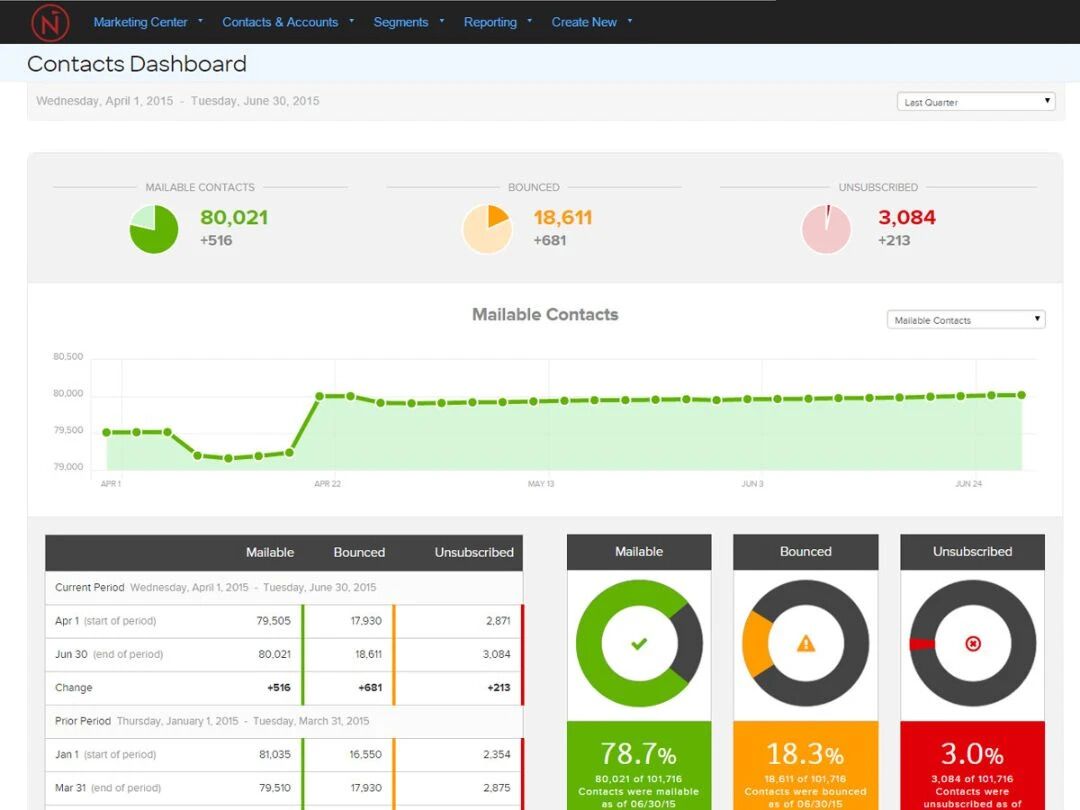
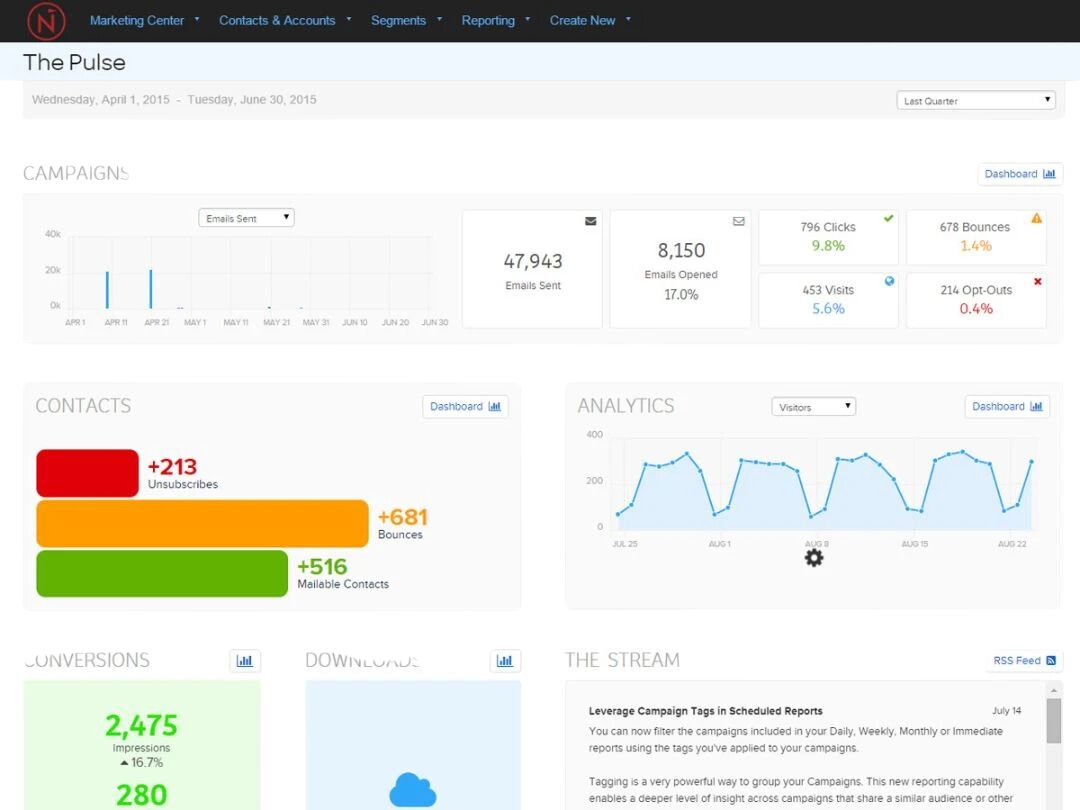
Net Results Marketing Automation dashboard
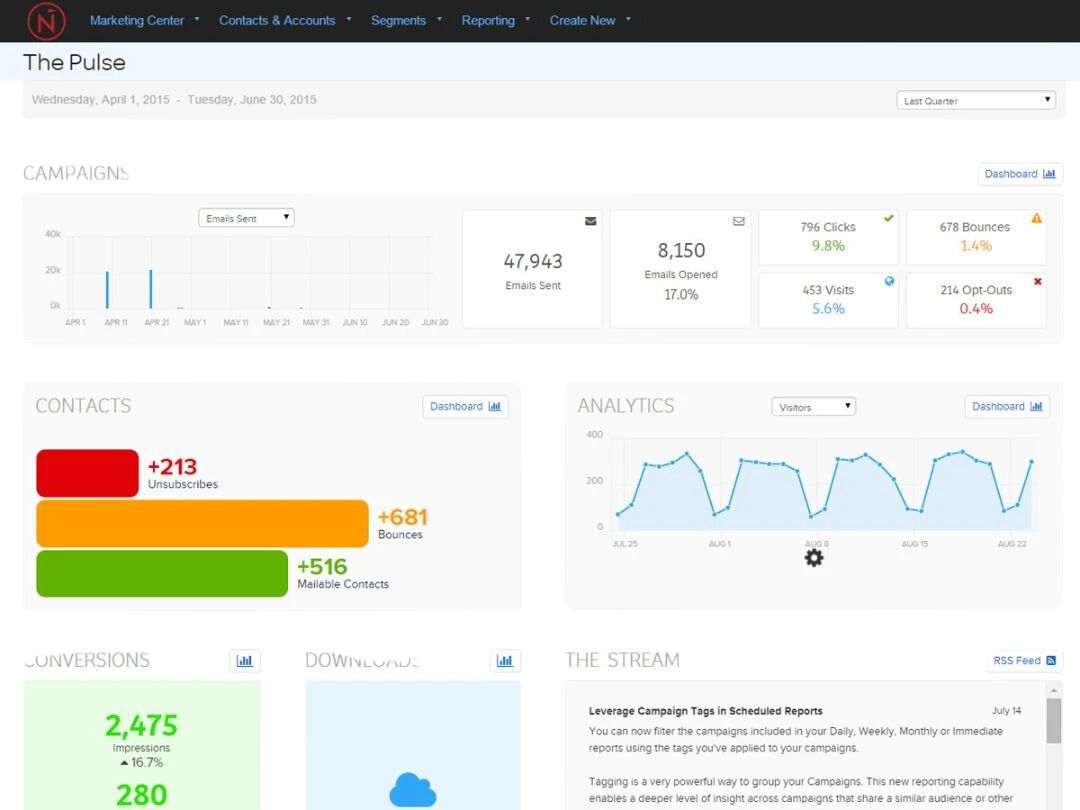
Net Results Marketing Automation pulse
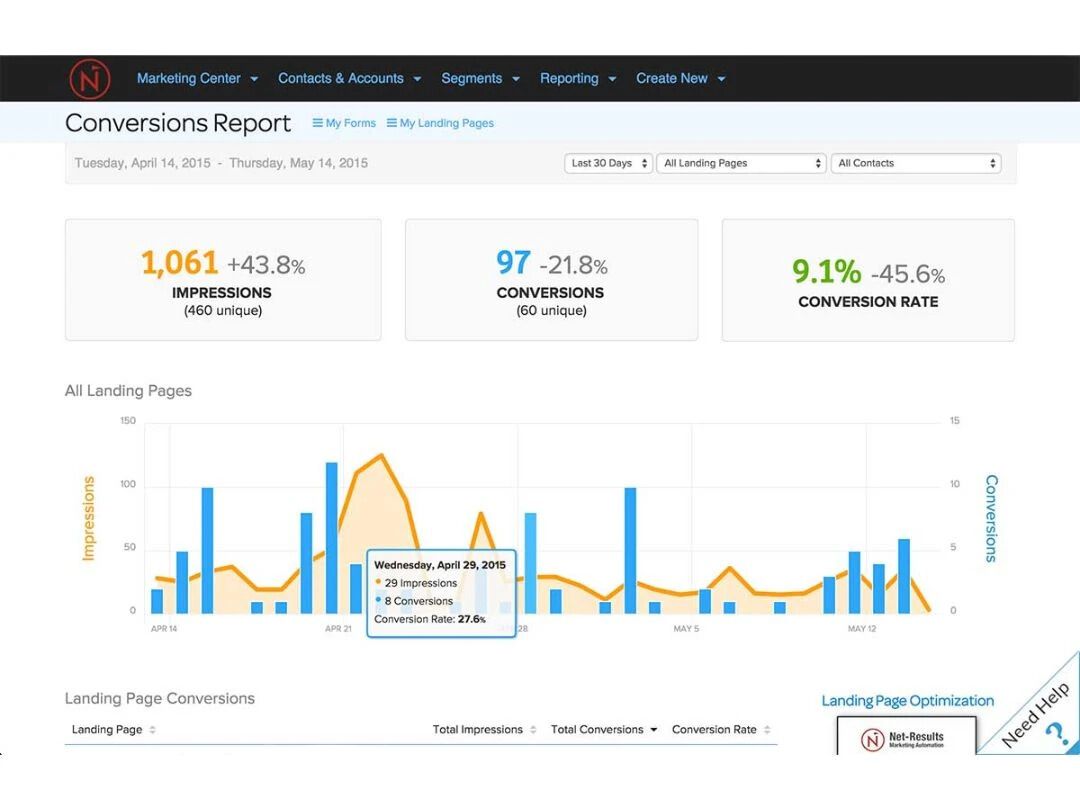
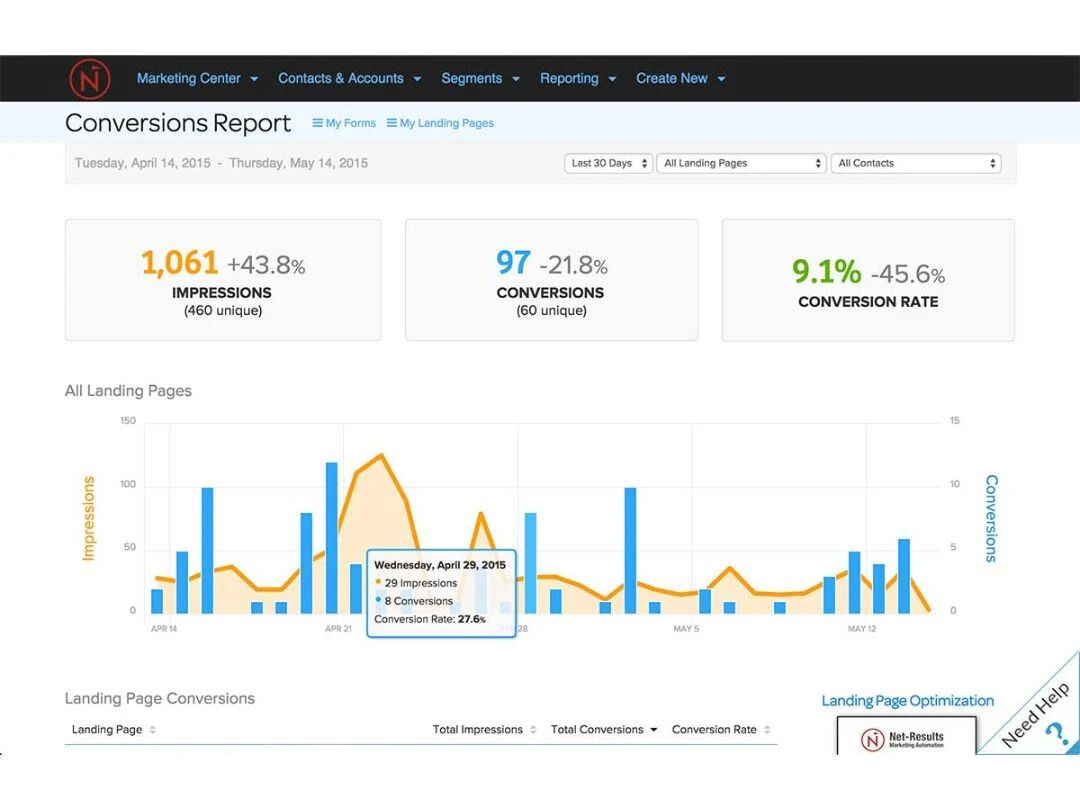
Net Results Marketing Automation report

Net Results Marketing Automation

Brand: NET-Results

  • 4.4

  • 5 Ratings

Net Results Marketing Automation is a marketing automation software designed to simplify campaigns and boost engagement.

See More

Have you used Net Results Marketing Automation before?

Share your insights for better experience

Add a Review
Starting Price
$960

View plans

100% Genuine
Products
Best Price
Guaranteed
Safe & Secure
Payment
  • Description

  • Pricing

  • Features

  • Specification

  • Review

  • Compare

  • Alternatives

  • FAQ

Starting at $960.00

Net Results Marketing Automation Software Overview

What is Net Results Marketing Automation?

Net Results Marketing Automation is a marketing automation software designed to simplify marketing campaigns. It works by automating tasks such as email marketing, lead scoring, and campaign tracking. The interface is user-friendly, featuring drag-and-drop functionality and customizable dashboards.

Net Results Marketing Automation features are Email marketing automation, lead scoring, campaign tracking, customizable dashboards, drag-and-drop interface, real-time analytics, CRM integration, segmentation, A/B testing, and reporting tools.

Why Choose Net Results Marketing Automation?

  • Email Campaigns: Automate email marketing campaigns to target specific audiences and track engagement in real-time.
  • Lead Scoring: Assign scores to leads based on their interactions to prioritize follow-ups and improve conversion rates.
  • Campaign Tracking: Monitor the performance of marketing campaigns across various channels to optimize strategies.
  • Segmentation: Divide your audience into segments based on behaviour and demographics for more personalized marketing.
  • A/B Testing: Test different versions of marketing content to determine which performs better and refine your approach.

Benefits of Net Results Marketing Automation

  • Efficiency: Automates repetitive tasks, saving time and resources for your marketing team.
  • Personalization: Tailors marketing messages to individual preferences, increasing engagement and conversion rates.
  • Analytics: Provides real-time data and insights to optimize marketing strategies and improve performance.
  • Integration: Seamlessly integrates with CRM systems, enhancing customer relationship management.
  • Scalability: Easily scales marketing efforts to accommodate growing business needs and larger audiences.

Pricing of Net Results Marketing Automation

Net Results Marketing Automation Price starts at $960.00 per month. Net Results Marketing Automation comes with multiple pricing plans and caters to a diverse customer base. For subscription-related details and offers on premium packages, please request a call back from our product experts.

Read more

NET-Results Company Details

Founded Year:  2003

Net-Results is a frustration-free marketing automation platform.

Director/Founders Michael Ward
Company Size 1-100 Employees

Net Results Marketing Automation Pricing & Plans

Mailable Contacts (2500)
Key Features
  • Auto - Responders
  • Contact Management
  • Drip Campaigns
  • Templates
Starting at $960
    • Quantity (Contacts)

      Quantity (Contacts)
      Quantity (Contacts)
    • Monthly

      Monthly
      Monthly

Key Features

  • Auto - Responders

  • Contact Management

  • Drip Campaigns

  • Templates

Net Results Marketing Automation Features

Core Functionalities

  • icon_check Contact Management
    Efficiently manage and organize contacts, track interactions, and maintain detailed records for personalized communication.
  • icon_check Templates
    Utilize pre-designed templates for emails, landing pages, and forms to ensure consistency and save time on design.
  • icon_check Landing Page / Web Forms
    Create and customize landing pages and web forms to capture leads and drive conversions effectively.
  • icon_check A/B Testing
    Conduct A/B tests to compare different versions of marketing content and determine the most effective approach.
  • icon_check Dynamic Content
    Deliver personalized content based on user behavior and preferences to enhance engagement and conversion rates.
  • icon_check Progressive Profiling
    Gradually collect information from leads over time to build comprehensive profiles and improve targeting.
  • icon_check Automated Workflow Optimization
    Streamline and optimize marketing workflows through automation to increase efficiency and reduce manual tasks.
  • icon_check User Access Management
    Control and manage user access to the platform, ensuring security and appropriate permissions for team members.
  • icon_check Visual Editor
    Use a visual editor to easily create and customize marketing materials without the need for coding skills.
  • icon_check Custom Workflows
    Design and implement custom workflows tailored to specific marketing processes and business needs.
  • icon_check Social Media Automation
    Automate social media posts and interactions to maintain a consistent online presence and engage with followers.
  • icon_check Compliance Management
    Ensure all marketing campaigns follow legal and industry regulations with automated compliance checks.
  • icon_check Behaviour Management
    A marketing technique that targets consumers with personalized content based on their past activity.
  • icon_check Loyalty Management
    Allows the users to strategize design patterns, manage, and analyze loyalty programs.
  • icon_check SMS Marketing
    Facilitates the users with a strategy that uses text messages to engage customers and generate sales.
  • icon_check Behavioral Targeting
    Delivers messages and advertisements based on the users' activity.
  • icon_check Customer Journey Mapping
    Enables marketers to design and oversee automated customer journeys through a variety of media.
  • icon_check Cart Recovery Automation
    A tactic that sends automated messages to users who abandon their online shopping carts.
  • icon_check Content Marketing Automation
    Automate content creation, scheduling, and distribution to engage audiences across channels.
  • icon_check Through Channel Marketing Automation (TCMA)
    Helps companies with automated marketing activities across various channels.

Campaign Management

  • icon_check Channel Management
    Manage multiple marketing channels seamlessly for consistent messaging and performance tracking.
  • icon_check Advertising Management
    Process that involves planning and executing campaigns to promote a product or service
  • icon_check Campaign Optimization
    Improve conversion rates, enhance user engagement and increase ROI.
  • icon_check Omnichannel
    Omnichannel enhances customer experience across all platforms, boosting engagement, satisfaction, and conversions.
  • icon_check Performance Analytics
    Enables marketers to track, analyze, and optimize marketing campaign performance across different channels in real-time
  • icon_check Conversion Rate Optimization (CRO)
    Boost conversions by automating A/B testing, user behavior analysis, and performance improvements.
  • icon_check Multichannel
    To plan, execute, and measure marketing tasks across multiple channels.
  • icon_check Channel Optimization
    Analyze and optimize marketing channels to maximize ROI with real-time performance insights.
  • icon_check Data Driven Optimization
    Uses analytical tools and data to enhance systems, procedures, and decision-making capabilities
  • icon_check Landing Page Optimization
    It assists the users with improving the design and layout of web pages and increases conversions.

Lead Management

  • icon_check Lead Scoring
    Assign scores to leads based on their interactions and behavior to prioritize follow-ups and improve conversion rates.
  • icon_check List Management
    Efficiently manage and segment lists of leads and contacts for targeted marketing campaigns and communication.
  • icon_check Lead Nurturing
    Implement lead nurturing strategies to build relationships with leads and guide them through the sales funnel.
  • icon_check Segmentation
    Divide your audience into segments based on behavior and demographics for more personalized marketing efforts.
  • icon_check Lead Generation
    It helps in attrracting new potential customers
  • icon_check Lead Qualification
    Helps the users in identify and prioritize the best leads.
  • icon_check Leads Conversion
    It helps organization in converting potential client to prominent customers

Email Marketing

  • icon_check Auto - Responders
    Set up automated email responses to engage with leads and customers promptly and maintain communication.
  • icon_check Drip Campaigns
    Create drip campaigns to send a series of automated emails over time, nurturing leads and driving conversions.
  • icon_check Email Optimization
    Optimize email content and design to improve open rates, click-through rates, and overall engagement.
  • icon_check Behavioral Targeting
    Delivers messages and advertisements based on the users' activity.
  • icon_check Cart Recovery Automation
    A tactic that sends automated messages to users who abandon their online shopping carts.

WhatsApp Marketing

  • icon_check Auto - Responders
    Set up automated email responses to engage with leads and customers promptly and maintain communication.
  • icon_check Drip Campaigns
    Create drip campaigns to send a series of automated emails over time, nurturing leads and driving conversions.
  • icon_check Segmentation
    Divide your audience into segments based on behavior and demographics for more personalized marketing efforts.
  • icon_check Bulk messaging
    Facilitating the user with the feature of sending a huge number of text messages on multiple channels and individuals in one go.
  • icon_check Behavioral Targeting
    Delivers messages and advertisements based on the users' activity.
  • icon_check Cart Recovery Automation
    A tactic that sends automated messages to users who abandon their online shopping carts.

Integrations Supported

  • icon_check CRM Integration
    Integrate CRM systems to automate lead nurturing, sales processes, and track customer interactions.
  • icon_check API Integration
    Ability to connect two or more applications via APIs.
  • icon_check Third Party Integration
    Allows the user to integrate with several thrid party applications with ease.
  • icon_check Webhooks
    Messages that are sent from one application to another, when the trigger is set.
  • icon_check Barcode Integration
    Deliver clients prewritten messages depending on specified triggers.
  • icon_check Project Management
    With the help of AI, organizations can manage thier projects with utmost efficiency.
  • icon_check Event Marketing
    Method via which particular behaviours or occurrences cause an automated reaction
  • icon_check Influencer Marketing
    It helps in building a partnership between influencers and brands that benefits both parties

Analytics and Reporting

  • icon_check Visitor Tracking
    Users can analyze and track customer's activity over the platform.
  • icon_check Web Form Tracking
    Allows the user to track the activities of the users once they submit the form.
  • icon_check Dashboards
    Projects the user's data in a visual format
  • icon_check Predictive Analytics
    Helps the users with analyzing the data using advance ML algorithms.
  • icon_check Real-time & Actionable Insights
    Real-time data analysis with immediate data-driven recommendations for action.
  • icon_check Live View
    It offers real-time insight into your audience's interactions with your marketing materials.
  • icon_check Heatmaps
    Helps marketers spectate their visitor's activity on their page.
  • icon_check Session Recording
    Records visitor's interaction with the platform (including mouse movement as well)
  • icon_check PDF Report
    Allows the user to export the data in PDF format

Alerts & Notifications

  • icon_check Real-Time alerts
    Allows companies to instantly send clients tailored and pertinent marketing messages.
  • icon_check Email Notifications
    You would be notified of the alterations that takes place in the campaign onto your email
  • icon_check SMS Notification
    Keeps the customer notified of the changes via text messages.
  • icon_check Desktop Notification
    Gives you a pop-up notification on your desktop itself.
  • icon_check Push Notifications
    A powerful tool that helps in converting clients to prominent customers
  • icon_check In-App Notifications
    Facilitates the user with notification with-in the app as well.

AI Capabilities

  • icon_check Predictive Analytics
    Helps the users with analyzing the data using advance ML algorithms.
  • icon_check Customer Journey Mapping
    Enables marketers to design and oversee automated customer journeys through a variety of media.
  • icon_check Generative AI
    The system automates creating emails, ads, social media posts, images and product descriptions.
  • icon_check Smart Recommendations
    Provides the user with engaging content that could uplift the organization's revenue and reputation.
  • icon_check Subject Line Helper
    Assists the users with engaging email subjet lines

Net Results Marketing Automation Specifications

Supported Platforms
Ubuntu Ubuntu Windows Windows Linux Linux
Devices
Desktop Desktop
Deployment
Cloud-Based Cloud-Based
Suitable For
All Industries
Business Specific
All Businesses
Business Size
Small Business Medium Business SMEs MSMEs
Customer Support
Phone Email Forums
Language
English
Integration
API Integration
AI Features
AI Integrated

Explore the Best Alternative Solutions Similar to Your Business Size and Needs

Net Results Marketing Automation Review

4.4

Out of 5

img

Overall Rating

Based on
5 Verified Ratings

Rating Breakdown

  • Features 4
  • Value for Money 4.6
  • Ease of Use 4.7
  • Customer Support 4.4

84% Recommend this Product

Add Review

Techjockey Trusted Reviews from Verified Users

No reviews are currently available for Net Results Marketing Automation. Discover similar Marketing Automation Software reviews

  • Cronberry

    4.1

    Whats great - Cronberry has significantly streamlined our workflow and improved our overall efficiency. The customization options are fanta... read more

  • CleverTap

    3.7

    Whats great - CleverTap’s multi-channel communication features have been a significant asset for boosting customer engagement. The platform... read more

  • Klaviyo

    4.2

    Whats great - Klaviyo is a great fit for my business needs and has special built-in features. read more

Compare Net Results Marketing Automation With other Marketing Automation Software

Products
Ratings
Pricing
Device Supported
Deployment
Supported Platforms
  • img

    Net Results Marketing Automation

  • 4.4

  • $ 960.00 excl. GST

  • Desktop

    Mobile

  • Web based

    On Premises

  • Windows

    Mac OS

  • img

    Klaviyo

  • 4.2

  • Price On Request

  • Desktop

    Mobile

  • Web based

    On Premises

  • Windows

    Mac OS

  • img

    Dotdigital

  • 4.9

  • Price On Request

  • Desktop

    Mobile

  • Web based

    On Premises

  • Windows

    Mac OS

  • img

    Brevo

  • 4.1

  • Price On Request

  • Desktop

    Mobile

  • Web based

    On Premises

  • Windows

    Mac OS

  • img

    Kursaha

  • 5

  • Price On Request

  • Desktop

    Mobile

  • Web based

    On Premises

  • Windows

    Mac OS

  • img

    Blueshift

  • 4.6

  • Price On Request

  • Desktop

    Mobile

  • Web based

    On Premises

  • Windows

    Mac OS

  • img

    Engagebay

  • 4.5

  • Price On Request

  • Desktop

    Mobile

  • Web based

    On Premises

  • Windows

    Mac OS

  • img

    ClickDimensions

  • 4.4

  • Price On Request

  • Desktop

    Mobile

  • Web based

    On Premises

  • Windows

    Mac OS

(2) Product(s) selected

Net Results Marketing Automation Alternatives

See All Net Results Marketing Automation Alternatives

Available

Price on Request

Starting Price:

$9.00 /Month

Starting Price:

$15,000.00 /Month

Starting Price:

$29.00 /Month

Starting Price:

$99.00 /Month

Available

Price on Request

Starting Price:

$12.00 /Month

Starting Price:

$199.00 /Month

Who uses Net Results Marketing Automation?

Net Results Marketing Automation is used by marketing teams to streamline campaigns, enhance engagement, and improve lead management.

How does Net Results Marketing Automation work?

Net Results Marketing Automation works by automating tasks such as email marketing, lead scoring, campaign tracking, and segmentation.

How much does Net Results Marketing Automation cost?

Net Results Marketing Automation price starts at $960.00 per month for less than 2,500 contacts.

On which OS can Net Results Marketing Automation run?

Net Results Marketing Automation can work on OS like Windows, macOS, and Linux.

Does Net Results Marketing Automation provide a demo for its users?

Yes, Net Results Marketing Automation provides a demo for its users, including a free 30-day trial.

What are the key features of Net Results Marketing Automation?

Key features include email marketing automation, lead scoring, campaign tracking, customizable dashboards, drag-and-drop interface, real-time analytics, CRM integration, segmentation, A/B testing, and reporting tools.

How does Net Results Marketing Automation integrate with CRM systems?

Net Results Marketing Automation seamlessly integrates with CRM systems like Salesforce, Dynamics 365, SugarCRM, and SuiteCRM.

What kind of support does Net Results Marketing Automation offer?

Net Results Marketing Automation offers unlimited phone and email support, ensuring users have access to help whenever needed.

Terms and Condtions

close

Users with registered businesses can purchase goods from merchants on the platform to satisfy their business needs. Users are not permitted to utilize any products acquired through the platform for resale, advertising, business, or further distribution.

For each purchase made, users will receive a Tax Invoice (or 'GST invoice') that includes specific details such as:

  • the GSTIN of the user associated with their registered business, and

  • the specified Entity Name for their business.

It should be noted that not all products are eligible for GST Invoice. Only the products displayed by participating sellers with the 'GST-based Invoice Available' callout on the product description page would qualify.

Certain goods and services are not eligible to get a GST Invoice, including items with VAS, i.e., Value Added Services (e.g., Total Mobile Protection/Assured Buyback) and those involving an exchange offer at the time of purchase.

Users must ensure the accuracy of the GSTIN, and business entity name provided for the GST Invoice. Requests for corrections into GST Invoice would not be accommodated by Techjockey.com or any Seller, and any issues arising from user-provided information are the sole responsibility of users.

Techjockey.com is not liable for the GST Invoice or any associated input tax credit. To efficiently claim an input tax credit, users should select the registered place of business address as per the GST authority's data and follow the provisions of the GST Act and rules.

To claim an input tax credit, the delivery and billing addresses must match. Furthermore, input tax credits will not be granted if the delivery address and GSTIN on the invoice are from different states. In case of incorrect GST details provided during the order placement, the order will be canceled automatically.

21,000+ Software Listed 21,000+ Software Listed

Best Price Guaranteed Unbiased Comparison

Free Expert Consultation Read Authentic Reviews

5M+ Happy Customers 500,000+ Monthly Users