
Description
Pricing
Features
Specification
Review
Compare
FAQs
Alternatives

 View Gallery
Brand: Nitro Inc
Nitro Pro Productivity suite offers a standard business solution where one can streamline document workflows, get rid of unnecessary printing and work completely in a digital way. The PDF software comes with an intuitive interface and advanced security that lets one create, edit, put electronic signature, review and protect PDF documents without any hassle. Users can escape the complex trap of licensing and enhance customer satisfaction with enterprise-grade PDF solutions that...Read more

Get Free Expert Consultation
Let us know your business needs clearly

Verified & Trusted
Vendors

Safe & Secure
Payment

Personalized
Experts Support
€ 14.00 /Month
Features
 PDF Editor PDF Creation PDF conversion OCR (Optical Character Recognition) E-Signatures
 See all 
We make it happen! Get your hands on the best solution based on your needs.


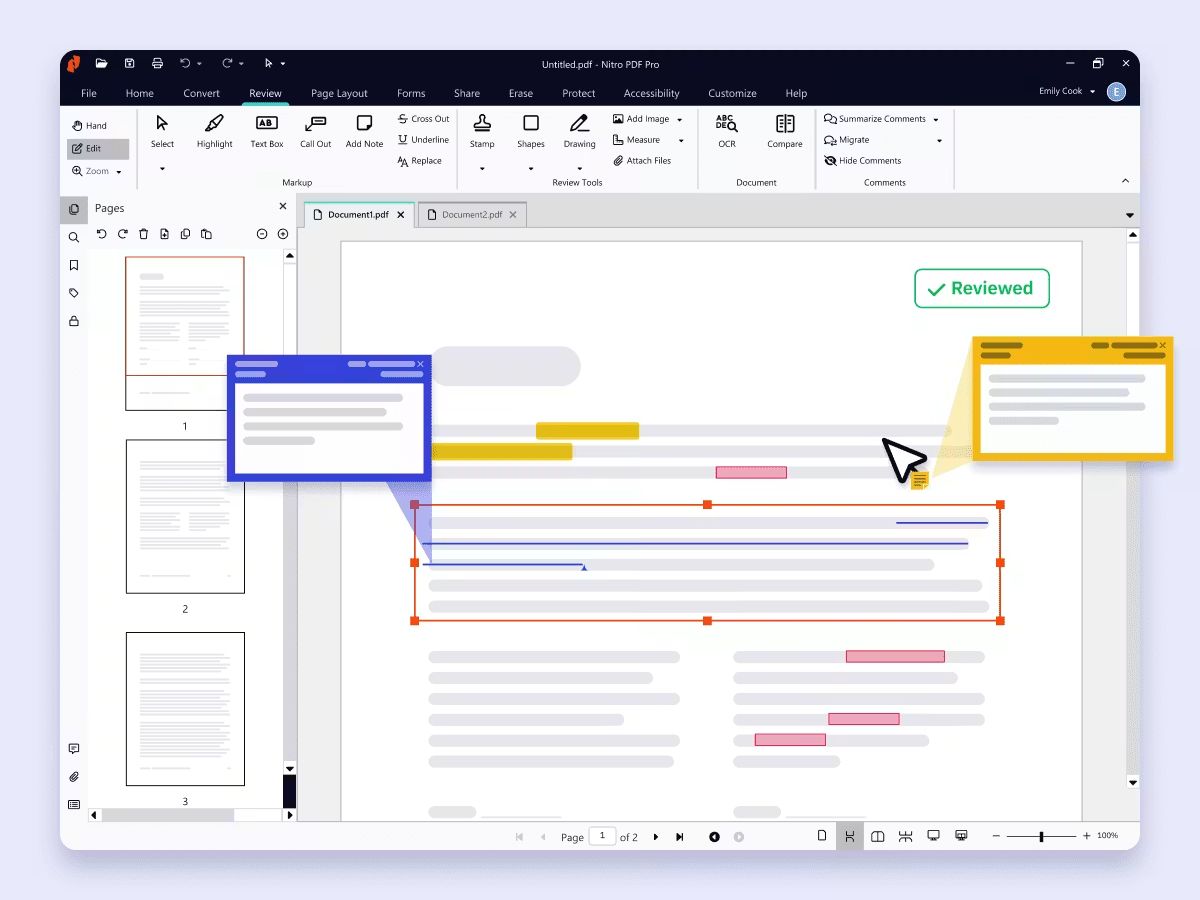
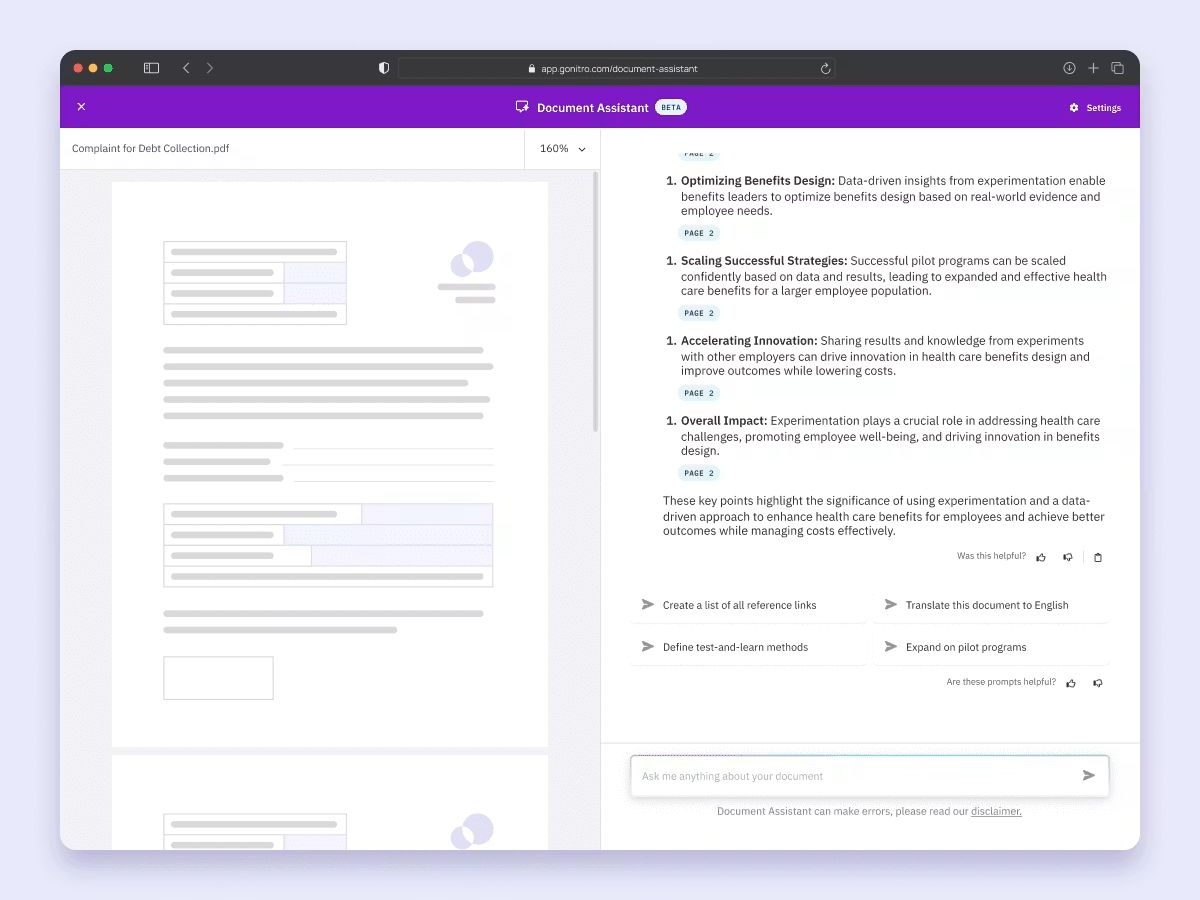
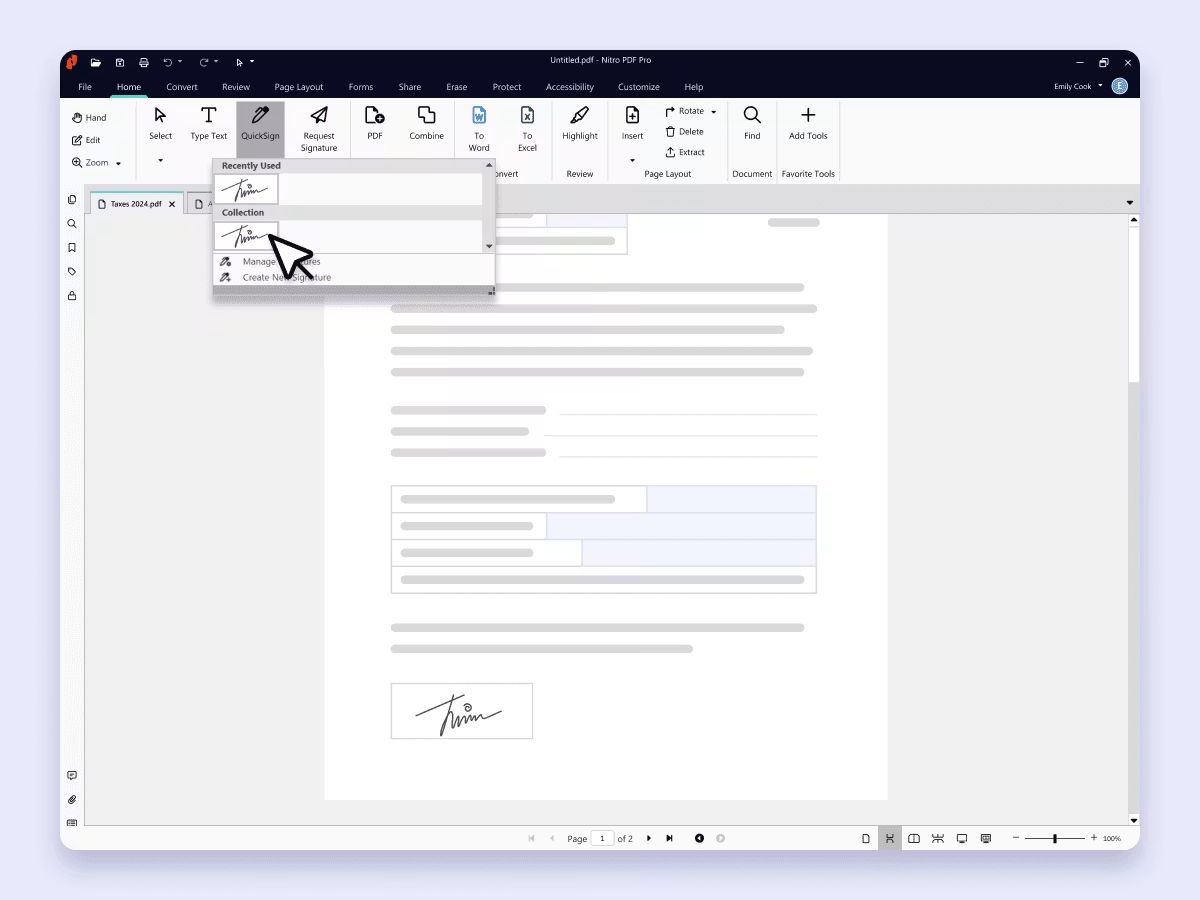
 PDF Editor Modify text, images, hyperlinks, headers, footers, and page content directly within PDF documents without re-creating files. PDF Creation Create high-quality PDF files from Word, Excel, PowerPoint, images, webpages, and other supported file formats. PDF conversion Convert PDF documents into editable Word, Excel, PowerPoint, and image formats while preserving original layouts. OCR (Optical Character Recognition) Convert scanned or image-based PDFs into searchable and editable documents with accurate text recognition. E-Signatures Add legally recognized electronic signatures, request signatures from others, and track signing progress securely. Annotations Review documents by adding comments, highlights, stamps, sticky notes, shapes, and freehand markups collaboratively. Document Security Protect sensitive PDF files using password encryption, permissions, certificate security, and access restrictions. Redaction Permanently remove confidential text, images, and metadata from PDF documents before sharing externally. Page Management Merge, split, rotate, extract, reorder, replace, insert, and delete PDF pages with simple drag-and-drop controls. Batch Processing Automate repetitive PDF tasks by processing multiple files simultaneously for conversion, printing, or optimization. Cloud Storage Integration Access, store, and synchronize PDF documents across cloud storage platforms for seamless document management. Document Comparison Compare two versions of PDF documents and instantly identify changes in text, formatting, and page content. Watermark Management Add, update, or remove custom text and image watermarks to protect documents and reinforce branding. Search & Replace Quickly locate and replace specific words or phrases throughout PDF documents to improve editing efficiency. Bookmark Management Create, organize, and edit bookmarks for easier navigation through lengthy PDF documents and reports. File Compression Reduce PDF file sizes while maintaining document quality for faster sharing, uploading, and long-term storage.
 | Brand Name | Nitro Inc |
| Information | Nitro is a document productivity company that helps organizations accelerate business processes and drive digital transformation. |
| Founded Year | 2005 |
| Director/Founders | Karl De Abrew, Richard Wenzel, Sam Chandler |
| Company Size | 1-100 Employees |
| Other Products | Nitro Sign |

 20,000+ Software Listed
 Unbiased Comparison
 Read Authentic Reviews
 500,000+ Monthly Users
 USA
USA India
India
 Write a Review
