linkedin
Paperpal logo
play Paperpal: Your All-in-One Academic Writing Tool is Here!
paperpal-areas
paperpal-citation

Paperpal

Brand: Cactus Communications

  • No Ratings & Reviews

Have you used Paperpal before?

Share your insights for better experience

Add a Review

Price Available on Request

Questions about pricing or customization? We’re here to help, just a click away.

100% Genuine
Products
Best Price
Guaranteed
Safe & Secure
Payment
  • Description

  • Pricing

  • Features

  • Specification

  • Review

Paperpal Software Overview

Cactus Communications Company Details

Founded Year:  2002

Established in 2002, Cactus Communications (cactusglobal.com) is a leading technology company that specializes in expert services and AI-driven products which improve how research gets funded, published, communicated, and discovered.

Director/Founders Abhishek Goel, Anurag Goel
Company Size 1000+ Employees

Paperpal Pricing & Plans

Looking for The Right Pricing?

Share your requirements and get a plan built around your business.

  • Define your business needs
  • Get customised pricing
  • Choose features that fit your workflow

Price Available on Request

Get personalised Paperpal pricing that fits your needs. Our team will connect with you.

Paperpal Features

Core Writing & Editing Tools

  • icon_check Version History
    Features a Document Timeline that records changes and allows users to restore earlier versions of their work.
  • icon_check Plagiarism Detection
    Powered by Turnitin, it checks text against 99 billion webpages and 200 million open-access articles.
  • icon_check Vocabulary Enhancement
    Provides contextually relevant synonym suggestions validated against a massive corpus of published literature.
  • icon_check Multi-Model Support
    Uses a multi-model AI engine retrained every 90 days to ensure high accuracy in detection and editing tasks.
  • icon_check Paraphrasing
    Offers 10+ academic-specific modes to rewrite text for clarity, tone, and word count reduction.
  • icon_check Content Formatting
    Suggests consistency corrections for p-values, symbol spacing, and figure/table labels across the manuscript.
  • icon_check Audience Targeting
    Adjusts writing tone and complexity specifically for scholarly audiences and journal peer reviewers.
  • icon_check Grammar & Punctuation Check
    Specialized tool for fixing academic errors that generic grammar checkers often overlook.
  • icon_check Tone & Style Adjustment
    Transforms informal prose into formal academic language while maintaining the author's authentic voice.
  • icon_check Readability Score
    Evaluates the clarity and flow of research text, providing scores to help improve overall manuscript quality.
  • icon_check Content Scoring
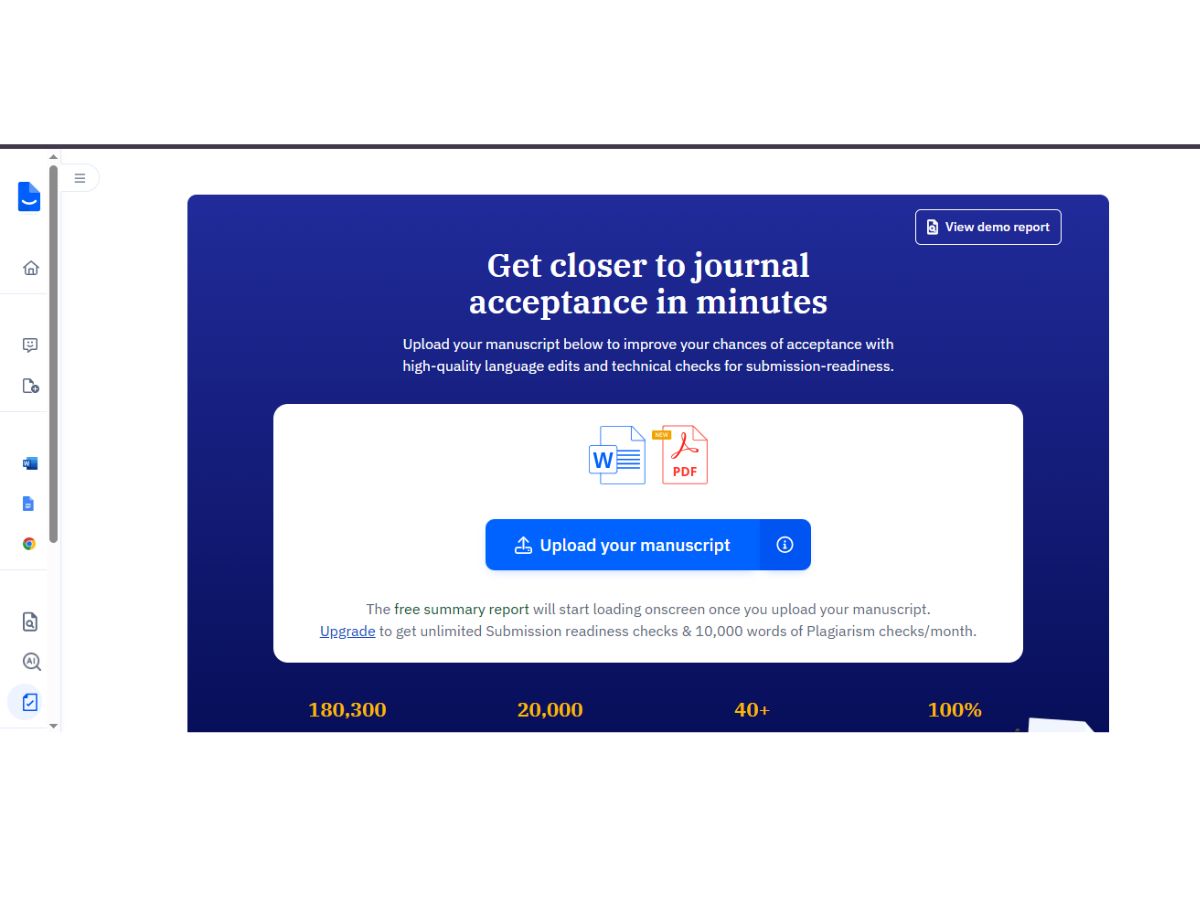
    Generates a language quality score and submission-readiness reports based on 30+ technical checks.
  • icon_check Spelling & Proofing
    High-precision spellchecker that understands technical, scientific, and medical terminology.
  • icon_check File Upload
    Allows document uploads for analysis and content enhancement.

Content Generation

  • icon_check Custom Templates
    Provides structured AI templates for abstracts, outlines, titles, keywords, and journal email communications.
  • icon_check Headlines & Taglines
    Generates academically appropriate titles and headlines for research papers and studies.
  • icon_check Content Ideas
    Uses 'Write' and 'Templates' features to brainstorm research questions, analogies, and counterarguments.
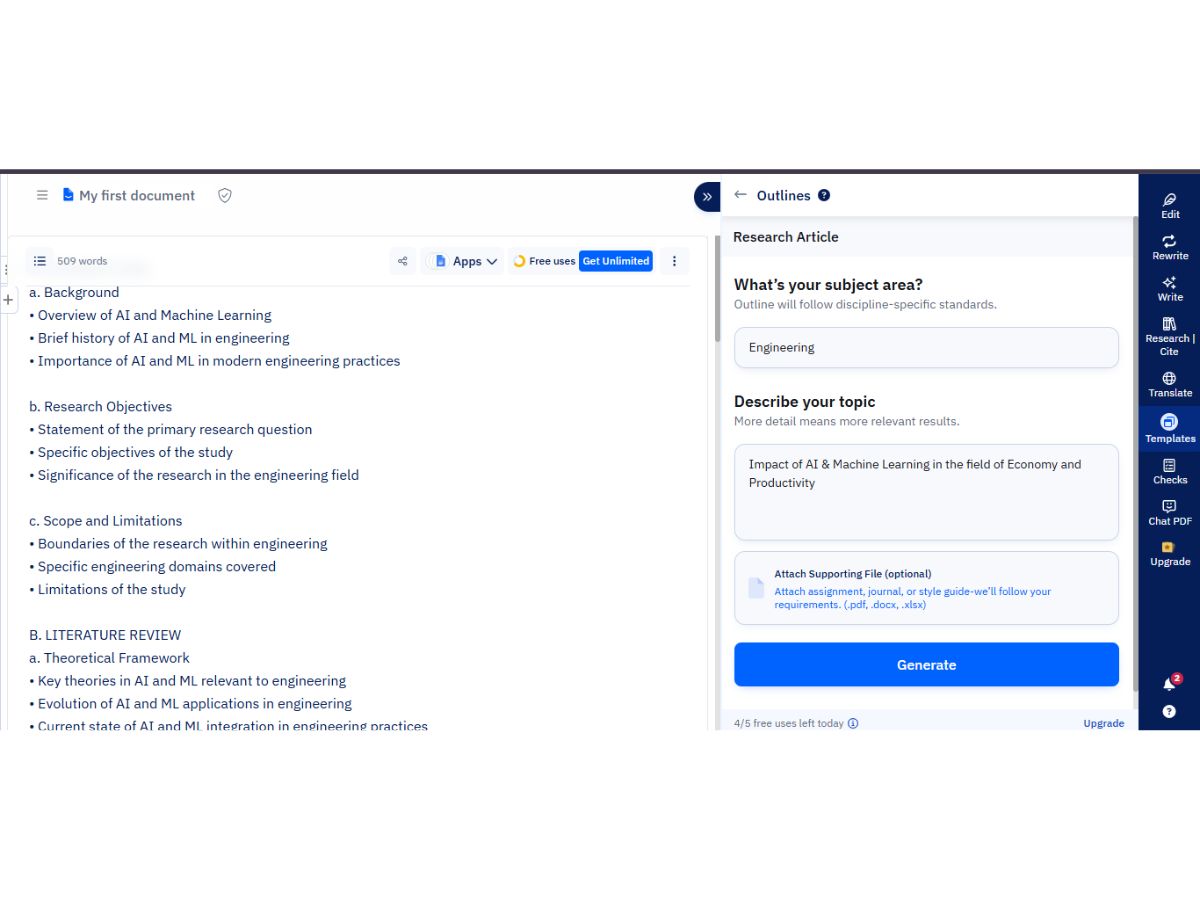
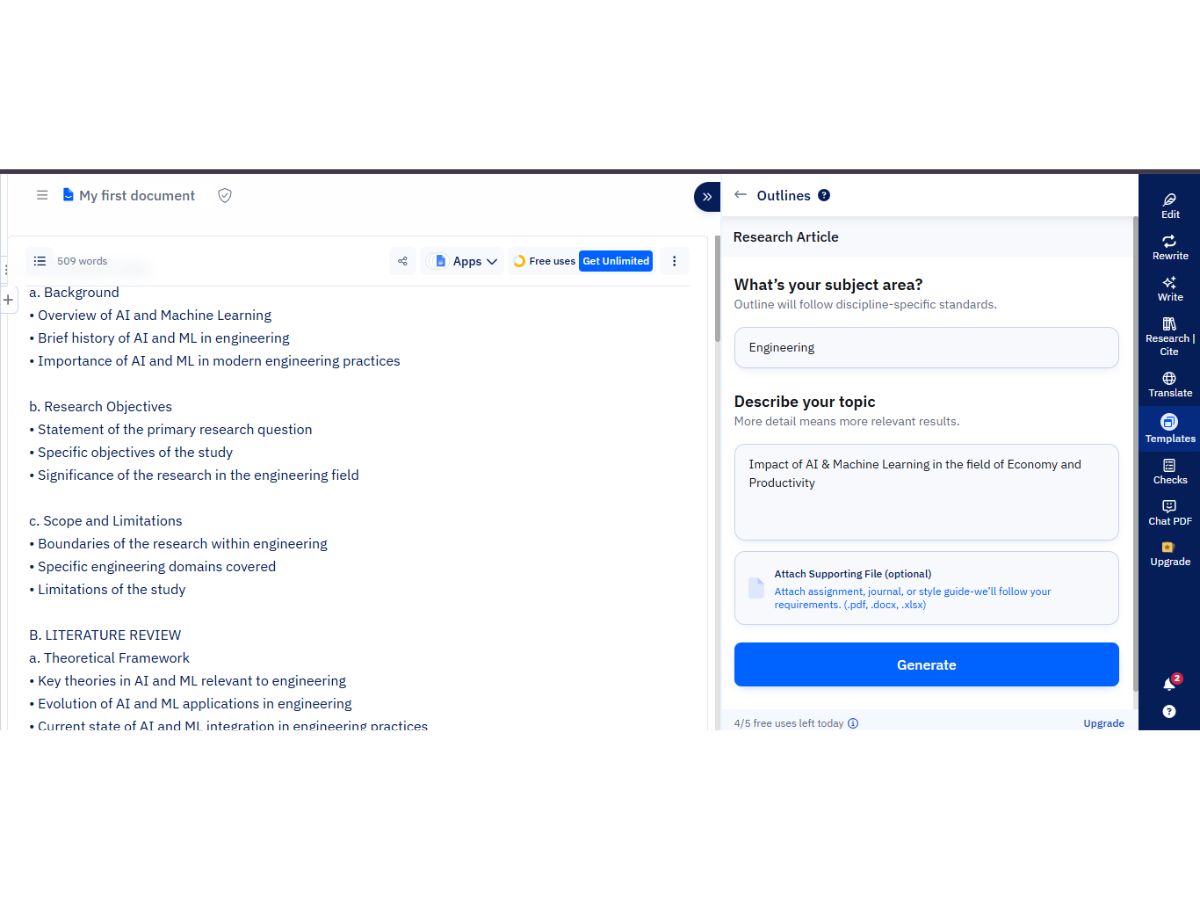
  • icon_check Automated Outlining
    Generates structured outlines for research articles, review papers, and thesis chapters to start writing faster.
  • icon_check Blog Post Creation
    Generates complete, structured blog posts from prompts.
  • icon_check Social Media Posts
    Creates optimized posts for various social media platforms.
  • icon_check Marketing Copy
    Writes engaging promotional content for ads and landing pages.
  • icon_check SEO-Optimized Content
    Integrates keywords for better search engine ranking.
  • icon_check Topic Clustering
    Organizes related topics to aid in content strategy.
  • icon_check Video Script Generation
    Creates structured, engaging scripts tailored for video content.

Collaboration

  • icon_check Team Collaboration
    Paperpal Collaborate allows real-time co-writing and feedback sharing among up to 5 invited team members.
  • icon_check Export & Sharing Options
    Documents can be downloaded in standard formats or shared via secure links for review and collaboration.
  • icon_check API Access
    Enables access to core features via API for flexibility.

Security and Compliance

  • icon_check Data Encryption
    Employs industry-standard end-to-end encryption to protect sensitive research data during transit and at rest.
  • icon_check AI Act Compliance
    Adheres to ethical AI development standards and emphasizes transparent disclosure of AI use in research.
  • icon_check SOC 2 Compliance
    Ensures secure handling of customer data per industry standards.
  • icon_check GDPR Compliance
    Adheres to EU data privacy and user rights regulations
  • icon_check Regulatory Compliance
    Meets industry-specific legal requirements like HIPAA or CCPA.
  • icon_check Audit Logs
    Tracks user activity and system changes for accountability.

Integrations

  • icon_check Third Party Integration
    Integrates with critical academic tools including MS Word, Google Docs, and Overleaf for a seamless workflow.
  • icon_check Browser Extension
    Offers a dedicated Chrome extension that provides real-time writing and research support across various websites.
  • icon_check Microsoft Office Integration
    Features a robust MS Word add-in that brings grammar checks and AI writing tools directly into the document.
  • icon_check Google Workspace Integration
    Available as a Google Docs add-on, enabling real-time academic editing within the cloud-based workspace.
  • icon_check API Integration
    Connects with third-party tools for extended functionality.
  • icon_check Learning Management System (LMS) Integration
    Connects with educational platforms.
  • icon_check CMS Integration
    Direct publishing to content management systems.

Language Support

  • icon_check Multilingual Writing
    Supports academic translation for over 50 languages into English, retaining technical terms and formulas.
  • icon_check Translation Assistance
    Provides real-time translation within MS Word and Web, allowing authors to write in their native language.
  • icon_check Localization Suggestions
    Offers preferences for American vs. British English, adjusting spelling and terminology accordingly.

Analytics & Reporting

  • icon_check Content Optimization Suggestions
    Recommends structural and linguistic improvements to enhance the logical flow of scientific arguments.
  • icon_check Performance Analytics
    Tracks content metrics to measure effectiveness.
  • icon_check Predictive Analysis
    Uses data insights to forecast trends and improve content strategy

AI Capabilities

  • icon_check AI Detection
    Identifies AI-generated text from models like ChatGPT and Claude with a granular three-band probability report.
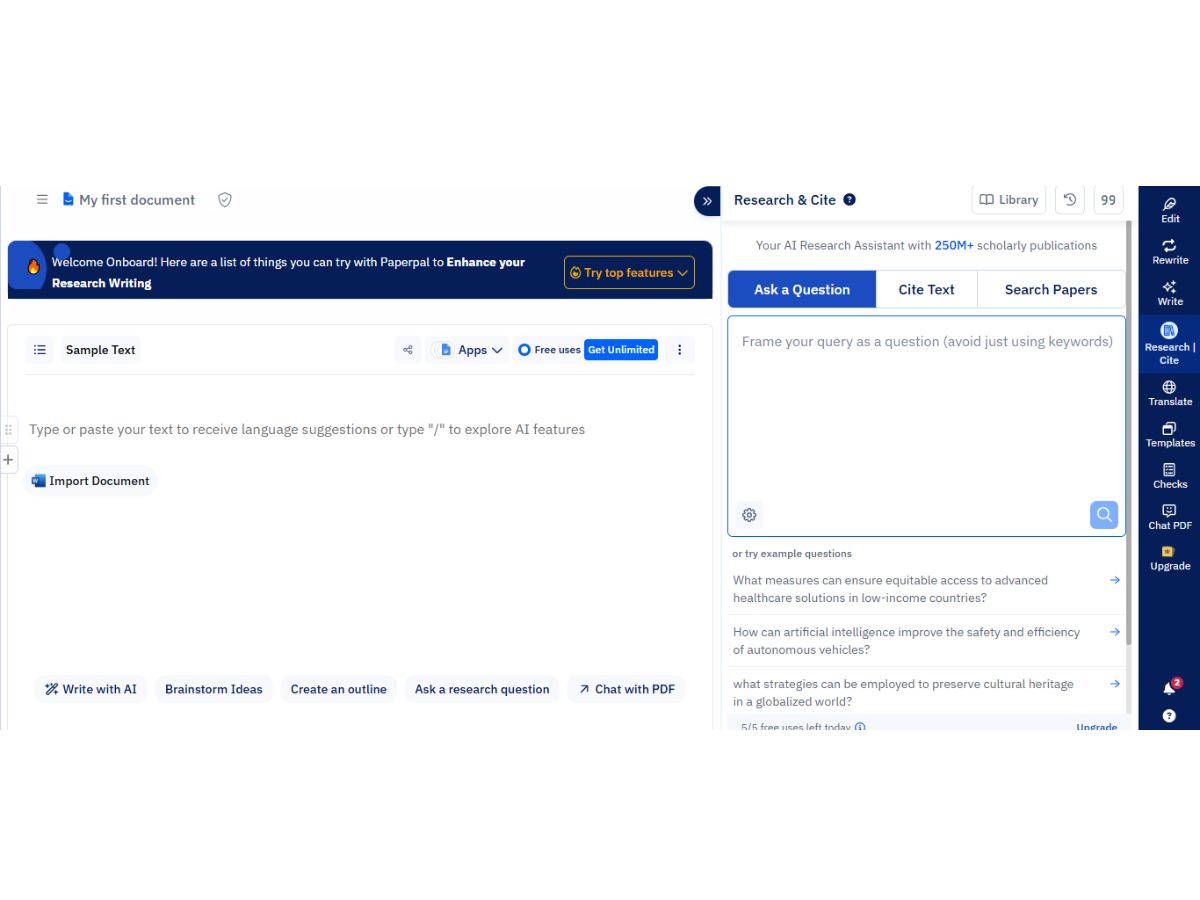
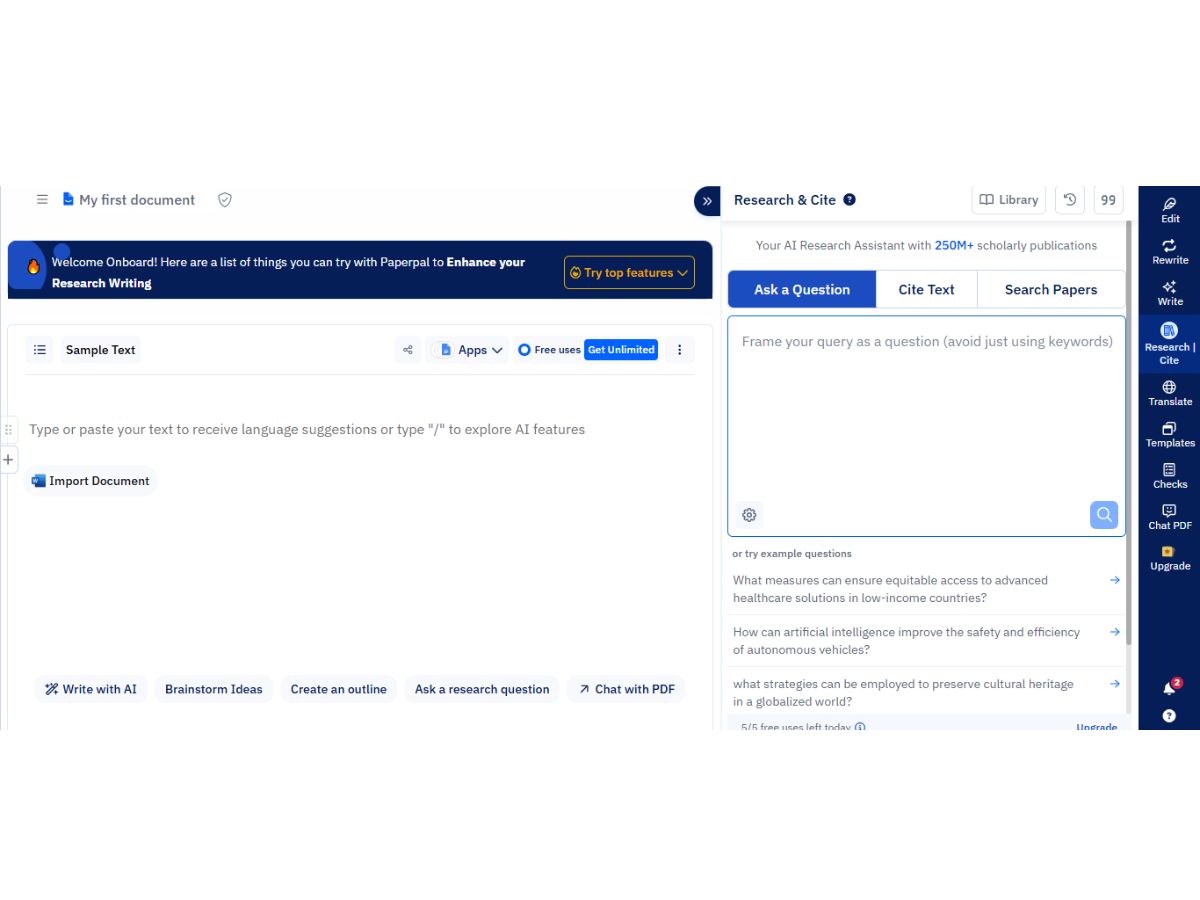
  • icon_check Citation Generation
    Automatically formats references in over 10,000 styles, including APA, MLA, and Chicago.
  • icon_check Custom Prompts
    Features 'Paperpal Write' which takes user instructions to expand or refine specific sections of text.
  • icon_check Citation Suggestions
    Suggests relevant research papers from a database of 250M+ articles to support claims in the text.
  • icon_check AI Content Generation
    Capable of generating specific academic sections like abstracts, summaries, and study highlights.
  • icon_check Summarization
    Condenses long text into clear, concise summaries.

Administrative Features

  • icon_check Team Management
    Admins can manage document access, assign View-only or Edit rights, and revoke collaborator permissions at any time.
  • icon_check Data Loss Prevention
    Robust measures ensure data is confidential, encrypted, and never stored for training external AI models.
  • icon_check User Access Management
    Owners control document visibility and edit permissions through a centralized secure sharing interface.
  • icon_check Role-Based Access Control (RBAC)
    Implements basic permission levels (Owner, Editor, Viewer) to manage collaborative document security.
  • icon_check API Access
    Enables access to core features via API for flexibility.
Paperpal Demo Video play icon

Get Paperpal Demo

Watch the demo video to explore key features, real workflows, and how the software fits your business needs.

Understand
Key Features
Personal
Demo Insights
Interactive
Demo Support

Paperpal Specifications

Supported Platforms
Ubuntu Ubuntu Windows Windows MacOS MacOS Linux Linux
Devices
Desktop Desktop
Deployment
Cloud-Based Cloud-Based
Suitable For
All Industries
Business Specific
All Businesses
Business Size
Individual Small Business Freelancers
Customer Support
Email Communities
Language
English
Training Resources
Videos
AI Features
AI Integrated

Paperpal Review

Techjockey Trusted Reviews from Verified Users

No reviews are currently available for Paperpal. Discover similar AI Writing Assistants reviews

  • WordAi

    4.8

    Whats great - I've been using WordAi for the last 2 months. Being a professional blogger and running my own business, I've seen the need fo... read more

  • LongShot

    4.4

    Whats great - Compared to many AI writing tools with fewer features, LongShot gives great value. SEO tools, fact checking, niche templates ... read more

  • Jenni AI

    4.2

    Whats great - I can highlight text and get smart suggestions to expand it. read more

Terms and Condtions

close

Users with registered businesses can purchase goods from merchants on the platform to satisfy their business needs. Users are not permitted to utilize any products acquired through the platform for resale, advertising, business, or further distribution.

For each purchase made, users will receive a Tax Invoice (or 'GST invoice') that includes specific details such as:

  • the GSTIN of the user associated with their registered business, and

  • the specified Entity Name for their business.

It should be noted that not all products are eligible for GST Invoice. Only the products displayed by participating sellers with the 'GST-based Invoice Available' callout on the product description page would qualify.

Certain goods and services are not eligible to get a GST Invoice, including items with VAS, i.e., Value Added Services (e.g., Total Mobile Protection/Assured Buyback) and those involving an exchange offer at the time of purchase.

Users must ensure the accuracy of the GSTIN, and business entity name provided for the GST Invoice. Requests for corrections into GST Invoice would not be accommodated by Techjockey.com or any Seller, and any issues arising from user-provided information are the sole responsibility of users.

Techjockey.com is not liable for the GST Invoice or any associated input tax credit. To efficiently claim an input tax credit, users should select the registered place of business address as per the GST authority's data and follow the provisions of the GST Act and rules.

To claim an input tax credit, the delivery and billing addresses must match. Furthermore, input tax credits will not be granted if the delivery address and GSTIN on the invoice are from different states. In case of incorrect GST details provided during the order placement, the order will be canceled automatically.

20,000+ Software Listed 20,000+ Software Listed

Best Price Guaranteed Unbiased Comparison

Free Expert Consultation Read Authentic Reviews

2M+ Happy Customers 500,000+ Monthly Users