linkedin
Pixelbin logo
play Introducing PixelBin to Unleash the Full Potential of Your Digital Assets
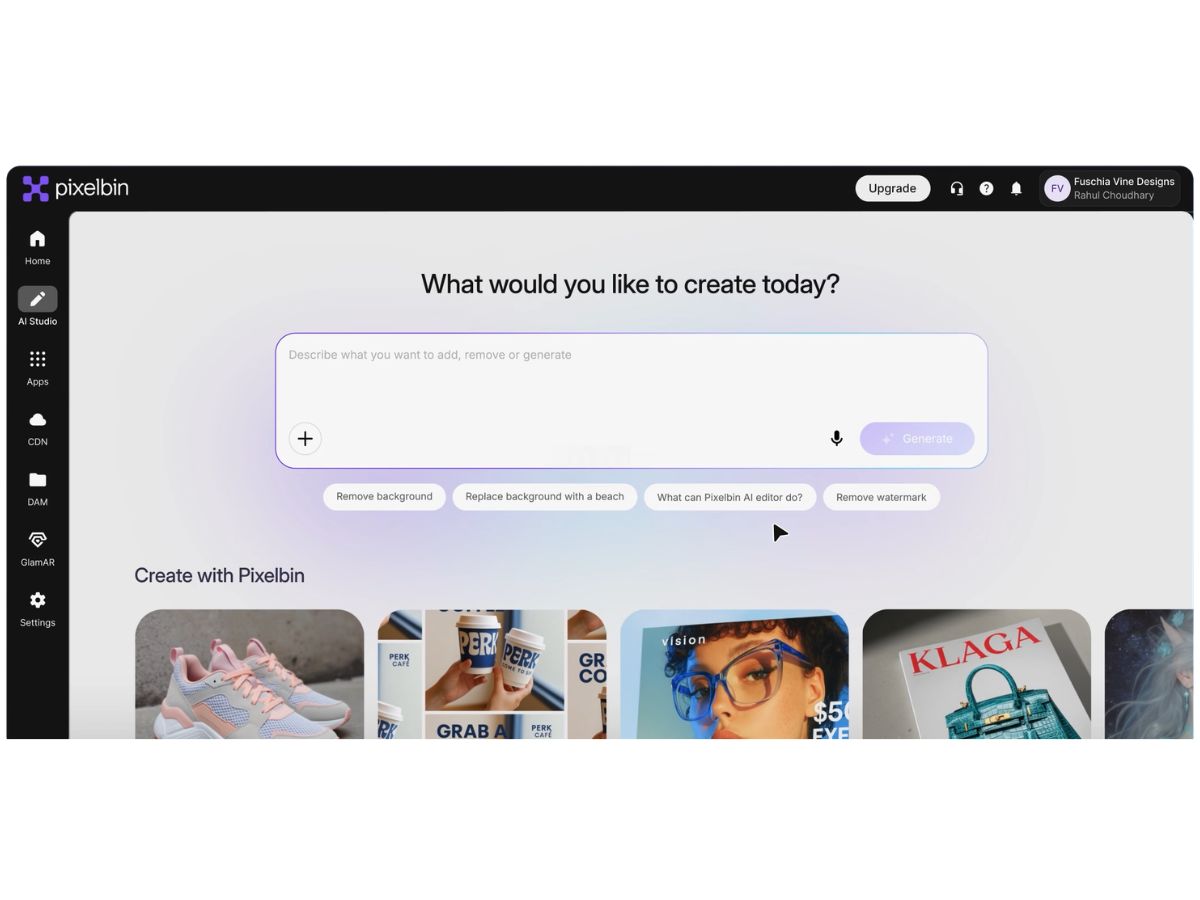
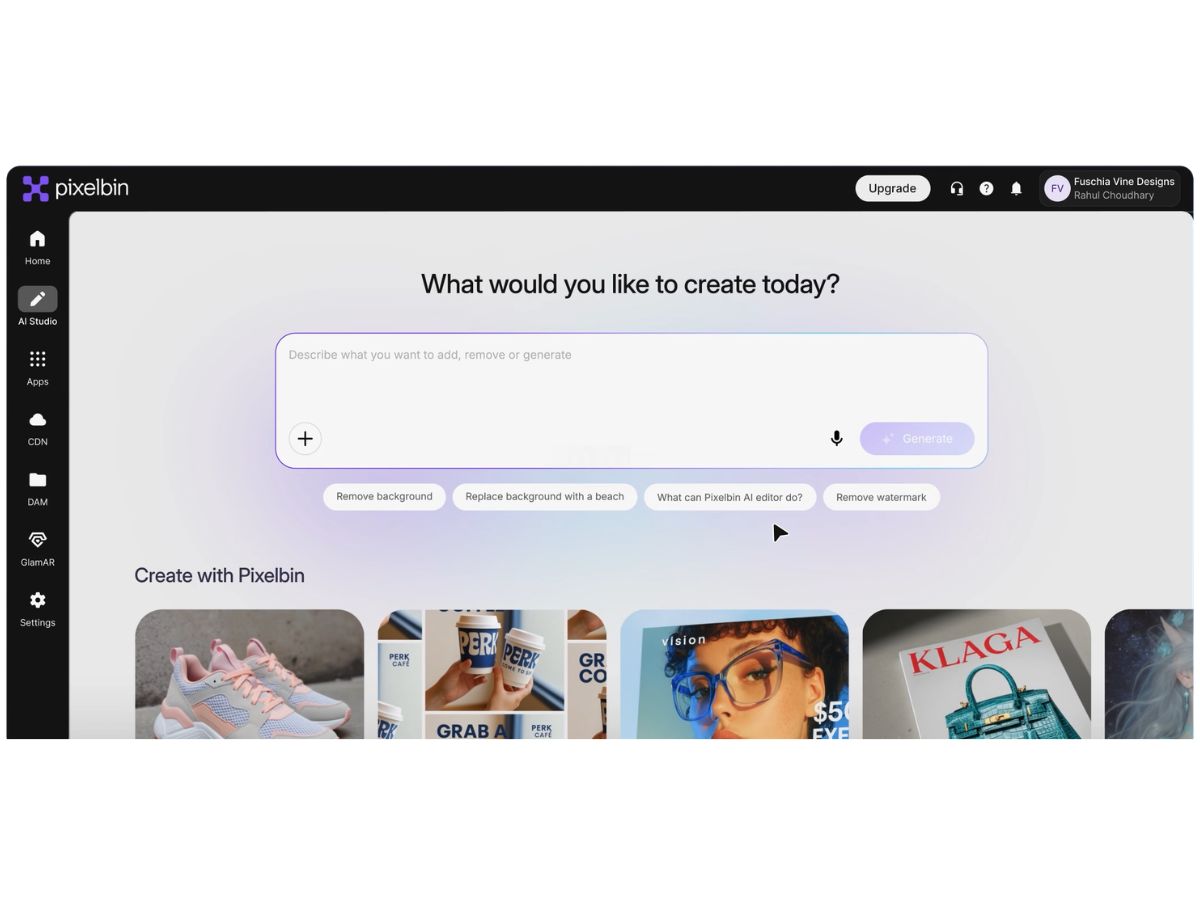
Pixelbin-dashboard
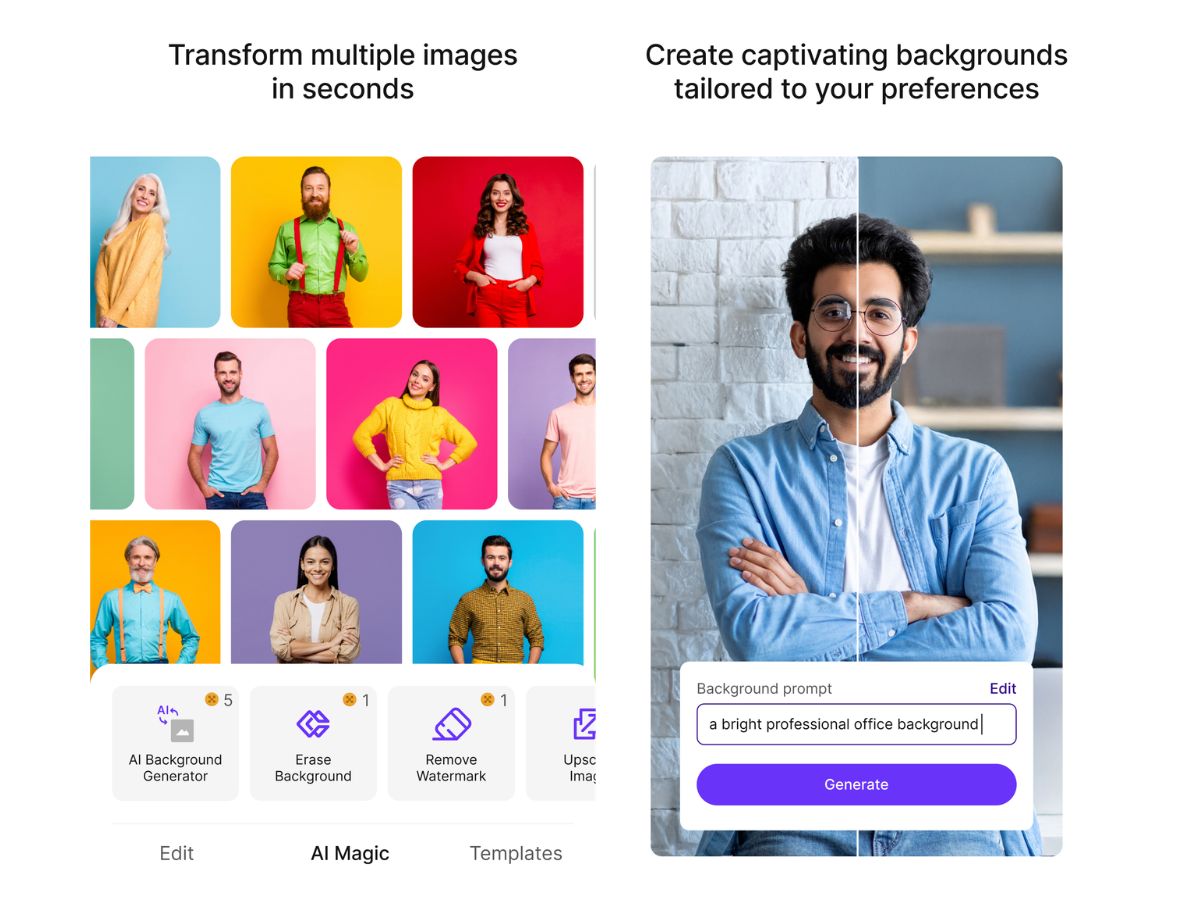
Pixelbin-enhance

Pixelbin

Brand: Shopsense Retail Technologies

  • No Ratings & Reviews

Have you used Pixelbin before?

Share your insights for better experience

Add a Review
Starting Price
$10

View plans

100% Genuine
Products
Best Price
Guaranteed
Safe & Secure
Payment
  • Description

  • Pricing

  • Features

  • Specification

  • Review

Starting at $10.00

Pixelbin Software Overview

Shopsense Retail Technologies Company Details

Founded Year:  2012

Cloud Computing

Director/Founders Farooq Adam, Harsh Shah, Sreeraman Mohan Girija
Company Size 101-500 Employees

Pixelbin Pricing & Plans

Creator
Starting at $10
    • Licenses

      Licenses
      Licenses
    • Monthly

      Monthly
      Monthly

Key Features

  • 150 credits/month

  • 75 NanoBanana Pro images

  • 20 Seedance Lite videos

  • All image and video models

Lite
Starting at $20
    • Licenses

      Licenses
      Licenses
    • Monthly

      Monthly
      Monthly

Key Features

  • 300 credits/month

  • 150 NanoBanana Pro images

  • 40 Seedance Lite videos

  • All image and video models

Pro
Starting at $45
    • Licenses

      Licenses
      Licenses
    • Monthly

      Monthly
      Monthly

Key Features

  • 1000 credits/month

  • 500 NanoBanana Pro images

  • 133 Seedance Lite videos

  • All image and video models

Pixelbin Features

  • icon_check AI Image Editing
    Edit images using AI prompts to remove objects, adjust colors, or modify backgrounds quickly without design skills
  • icon_check Background Removal
    Automatically removes image backgrounds with precise edge detection, ideal for product photos and marketing visuals
  • icon_check Image Optimization
    Compresses and optimizes images for faster web delivery while maintaining high visual quality across devices
  • icon_check Bulk Image Processing
    Processes large batches of images simultaneously, saving time for businesses managing high-volume media assets
  • icon_check Photo Resizing
    Dynamically resizes images for different screen sizes and platforms without losing clarity or performance
  • icon_check Format Conversion
    Converts images into modern formats like WebP or AVIF to improve loading speed and compatibility across browsers
  • icon_check AI Object Removal
    Detects and removes unwanted objects or elements from images seamlessly using intelligent AI-based tools
  • icon_check Watermark Remover
    Eliminates watermarks from images and documents while preserving image quality and visual consistency
  • icon_check Image Upscaling
    Enhances image resolution using AI to make low-quality visuals sharper and suitable for high-definition displays
  • icon_check Digital Asset Management
    Organizes, stores, and retrieves media assets efficiently through a centralized cloud-based asset library system
  • icon_check API Integration
    Provides robust APIs for developers to automate image processing workflows and integrate into applications easily
  • icon_check Text-to-Image Generation
    Generates new images from text prompts using AI, helping users create visuals without design experience
  • icon_check Image Cropping
    Allows precise cropping of images to focus on key areas and fit different layout or platform requirements easily
  • icon_check Color Adjustment
    Adjust brightness, contrast, saturation, and tones automatically or manually to enhance image aesthetics
  • icon_check Real-Time Previews
    Offers instant preview of edits and transformations, allowing users to see results before finalizing changes
Pixelbin Demo Video play icon

Get Pixelbin Demo

Watch the demo video to explore key features, real workflows, and how the software fits your business needs.

Understand
Key Features
Personal
Demo Insights
Interactive
Demo Support

Pixelbin Specifications

Supported Platforms
Windows Windows iOS iOS Android Android MacOS MacOS Linux Linux
Devices
Desktop Desktop Mobile Mobile Tablet Tablet iPad iPad
Deployment
Cloud-Based Cloud-Based
Suitable For
All Industries
Business Specific
All Businesses
Business Size
Individual Small Business Startups Medium Business Enterprises SMBs SMEs MSMEs Freelancers
Customer Support
Email Live Chat
Language
English
Integration
API Integration
Training Resources
Documentation Videos
AI Features
AI Integrated
Technology
Next Generation

Pixelbin Review

Techjockey Trusted Reviews from Verified Users

No reviews are currently available for Pixelbin. Discover similar Photo Editing Software reviews

  • Canva

    4.3

    Whats great - I enjoy how quickly and simply one can choose the template and begin tweaking. read more

  • Adobe Photoshop

    4.6

    Whats great - What I love most about Adobe Photoshop is its amazing editing capabilities. It's versatile, not just for photos but also for ... read more

  • Luminar Neo

    4.9

    Whats great - The interface is clean and easy to get around, so I’m not wasting time looking for tools. Sky AI, Relight AI, and portrait to... read more

Terms and Condtions

close

Users with registered businesses can purchase goods from merchants on the platform to satisfy their business needs. Users are not permitted to utilize any products acquired through the platform for resale, advertising, business, or further distribution.

For each purchase made, users will receive a Tax Invoice (or 'GST invoice') that includes specific details such as:

  • the GSTIN of the user associated with their registered business, and

  • the specified Entity Name for their business.

It should be noted that not all products are eligible for GST Invoice. Only the products displayed by participating sellers with the 'GST-based Invoice Available' callout on the product description page would qualify.

Certain goods and services are not eligible to get a GST Invoice, including items with VAS, i.e., Value Added Services (e.g., Total Mobile Protection/Assured Buyback) and those involving an exchange offer at the time of purchase.

Users must ensure the accuracy of the GSTIN, and business entity name provided for the GST Invoice. Requests for corrections into GST Invoice would not be accommodated by Techjockey.com or any Seller, and any issues arising from user-provided information are the sole responsibility of users.

Techjockey.com is not liable for the GST Invoice or any associated input tax credit. To efficiently claim an input tax credit, users should select the registered place of business address as per the GST authority's data and follow the provisions of the GST Act and rules.

To claim an input tax credit, the delivery and billing addresses must match. Furthermore, input tax credits will not be granted if the delivery address and GSTIN on the invoice are from different states. In case of incorrect GST details provided during the order placement, the order will be canceled automatically.

20,000+ Software Listed 20,000+ Software Listed

Best Price Guaranteed Unbiased Comparison

Free Expert Consultation Read Authentic Reviews

2M+ Happy Customers 500,000+ Monthly Users