linkedin
RollBack Rx logo
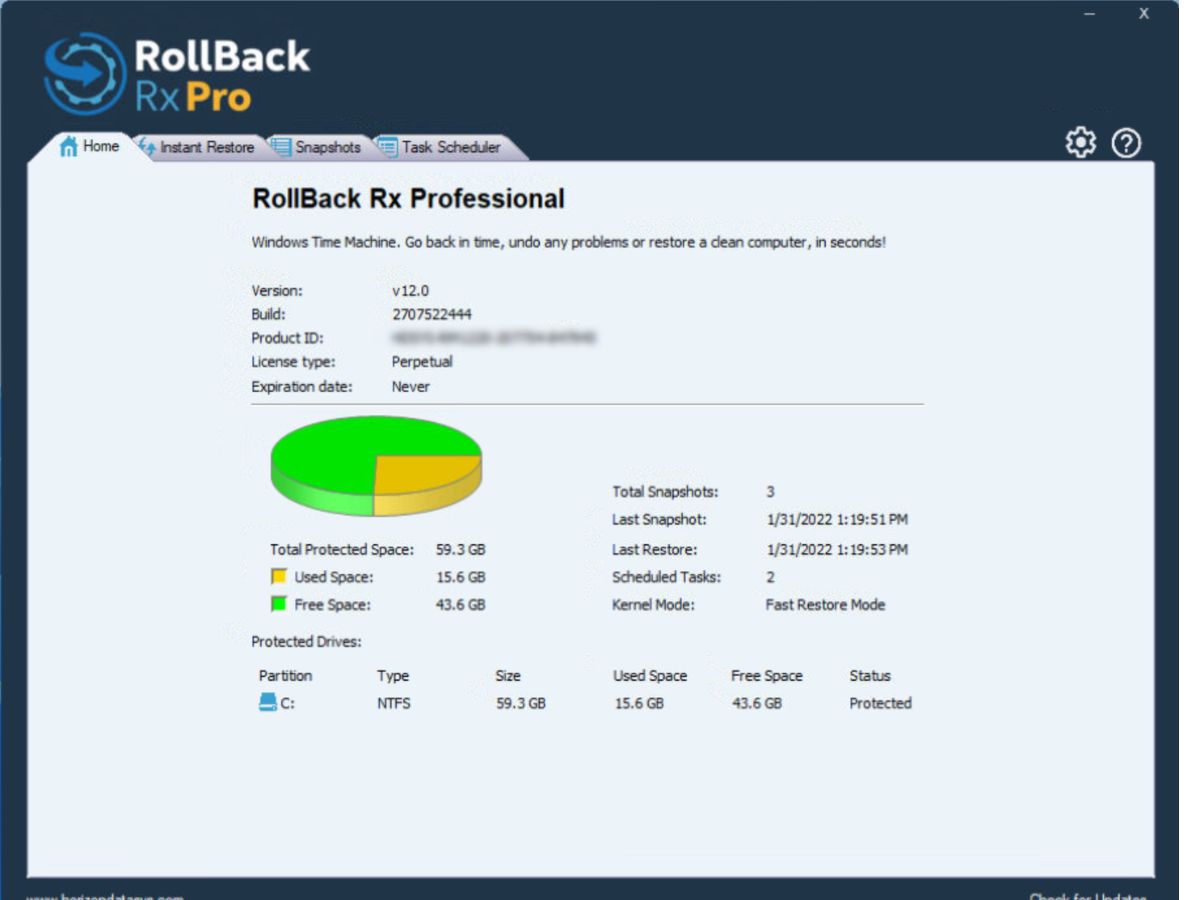
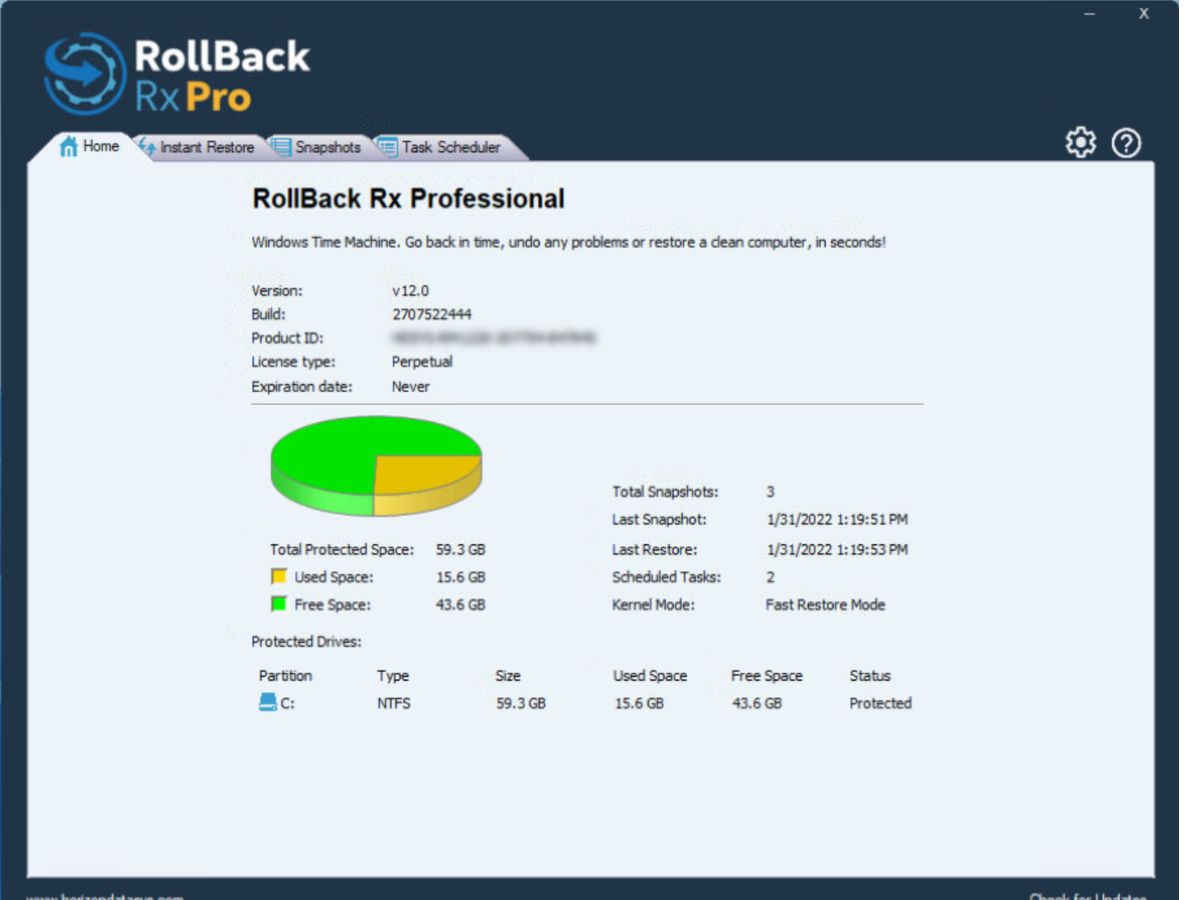
rollback-rx-analysis
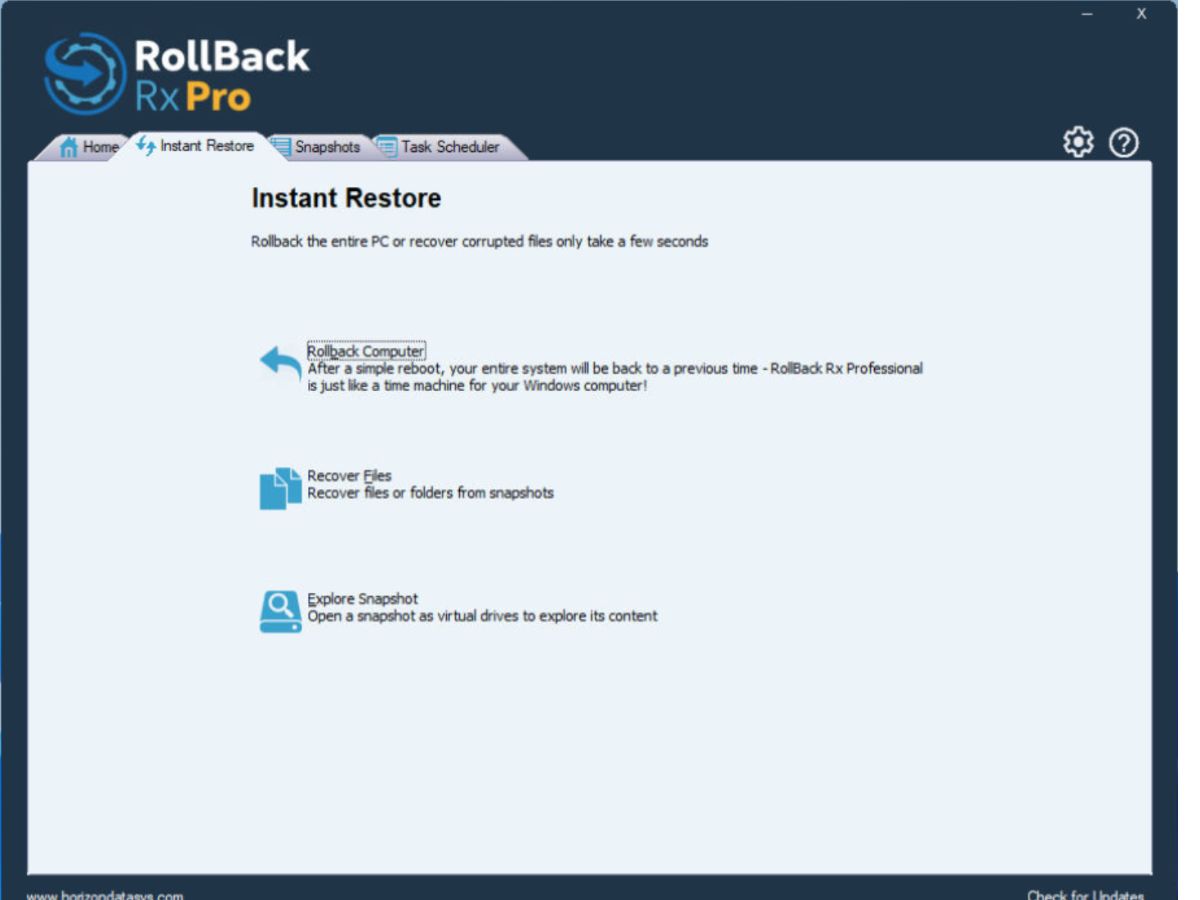
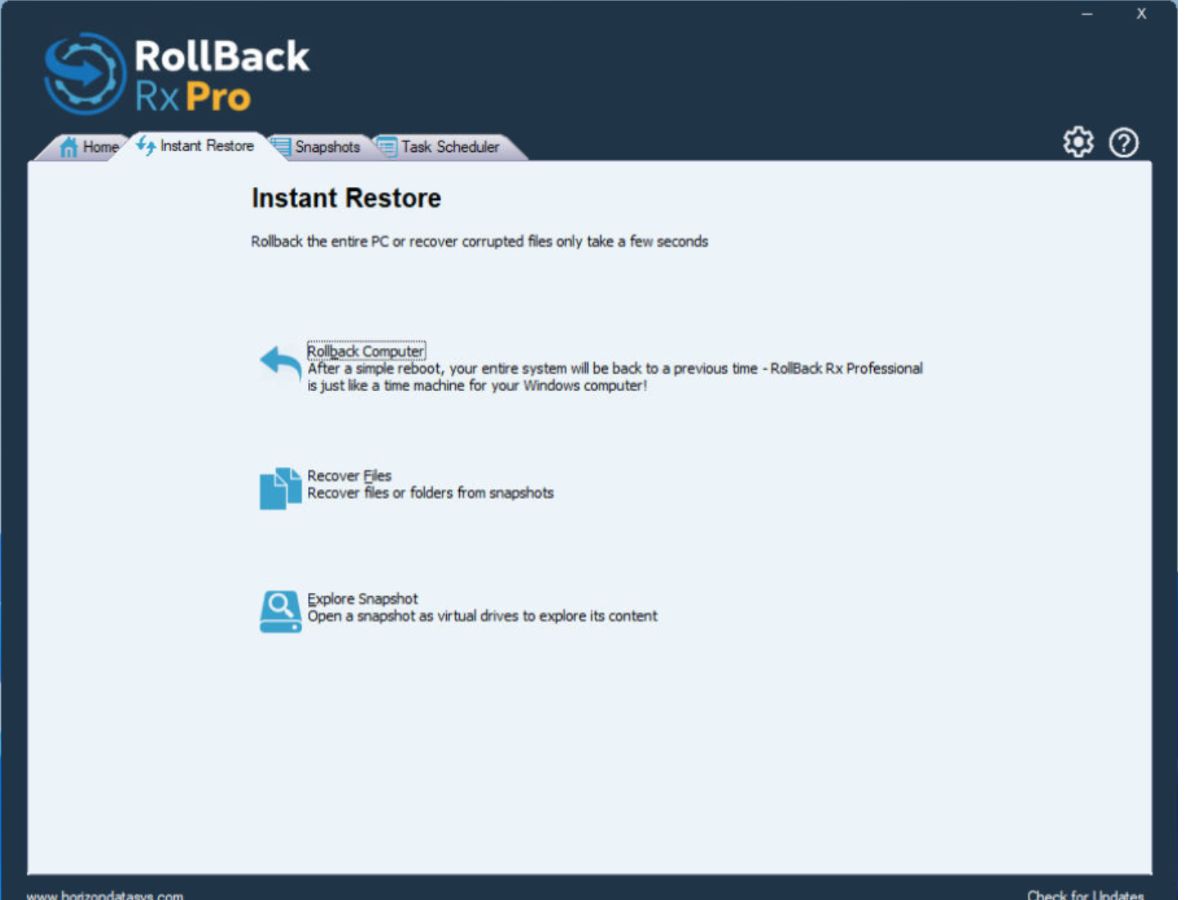
rollback-rx-restore
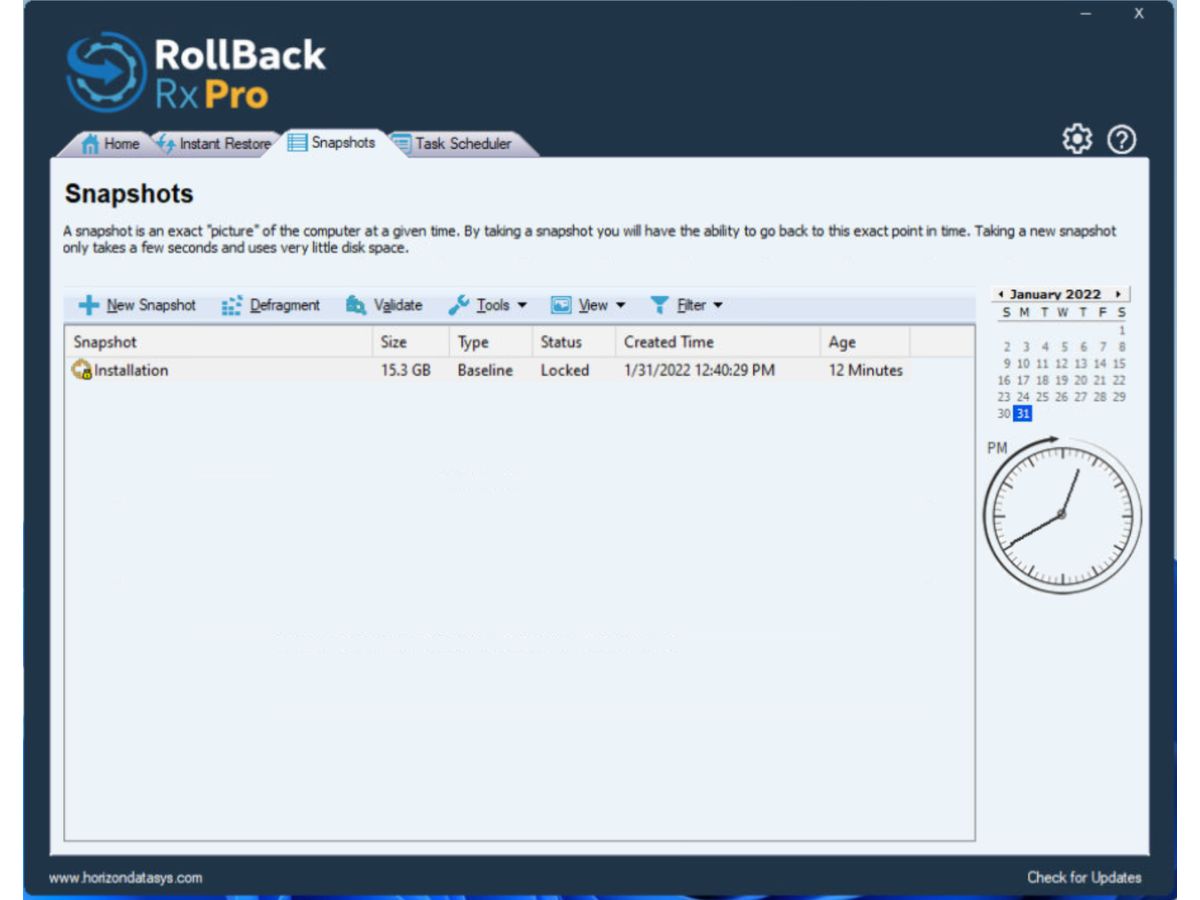
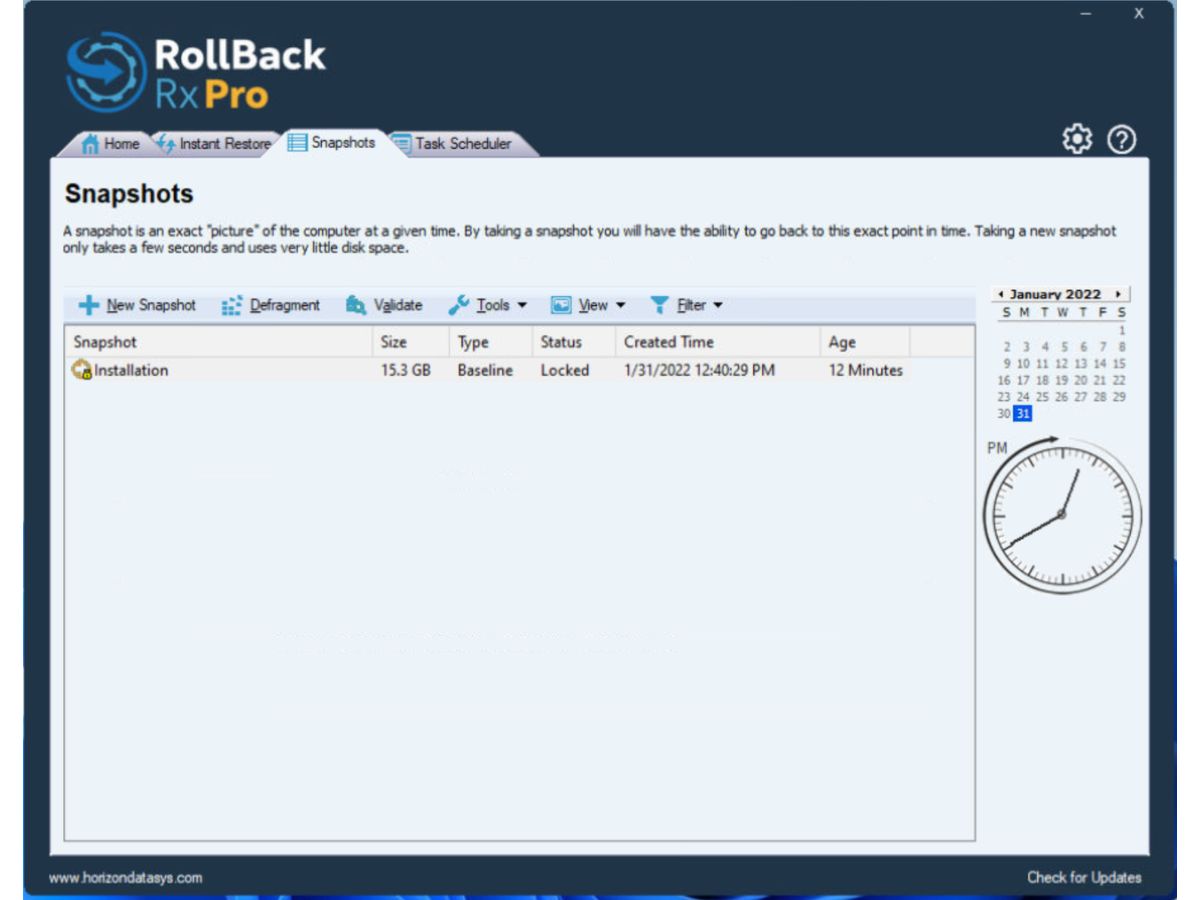
rollback-rx-snapshots

RollBack Rx

Brand: Horizon DataSys

  • 4.2

  • 5 Ratings

Have you used RollBack Rx before?

Share your insights for better experience

Add a Review
Starting Price
AED354

View plans

100% Genuine
Products
Best Price
Guaranteed
Safe & Secure
Payment
  • Description

  • Pricing

  • Features

  • Specification

  • Review

Starting at AED353.88

RollBack Rx Software Overview

Horizon DataSys Company Details

Founded Year:  1998

Horizon DataSys is a leading provider of system restore and endpoint cybersecurity solutions, helping schools, businesses, and IT professionals protect and maintain Windows PCs with instant recovery technology.

Director/Founders Horizon DataSys Corporation
Company Size 1-100 Employees

RollBack Rx Pricing & Plans

RollBack Rx Pro Single License (v12)
Key Features
  • Ransomware Protection
  • Data Loss Prevention
  • Partition Recovery
  • Hierarchy & Access Management
  • Accidental File Recovery
  • Deleted File Recovery
  • Incremental Backup and Restore
  • Email Backup and Recovery
Starting at AED353.88
    • Quantity

      Quantity
      Quantity

Key Features

  • Ransomware Protection

  • Data Loss Prevention

  • Partition Recovery

  • Hierarchy & Access Management

  • Accidental File Recovery

  • Deleted File Recovery

  • Incremental Backup and Restore

  • Email Backup and Recovery

RollBack Rx Features

Core Data Recovery

  • icon_check Partition Recovery
    Restores data from lost or deleted partitions.
  • icon_check Accidental File Recovery
    Recovers files accidentally deleted, including those from Recycle Bin or Trash.
  • icon_check Corrupted or Damaged File Recovery
    Recovers files from damaged or corrupted storage media (e.g., system crashes, file corruption).
  • icon_check Deleted File Recovery
    Recovers lost files, even after permanent deletion or emptying of the Recycle Bin.
  • icon_check Formatted Drive Recovery
    Restores data from drives or partitions that were accidentally formatted.
  • icon_check RAW Partition Data Recovery
    Recover data from drives or partitions that show as RAW or unformatted due to damage.
  • icon_check Recovery from External Devices
    Support for USB drives, SD cards, external hard drives, digital cameras, and other portable devices.
  • icon_check Cloud Data Recovery
    Includes iCloud, Google Drive, OneDrive, and other cloud storage recovery.

Backup & Restore Capabilities

  • icon_check Full System Backup and Restore
    Perform complete system backups and restore them in case of failure.
  • icon_check Incremental Backup and Restore
    Ability to back up only changed data to save space and time.
  • icon_check Email Backup and Recovery
    Back up and restore emails, email attachments, calendar events, and contacts.
  • icon_check Factory Recovery Partition Backup
    Ability to back up and restore the system recovery partition.
  • icon_check Data Replication
    Ensure seamless data duplication across devices or systems for backup, recovery, and disaster management.
  • icon_check Cloud Native Backups
    Seamless integration for cloud storage backup and recovery.
  • icon_check Mobile App Data Backup and Recovery
    Restore specific app data, including WhatsApp, WeChat, and SMS messages.

Security

  • icon_check Ransomware Protection
    Detects and protects against ransomware and other malware that can affect data integrity.
  • icon_check Encrypted Data Recovery
    Recover encrypted files, including those protected with BitLocker or other encryption software.
  • icon_check Data Compliance and Governance
    Ensure that recovered data meets compliance standards for specific industries (e.g., GDPR, HIPAA).
  • icon_check Secure Data Wiping
    Permanently delete files with no chance of recovery, ensuring sensitive data is erased securely.
  • icon_check Password Recovery
    Recover lost or forgotten passwords for encrypted files, email accounts, or system logins.
  • icon_check Advanced Threat Detection
    Safeguards recovery processes from ransomware, malware, and other security threats.

Recovery for Different Devices and Platforms

  • icon_check Virtual Machine Recovery
    Recover data from virtual machines (VMware, Hyper-V, etc.).
  • icon_check Mobile Device Data Recovery
    Support for Android and iOS devices, including SMS, contacts, photos, and app data (WhatsApp, WeChat).
  • icon_check Windows and macOS Compatibility
    Full compatibility with Windows and macOS systems for cross-platform recovery.
  • icon_check Cross-Platform Data Recovery
    Recover data across platforms (e.g., recover NTFS drives on Mac, or recover Mac drives on Windows).
  • icon_check Rooting Error Recovery
    Recover data or fix issues caused by failed rooting attempts on Android or similar devices.

File and Media Recovery

  • icon_check Media File Recovery
    Specialized recovery for media files (photos, videos, music).
  • icon_check Document and Email Recovery
    Recover documents, emails, and email attachments.
  • icon_check Preview Files Before Recovery
    See a preview of files before performing the recovery to ensure correctness.
  • icon_check Batch Recovery
    Recover multiple files at once with batch processing for convenience.
  • icon_check Multimedia File Repair
    Repair corrupted photos, videos, or audio files during recovery.
  • icon_check SD Card and USB Recovery
    Support for SD card recovery and recovery from USB drives.
  • icon_check Photo Recovery with Editing Tools
    Basic photo editing features such as color correction, red-eye removal, cropping, and more, for recovered images.
  • icon_check Automatic Device Detection
    Automatically detects connected devices for recovery (e.g., USB, external drives).

Data Protection and Compliance

  • icon_check Data Loss Prevention
    Prevent data loss by maintaining up-to-date backups and secure recovery methods.
  • icon_check Hierarchy & Access Management
    Manage user roles, permissions, and access for secure data recovery and protection.
  • icon_check Comprehensive Backup and Protection
    Regular data backups to prevent future data loss.
  • icon_check Disaster Recovery Plans
    Create and manage disaster recovery plans for system-wide data protection and restoration.
  • icon_check Legal and Compliance-Based Data Recovery
    Ensure that data recovery meets compliance standards such as GDPR, HIPAA, or eDiscovery requirements.
  • icon_check Data Migration
    Transfer data securely from one platform or device to another without loss.
  • icon_check Data Residency Enforcement
    Maintain data within specified geographic locations to meet compliance and legal requirements.

Advanced Features

  • icon_check Selective Recovery
    Choose specific files or folders to recover based on your preferences (e.g., recover only photos or documents).
  • icon_check Smart Scanning
    Intelligent scanning algorithms that adapt to different file systems and improve scan accuracy and recovery speed.
  • icon_check Deep Scan
    A thorough scan that deeply analyzes the storage device to recover lost or hidden files that are not visible during a quick scan.
  • icon_check Quick Scan
    A faster scan for recently deleted files and recoverable data.
  • icon_check Advanced Scan Algorithms
    Powerfully detects and recovers hidden or deeply buried files, using complex scanning methods.
  • icon_check Filter by File Type
    Filter files by type (photos, videos, emails, etc.) for more targeted recovery.
  • icon_check Secure OST Converter
    Convert OST files to multiple formats like PST securely while preserving data integrity.

RollBack Rx Specifications

Supported Platforms
Windows Windows
Devices
Desktop Desktop
Deployment
Perpetual Perpetual
Suitable For
All Industries
Business Specific
All Businesses
Business Size
Individual Small Business Startups Medium Business SMBs SMEs MSMBs MSMEs
Customer Support
Phone Email Communities
Language
English
Training Resources
Videos

RollBack Rx Review

4.2

Out of 5

img

Overall Rating

Based on
5 Verified Ratings

Rating Breakdown

  • Features 4.4
  • Value for Money 4.2
  • Ease of Use 4.4
  • Customer Support 4

80% Recommend this Product

Add Review

Be the First to Review

This product has no reviews yet. Be the first to leave your feedback.

Add Review

Terms and Condtions

close

Users with registered businesses can purchase goods from merchants on the platform to satisfy their business needs. Users are not permitted to utilize any products acquired through the platform for resale, advertising, business, or further distribution.

For each purchase made, users will receive a Tax Invoice (or 'GST invoice') that includes specific details such as:

  • the GSTIN of the user associated with their registered business, and

  • the specified Entity Name for their business.

It should be noted that not all products are eligible for GST Invoice. Only the products displayed by participating sellers with the 'GST-based Invoice Available' callout on the product description page would qualify.

Certain goods and services are not eligible to get a GST Invoice, including items with VAS, i.e., Value Added Services (e.g., Total Mobile Protection/Assured Buyback) and those involving an exchange offer at the time of purchase.

Users must ensure the accuracy of the GSTIN, and business entity name provided for the GST Invoice. Requests for corrections into GST Invoice would not be accommodated by Techjockey.com or any Seller, and any issues arising from user-provided information are the sole responsibility of users.

Techjockey.com is not liable for the GST Invoice or any associated input tax credit. To efficiently claim an input tax credit, users should select the registered place of business address as per the GST authority's data and follow the provisions of the GST Act and rules.

To claim an input tax credit, the delivery and billing addresses must match. Furthermore, input tax credits will not be granted if the delivery address and GSTIN on the invoice are from different states. In case of incorrect GST details provided during the order placement, the order will be canceled automatically.

21,000+ Software Listed 21,000+ Software Listed

Best Price Guaranteed Unbiased Comparison

Free Expert Consultation Read Authentic Reviews

5M+ Happy Customers 500,000+ Monthly Users