linkedin
Securly logo
play Securly Classroom
securly classroom-dashboard
securly classroom-lessons

Securly

Brand: Securly

  • No Ratings & Reviews

Have you used Securly before?

Share your insights for better experience

Add a Review

Price Available on Request

Questions about pricing or customization? We’re here to help, just a click away.

100% Genuine
Products
Best Price
Guaranteed
Safe & Secure
Payment
  • Description

  • Pricing

  • Features

  • Specification

  • Review

Securly Software Overview

Securly Company Details

Founded Year:  2012

Securly is the student safety and wellness company dedicated to helping K-12 schools protect students, support wellbeing, and enable meaningful learning.

Director/Founders Bharath Madhusudan, Nikita Chikate, Vinay Mahadik
Company Size 101-500 Employees

Securly Pricing & Plans

Looking for The Right Pricing?

Share your requirements and get a plan built around your business.

  • Define your business needs
  • Get customised pricing
  • Choose features that fit your workflow

Price Available on Request

Get personalised Securly pricing that fits your needs. Our team will connect with you.

Securly Features

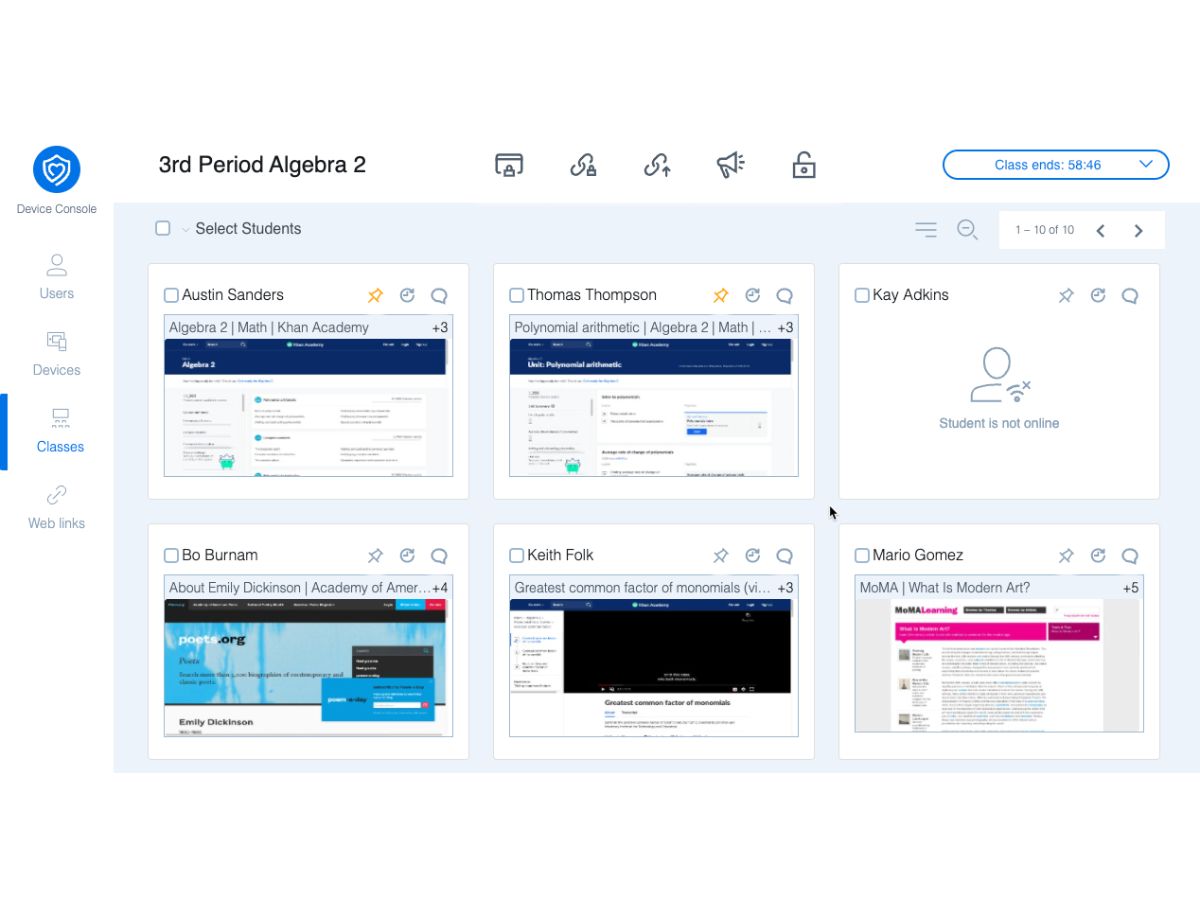
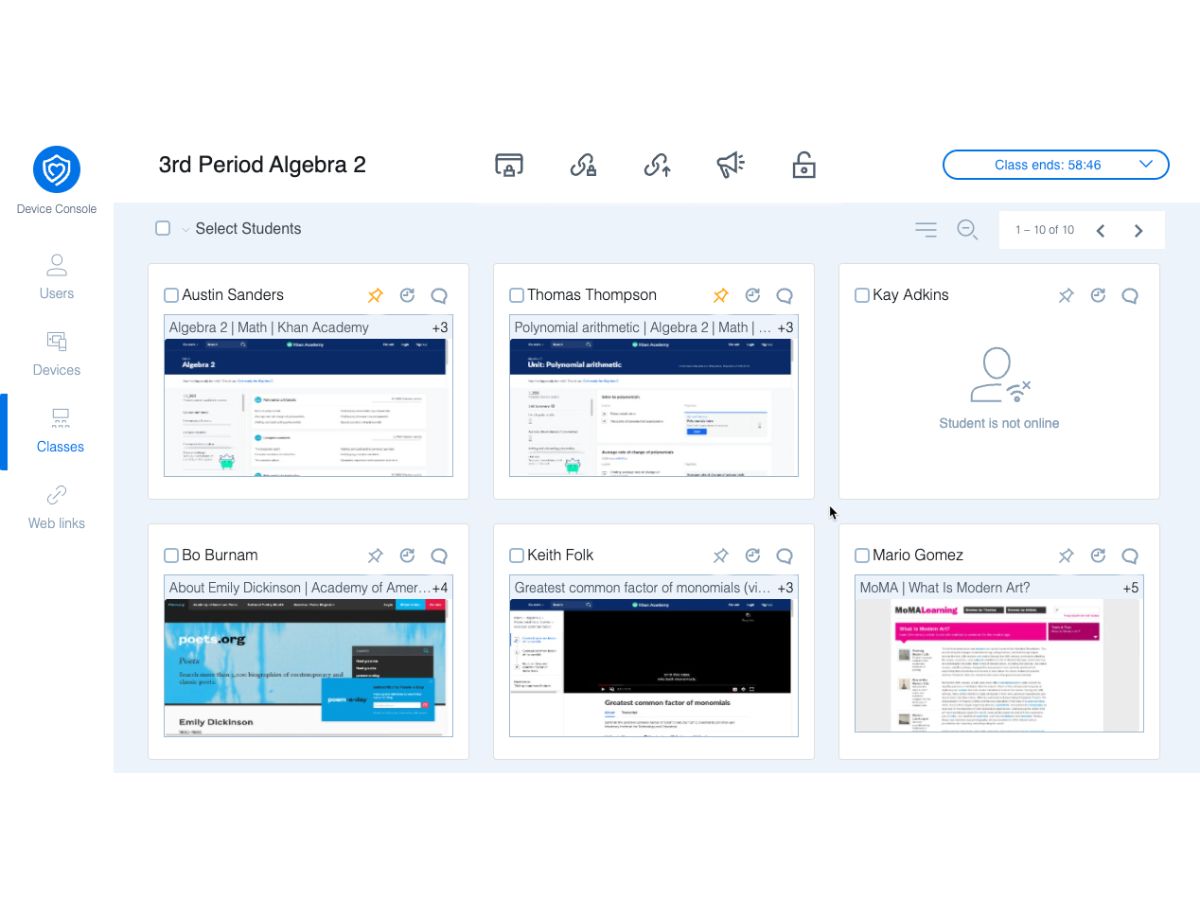
  • icon_check Student Screen Monitoring
    View student device screens in real time during class to track activity, monitor engagement, and identify off-task behavior
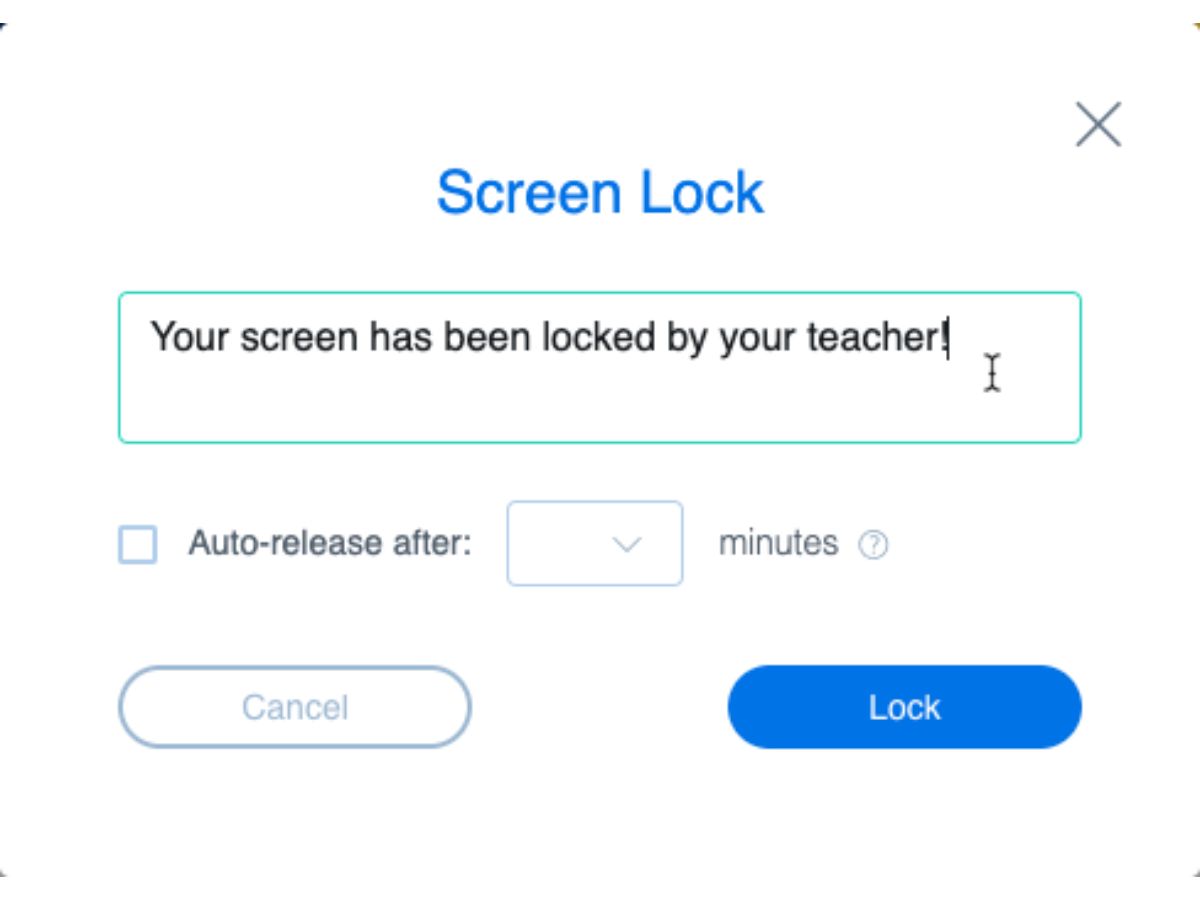
  • icon_check Screen Lock
    Lock student device screens with a custom message to pause activity, gain attention, or prevent device usage during instruction
  • icon_check Tab and App Control
    Close browser tabs or applications on student devices to stop distractions and keep students focused on assigned tasks.
  • icon_check Screen Sharing
    Share teacher screen or a browser tab with students to present lessons, demonstrations, or instructions during class sessions.
  • icon_check Website Blocking
    Block specific websites during class sessions to prevent access to distracting or unauthorized content on student devices.
  • icon_check Browsing History View
    View records of student browsing activity during or after class sessions for monitoring usage and reviewing activity history.
  • icon_check Private Chats
    Communicate with individual students through one-to-one chat for assistance, instructions, or classroom communication logs.
  • icon_check Live Student Connect
    Start one-to-one video or voice calls with remote students for support, instruction, or direct communication during class.
  • icon_check Student Grouping
    Create student groups within a class to manage activities, instruction, or monitoring separately for different student groups.
  • icon_check Shared Block Lists
    Create and share lists of blocked or allowed websites and applications with other teachers for consistent classroom control.
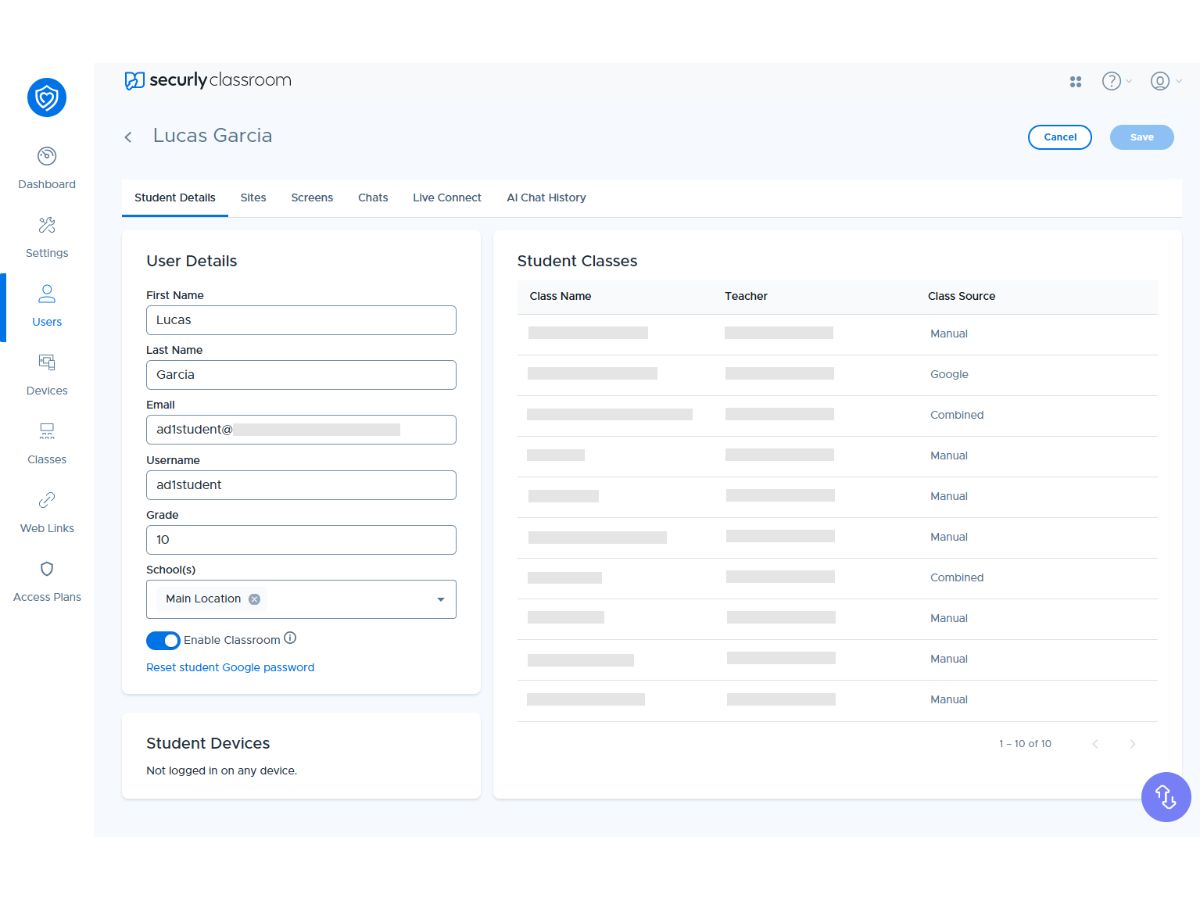
  • icon_check Teacher Management
    Assign substitute teachers and manage their classroom permissions so they can control classes during teacher absence.
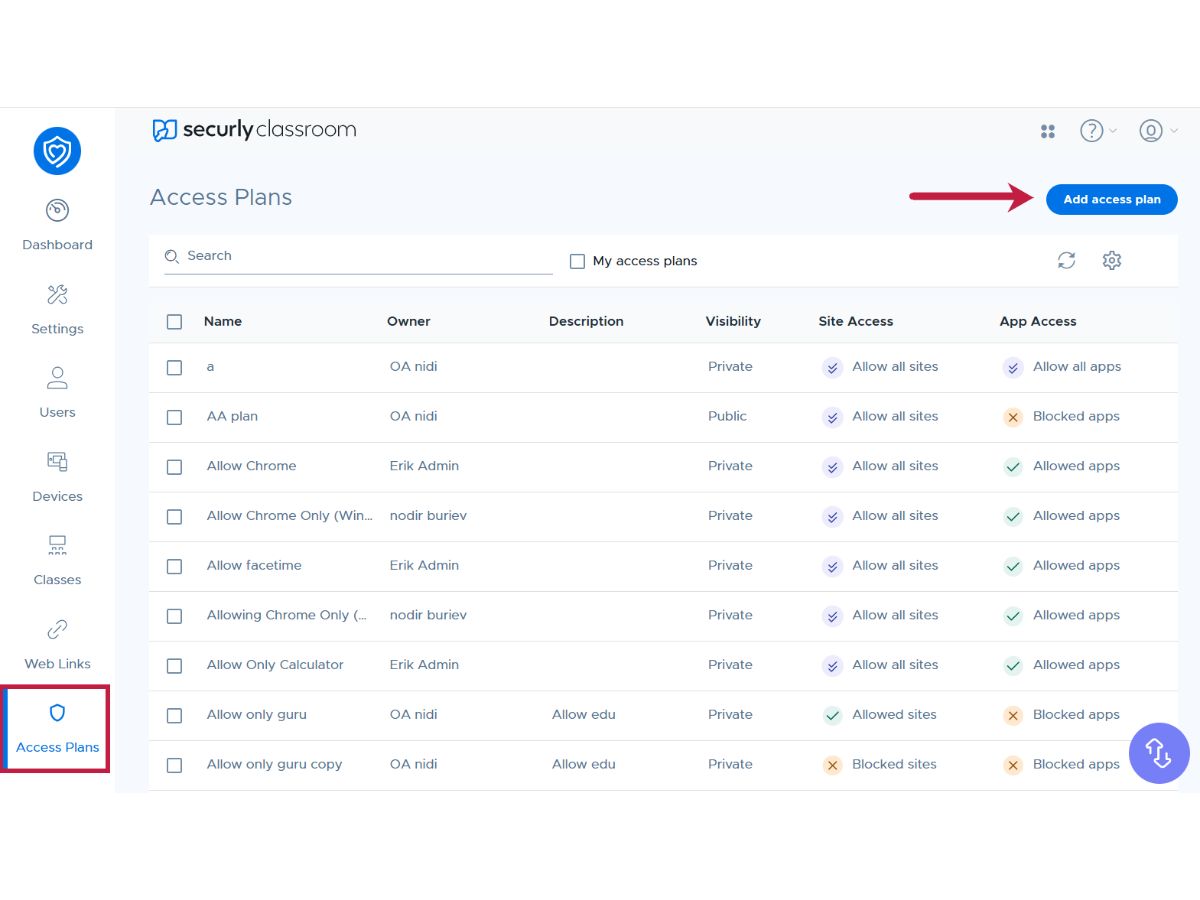
  • icon_check Role-Based Access Control (RBAC)
    Configure permissions by role to control which features teachers, admins, or staff can access in the system.
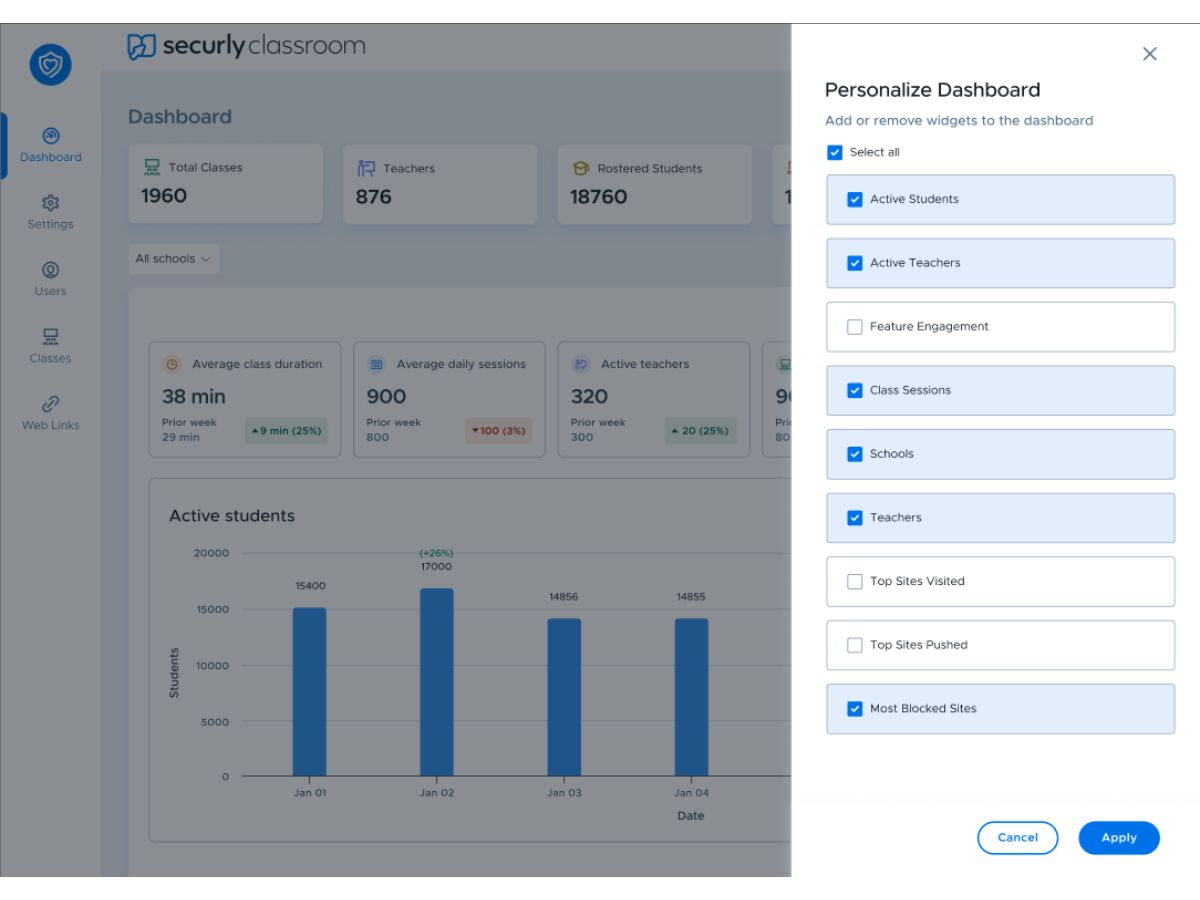
  • icon_check Audit Logs
    Track system activity and configuration changes through detailed logs for administrative monitoring and accountability records.
Securly Demo Video play icon

Get Securly Demo

Watch the demo video to explore key features, real workflows, and how the software fits your business needs.

Understand
Key Features
Personal
Demo Insights
Interactive
Demo Support

Securly Specifications

Supported Platforms
Ubuntu Ubuntu Windows Windows MacOS MacOS Linux Linux
Devices
Desktop Desktop
Deployment
Cloud-Based Cloud-Based
Suitable For
Education
Business Specific
School/Colleges
Business Size
Small Business Medium Business Enterprises SMBs SMEs
Customer Support
Email Communities
Language
English
Integration
API Integration
Training Resources
Videos
AI Features
AI Integrated
Compliance Regulation
COPPA

Securly Review

Be the First to Review

This product has no reviews yet. Be the first to leave your feedback.

Add Review

Terms and Condtions

close

Users with registered businesses can purchase goods from merchants on the platform to satisfy their business needs. Users are not permitted to utilize any products acquired through the platform for resale, advertising, business, or further distribution.

For each purchase made, users will receive a Tax Invoice (or 'GST invoice') that includes specific details such as:

  • the GSTIN of the user associated with their registered business, and

  • the specified Entity Name for their business.

It should be noted that not all products are eligible for GST Invoice. Only the products displayed by participating sellers with the 'GST-based Invoice Available' callout on the product description page would qualify.

Certain goods and services are not eligible to get a GST Invoice, including items with VAS, i.e., Value Added Services (e.g., Total Mobile Protection/Assured Buyback) and those involving an exchange offer at the time of purchase.

Users must ensure the accuracy of the GSTIN, and business entity name provided for the GST Invoice. Requests for corrections into GST Invoice would not be accommodated by Techjockey.com or any Seller, and any issues arising from user-provided information are the sole responsibility of users.

Techjockey.com is not liable for the GST Invoice or any associated input tax credit. To efficiently claim an input tax credit, users should select the registered place of business address as per the GST authority's data and follow the provisions of the GST Act and rules.

To claim an input tax credit, the delivery and billing addresses must match. Furthermore, input tax credits will not be granted if the delivery address and GSTIN on the invoice are from different states. In case of incorrect GST details provided during the order placement, the order will be canceled automatically.

21,000+ Software Listed 21,000+ Software Listed

Best Price Guaranteed Unbiased Comparison

Free Expert Consultation Read Authentic Reviews

5M+ Happy Customers 500,000+ Monthly Users