
Description
Pricing
Features
Specification
Review
Compare
FAQs
Alternatives


 View Gallery
Brand: Memetrix Limited
SpotVPN Lite is a lightweight VPN application designed to offer basic online privacy, secure browsing, and encrypted internet access with minimal setup. ...Read more

Get Free Expert Consultation
Let us know your business needs clearly

Verified & Trusted
Vendors

Safe & Secure
Payment

Personalized
Experts Support
Price On Request
Features
 Core Modules Privacy Protection Encryption Protocols Performance & Monitoring Usability Features
 See all 
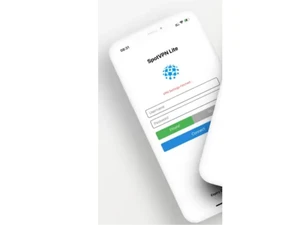
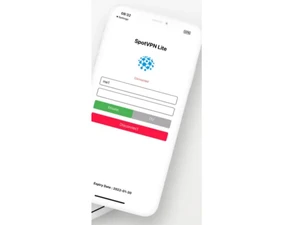

Core Modules
 Remote Access Allows users to connect to a private network from any location securely. Automatic Kill Switch Disconnects internet if VPN fails, protecting data from exposure. DNS Leak Protection Prevents DNS requests from leaking, ensuring user privacy online. IPv6 Leak Protection Blocks IPv6 traffic to prevent IP address exposure when using IPv4. Split Tunneling Lets users choose which apps use the VPN and which access the internet directly. Port Forwarding Allows remote devices to connect through specific ports for better access. Multi-hop VPN Routes traffic through multiple servers for enhanced security and privacy. Alternative Routing Offers different paths for data to enhance performance and reliability. P2P Support Allows peer-to-peer file sharing safely and securely through the VPN. Smart DNS Enables access to geo-restricted content without encrypting traffic. Ad Blocker Blocks ads and trackers, improving browsing experience and speed. Wi-Fi Protection Secures connections on public Wi-Fi networks to prevent data interception. Cookie Blocker Prevents tracking cookies from collecting user data online.
 Privacy Protection
No Log Policy Ensures no user activity is stored, enhancing online privacy. IP Address Masking Hides real IP address, providing anonymity while browsing. Automatic Reconnection Re-establishes VPN connection automatically if dropped. Obfuscated Servers Masks VPN traffic to bypass censorship and restrictions. WebRTC Leak Protection Prevents WebRTC leaks that could expose user IP addresses. Static and Dynamic IP Addresses Offers fixed or rotating IPs for varying privacy needs. Multi-Factor Authentication (MFA) Adds an extra layer of security during user login. Privacy-Focused DNS Servers Uses DNS servers that do not track user activity. Deep & Dark Web Monitoring Scans hidden web layers for compromised data, and alerts users to potential security threats. Encryption Protocols
OpenVPN Highly secure and configurable, widely regarded as the best choice. WireGuard Newer, efficient protocol offering strong security with minimal overhead. SSTP A secure tunneling protocol using SSL for encrypted VPN connections. IKEv2/IPsec Fast and stable, ideal for mobile devices and quick reconnects. L2TP/IPsec Combines L2TP and IPsec for better security than standalone L2TP. PPTP Older protocol, fast but less secure; suitable for low-risk activities. Performance & Monitoring
Connection Speed Measures the speed of VPN connections for optimal performance. Unlimited Bandwidth No data caps, allowing unrestricted use for streaming and downloading. Server Locations Provides multiple server locations worldwide for better access and speed. Connection Stability Ensures consistent VPN connections without frequent drops. Load Balancing Distributes user traffic evenly across servers to maintain performance. Stealth Mode Masks VPN use to bypass deep packet inspection and censorship. Speed Throttling Controls internet speed for specific applications or users. Usability Features
User-Friendly Interface Simple and intuitive design for easy navigation and use. Multi-Device Support Allows simultaneous connections on multiple devices. Platform Compatibility Works across various operating systems and devices. Cross-Platform Synchronization Syncs user settings across devices for convenience. Browser Extension Availability Offers browser add-ons for quick access to VPN features. Compliance Management
GDPR Compliance Ensures user data protection in accordance with EU regulations. HIPAA Compliance Meets healthcare data protection regulations for sensitive information. PCI DSS Compliance Adheres to security standards for handling payment data. Security Audits Regularly assesses security measures and compliance adherence. Advanced Firewall Features
Phishing Protection Identifies and blocks phishing attempts to protect user data. DDoS protection Guards against distributed denial-of-service attacks on your connection. Malware Blocker Protects users by blocking access to known malicious websites. Device Scanning Scans devices for vulnerabilities before establishing a connection. Administrative Features
Global Content Access Enables users to bypass regional restrictions for global content. Policy Management Defines and enforces policies for user access and network usage. Reporting & Analytics Provides insights and analytics on user behavior and traffic patterns. URL Filtering Blocks access to specific URLs based on set criteria. User Access Management Controls user permissions and access to the VPN. Session Management Allows administrators to monitor and manage active user sessions. Traffic Management Controls and prioritizes traffic flow for optimal performance. Content Filtering Restricts access to certain types of content based on policies. Torrent Downloading Supports secure and private torrenting activities. 
 20,000+ Software Listed
 Unbiased Comparison
 Read Authentic Reviews
 500,000+ Monthly Users
 USA
USA India
India

 Write a Review
