
Description
Pricing
Features
Specification
Review
Compare
Alternatives

 View Gallery
Brand: Ghisler Software

Get Free Expert Consultation
Let us know your business needs clearly

Verified & Trusted
Vendors

Safe & Secure
Payment

Personalized
Experts Support
FREE
Features
 Dual-Pane Interface File Copy & Move Batch File Renaming Archive Management FTP/SFTP Client
 See all 
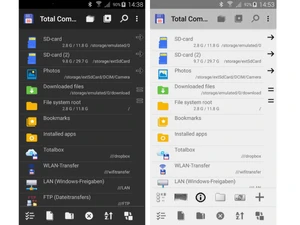
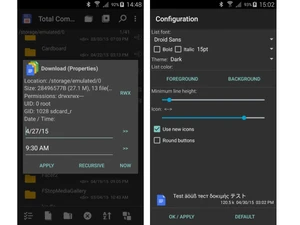
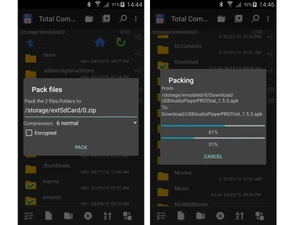
 Dual-Pane Interface Two side-by-side panels allow users to view and manage files across directories simultaneously for faster file operations. File Copy & Move Efficiently copy or move files between folders, drives, or network locations with progress indicators and error handling. Batch File Renaming Rename multiple files at once using patterns, counters, search-replace rules, and metadata for automation workflows. Archive Management Create, extract, and manage compressed files such as ZIP, RAR, and TAR archives without needing external tools. FTP/SFTP Client Built-in FTP, FTPS, and SFTP connectivity enables secure file transfers between local systems and remote servers. File Synchronization Compare folders and synchronize content between directories, drives, or remote locations to keep files updated. File Search Advanced search functionality supports filters, file content search, date ranges, and size conditions for accuracy. Viewer Integrated viewer allows quick preview of text, binary, images, and multimedia files without opening separate apps. File Comparison Compare files by content or attributes to identify differences, useful for developers and version control workflows. Plugin Support Extend functionality using plugins for file formats, cloud storage access, additional protocols, and custom tools. Network File Access Access shared folders, network drives, and remote systems directly within the interface for centralized management. Tabbed Browsing Open multiple folder tabs within panels to switch between directories quickly and improve navigation efficiency. Bookmarking Save frequently used folders as bookmarks for instant access, reducing navigation time during repetitive tasks. Customizable Interface Modify layouts, colors, toolbar buttons, and menus to match personal workflow preferences and usability needs. Permission Management View and modify file attributes, permissions, and timestamps to maintain proper file access and organization control.
 20,000+ Software Listed
 Unbiased Comparison
 Read Authentic Reviews
 500,000+ Monthly Users
 USA
USA India
India
 Write a Review