Description
Pricing
Features
Specification
Review
Compare
Alternatives

 View Gallery
Brand: Tux Paint

Get Free Expert Consultation
Let us know your business needs clearly

Verified & Trusted
Vendors

Safe & Secure
Payment

Personalized
Experts Support
FREE
Features
 Multi-Platform Support Paint Brush Tool Custom Brushes Color Picker and Mixer Rubber Stamp Tool
 See all 
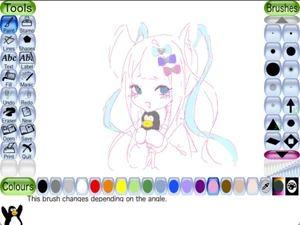
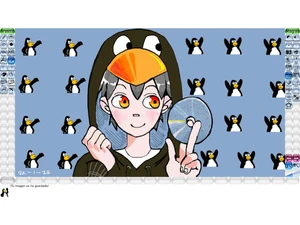
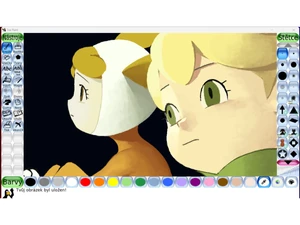
 Multi-Platform Support Runs on Windows, macOS, Linux, Android (including Chromebooks), Haiku etc., so kids can use it on many devices. Paint Brush Tool Freehand drawing with a variety of brushes for basic drawing or coloring fun. Custom Brushes Parents or teachers can add more brushes; brushes can vary shape, be animated, or change with draw direction. Color Picker and Mixer Pick colors from canvas or mix primary colors to create custom shades for painting. Rubber Stamp Tool Hundreds of pre-made photographic or cartoon stamps (animals, plants, etc.) that kids can stamp onto their drawings. Line Tool Draw straight lines using selected brushes; a “rubber-band” previews where the line will go before drawing. Flood Fill and Gradient Fill Fill areas with solid colors or gradients (linear, radial or shaped gradients) — great for coloring books. Magic Tools 90+ “magic” effects: blur, smudge, mosaic, emboss, fish-eye, rhythms, distortions & more for creative fun. Color Filters Effects like negative/invert, saturate, desaturate, tint, cartoon-style, color-shift, bloom, and more to stylize art. Warps and Transformations Flip, mirror, zoom, rotate, tile-zoom, distort, kaleidoscope, reflection, stretch, wave and other warp effects. Artistic and Pattern Brushes Tools like rainbow brush, spray paint, calligraphy, confetti, rain, fur, grass, spirals, fractals, and more for creative effects. Projection and Perspective Drawing Draw with 1-point, 2-point, 3-point, isometric, oblique and other projection types for pseudo-3D or technical art. International Character Input Supports text input in many languages/scripts (Latin, Devanagari, Hangul, Thai, Chinese, etc.) for global users. Customizable Content Teachers/parents can add custom brushes, stamps, templates — PNG, SVG and open formats — for personalization. Export and Sharing Export drawings (e.g. PNG), and even export slideshows or animations for sharing — useful in classrooms or with friends.
  20,000+ Software Listed
 Unbiased Comparison
 Read Authentic Reviews
 500,000+ Monthly Users
 USA
USA India
India