
linkedin
Vector co logo
vector-co-visitor
vector-co-reveal
vector-co-awareness

Vector co

Brand: GetVector

  • 4.3

  • 5 Ratings

Have you used Vector co before?

Share your insights for better experience

Add a Review
Starting Price
$399

View plans

100% Genuine
Products
Best Price
Guaranteed
Safe & Secure
Payment
  • Description

  • Pricing

  • Features

  • Specification

  • Review

Starting at $399.00

Vector co Software Overview

GetVector Company Details

Founded Year:  2022

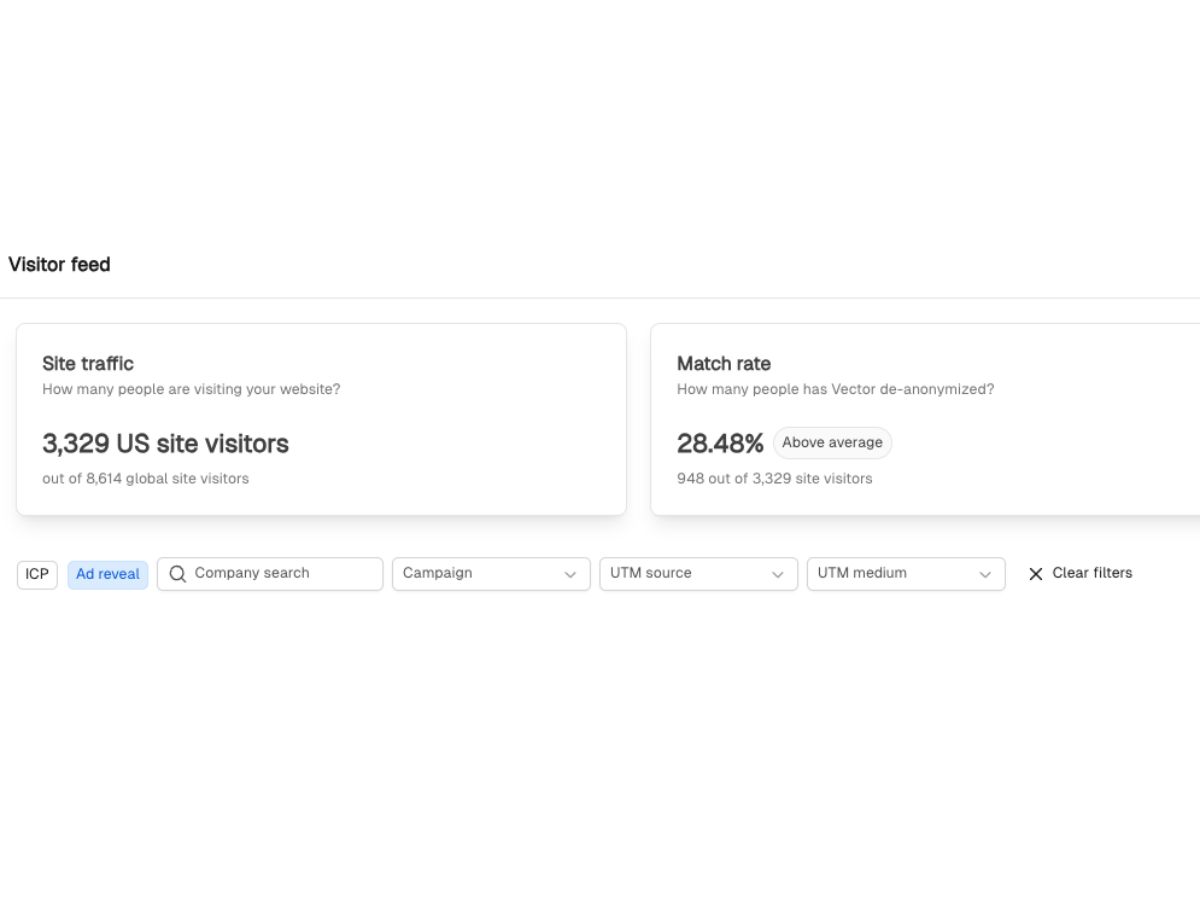
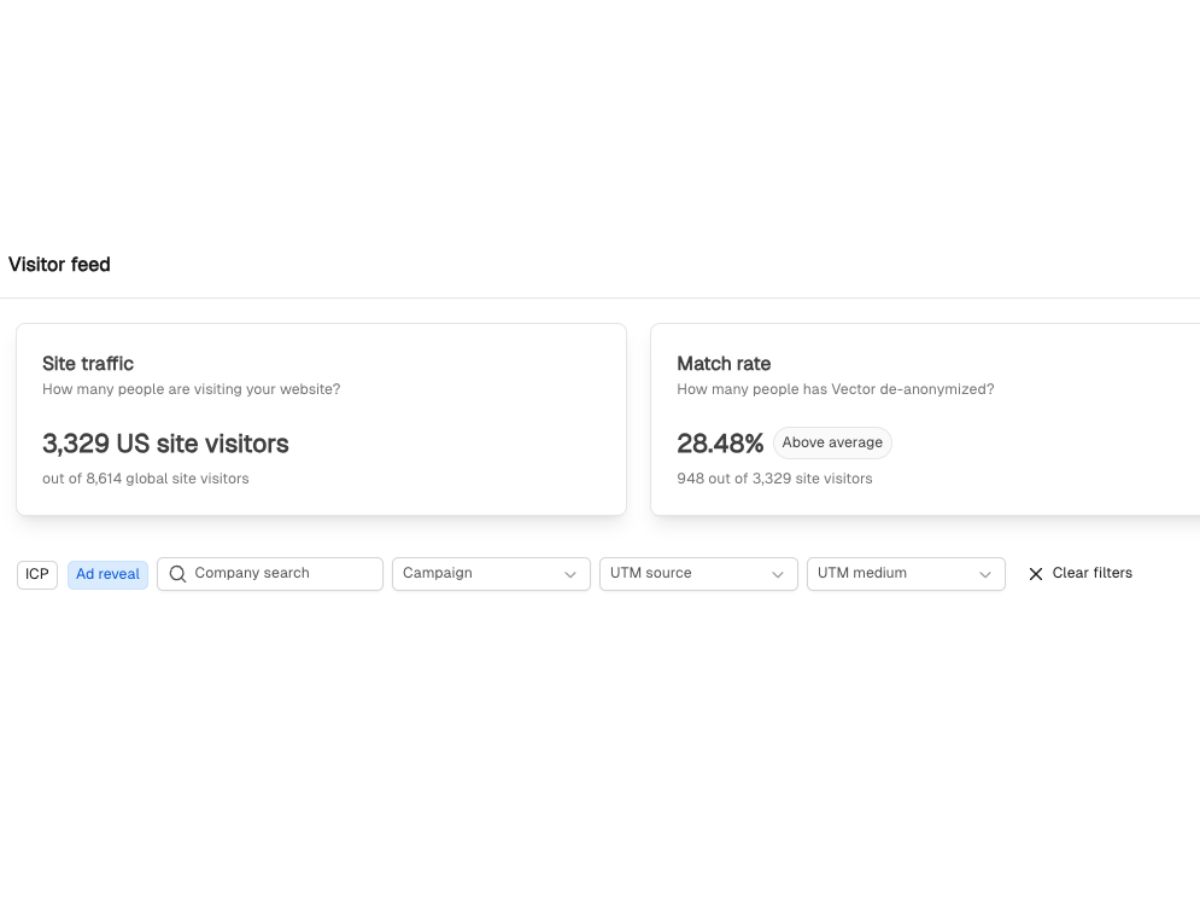
Build ad audiences from real people that visit your site, click your ads, and research your competitors.

Director/Founders GetVector
Company Size 1-100 Employees

Vector co Pricing & Plans

Reveal
Starting at $399
    • Licenses

      Licenses
      Licenses
    • Monthly

      Monthly
      Monthly

Key Features

  • 2,500 identified visitors

  • Ad Reveal

  • CRM-ready

  • Site De-anonymization

  • Fast setup

Target-[Annual commitment]
Starting at $3000
    • Licenses

      Licenses
      Licenses
    • Monthly

      Monthly
      Monthly

Key Features

  • 25 audiences

  • Everything in Reveal

  • Signal-driven audiences

  • ICP at scale

  • Advanced integrations

Vector co Features

  • icon_check Contact Level Attribution
    Identifies specific individuals engaging with digital assets to provide granular performance data beyond account-level metrics.
  • icon_check Bi-Directional Sync
    Automatically pushes identified contact signals and behavioral data directly into HubSpot or Salesforce for sales prioritization.
  • icon_check Alerts & Notifications
    Triggers instant notifications to sales representatives when qualified prospects interact with high-value pricing or product
  • icon_check Dynamic Audience Builder
    Creates automated segments based on live visitor behavior, allowing for precise targeting within various advertising platforms.
  • icon_check Ad Engagement Tracking
    Monitors which specific contacts click on advertisements to measure campaign effectiveness across job titles and seniority levels.
  • icon_check ICP Fit Scoring
    Automatically evaluates identified visitors against Ideal Customer Profile criteria to filter out irrelevant or low-quality
  • icon_check Job Change Monitoring
    Tracks when champions or decision-makers move to new companies, triggering automated workflows for expansion or re-engagement.
  • icon_check Custom Signal Triggers
    Allows users to define specific behavioral milestones that initiate automated marketing or sales plays across the tech stack.
  • icon_check Cross Channel Integration
    Syncs contact data across LinkedIn, Google, and Meta to maintain consistent audience targeting throughout the digital ecosystem.
  • icon_check Behavioral Sequencing
    Records the chronological order of page views and interactions to identify common conversion paths and potential friction points.
  • icon_check Automated Retargeting
    Deploys contact-based ads to individuals who have shown intent but not converted, reducing wasted spend on unqualified traffic.
  • icon_check Compliance Management
    Operates under strict adherence to global privacy regulations by only surfacing professional data and providing user-level
  • icon_check Identity Graph Mapping
    Utilizes a proprietary database to resolve various digital identifiers into a single, unified view of a prospective B2B buyer.
  • icon_check Conversion Rate Analytics
    Calculates the percentage of identified contacts that progress through funnel stages to optimize marketing spend allocation.
  • icon_check Anonymous Identity Match
    Converts anonymous website traffic into contact-level data by matching visitor IP addresses with professional identity graphs.

Vector co Specifications

Supported Platforms
Ubuntu Ubuntu Windows Windows MacOS MacOS Linux Linux
Devices
Desktop Desktop
Deployment
Cloud-Based Cloud-Based
Suitable For
All Industries
Business Specific
All Businesses
Business Size
Small Business Startups Medium Business SMBs MSMBs MSMEs
Customer Support
Email Communities
Language
English
Training Resources
Videos

Vector co Review

4.3

Out of 5

img

Overall Rating

Based on
5 Verified Ratings

Rating Breakdown

  • Features 4.5
  • Value for Money 4.2
  • Ease of Use 4.2
  • Customer Support 4.3

80% Recommend this Product

Add Review

Techjockey Trusted Reviews from Verified Users

No reviews are currently available for Vector co. Discover similar Marketing Tools reviews

  • AdYogi

    4.5

    Whats great - Several brand testimonials claim 5× scaling in 6 months and high growth through AdYogi. read more

  • Adsterra

    4.4

    Whats great - Adsterra’s personalized support is exceptional—24/7 managers help scale campaigns and give expert advice. read more

  • ClickFunnels

    4.4

    Whats great - Helped me go from no sales to regular income. read more

Terms and Condtions

close

Users with registered businesses can purchase goods from merchants on the platform to satisfy their business needs. Users are not permitted to utilize any products acquired through the platform for resale, advertising, business, or further distribution.

For each purchase made, users will receive a Tax Invoice (or 'GST invoice') that includes specific details such as:

  • the GSTIN of the user associated with their registered business, and

  • the specified Entity Name for their business.

It should be noted that not all products are eligible for GST Invoice. Only the products displayed by participating sellers with the 'GST-based Invoice Available' callout on the product description page would qualify.

Certain goods and services are not eligible to get a GST Invoice, including items with VAS, i.e., Value Added Services (e.g., Total Mobile Protection/Assured Buyback) and those involving an exchange offer at the time of purchase.

Users must ensure the accuracy of the GSTIN, and business entity name provided for the GST Invoice. Requests for corrections into GST Invoice would not be accommodated by Techjockey.com or any Seller, and any issues arising from user-provided information are the sole responsibility of users.

Techjockey.com is not liable for the GST Invoice or any associated input tax credit. To efficiently claim an input tax credit, users should select the registered place of business address as per the GST authority's data and follow the provisions of the GST Act and rules.

To claim an input tax credit, the delivery and billing addresses must match. Furthermore, input tax credits will not be granted if the delivery address and GSTIN on the invoice are from different states. In case of incorrect GST details provided during the order placement, the order will be canceled automatically.

21,000+ Software Listed 21,000+ Software Listed

Best Price Guaranteed Unbiased Comparison

Free Expert Consultation Read Authentic Reviews

5M+ Happy Customers 500,000+ Monthly Users