May 7, 2026
When you type a website address into your browser, you expect to reach the correct site. That trust depends on systems that quickly direct your request to the right place. One of the ways this speed is achieved is through caching.
Caching stores copies of web pages and files so they don’t have to be rebuilt every time someone visits. Instead of starting from scratch, the system delivers the saved version, making websites load faster.
However, this same system can be misused. Case in point: cache poisoning. For the unversed, cache poisoning happens when an attacker replaces a trusted, cached file with a malicious one. Because the system believes it is serving a legitimate saved copy, the harmful content can be delivered to many users without being easily detected.
The threat thus is real and warrants an in-depth analysis on our part. So, without any further ado, let’s get into it, shall we?
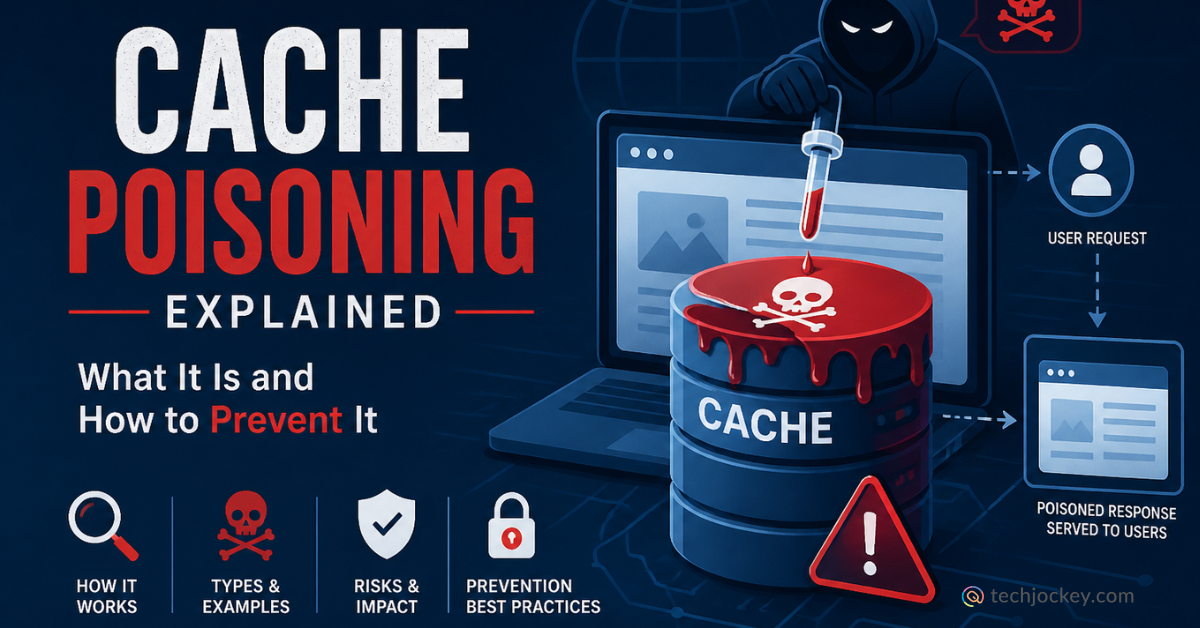
Cache poisoning, in simple words, is a cybersecurity attack where a hacker tricks a system into storing incorrect or harmful data in its cache. A cache is meant to save safe copies of web pages or files so they can be delivered quickly to users.
When the cache is poisoned, the system unknowingly stores altered content, such as malicious code or fake page data, as if it were legitimate. Every user who later accesses that cached content receives the compromised version.
This makes cache poisoning dangerous because a single successful attack can affect many users, often without visible signs, until the cache is cleared or refreshed.
An attacker does not usually break into your server to poison the cache. Instead, they use the rules of the web against itself. Here’s how…
The attacker looks for parts of a website that get cached. They test different web requests to see which ones the server decides to save for later users.
Web servers use things called HTTP headers and query parameters to decide what content to show. If a server is not careful, it might take a piece of information from a header, like a user’s language preference, and put it directly into the page. The attacker hides a malicious script inside one of these headers.
The attacker sends this specially designed request. The server processes it, creates a page that includes the attacker’s script, and, thinking this is a standard page, saves it in the cache.
This is the most dangerous part. Once the cache is poisoned, every regular user who visits the site will receive the malicious version of the page. The server doesn’t check the content again because it believes the cache is already correct.
This is not a minor glitch but a high‑impact security threat that can have wide‑ranging consequences. A single successful cache poisoning attack can affect everyone who relies on that cache, spreading harmful content to all users at once rather than targeting individuals like traditional phishing attacks.
What makes it even more dangerous is how difficult it is to spot. To both users and servers, everything appears normal, with the website loading correctly, the URL looking legitimate, and nothing broken on the surface.
The consequences, however, can be severe. Cache poisoning can enable attacks such as Cross‑Site Scripting (XSS), allowing hackers to run malicious code in users’ browsers, steal login credentials, or distribute malware.
Beyond technical damage, it can seriously hurt a company’s reputation. When customers come across fake or harmful pages through a trusted website, their confidence erodes quickly, leading to lasting brand damage and loss of trust.
You can detect if you are becoming a victim of cache poisoning in sundry ways. One common sign is inconsistent content. For example, when a user in New York sees a strange or altered version of your site while a user in California sees something different. This can indicate that a regional cache has been compromised.
Another red flag is the appearance of unexpected scripts, such as pop‑ups, redirects, or injected elements that you did not add to your site’s code. Finally, watch out for the ghost issue. If you fix a bug or remove an error on your server but users continue to see the old problem, it may mean a malicious version of the content is stuck in the cache and still being served.
Here is how you can protect your organization from the said attack…
Proper Cache Key Configuration
A cache key is what the system uses to decide if two requests are the same. Make sure your cache keys include all the important parts of a request so an attacker cannot swap a safe request for a bad one.
Avoid Caching User-Controlled Input
Never let the cache save information that comes directly from a user’s request headers or URL parameters without checking it first.
Validate and Sanitize
Every piece of data entering your system should be cleaned. To prevent DNS poisoning, use a system called DNSSEC. This adds a digital signature to your DNS records, making domain poisoning much harder because the fake records won’t have the right signature.
Implement Web Application Firewalls (WAFs)
A WAF can spot the strange headers used in a cache poisoning attack and block them before they ever reach your server.
Regular Monitoring
To prevent DNS cache poisoning, keep a close watch on your DNS logs. If you see sudden changes in where your traffic is going, you can purge your cache immediately to clear the poison.
The two terms cache poisoning and cache busting sound similar, but the difference between them sets them poles apart. Cache busting is a busting tool used by developers when they are working on updating a website. The tool is used to ensure the users get to see the new version of the website right away and not the old one saved in the cache. It basically busts the cache by giving the new file a new name.
Cache poisoning, on the other hand, is completely different. It is a malicious act intended to harm users. While cache busting is about getting the right info to users, poisoning is about forcing wrong info into the system.
You don’t have to look for these threats manually. Following tools can help…
Conclusion
Though caching is something that gives modern internet the speed it so boasts of, it, at the same time, can take down the entirety of it without anyone knowing. All thanks to cache poisoning, a quiet threat that hides in the systems we trust most.
So, prevent the maps and memories of your business while you still can. While at it, let Techjockey be your one true guide!


Consult with Our Techjockey Expert
Connect for fast and scalable software delivery, corporation plans, advanced security, and much more.
Compare Popular Software
Is Shadow AI Putting Your Company at Risk? Find Out Now!
February 11, 2026

Adversarial Machine Learning: A Simple Guide for Businesses
February 11, 2026


Get the latest Techjockey US Blog Updates!
Subscribe to get the first notified about tech updates directly in your inbox.

 Previous