Regulatory landscapes in the US are shifting from point-in-time audits to continuous monitoring. Modern businesses can no longer rely on manual processes to manage risk, governance, and regulatory obligations.
To stay compliant and audit-ready, organizations are investing in compliance management software, including advanced legal compliance management software, that automates evidence collection, risk tracking, policy enforcement, and cross-team workflows.
To maintain trust and operational velocity, leading organizations are leveraging automation to streamline cross-team workflows.
We’ve analyzed the top 6 compliance management software of 2026 to help you choose the right fit for your organization’s size and complexity.
Here we go!
Comparison of Top Compliance Management Tools
A side-by-side overview of leading compliance Management Tools based on features, supported frameworks, and pricing details.
Tool
Key Strength
Frameworks Supported
Pricing
AuditBoard
Centralized GRC with strong risk and audit management
SOC 2, ISO, and other major frameworks
On request
Vanta
Fast, automated compliance with continuous monitoring
35+ frameworks including SOC 2, ISO, HIPAA
On request
Scrut Automation
Unified controls and automated evidence collection
SOC 2, ISO, PCI DSS, DORA, NIS2
On request
Sprinto
AI-native continuous compliance at scale
200+ frameworks including SOC 2, ISO, GDPR
On request
Hyperproof
Flexible control mapping and audit collaboration
Multi-framework support
On request
OneTrust
Deep privacy and regulatory compliance management
50+ frameworks including GDPR, HIPAA, ISO
On request
List of Top Compliance Management Software in 2026
Below are some of the best compliance management software products discussed in detail. Before that, here’s a short and crisp comparison table for a quick understanding.
1. AuditBoard
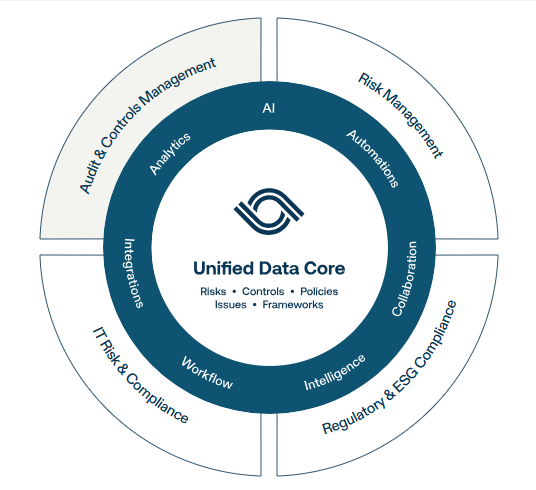
AuditBoard is a modern compliance management software designed to bring everything into one place. Instead of juggling spreadsheets and emails, you get a single system to manage IT risk, compliance, and audits more smoothly.
It’s built to scale, so whether your compliance needs are simple or spread across multiple frameworks, the platform grows with you. It has a clean interface that is easy to navigate. It makes collaboration with internal teams much simpler.
Best for: Mid-sized to large US organizations looking for a centralized GRC platform to manage IT risk, audits, and multi-framework compliance at scale.
Key features
Manage multiple compliance frameworks in one place, which helps you avoid duplicate work and keeps everything aligned across teams.
You can reuse shared controls and testing results.
Automate evidence collection by connecting AuditBoard with your existing IT tools. It reduces manual follow-ups.
Get continuous monitoring with alerts that help you spot issues early and take action before risks grow.
Assess IT asset risks by type and criticality.
Track third-party and vendor risks using automated risk scoring and real-time insights.
You can manage policies centrally, control updates, and stay on top of policy reviews with built-in workflows.
Connect with 200+ business tools, helping you automate compliance tasks and improve visibility across systems.
Pro and cons of AuditBoard:
Pros
AuditBoard is very easy to navigate, and most stakeholders find it simple to use from day one.
It’s a highly customizable platform, so you can adapt it to your internal processes.
The support team is responsive and open to feedback.
It offers a comprehensive GRC setup, allowing you to manage most compliance and risk activities in one tool.
The dashboards and graphs are clear and customizable.
Cons
Some features are limited based on pricing tiers or may not work with certain Microsoft Office versions.
Integration options for on-premise software are limited.
New updates are sometimes released before full testing, which can cause temporary issues.
The annotation and risk assessment features could be more user-friendly, especially when working with Excel files.
AuditBoard Pricing and Plans: Pricing is not publicly listed. If you’re interested in AuditBoard pricing and plans, contact the Techjockey team for detailed pricing and personalized guidance based on your compliance needs.
2. Vanta
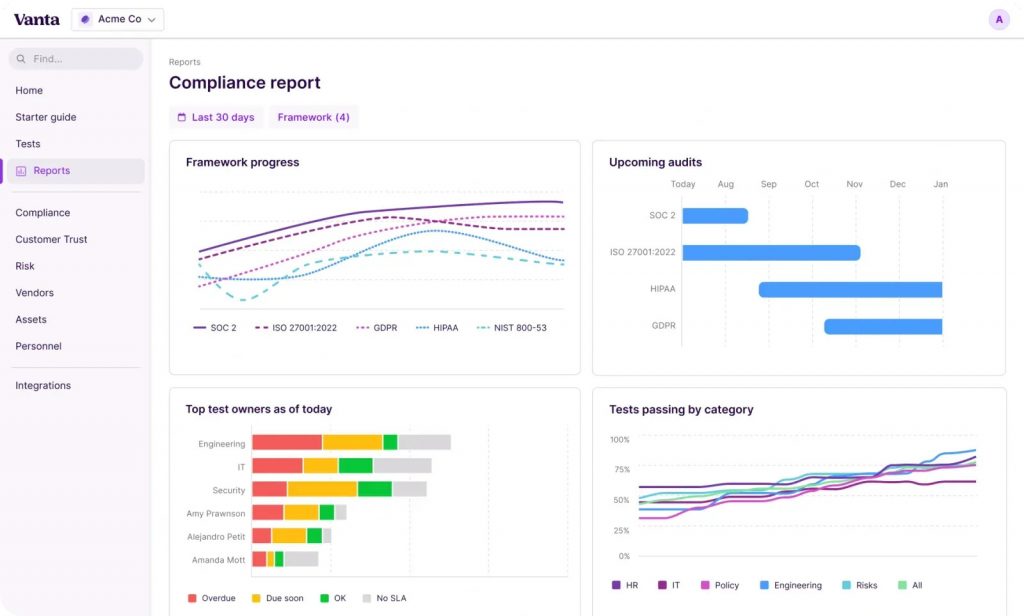
Vanta is a compliance automation platform that works quietly in the background and keeps an eye on your systems all the time. It’s designed for speed, helping you move from zero to audit-ready without chaos. The platform brings compliance, monitoring, and audits into one clean workspace.
Best for: Startups and growing US businesses that want to automate security and compliance frameworks without building a large compliance team.
Key features:
Automatically collect audit evidence from your systems, which saves you from manual screenshots and follow-ups.
You can monitor your controls continuously instead of relying on point-in-time checks.
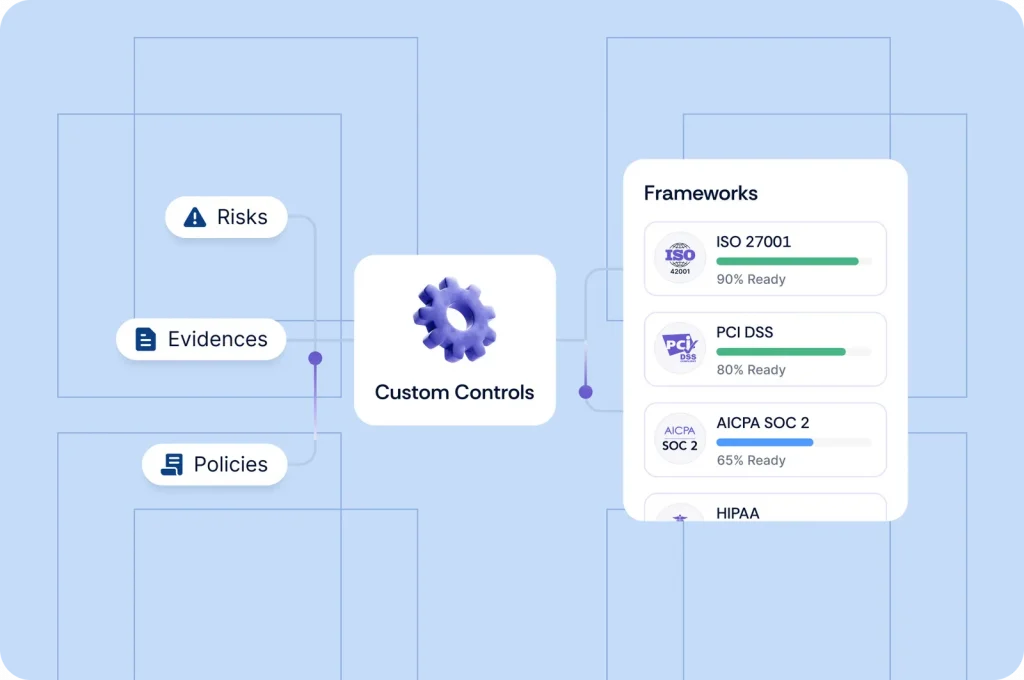
Work across 35+ security and privacy frameworks like SOC 2, ISO 27001, and HIPAA, and even customize frameworks if needed.
Cross-map controls across frameworks, which helps you do the work once and reuse it everywhere.
Get real-time alerts when something breaks compliance.
Remediate issues faster using AI-generated code suggestions that fit your infrastructure.
You can manage policies using ready-made templates and track employee acceptance automatically.
Handle employee compliance with built-in security training, background checks, and onboarding workflows.
You can plan and run audits directly inside Vanta, including issue tracking and auditor communication.
Connect with 400+ integrations, allowing Vanta to plug into the tools you already use.
Pro and cons of Vanta :
Pros
Vanta significantly reduces the time spent on audits and framework compliance.
The automation helps compliance teams stay more productive with less manual work.
The platform is easy to set up and doesn’t feel overwhelming for new users.
Continuous monitoring gives you confidence that you stay compliant year-round.
Cons
Smaller teams may find some advanced features unnecessary.
Customization options may require time to fully understand.
Vanta Pricing and Plans: Vanta offers four plans: Essentials, Plus, Professional, and Enterprise. However, pricing details are not publicly listed.
3. Scrut Automation
Scrut Automation is a compliance management software that helps you manage multiple compliance frameworks from one place without feeling overwhelmed. With automation at its core, Scrut keeps your documentation, evidence, and controls connected and up to date.
This regulatory compliance software is easy to navigate, even when you’re dealing with several frameworks at once. If you want compliance to feel like a routine task instead of a constant scramble, Scrut fits in well.
Best for: Growing US companies that need to manage multiple compliance frameworks and want strong automation without complex setup.
Key features:
Manage multiple frameworks in one place using pre-mapped controls, which helps you reduce duplicate work across standards like SOC 2, PCI DSS v4.0, ISO standards, DORA, and more.
Keep all your controls, policies, tests, and evidence connected, so nothing gets lost during audits.
Run hundreds of automated tests across your tech stack to spot compliance gaps in real time.
Automate routine compliance tasks.
You can assign, track, and manage compliance tasks inside your existing tools.
You can use auditor-approved policy templates and customize them to match your internal processes.
Keep documentation updated automatically with version tracking and scheduled reviews.
You can allow auditors to work directly inside the platform, which helps audits move faster with fewer back-and-forths.
Get real-time dashboards and insights that show progress, gaps, and what needs attention next.
You can customize workflows, approval steps, and risk scoring to fit how your organization operates.
Pro and cons of Scrut Automation:
Pros
Scrut acts as a one-stop platform for training, policies, evidence, and automated tests.
The navigation across different frameworks is simple and easy to understand.
Automation reduces manual work and keeps audits smoother.
Secure sharing makes it easier to collaborate with auditors and customers.
Cons
The policy writer could be improved for more advanced customization.
Some advanced reporting features may feel less intuitive for users new to compliance tools.
Scrut Automation Pricing and Plans: Pricing is available on request and typically depends on your company size and compliance needs.
4. Sprinto
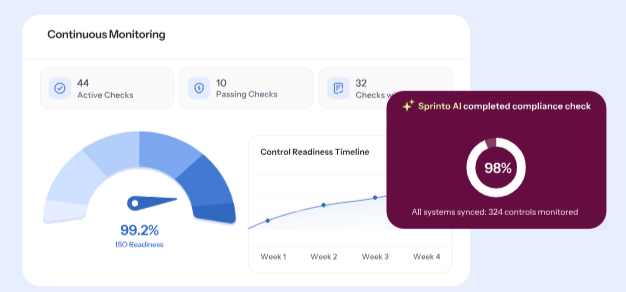
Sprinto is an AI-native compliance tracking software designed to keep you audit-ready at all times. It adapts to your systems and updates controls automatically.
Whether you’re preparing for your first audit or managing compliance at scale, Sprinto brings audits, vendors, and risks into one place. The platform is built to grow with you as compliance becomes more complex.
Best for: Startups, mid-market companies, and enterprises in the US that want continuous compliance with strong automation and AI-driven risk visibility.
You can manage audits, vendor risks, and internal risks from one AI-native platform, so nothing stays siloed.
You can stay continuously compliant with real-time visibility into risks, gaps, and audit readiness.
Automate evidence collection and generate audit-ready reports instantly, which helps audits finish faster.
Centralize vendor data and automate vendor risk assessments, reducing long back-and-forth cycles.
You can create a live Trust Center that shows your security posture clearly and builds customer trust every day.
Get a live risk register that tracks risks across systems and vendors.
Use 200+ prebuilt frameworks out of the box, including SOC 2, ISO 27001, GDPR, and custom frameworks.
Connect Sprinto with 300+ tools like AWS, Okta, GitHub, and Google Workspace to automate evidence flow.
Get guidance from ISO-certified lead auditors, supported by 24/7 assistance throughout your audit journey.
Pro and cons of Sprinto:
Pros
The platform feels intuitive and makes it easy to track compliance progress.
Sprinto helps teams achieve certifications faster with minimal manual effort.
Automated checks and integrations improve security, not just audit outcomes.
Customer support and compliance guidance are highly responsive and knowledgeable.
The product continues to improve with frequent feature updates.
Cons
Early versions of the platform had stability issues, though these have largely been resolved.
Sprinto requires a desktop app, as it is not fully web-based.
There are limited capabilities on Linux systems.
Compliance enforcement relies heavily on email, which may not suit all teams.
Occasional minor glitches may still occur.
Sprinto Pricing and Plans: Sprinto’s pricing is available on request and varies based on company size and compliance requirements. For exact pricing details, you can contact the Techjockey team.
5. Hyperproof
Hyperproof is a compliance management software that helps you manage frameworks, audits, and controls from one central place. It uses AI-driven automation to reduce manual work and keep your compliance program on track.
Instead of juggling tools, you can map controls, collect evidence, and monitor your compliance posture in one system. The platform is flexible enough to support growing compliance needs as your business scales.
Best for: US companies that need strong control management and audit visibility across multiple compliance frameworks.
Map common controls across multiple frameworks, which helps you save time when adopting new standards.
You can reuse and scale a common control set across teams, products, locations, and business units.
Create and manage controls flexibly, assign owners, track tasks, and keep controls up to date.
Automate control testing and get alerts when something fails.
You can run user access reviews easily, adjust access, and track review status in real time.
Centralize all your policies in one place with version control and easy access.
Get real-time dashboards and reports that show compliance status, risks, and audit readiness.
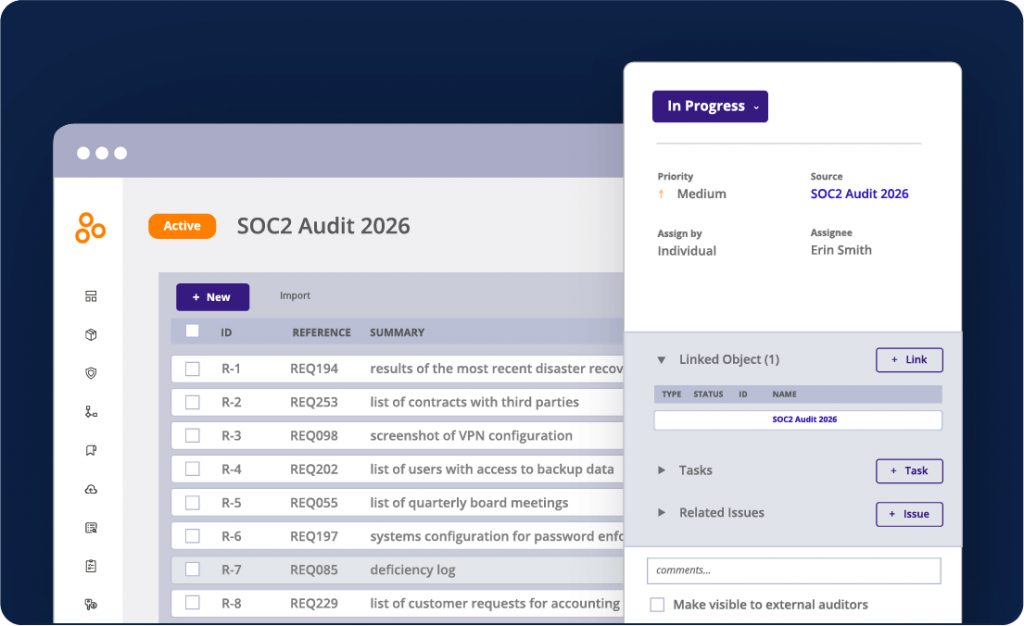
You can connect audit requests directly to controls and evidence, making audits faster and more organized.
You can collaborate with auditors inside a dedicated audit space without over-sharing information.
Pro and cons of Hyperproof:
Pros
The platform integrates well with many popular security and cloud tools.
Task assignment and workflow tracking make cross-team collaboration easier.
The interface is clean, easy to navigate, and visually well designed.
The support team is responsive and helpful when issues come up.
Cons
Some integrations may require workarounds if your preferred tools are not fully supported.
Advanced capabilities may take time to roll out depending on your plan.
Hyperproof Pricing and Plans: Hyperproof does not publicly list its pricing. For detailed pricing and plan information, contact the Techjockey team for pricing and recommendations based on your compliance requirements.
6. OneTrust
OneTrust is a well-known compliance and Consent Management software that brings compliance, risk, and privacy workflows into one unified system.
With strong automation and a modular setup, OneTrust adapts to how your organization operates. It’s especially useful when compliance involves multiple teams and evolving regulations.
Best for: Mid-market and enterprise US organizations that need deep privacy, risk, and compliance management across multiple regulations and frameworks.
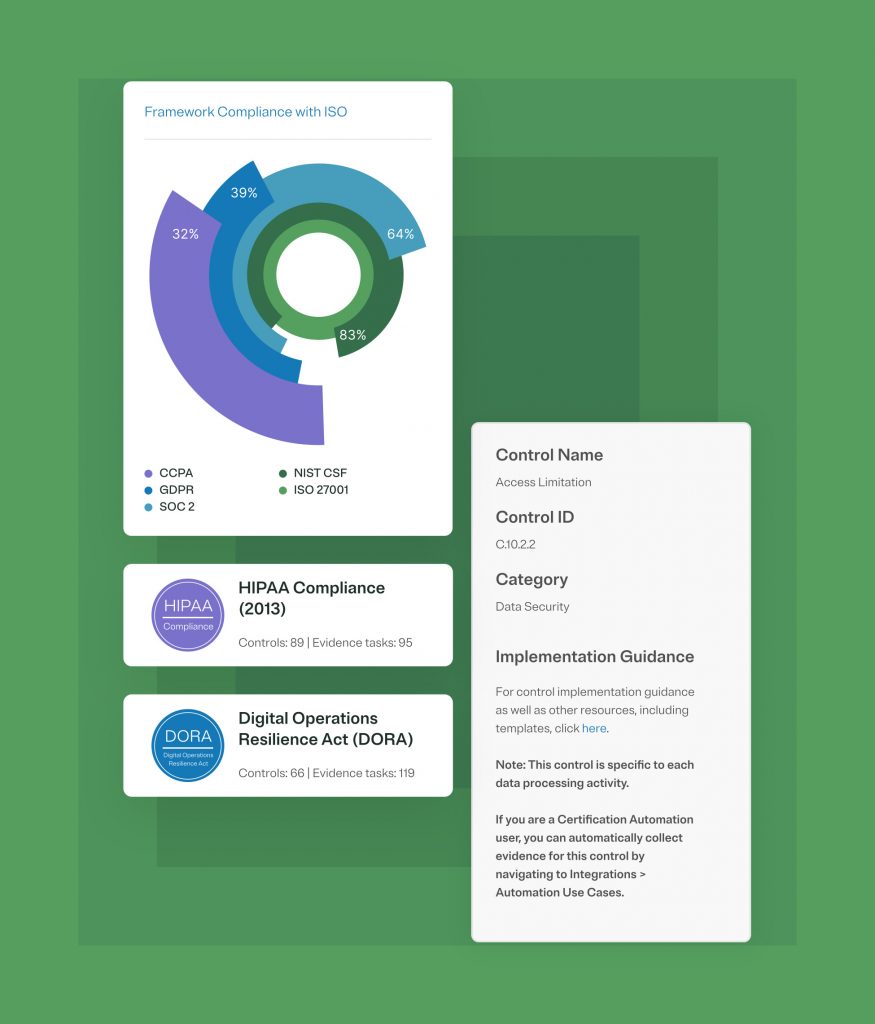
Work with 50+ compliance frameworks in one place, such as SOC 2, ISO 27001, GDPR, HIPAA, etc.
Use ready-made templates, controls, and guidance.
Translate technical and legal requirements into clear language, making it easier for non-compliance teams to participate.
You can collect evidence once and reuse it across multiple controls using OneTrust’s shared evidence framework.
Automate evidence collection by connecting OneTrust with your existing systems for real-time updates.
You can stay audit-ready with proactive evidence capture instead of last-minute preparation.
Manage privacy and data protection workflows like DPIAs, data mapping, and vendor risk assessments in one platform.
Integrate with tools like Microsoft 365, Service Now, and Jira to reduce duplicate work across teams.
You can choose only the modules your organization needs.
Pro and cons of OneTrust :
Pros
OneTrust is highly flexible and lets you build your compliance program module by module.
The platform is very strong when it comes to privacy and data protection compliance.
Integrations with common business tools save time and improve collaboration.
AI governance features help track data assets, models, and datasets in detail.
Cons
The interface can feel busy when managing a large number of policies and documents.
The platform has a steep learning curve, especially for first-time users.
Some modules require careful configuration to work smoothly.
Performance can feel slow when handling large volumes of data.
OneTrust Pricing and Plans: OneTrust pricing is available on request and typically depends on the modules selected and your company’s size.
Conclusion
Choosing the right compliance management software depends on where your business stands today and where it’s headed. Some tools focus on speed and automation, while others focus on handling complex frameworks and enterprise-level risk.
Take time to compare features, ease of use, and support so you can invest in a solution that truly works for you.








 Previous