linkedin

GoodNotes VS Kilonotes

Let’s have a side-by-side comparison of GoodNotes vs Kilonotes to find out which one is better. This software comparison between GoodNotes and Kilonotes is based on genuine user reviews. Compare software prices, features, support, ease of use, and user reviews to make the best choice between these, and decide whether GoodNotes or Kilonotes fits your business.

Quick View

  • Rating & Review
  • Platforms
  • Recommended
  • img 17 Ratings & 13 Reviews
  • icon_desktop icon_ios icon_Android icon_mac
  • img 12 Ratings & 12 Reviews
  • icon_ios icon_Android

Key Differences Between GoodNotes and Kilonotes for Digital Note-Taking

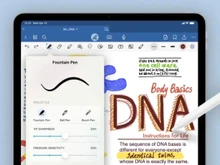
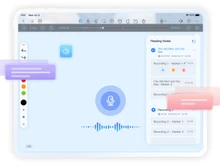
  • Primary Focus and Use Cases: GoodNotes is designed for structured note-taking, document organization, and blending handwritten notes with typed text, PDFs, images, and whiteboard-style canvases — ideal for students, professionals, or anyone maintaining organized notes or documents. Kilonotes is built to serve as a flexible note-taking and journaling app with handwriting, drawing, PDF annotation, customizable notebooks, and freeform content — good for casual notes, journaling, planners, and creative freeform note-taking.
  • User Experience and Learning Curve: GoodNotes offers a polished, clean, and intuitive interface providing tools such as shape recognition, infinite canvas or notebook pages, handwriting search, and organized folder-based document management — which makes structured note management straightforward. Kilonotes provides a simple, customizable interface focused on freeform writing, drawing, inserting images, and PDF annotation — easier for users who prefer less structure and more flexibility, but with fewer advanced tools compared to a full-featured note app.
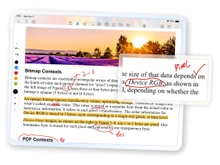
  • Features and Functionality: GoodNotes supports handwriting with palm-rejection, text and drawing input, PDF/image import, searchable handwritten notes (OCR/recognition), whiteboard or document mode, and structured notebooks with organization, making it suitable for academic notes, research, and long-term archives. Kilonotes offers handwriting and drawing tools, PDF annotation and import, image insertion, freeform notebook creation, customizable page templates and covers, and flexible content layout — focusing more on versatility for journaling, sketching, planners, or informal notes.
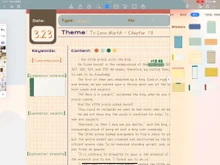
  • Customization and Flexibility: GoodNotes balances structure and flexibility — notebooks, pages, whiteboards, and organization tools allow users to build clean, well-organized note libraries. Kilonotes leans toward customization and freedom — allowing users to create notebooks with custom covers, choose page templates, mix handwriting, images, drawings, and layouts freely — useful for planners, creative notes, or informal content without strict structure.
  • Platform Support and Compatibility: GoodNotes supports devices like iPad, macOS (and compatible Apple ecosystem), offering cross-device syncing and consistent handwriting features optimized for stylus use. Kilonotes is available on Android (and mobile platforms where supported), targeting users on a variety of devices who want flexible note-taking without platform-specific constraints.
  • Ideal Audience and Application: GoodNotes is ideal for students, professionals, researchers, and anyone needing structured, organized digital notes, study material, PDFs annotation with clean organization, and long-term note archives. Kilonotes is best suited for creatives, journalers, planners, and casual note-takers — users who value flexibility, freeform layouts, mixing handwriting/drawing/typing, and a lighter-weight note-taking experience.

Pricing

img

Price Plans

$ 120.00

Goodnotes Teams($10 per month/user)

View Details img

Price on Request

Get customise plan according to your business requirement

Get Now

  • Free Trial
  • Lifetime Plan
  • img
  • img Free Trial
  • img

Ratings

img

Overall ratings

4.6

17 Ratings & 13 Reviews

92% Likelihood to Recommend

4.3

12 Ratings & 12 Reviews

91% Likelihood to Recommend

Pros & Cons

img

Pros

img

There is no need for a subscription. I just paid once and I have all the feature...Read more - Namita Jan 05, 2025

img

I like to zoom feature. The zoom box while writing helps me be more precise when...Read more - Daaman Rai Nov 12, 2024

img

Personally, I find it more fun and enjoyable to take notes like this since it is...Read more - Hardik Dec 27, 2024

img

It is flexible as first-person notes evolve as your understanding of the topic c...Read more - M Nov 14, 2024

Cons

img

It takes up quite a lot of space. The app and all my notes take up a lot of spac...Read more - Namita Jan 05, 2025

img

I wish they had more pen selection options. There are fewer pen styles when comp...Read more - Daaman Rai Nov 12, 2024

img

It can become hard to differentiate between your thoughts and the material if yo...Read more - Hardik Dec 27, 2024

img

It is harder to collaborate and work in a group. If others need to look at your ...Read more - M Nov 14, 2024

Reviews

img

Verified customer reviews

No Subscription Hassles but Takes Up Space

Namita Jan 05, 2025

Precise and Easy, But Limited Pen Options

Daaman Rai Nov 12, 2024

Fun and Personalized but Can Get Messy

Hardik Dec 27, 2024

Perfect for Personal Growth but Not for Collaboration

M Nov 14, 2024

Best Use for

img

Business Size:

  • img Individual
  • img 2-50 Employees
  • img 51-250 Employees
  • img 250-500 Employees
  • img 500-1000 Employees
  • img More than 1000+ Employees
  • img Individual
  • img 2-50 Employees
  • img 51-250 Employees
  • img 250-500 Employees
  • img 500-1000 Employees
  • img More than 1000+ Employees

Business Type:

  • img Small Business
  • img Startups
  • img Medium Business
  • img Enterprise
  • img SMBs
  • img SMEs
  • img MSMBs
  • img MSMEs
  • img Freelancers
  • img Individual
  • img Small Business
  • img Startups
  • img Medium Business
  • img Enterprise
  • img SMBs
  • img SMEs
  • img MSMBs
  • img MSMEs
  • img Freelancers
  • img Individual

Industries:

  • imgAll Industries
  • imgAll Industries

We provide the best software solution for your business needs

img
img

Features

img

Primary Features

  • img Text Formatting
  • img Search Functionality
  • img Offline Access
  • img Version History
  • img Web Clipper
  • img Templates
  • img To-do Lists
  • img Reminders
  • img Hierarchy Management
  • img Tagging and Labeling
  • img Voice Notes
  • img Annotations
  • img File Attachments
  • img Bookmarks
  • img Text Formatting
  • img Search Functionality
  • img Offline Access
  • img Version History
  • img Web Clipper
  • img Templates
  • img To-do Lists
  • img Reminders
  • img Hierarchy Management
  • img Tagging and Labeling
  • img Voice Notes
  • img Annotations
  • img File Attachments
  • img Bookmarks

Search and Retrieval

  • img Activity History
  • img Full-Text Search with Filters
  • img OCR (Optical Character Recognition)
  • img NLP-based Search
  • img Activity History
  • img Full-Text Search with Filters
  • img OCR (Optical Character Recognition)
  • img NLP-based Search

Collaboration

  • img Real Time Editing
  • img Note Sharing
  • img Commenting and Feedback
  • img Permissions Control
  • img Real Time Editing
  • img Note Sharing
  • img Commenting and Feedback
  • img Permissions Control

Customization & Personalization

  • img Themes and Color Options
  • img Custom Fonts and Styles
  • img Quick Access Widgets
  • img End-to-End Encryption
  • img Themes and Color Options
  • img Custom Fonts and Styles
  • img Quick Access Widgets
  • img End-to-End Encryption

Security and Privacy

  • img Biometric Login
  • img Password Protection
  • img Version control
  • img Note Recovery
  • img Biometric Login
  • img Password Protection
  • img Version control
  • img Note Recovery

Alerts & Notifications

  • img Customizable Reminders
  • img Due Date Notifications
  • img Snooze Reminders
  • img Event Reminders
  • img Push Notifications
  • img Email Notifications
  • img Calendar Alerts
  • img Customizable Reminders
  • img Due Date Notifications
  • img Snooze Reminders
  • img Event Reminders
  • img Push Notifications
  • img Email Notifications
  • img Calendar Alerts

Administrative Features

  • img User Access Management
  • img Export Notes
  • img Import Notes
  • img Access Logs
  • img Auto Backup
  • img User Access Management
  • img Export Notes
  • img Import Notes
  • img Access Logs
  • img Auto Backup

Integrations

  • img Third Party Integration
  • img API Access
  • img Calendar Integration
  • img Add-Ons
  • img API Integration
  • img Third Party Integration
  • img API Access
  • img Calendar Integration
  • img Add-Ons
  • img API Integration

AI Capabilities

  • img Summarization
  • img Smart Recommendations
  • img Voice-to-Text
  • img Image Recognition
  • img Content Generation
  • img Summarization
  • img Smart Recommendations
  • img Voice-to-Text
  • img Image Recognition
  • img Content Generation

Specifications

img

Deployment

  • img Web based
  • img On Premises
  • img Web based
  • img On Premises

Device Supported

  • img Desktop
  • img Mobile
  • img iPad
  • img Tablet
  • img Desktop
  • img Mobile
  • img iPad
  • img Tablet

Supported Platforms

  • img Windows
  • img Mac OS
  • img Android
  • img iOS
  • img Linux
  • img Ubuntu
  • img Windows
  • img Mac OS
  • img Android
  • img iOS
  • img Linux
  • img Ubuntu

Languages support

  • imgEnglish
  • imgEnglish

Compliance Regulations:

  • img COPPA
  • img HIPAA
  • img CCPA
  • img CPRA
  • img ECPA
  • img COPPA
  • img HIPAA
  • img CCPA
  • img CPRA
  • img ECPA

Alternatives

img

Top Alternative Products

Evernote

Evernote


RemNote

RemNote


Microsoft OneNote

Microsoft OneNote


Bear

Bear


See all GoodNotes alternatives img
Evernote

Evernote


RemNote

RemNote


Microsoft OneNote

Microsoft OneNote


Google Keep

Google Keep


See all Kilonotes alternatives img

Send this comparison to my inbox

img Get directly in your email inbox on your Whatsapp

Similar Comparison

GoodNotes vs Kilonotes Comparison FAQs

Software questions,
answered

GoodNotes offers advanced handwriting recognition and organization tools, while Kilonotes focuses on creativity and simplicity.

GoodNotes is better for structured and professional use, whereas Kilonotes is ideal for casual or creative note-taking.

GoodNotes has both free and paid versions with added features, while Kilonotes is completely free with optional upgrades.

Yes, GoodNotes syncs through iCloud, while Kilonotes supports manual backup and third-party cloud sync.

Both apps provide a digital handwriting experience, but they differ in depth, design style, and pricing approach.

A Quick Comparison Between GoodNotes vs Kilonotes

Choosing any software for your organisation is a crucial decision. As a decision maker, you must ensure that the software you choose addresses the pain points of your teams and reaps maximum benefit for you.

  • GoodNotes vs Kilonotes: Which Note-Taking App is Right for You?
  • GoodNotes and Kilonotes: Comparison Table
  • Detailed Feature Comparison of GoodNotes and Kilonotes
  • When to Choose GoodNotes or Kilonotes?
  • Final Verdict: GoodNotes or Kilonotes

GoodNotes vs Kilonotes: Which Note-Taking App is Right for You?

GoodNotes is an application designed specifically for students and professionals who prefer handwriting their notes on tablets. It helps in integrating note-taking in a more modern, organized, and streamlined approach while balancing the handwritten and the old-fashioned approach in note reviewing, writing, and organizing.

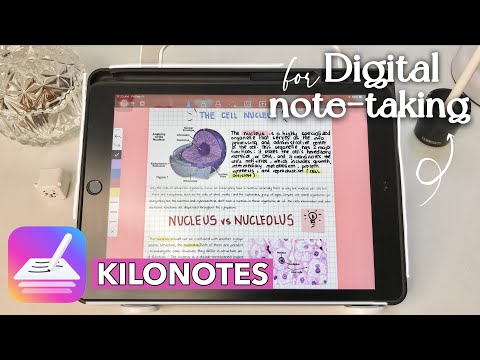
For example, Kilonotes is a free note-taking application that is uncomplicated, flexible, and inventive, giving an uncluttered and customizable workspace where users can handwrite, sketch, and annotate PDFs.

Basically, Kilonotes is aimed at users who prefer something uncomplicated, free, and inventive, while GoodNotes is aimed at users in need of structured and professional note-taking.

GoodNotes and Kilonotes: Comparison Table

Feature GoodNotes Kilonotes
Primary Use Case Digital note-taking and document management Freehand writing, sketching, and PDF annotation
Target Audience Students, educators, and professionals Students, hobbyists, and creative users
Core Functionality Handwriting recognition, note organization, and collaboration Simple handwriting, drawing, and template customization
Customization Multiple paper styles, covers, and folders Colorful themes, stickers, and drawing tools
Pricing Freemium with optional paid plans Free with optional in-app purchases
Cloud Sync Automatic backup with iCloud and other services Manual backup and cloud sync via third-party apps
Platform Support iOS, iPadOS, macOS, and Windows iOS and Android
Ideal For Users seeking advanced organization and productivity Users preferring simple and flexible note-taking

Detailed Feature Comparison of GoodNotes and Kilonotes

  • Note-Taking & Handwriting

GoodNotes is optimized for academic and professional digital note-taking due to the seamless pen input, handwriting recognition, and handwriting-to-text conversion features.

Kilonotes provides the simplest and most natural writing experience, which will most likely not have writing and drawing restrictions.

  • Organization & File Management

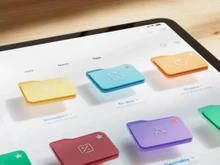
GoodNotes offers the most powerful organizational system, consisting of folders, subjects, notebooks, and a search system that is capable of recognizing handwritten notes.

Kilonotes provides printed and decorated notebook covers and creatively laid out to organize notes visually. This provides a more fun and intuitive, and enjoyable experience for users and helps to organize their notes.

  • PDF Annotation & Collaboration

GoodNotes allows easy importing, highlighting, and annotating of PDFs, making it an ideal app for students, professionals, and teams. You can add handwritten notes, text, shapes, and you can even sign documents. It offers streamlined sharing and collaborative features, allowing you to quickly send annotated files or summaries to others.

Although Kilonotes also offers PDF annotation, it focuses more on individual note-taking. It’s reliable for highlighting, sketching, or making quick comments, but it does not prioritize collaborative features. It’s ideal for solo users or for people who wish to keep personal study materials.

  • Customization & Interface

GoodNotes features a minimal, sleek design that can be used for both academics and professionalism. You can customize your workspace by choosing covers for your notebooks, different paper styles, and different pen tools. It is simple and distraction-free, which promotes productivity.

Kilonotes presents a more joyful and creative setup. It provides various personalization options such as different colored themes, stickers, and embellishing tools, which are ideal for people who like to journal and for artistic notetakers. It’s perfect for those who like to make their notes visually appealing.

  • Cloud Backup & Sync

GoodNotes keeps your notes accessible across your iPhone, iPad, and Mac, and iCloud syncs them automatically. Switching devices? No worries, because it gives secure backup, and you won’t lose your data.

In Kilonotes, while Auto-sync isn’t a feature, it permits you to manually export or back up data to third-party services like Google Drive and Dropbox. It allows users to adjust their preferences regarding data storage.

  • Platform & Accessibility

As previously suggested, GoodNotes works with Apple devices without a hitch, and more recently, it also supports Windows devices. This allows for seamless transition across devices for study or work.

Kilonotes functions on iOS and Android, targeting both ends of the mobile user spectrum, which is handy. It is touch and stylus-optimized for phones and tablets, encouraging use.

  • Ideal Users

GoodNotes is ideal for students, educators, and professionals seeking a premium, reliable note-taking application.

Kilonotes targets more casual users, students, and people who like to have freehand exposures in writing, sketching, or journaling, since it involves personal sketching.

When to Choose GoodNotes or Kilonotes?

Factor Choose GoodNotes if… Choose Kilonotes if…
Target Users You need structured note-taking for study or work You want a creative and flexible digital notebook
Budget You’re comfortable paying for premium features You prefer a completely free option
Device Compatibility You use Apple or Windows devices You use Android or iOS devices
Organization Needs You need folders, tags, and searchable notes You prefer visual, notebook-style layouts
Writing Experience You want realistic pen input with text conversion You enjoy drawing and sketching with freedom
Collaboration You often share or collaborate on notes You mainly use it for personal or casual use

Final Verdict: GoodNotes or Kilonotes

GoodNotes users are those who need a more advanced and professional-grade application for organized document structuring and noted document structuring.

For uncomplicated, enjoyable, and customizable experiences without spending on premium features, Kilonotes works.

GoodNotes works best for more serious note-takers, while Kilonotes is more for users who are more creative and need a flexible way of taking notes.

Add Software to Compare

close

Recommended Products

20,000+ Software Listed 20,000+ Software Listed

Best Price Guaranteed Unbiased Comparison

Free Expert
                        Consultation Read Authentic Reviews

2M+ Happy Customers 500,000+ Monthly Users