Let’s have a side-by-side comparison of Parsec vs Splashtop vs Supremo to find out which one is better. This software comparison between Parsec and Splashtop and Supremo is based on genuine user reviews. Compare software prices, features, support, ease of use, and user reviews to make the best choice between these, and decide whether Parsec or Splashtop or Supremo fits your business.


 Comparison
Quick View
 14 Ratings & 10 Reviews


 5 Ratings & 0 Reviews
 6 Ratings & 6 Reviews
Not Available
Pricing

Price Plans
$ 60.00
Remote Work & Access-Solo$ 99.00
Remote Work & Access-Pro$ 149.00
Remote Work & Access-Performance€ 33.00
Solo(€ 11,00 /mo)€ 59.01
Business(€ 19,67/mo)€ 128.01
Professional(€ 42,67/mo)
Ratings
Overall ratings
5 Ratings & 0 Reviews
Likelihood to Recommend
6 Ratings & 6 Reviews
Pros & Cons
Pros

Lightweight, runs smoothly even on weak devices. - amit Bhobaskar Mar 19, 2025
Crisp video quality, ultra-low latency. - Shraddha Mar 03, 2025
Not Available
Currently no pros are available. Please check back later
I found Techjockey as part of Google search results for Business Intelligence so...Read more - Rahul Nov 14, 2018
This is why anonymity is important. It's also why every piece of software on the...Read more - Shiv Datta Nov 02, 2018
Cons

Audio sometimes lags. - amit Bhobaskar Mar 19, 2025
Doesn’t support multiple monitors easily. - Shraddha Mar 03, 2025
Not Available
Currently no cons are available. Please check back later
N/A - Naveen Jun 04, 2018
Reviews
Verified customer reviews
Great for Remote Access on the Go
amit Bhobaskar Mar 19, 2025
Low Latency and High Quality
Shraddha Mar 03, 2025
Rating
ATC Associates Jan 17, 2025
Rating
Venu NarayanPabba Sep 20, 2024
simple & starightforward to use
Rahul Nov 14, 2018
great information provider
Shiv Datta Nov 02, 2018
Best Use for
Business Size:
 Individual
2-50 Employees
51-250 Employees
250-500 Employees
500-1000 Employees
More than 1000+ Employees
Individual
2-50 Employees
51-250 Employees
250-500 Employees
500-1000 Employees
More than 1000+ Employees
Individual
2-50 Employees
51-250 Employees
250-500 Employees
500-1000 Employees
More than 1000+ Employees
Individual
2-50 Employees
51-250 Employees
250-500 Employees
500-1000 Employees
More than 1000+ Employees
Individual
2-50 Employees
51-250 Employees
250-500 Employees
500-1000 Employees
More than 1000+ Employees
Individual
2-50 Employees
51-250 Employees
250-500 Employees
500-1000 Employees
More than 1000+ Employees
Business Type:
Small Business
Startups
Medium Business
Enterprise
SMBs
SMEs
MSMBs
MSMEs
Freelancers
Individual
Small Business
Startups
Medium Business
Enterprise
SMBs
SMEs
MSMBs
MSMEs
Freelancers
Individual
Small Business
Startups
Medium Business
Enterprise
SMBs
SMEs
MSMBs
MSMEs
Freelancers
Individual
Industries:
All Industries
All Industries
All Industries


Features
Connection & Accessibility
Remote printing
Unattended Access
Cross-Platform Compatibility
Browser-Based Access
Mobile Access Support
Multi-Window Control
Persistent Session
Clipboard Syncing
Multi-Monitor Navigation
Remote printing
Unattended Access
Cross-Platform Compatibility
Browser-Based Access
Mobile Access Support
Multi-Window Control
Persistent Session
Clipboard Syncing
Multi-Monitor Navigation
Remote printing
Unattended Access
Cross-Platform Compatibility
Browser-Based Access
Mobile Access Support
Multi-Window Control
Persistent Session
Clipboard Syncing
Multi-Monitor Navigation
Session Management & Control
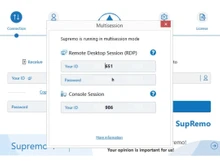
Multi Session Support
Session Handover
Queue & Schedule Sessions
Session Timeout & Auto-Lock
Real-Time Control Customization
Remote Reboot Options
Blank Screen Mode
Session Recording & Playback
Multi Session Support
Session Handover
Queue & Schedule Sessions
Session Timeout & Auto-Lock
Real-Time Control Customization
Remote Reboot Options
Blank Screen Mode
Session Recording & Playback
Multi Session Support
Session Handover
Queue & Schedule Sessions
Session Timeout & Auto-Lock
Real-Time Control Customization
Remote Reboot Options
Blank Screen Mode
Session Recording & Playback
System Management & Support
Remote Task Manager
Two-Way File Transfer
Bulk File Transfer
System Health Monitoring
Automated System Diagnostics
Remote Command Prompt Access
Session Note Taking
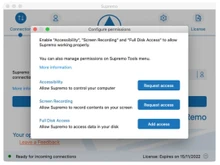
Direct File Access Permissions
File Sync & Auto Update
Remote Task Manager
Two-Way File Transfer
Bulk File Transfer
System Health Monitoring
Automated System Diagnostics
Remote Command Prompt Access
Session Note Taking
Direct File Access Permissions
File Sync & Auto Update
Remote Task Manager
Two-Way File Transfer
Bulk File Transfer
System Health Monitoring
Automated System Diagnostics
Remote Command Prompt Access
Session Note Taking
Direct File Access Permissions
File Sync & Auto Update
Collaboration & Communication
In-Session Chat
Video Conferencing
Annotation & Drawing Tools
Screen Sharing with Control
Multiple Technician Access
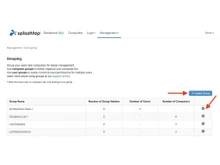
User Grouping & Management
Shared Toolbox
Two-Way Desktop Sharing
In-Session Chat
Video Conferencing
Annotation & Drawing Tools
Screen Sharing with Control
Multiple Technician Access
User Grouping & Management
Shared Toolbox
Two-Way Desktop Sharing
In-Session Chat
Video Conferencing
Annotation & Drawing Tools
Screen Sharing with Control
Multiple Technician Access
User Grouping & Management
Shared Toolbox
Two-Way Desktop Sharing
Security & Compliance
Audit Logs
Multi-Factor Authentication (MFA)
HIPAA Compliance
End-to-End Encryption
Role-Based Access Control (RBAC)
Dynamic IP Whitelisting
GDPR/CCPA Compliance
Audit Logs
Multi-Factor Authentication (MFA)
HIPAA Compliance
End-to-End Encryption
Role-Based Access Control (RBAC)
Dynamic IP Whitelisting
GDPR/CCPA Compliance
Audit Logs
Multi-Factor Authentication (MFA)
HIPAA Compliance
End-to-End Encryption
Role-Based Access Control (RBAC)
Dynamic IP Whitelisting
GDPR/CCPA Compliance
Customization & Personalization
Customizable Branding
Customizable Toolbars
Flexible UI Layout
Session Scripting
Custom Keyboard Mapping
Language Localization
Customizable Branding
Customizable Toolbars
Flexible UI Layout
Session Scripting
Custom Keyboard Mapping
Language Localization
Customizable Branding
Customizable Toolbars
Flexible UI Layout
Session Scripting
Custom Keyboard Mapping
Language Localization
Automation & Workflow
Workflow Automation
Task Automation
Scheduled Tasks
Remote Wake-on-LAN
Workflow Automation
Task Automation
Scheduled Tasks
Remote Wake-on-LAN
Workflow Automation
Task Automation
Scheduled Tasks
Remote Wake-on-LAN
Analytics & Reporting
Performance Metrics
Customizable dashboards
Detailed Session Reports
User Activity Reports
Error Logs
Performance Metrics
Customizable dashboards
Detailed Session Reports
User Activity Reports
Error Logs
Performance Metrics
Customizable dashboards
Detailed Session Reports
User Activity Reports
Error Logs
Integrations
Ticket Management
API Integration
Patch Management
Third Party Integration
Ticket Management
API Integration
Patch Management
Third Party Integration
Ticket Management
API Integration
Patch Management
Third Party Integration
Administrative Features
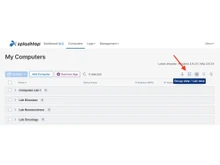
Device Management
Patch Management
Access Logs
Admin Console
Centralized Connection Management
User Access Management
Device Management
Patch Management
Access Logs
Admin Console
Centralized Connection Management
User Access Management
Device Management
Patch Management
Access Logs
Admin Console
Centralized Connection Management
User Access Management
Gallery
Specifications
Deployment
 Web based
 On Premises
Web based
On Premises
Web based
On Premises
On Premises
Web based
On Premises
Web based
On Premises
Device Supported
 Desktop
 Mobile
 iPad
iPad
 Tablet
Desktop
Mobile
iPad
Tablet
Desktop
Mobile
iPad
Tablet
Tablet
Desktop
Mobile
iPad
Tablet
Desktop
Mobile
iPad
Tablet
Supported Platforms
 Windows
 Mac OS
 Android
 iOS
iOS
 Linux
Linux
 Ubuntu
Windows
Mac OS
Android
iOS
Linux
Ubuntu
Windows
Mac OS
Android
iOS
Linux
Ubuntu
Ubuntu
Windows
Mac OS
Android
iOS
Linux
Ubuntu
Windows
Mac OS
Android
iOS
Linux
Ubuntu
Languages support
English English English Compliance Regulations:
COPPA
HIPAA
CCPA
CPRA
ECPA
COPPA
HIPAA
CCPA
CPRA
ECPA
COPPA
HIPAA
CCPA
CPRA
ECPA
Alternatives
Top Alternative Products
Send this comparison to my inbox
 Get directly in your email inbox on your Whatsapp
Add Software to Compare

Recommended Products
 20,000+ Software Listed
 Unbiased Comparison
 Read Authentic
Reviews
Read Authentic
Reviews
 500,000+ Monthly Users
 UAE
UAE India
India