A Comprehensive Comparison of PDF24 and PDFgear: Which PDF Tool is Better?
PDF24 and PDFgear are two well know PDF solutions which are used to edit, convert, and manage your PDF documents. They are both popular among the students, professionals, and businesses that have to deal with PDFs on a daily basis.
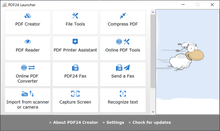
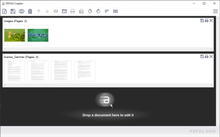
PDF24 provides a collection of free tools to merge, divide, compress, and transform documents. It also has an offline window desktop application as a free window desktop application. PDFgear is a modern PDF editor with good text editing, annotation, OCR and cross platform support. But which software is best for you?
In this guide, we will compare these two PDF editors across multiple parameters so that you can select the tool which is best suited to you.
Key Differences Between PDF24 and PDFgear
- Utility Tools: PDF24 provides numerous PDF tools to merge files, convert files, compress files, and split files (all free).
- Editing Strength: PDFgear provides enhanced text editing capabilities, annotation, signature or markup capabilities that are more akin to a full PDF editor.
- Platform Support: PDFgear is compatible with Windows, Mac, iOS, Android and web, whereas PDF24 supports primarily Windows and web.
- OCR: PDFgear has one of the best OCR available in any PDF editor whereas, PDF24 does offers OCR but it is not as advanced as PDFgear.
- User Interface: PDFgear has a clean interface with lots of modernity whereas PDF24 has a simpler functional interface which is more of a utility.
PDF24 vs PDFgear: Comparison Table
| Feature |
PDF24 |
PDFgear |
| Primary Use |
PDF utilities for merge, split, convert, compress |
Full PDF editor for text editing, annotation, and signing |
| Editing Tools |
Basic edits only |
Strong editing with text, images, and forms |
| Platform Support |
Windows desktop and web tools |
Windows, Mac, iOS, Android, and web |
| OCR |
Not supported or very limited |
Included for scanned documents |
| Ease of Use |
Simple and utility focused |
Modern and user-friendly editor |
| Offline Use |
Full offline support on Windows |
Partial offline based on platform |
| Best For |
Users with bulk or simple PDF tasks |
Users who need complete editing and review features |
PDFgear versus PDF24: Utility Tools vs Editing Tools
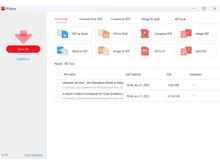
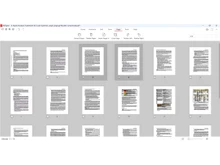
PDF24 is made for users who primarily require utility functions like merging, splitting, converting, compressing, or rearranging pages. It is similar to a Swiss-knife in managing simple PDF tasks. PDFgear is designed to do more thorough document work. It allows editing of texts, annotation, signing and filling of forms, thus being more advantageous to users who require refined and updated PDFs.
PDF24 versus PDFgear: Conversion and Compression
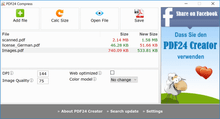
PDF24 has one of the best conversion and compression abilities. It efficiently converts files between numerous formats with high quality as well as minimizes file size without affecting readability. It deals quite well with batch processing. This is best for users with large volumes of files.
On the other hand, PDFgear also offers conversion and compression features, but it focuses more on editing than heavy batch processing.
PDFgear vs PDF24: Editing, Annotation, and Forms
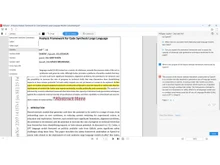
PDFgear is a clear winner when it comes to editing and annotations. It is a complete PDF editor. You can also make changes to the text in the document, highlight content, add images, free draw, add comments, and fill in interactive forms. This is why it is best suited to compose official documents or paperwork. Whereas PDF24 only has basic editing options and is not used to edit content to an in-depth level.
PDF24 vs PDFgear: OCR and Scanned Document
PDFgear has a strong OCR feature which transforms the scanned documents into text easily. You can even search for the content and edit it. This is highly convenient whenever using invoices, worksheets, printed forms, and past records. It helps convert images into useful text. PDF24 does not provide strong OCR features, and it works best with digital documents that already contain text.
PDFgear or PDF24: Form Filling and Signatures
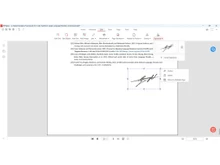
PDFgear is very useful when it comes to the official paperwork as it has interactive form fields and digital signatures. There is no need to print any applications, contracts, or agreements; you can directly fill in the form and sign digitally. PDF24 includes basic signing tools but does not handle complex form structures or editable fields as smoothly as PDFgear.
When to Choose PDF24 or PDFgear?
| Choose PDF24 if... |
Choose PDFgear if... |
| You need basic editing tools only |
You need content editing, annotation, signing, markup |
| You need offline desktop tools |
You work mostly online or trust cloud/platform |
| You care less about interface design |
You prefer sleek, user-friendly document editing |
| You want a tool that can handle batch processing easily |
|
Final Verdict: PDF24 or PDFgear?
PDF24 is the best when you require a multi-functional PDF suite to carry out conversions, compressions, mergers, splits, or even offline tasks. It is strong in terms of utility and reliability. PDFgear is the best when you want to edit, annotate, sign and polish documents using a modern interface. This is because the best option will be to use a powerful PDF toolbox or a sophisticated editing environment.
 UAE
UAE India
India


 Comparison


 6 Ratings & 1 Reviews


 Free Trial







 Get directly in your email inbox on your Whatsapp


