linkedin

TradingView VS Webull

Let’s have a side-by-side comparison of TradingView vs Webull to find out which one is better. This software comparison between TradingView and Webull is based on genuine user reviews. Compare software prices, features, support, ease of use, and user reviews to make the best choice between these, and decide whether TradingView or Webull fits your business.

Quick View

  • Rating & Review
  • Platforms
  • Recommended
  • img 19 Ratings & 19 Reviews
  • icon_ubuntu icon_desktop icon_ios icon_Android icon_mac icon_linux
  • img 4 Ratings & 4 Reviews
  • icon_ubuntu icon_desktop icon_ios icon_Android icon_mac icon_linux

Key Differences Between TradingView and Webull for Trading & Market Analysis

  • Primary Purpose: TradingView is a charting and technical analysis platform built for deep market analysis, pattern detection, alerts, and scripting. Webull is a broker-first platform that provides trading, account management, and basic charting within its offering.
  • Charting Tools & Customization: TradingView offers extensive charting features—hundreds of indicators, drawing tools, custom timeframes, and Pine Script for building custom indicators or strategies. Webull includes built-in charting with essential technical indicators and drawing tools but with fewer customization options compared to TradingView.
  • Scripting & Automation: TradingView supports Pine Script, enabling users to write custom indicators, alerts, and automated strategies. Webull does not provide a fully-featured scripting environment for users to build custom indicators or automation workflows.
  • Trade Execution & Brokerage: Webull lets users execute trades directly (stocks, ETFs, options, etc.) through its brokerage infrastructure. TradingView, while integrating with brokers like Webull, primarily focuses on analytics and relies on connected broker accounts for trade execution. (Webull and TradingView integration allows trading from charts) :contentReference[oaicite:0]{index=0}
  • Market Access & Instruments: Webull provides direct access to U.S. stocks, ETFs, options, and in some regions, cryptocurrencies. TradingView supports a wide range of asset types (stocks, forex, crypto, futures, indices) via data feeds, even when users cannot trade all of them directly.
  • Community & Market Insights: TradingView has a strong social and community component—users publish ideas, scripts, and analyses visible to others. Webull’s community tools are more limited and focused on market news, sentiment, and discussion rather than fully sharing chart strategies.

Pricing

img

Price Plans

$ 14.95

Essential

$ 33.95

Plus

$ 67.95

Premium

View Details img

Price on Request

Get customise plan according to your business requirement

Get Now

  • Free Trial
  • Lifetime Plan
  • img
  • img Free Trial
  • img

Ratings

img

Overall ratings

4.5

19 Ratings & 19 Reviews

91% Likelihood to Recommend

4.4

4 Ratings & 4 Reviews

97% Likelihood to Recommend

Pros & Cons

img

Pros

img

The product is quite easy to use. Overall, the product functions effectively. A ...Read more - MOHIT GAJERA Feb 07, 2025

img

The software is user-friendly, even for beginners. It helps in thoroughly analyz...Read more - neeeraj singh Feb 05, 2025

img

The best thing about Webull is an exceptional trading platform known for its use...Read more - Shubham Saini Website Developer Jul 24, 2024

Cons

img

The customer service is not satisfactory. It is a complete dissatisfaction. - MOHIT GAJERA Feb 07, 2025

img

There are no disadvantages. - neeeraj singh Feb 05, 2025

img

Despite its many strengths, I personally think Webull has a few drawbacks. The p...Read more - Shubham Saini Website Developer Jul 24, 2024

Reviews

img

Verified customer reviews

Overall Good Product but Lacks Customer Service

MOHIT GAJERA Feb 07, 2025

Innovative and Easy to Use Technical Analysis Software

neeeraj singh Feb 05, 2025

Webull is simple to use and UI is very user friendly

Shubham Saini Website Developer Jul 24, 2024

Best Use for

img

Business Size:

  • img Individual
  • img 2-50 Employees
  • img 51-250 Employees
  • img 250-500 Employees
  • img 500-1000 Employees
  • img More than 1000+ Employees
  • img Individual
  • img 2-50 Employees
  • img 51-250 Employees
  • img 250-500 Employees
  • img 500-1000 Employees
  • img More than 1000+ Employees

Business Type:

  • img Small Business
  • img Startups
  • img Medium Business
  • img Enterprise
  • img SMBs
  • img SMEs
  • img MSMBs
  • img MSMEs
  • img Freelancers
  • img Individual
  • img Small Business
  • img Startups
  • img Medium Business
  • img Enterprise
  • img SMBs
  • img SMEs
  • img MSMBs
  • img MSMEs
  • img Freelancers
  • img Individual

Industries:

  • imgAll Industries
  • imgAll Industries

TradingView vs Webull: Comparision Video

img
img
img
img
img
img
img
img

Features

img

Product features

  • checked Third Party Integration
  • checked Cash Flow Statements
  • checked Financial Ratios
  • checked Automated Technical Patterns Detection
  • checked Custom Indicators
  • checked Technical Indicators
  • checked Trendlines
  • checked Multi-Timeframe Analysis
  • checked Stock Screener
  • checked Volume Alerts
  • checked Customizable User Interface
  • checked Company Valuation Models
  • checked Historical Data Simulation
  • checked News Alert
  • checked Real-Time Market Updates
  • checked Brokerage Integration
  • checked Market Data Integration
  • checked Maximum Drawdown Analysis
  • checked Stop-Loss Automation
  • checked Risk Calculator
  • checked Monte Carlo Simulation
  • checked Strategy Optimization
  • checked Strategy Tester
  • checked Smart drawing tools
  • checked Stop Limit Orders
  • checked Sentiment Analysis
  • checked Multi-Factor Authentication (MFA)
  • checked Market Data
  • checked Multi-Language Support
  • checked Performance Analytics
  • checked Dashboards
  • checked API Integration
  • checked Social Media Integration
  • checked Income Statement
  • checked Balance Sheet
  • checked Paper Trading
  • checked Price Alert
  • checked Stop (Loss) Order
  • checked Market Order
  • checked Limit Order
  • checked Charting Tools
  • checked Portfolio Tracking
  • checked Watchlist
  • checked Push Notifications
  • checked Industry Analysis
  • checked Intraday Trading
  • checked Swing Trading
  • checked Portfolio Management
  • checked Portfolio Management
  • checked Backtesting and Optimization
  • checked Algorithm Trading
  • checked Options Trading
  • checked Futures Trading
  • checked Forex Trading
  • checked Crypto Trading
  • checked Margin Trading (MTF)
  • checked P&L Report
  • checked Contract Note
  • checked Financial Transaction Report (CashLedger)
  • checked Financial Tools Integration
  • checked Real Time Market Updates
  • checked News Alerts
  • checked Volume Alerts
  • checked Multi-Factor Authentication (MFA)
  • checked Scanning Tools
  • checked Trailing Stop Order
  • checked Dashboards
  • checked Market Data
  • checked Technical Analysis
  • checked Fundamental Analysis
  • checked Paper Trading
  • checked Price Alert
  • checked Intraday Trading
  • checked Watchlist
  • checked Charting Tools
  • checked Order Control
  • checked Order Execution
  • checked Limit Order
  • checked Market Order
  • checked Stop (Loss) Order
  • checked Stop Limit Orders
  • checked Platform Migration

Specifications

img

Deployment

  • img Web based
  • img On Premises
  • img Web based
  • img On Premises

Device Supported

  • img Desktop
  • img Mobile
  • img iPad
  • img Tablet
  • img Desktop
  • img Mobile
  • img iPad
  • img Tablet

Supported Platforms

  • img Windows
  • img Mac OS
  • img Android
  • img iOS
  • img Linux
  • img Ubuntu
  • img Windows
  • img Mac OS
  • img Android
  • img iOS
  • img Linux
  • img Ubuntu

Languages support

  • imgEnglish
  • imgEnglish

Compliance Regulations:

  • img COPPA
  • img HIPAA
  • img CCPA
  • img CPRA
  • img ECPA
  • img COPPA
  • img HIPAA
  • img CCPA
  • img CPRA
  • img ECPA

Alternatives

img

Top Alternative Products

MultiCharts

MultiCharts


TrendSpider

TrendSpider


ProRealTime

ProRealTime


GoCharting

GoCharting


See all TradingView alternatives img
TradeZero

TradeZero


Lightspeed Trading

Lightspeed Trading


Fidelity

Fidelity


Interactive Brokers

Interactive Brokers


See all Webull alternatives img

Send this comparison to my inbox

img Get directly in your email inbox on your Whatsapp

Similar Comparison

TradingView vs Webull Comparison FAQs

Software questions,
answered

TradingView is built for charting and analysis, while Webull is built for trading execution, especially stocks and options.

Webull. Its interface is simple, and trading is commission-free.

TradingView offers a far superior charting system with more indicators and customization.

Yes, but only through integrated brokers. Webull directly executes trades within the app.

Yes, it offers zero-commission trading, but small regulatory fees still apply.

Absolutely. Many traders analyze charts on TradingView and place trades on Webull.

TradingView offers more advanced charts, but Webull’s mobile charts are excellent for a free brokerage app.

A Quick Comparison Between TradingView vs Webull

Choosing any software for your organisation is a crucial decision. As a decision maker, you must ensure that the software you choose addresses the pain points of your teams and reaps maximum benefit for you.

  • TradingView vs Webull: Which Trading Platform Is Right for You?
  • TradingView and Webull: Comparison Table
  • Detailed Feature Comparison of TradingView and Webull
  • Key Strengths of TradingView vs Webull
  • When to Choose TradingView or Webull?
  • Final Verdict: TradingView or Webull?

TradingView vs Webull: Which Trading Platform Is Right for You?

TradingView is a trading platform designed with traders in mind, who rely on technical analysis, market visualisation, indicators, and community information to a large extent. It is not a secret that it has the most sophisticated charts, custom scripting (Pine Script), and access to the world market, which is why it is a favorite among serious analysts and active traders who desire a highly versatile and powerful charting platform.

Webull, in its turn, is a mobile-centric broker offering a solution to amateur and intermediate traders. It has zero commission trading, clean charts, live data, paper trading, and an easy-to-use interface. It is easy to operate and inexpensive, and hence its simplicity and the modern trading environment make it suitable for the daily stock traders who desire a hassle-free and cool trading experience.

To recap it all, TradingView perfectly fits in the hands of traders who require the advanced charting and analysis tools, and Webull fits exceptionally in the hands of newer or casual traders who require commission-free trading and good mobile capabilities.

TradingView and Webull: Comparison Table

Feature TradingView Webull
Primary Use Case Advanced charting & market analysis Commission-free stock, ETF & options trading
Target Audience Technical analysts, day traders, strategists Beginners & intermediate traders
Core Functionality Charts, indicators, scripts, and global data Trading execution, mobile charts, alerts
Customization Custom indicators & Pine Script Custom layouts & basic indicators
Pricing Free + paid plans (Pro, Pro+, Premium) Fully free (commissions: $0)
Research Tools Screeners, heatmaps, strategies Analyst ratings, fundamentals, screener
Education Community-driven insights & shared ideas Basic tutorials & beginner guides
Ideal For Chart-focused or multi-asset traders Casual traders wanting ease & zero cost

Detailed Feature Comparison of TradingView and Webull

  • Trading Tools & Market Access

TradingView

TradingView offers access to global market data, including stocks, forex, crypto, futures, indices, and more. Its strength lies in its charting tools, strategy testing, and indicator flexibility. While it does not directly execute trades (unless connected to partner brokers), it is one of the most comprehensive analysis tools available.

Webull

Webull supports commission-free trading for stocks, ETFs, options, and crypto (limited). Its platform includes charting, watchlists, alerts, and an intuitive trading interface. Market access is primarily U.S.-focused, which is ideal for domestic traders but limiting for global markets.

  • Charting & Visualization

TradingView

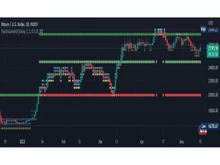
TradingView is known for offering the best charting experience on the market. With hundreds of indicators, customizable chart layouts, and the ability to code your own indicators using Pine Script, it far surpasses most retail trading platforms in visual analysis capabilities.

Webull

Webull’s charts are surprisingly strong for a free trading app. It supports multiple chart types, real-time data, and drawing tools, especially on mobile. However, it does not support custom-coded indicators or advanced strategy testing.

  • Trading Execution & Tools

TradingView

Execution features depend on the integrated broker. TradingView focuses more on analysis and strategy planning rather than trade routing. Its order panel is simple, but actual execution quality varies by broker.

Webull

Webull provides fast order execution, smart routing, and smooth handling of stocks, ETFs, options, and crypto. Its trading tools include order types, real-time quotes, and paper trading built into the platform.

  • Research & Learning Resources

TradingView

The platform includes tools like screeners, heatmaps, economic calendars, and public idea sharing. Traders can learn through published trade ideas, tutorials, streams, and community insights.

Webull

Webull includes basic educational content: guides, help articles, analyst ratings, and fundamental data. It’s good for beginners but lacks advanced or interactive education.

  • Mobile App Experience

TradingView

The TradingView mobile app is one of the most polished charting apps available. It brings nearly all desktop functionalities to mobile, including indicators, drawing tools, and alerts.

Webull

Webull’s mobile app is one of the strongest in the U.S. brokerage space. Its clean design, real-time data, and intuitive interface make it highly appealing to everyday traders.

  • Platform & Accessibility

TradingView

TradingView works seamlessly across web, desktop, and mobile. Its browser-based platform is extremely lightweight yet powerful, ideal for traders using multiple monitors or complex chart setups.

Webull

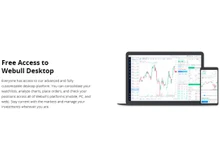
Webull provides desktop, web, and mobile platforms as well, with smooth syncing between devices. Its desktop app is robust and supports extended trading hours.

Key Strengths of TradingView vs Webull

Why Traders Choose TradingView over Webull?

  • Industry-leading, highly customizable charts
  • Ability to code custom indicators & strategies (Pine Script)
  • Global market coverage across multiple asset classes
  • Huge trading community sharing ideas and analysis
  • Excellent technical analysis tools

Why Traders Prefer Webull over Tradingview?

  • Completely free with zero-commission trading
  • Beginner-friendly and easy onboarding
  • Strong mobile experience
  • Quick order execution and paper trading
  • Solid charting features for a free brokerage

When to Choose TradingView or Webull?

Factor Choose TradingView if… Choose Webull if…
Experience Level You are an active or technical trader You are a beginner or casual trader
Trading Style Chart-heavy, multi-market trading U.S. stock/ETF/options trading
Tool Requirement You need advanced charting, coding, or indicators You want simple tools and easy trading
Budget Focus You can pay for advanced features You prefer a completely free platform
Education Needs You rely on community insights & analysis You only need basic tutorials
Interface Preference You want global charts & flexibility You prefer a mobile-first, simple interface

Final Verdict: TradingView or Webull?

TradingView is best suited for serious, chart-focused, and globally oriented traders who need advanced tools, flexible indicators, and in-depth market analysis. It shines as a professional-grade analysis platform with unmatched customization.

Webull, on the other hand, is ideal for beginners and casual traders looking for an easy-to-use, modern, and commission-free trading platform. It focuses on simplicity, mobile usability, and zero-cost trading, making it great for everyday investors.

In short:

  • Choose TradingView if you prioritize analysis, charting, or multi-asset research.
  • Choose Webull if you want free, simple, and fast trading with great mobile features.

Add Software to Compare

close

Recommended Products

20,000+ Software Listed 20,000+ Software Listed

Best Price Guaranteed Unbiased Comparison

Free Expert
                        Consultation Read Authentic Reviews

2M+ Happy Customers 500,000+ Monthly Users