
Description
Pricing
Features
Specification
Review
Compare
FAQs
Alternatives


 View Gallery
Brand: Addigy
A cloud-based MDM software that helps businesses remotely manage, monitor, and secure Apple devices from one platform. ...Read more

Get Free Expert Consultation
Let us know your business needs clearly

Verified & Trusted
Vendors

Safe & Secure
Payment

Personalized
Experts Support
$ 6.25 /Month
Features
 LiveTerminal Access MDM Configuration Automated Patching Policy Inheritance Remote Data Wipe
 See all 
We make it happen! Get your hands on the best solution based on your needs.

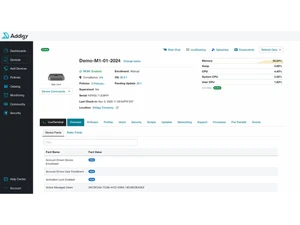
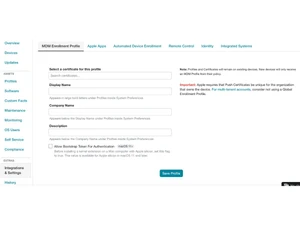
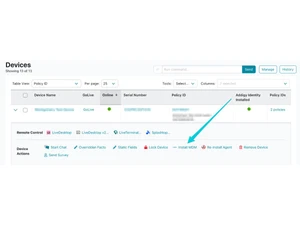
 LiveTerminal Access Provides a real-time, browser-based interactive secure shell session to execute command-line instructions on remote macOS. MDM Configuration Deploys standardized XML-based management profiles via Apple Push Notification service to enforce system-level restrictions. Automated Patching Schedules and executes background installation of operating system updates and third-party application security patches. Policy Inheritance Organizes device settings into hierarchical structures where nested groups automatically receive top-level configurations. Remote Data Wipe Issues a cryptographic command to securely erase all user data and system settings from a lost or decommissioned endpoint. FileVault Escrow Enables centralized management of macOS disk encryption and securely archives individual recovery keys for IT retrieval. Auto-Remediation Executes pre-defined maintenance scripts automatically when a device falls out of compliance with established benchmarks. Self Service Portal Provides a local client interface allowing users to install approved applications and run maintenance tasks independently. SSO Authentication Synchronizes local macOS login credentials with identity providers like Okta or Azure AD for unified access management. Shell Scripting Supports the deployment of Bash, Zsh, or Python scripts to automate complex administrative tasks across multiple machines. LiveDesktop Control Establishes a remote desktop protocol session to view and control the graphical user interface of managed macOS endpoints. Compliance Mapping Monitors and enforces system security settings against industry standards such as CIS, NIST, and DISA STIG benchmarks. Real Time Monitoring Alerts administrators to critical system events, such as low disk space or high CPU usage, via instant dashboard updates.
 | Brand Name | Addigy |
| Information | The only cloud-based Apple device management solution that makes it easy to manage your Apple devices in real time. |
| Founded Year | 2013 |
| Director/Founders | Jason Dettbarn, Javier Carmona |
| Company Size | 101-500 Employees |

 UAE
UAE India
India

 Write a Review
