Description
Pricing
Features
Specification
Review
Compare
FAQs
Alternatives


 View Gallery
Brand: CAKE POS
A restaurant POS software that helps businesses manage orders, payments, billing, and daily operations in one system. ...Read more

Get Free Expert Consultation
Let us know your business needs clearly

Verified & Trusted
Vendors

Safe & Secure
Payment

Personalized
Experts Support
Price On Request
Features
 Order Management Menu Management Kitchen Display System (KDS) Inventory Management Online Ordering Integration
 See all 
We make it happen! Get your hands on the best solution based on your needs.


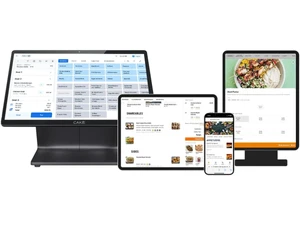
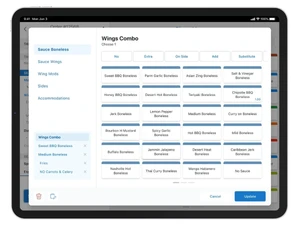
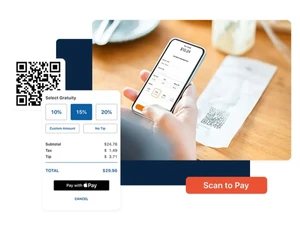
 Order Management Streamline dine-in, takeout, and delivery orders with real-time updates directly synced to the kitchen display. Menu Management Customize and update menus, prices, and item availability instantly across multiple terminals and locations. Kitchen Display System (KDS) Send orders directly from POS to kitchen screens, reducing errors and improving prep time efficiency. Inventory Management Track stock levels, ingredient usage, and receive low-stock alerts to minimize waste and supply issues. Online Ordering Integration Accept online orders directly through the POS with no commissions, synced to menus and order flows. Loyalty Program Engage customers with built-in loyalty rewards, gift cards, and retention campaigns to boost repeat sales. Employee Management Manage staff roles, permissions, and time tracking to simplify scheduling and payroll processes. Customer Relationship Management (CRM) Store and manage customer profiles, purchase history, and preferences for personalized service. Reporting & Analytics Access detailed reports on sales, labor, and performance metrics via a centralized analytics dashboard. Multi-device Compatibility Operate on POS terminals, tablets, and handheld devices with full synchronization and real-time updates. Table Management Visualize tables, assign servers, and optimize seating for faster service and better guest experiences. Payment Processing Accept card, cash, and digital payments securely with integrated processing and EMV-compliant systems. Offline Mode Continue processing orders and payments even when internet connectivity is lost, ensuring uninterrupted service. Third Party Integrations Connect with accounting, marketing, and delivery platforms seamlessly via API and integration hub. 24/7 Customer Support Access dedicated U.S.-based support around the clock, ensuring minimal downtime and quick issue resolution.
 | Brand Name | CAKE POS |
| Information | CAKE’s restaurant point-of-sale (POS) system is your ultimate partner in optimizing restaurant operations. |
| Founded Year | 2009 |
| Director/Founders | Bruce Bennett and Greg Schmitzer |
| Company Size | 1-100 Employees |

 UAE
UAE India
India