
Description
Pricing
Features
Specification
Review
Alternatives

 View Gallery
Brand: Conceptdraw

Get Free Expert Consultation
Let us know your business needs clearly

Verified & Trusted
Vendors

Safe & Secure
Payment

Personalized
Experts Support
Price On Request
Features
 Collaboration Theme-Based Styling Outline View Mode Task Assignment Built-In Presentation Mode
 See all 
We make it happen! Get your hands on the best solution based on your needs.


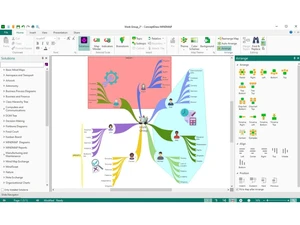
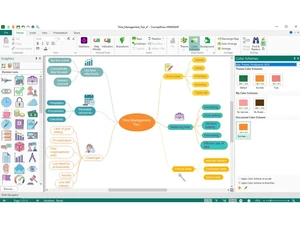
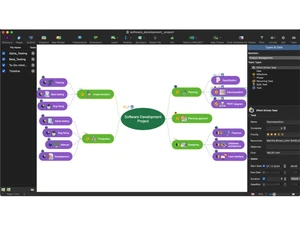
 Collaboration Collaborate with team members via shared editing and feedback features that support group planning and organizational knowledge Theme-Based Styling Apply professional map themes with coordinated fonts, colors, and shapes to maintain visual consistency across all mind maps. Outline View Mode Toggle between visual map and hierarchical outline format to support text-focused editing, planning, and document-style Task Assignment Assign responsibilities, durations, and deadlines to map topics, enabling task delegation and simple team activity planning. Built-In Presentation Mode Convert mind maps into slideshow-style presentations instantly, allowing direct display without exporting to external tools. Cross-Platform Support Run seamlessly on both Windows and macOS environments, ensuring compatibility across standard professional computing systems. Cloud Storage Connectivity Save and share project files using services like OneDrive, Google Drive, or Dropbox for distributed team collaboration Import & Export Compatibility Exchange maps with tools like MindManager, XMind, and FreeMind to preserve workflow continuity across diverse software ecosystems. Mind Map Creation Build structured mind maps using central ideas, branches, and subtopics to organize thoughts and visualize conceptual Hyperlink & Attachment Support Link files, URLs, images, and notes to map topics to consolidate reference materials inside a single structured workspace. Multi-Format Output Options Export maps into PDF, HTML, images, Word documents, and CSV formats to support varied reporting and presentation needs. Brainstorming Use dedicated brainstorming templates and session timers to capture high-volume idea flows and categorize them efficiently.
Have recommended this product
Overall Score
Review this product
Your valuable feedback helps others like you make a better decision.
Verified reviewer:
Founder, IT
Individual
Software user since: < 6 months
Reviewed on: Jan 19, 2023
| Brand Name | Conceptdraw |
| Information | ConceptDraw core apps are DIAGRAM, MINDMAP and PROJECT. They represent a business graphics ConceptDraw OFFICE suite fully compatible with both macOS and MS Windows. |
| Founded Year | 1993 |
| Director/Founders | Gregory Zhukov |
| Company Size | 1-100 Employees |
 UAE
UAE India
India