Description
Pricing
Features
Specification
Review
Compare
FAQs
Alternatives

 View Gallery
Brand: darktable
Darktable is an open-source photo editing and RAW processing software for professional photographers. ...Read more

Get Free Expert Consultation
Let us know your business needs clearly

Verified & Trusted
Vendors

Safe & Secure
Payment

Personalized
Experts Support
FREE
Features
 Non Destructive Editing High Precision RAW Processing GPU Acceleration Color Management System Cross-Platform Support
 See all 
We make it happen! Get your hands on the best solution based on your needs.

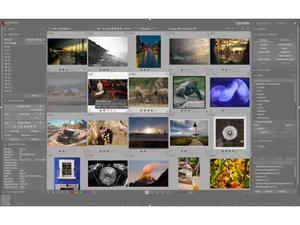
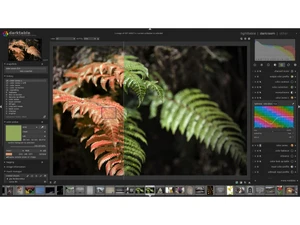
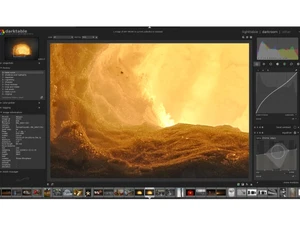
 Non Destructive Editing Edits never alter originals; all adjustments are stored as metadata for a fully reversible workflow. High Precision RAW Processing Operates on 4×32-bit floating buffers ensuring optimal detail, tone, and color depth in RAW workflows. GPU Acceleration Uses OpenCL-based GPU acceleration to deliver high-speed image processing across supported devices. Color Management System Integrates ICC profiles and color spaces like sRGB, Adobe RGB, and XYZ for precise color rendering. Cross-Platform Support Compatible with Linux, macOS, Windows, BSD, and Solaris, ensuring flexible multi-OS functionality. Image Filtering and Sorting Enables image filtering by tags, ratings, labels, or metadata for efficient collection management. Multi Format Support Supports JPEG, RAW, HDR, PFM, RAF, and others, enabling seamless import from multiple camera types. Real Time Zoomable Interface Optimized caching enables smooth, lag-free zooming and panning even with high-resolution images. Tethered Capture Support Allows live-view and direct camera control for tethered shooting with supported camera models. Data Import/Export Exports to disk, web, email, or HTML galleries with formats like JPEG, PNG, TIFF, and HDR. Lua Scripting Engine Automates tasks using Lua scripting, enabling workflow customization and event-driven processing. Custom Module Instances Supports multiple module instances with user-defined processing order for creative flexibility. Advanced Masking Tools Offers gradient, brush, path, and ellipse masks for selective, localized image editing. Geolocation Mapping Displays GPS-tagged images on maps and supports GPX file import for track-based geotagging. Slideshow and Print Modules Provides fullscreen slideshow viewing and color-managed printing directly from the workspace. Lens Correction System Automatically corrects lens distortions, vignetting, and chromatic aberrations for cleaner images.
 UAE
UAE India
India