
Description
Pricing
Features
Specification
Review
Compare
FAQs
Alternatives


 View Gallery
Brand: The Production Company
A screenwriting software that lets users write in plain text and automatically format scripts professionally. ...Read more

Get Free Expert Consultation
Let us know your business needs clearly

Verified & Trusted
Vendors

Safe & Secure
Payment

Personalized
Experts Support
Price On Request
Features
 Fountain Support PDF Generator Content Import/ Export Auto Formatting Character Suggestions
 See all 
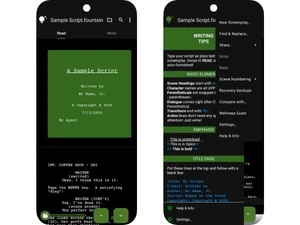
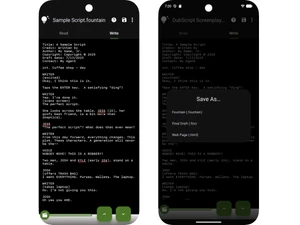
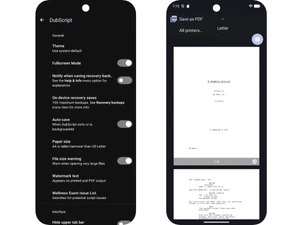
 Fountain Support The software utilizes the Fountain markup language to allow screenwriting using an open-standard, plain-text syntax. PDF Generator Users can convert their plain-text scripts into professionally formatted PDF documents for distribution or printing. Content Import/ Export The application provides functionality to export script files into the industry-standard .fdx format for compatibility. Auto Formatting The engine automatically handles indentation, margins, and page breaks without requiring manual layout adjustments. Character Suggestions An integrated auto-suggestion system predicts character names based on previous entries to accelerate the writing flow. Slugline Suggestions The editor provides intelligent suggestions for scene headings and sluglines to maintain structural consistency. Character Reports The software generates detailed reports listing every character along with their total dialogue counts and scenes. Scene Numbering Users can automatically apply, renumber, or remove scene numbers across the entire document for production tracking. Draft Comparison The tool enables users to compare different versions of a script to identify specific textual changes and revisions. Script Statistics The application calculates and displays comprehensive metrics regarding scene counts, page totals, and word density. Title Page Creator A dedicated module allows for the creation and formatting of professional title pages including contact information. Cloud Synchronization Users can save and open scripts directly from integrated cloud storage services for seamless cross-device access.
 UAE
UAE India
India

 Write a Review
