Description
Pricing
Features
Specification
Review
Compare
FAQs
Alternatives


 View Gallery
Brand: Eureka
An AI knowledge management software that helps users quickly find, summarize, and organize information in easy-to-understand language. ...Read more

Get Free Expert Consultation
Let us know your business needs clearly

Verified & Trusted
Vendors

Safe & Secure
Payment

Personalized
Experts Support
FREE
Features
 Knowledge Graph Visualization AI Topic Expansion Document-to-Map Conversion Semantic Search Engine Relationship Discovery
 See all 
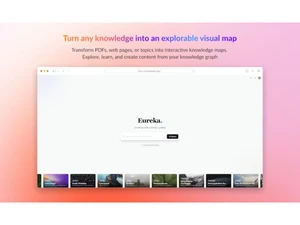
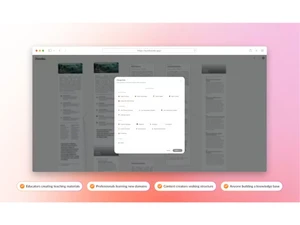
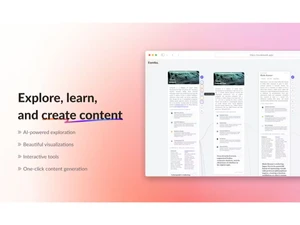
 Knowledge Graph Visualization Creates interactive node-based visual maps that help users explore ideas and concepts through intuitive relationships. AI Topic Expansion Automatically expands any topic with AI-generated subtopics and insights to deepen understanding and spark exploration easily. Document-to-Map Conversion Transforms uploaded text or documents into organized visual knowledge maps for non-linear reading and fast comprehension. Semantic Search Engine Enables concept-based search across maps using semantic AI to surface related ideas and connections instantly and accurately. Relationship Discovery Identifies hidden links between concepts and visually displays connections that improve understanding of complex topics fast. Interactive Node Editing Allows users to directly edit, rename, merge, and restructure nodes within maps to organize knowledge in customizable formats. AI Summarization Generates concise summaries of topics or clusters within the map, helping users grasp key insights without reading everything. Multi-Source Knowledge Ingestion Supports adding knowledge from text, URLs, notes, or documents, enriching maps with diverse and well-structured information. Real-Time Visualization Automatically refreshes map structures as new content is added or modified, ensuring instant visual reflection of changes. Idea Clustering Groups related nodes into visual clusters using AI to present structured learning paths and simplified high-level overviews. Contextual Detail Panels Displays expanded explanations, metadata, or references when clicking nodes, giving deeper context without cluttering the map. Collapsible Map Sections Allows collapsing or expanding concept clusters so users can zoom into details or view simplified overviews as needed. Custom Map Styling Offers style adjustments like colors, themes, spacing, and layouts to tailor the visual learning environment to user preference. User Workspace Management Provides dedicated workspaces to organize projects, store maps, manage topics, and keep research materials well-structured. AI Insights Suggests new areas to explore or additional insights based on user behavior and topic patterns within knowledge maps.
 UAE
UAE India
India