
Description
Pricing
Features
Specification
Review
Compare
FAQs
Alternatives

 View Gallery
Brand: Ezvid Inc
A free and easy-to-use screen recording and video editing software for Windows that helps users create and share videos quickly. ...Read more

Get Free Expert Consultation
Let us know your business needs clearly

Verified & Trusted
Vendors

Safe & Secure
Payment

Personalized
Experts Support
Price On Request
Features
 Screen Recording Built-in Video Editor Voice Recording Text-to-Speech Add Webcam Overlay
 See all 
We make it happen! Get your hands on the best solution based on your needs.

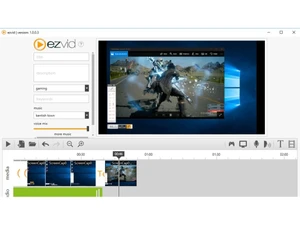
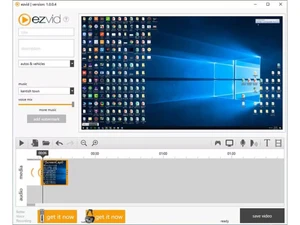
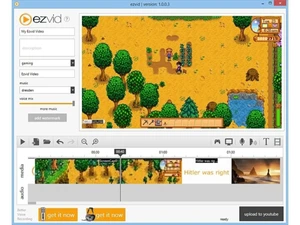
 Screen Recording Capture full screen or selected areas smoothly, making it easy to record tutorials, demos, and software walkthroughs. Built-in Video Editor Edit recordings on a simple timeline with trimming, splitting, and reordering tools for fast post-recording cleanup. Voice Recording Record microphone audio directly within the app, enabling real-time narration for instructional or explainer videos. Text-to-Speech Convert written text into synthesized voice narration to create videos without manual voice recording. Add Webcam Overlay Add facecam footage on top of screen recordings to create more engaging tutorials and presentation-style videos. Background Music Library Choose from built-in music tracks to enhance videos without needing external audio editing software. Speed Control Adjust playback speed of clips to speed up long actions or slow down important steps for better clarity. Slideshow creation Turn images and text slides into video sequences, useful for presentations, reviews, and simple storytelling. Text Slides Insert title cards and text slides between clips to highlight key points or structure the video flow. Timeline-Based Editing Arrange video, audio, and slides visually on a timeline, helping beginners understand video structure easily. Direct YouTube Upload Upload finished videos directly to YouTube from within the software, reducing extra export and upload steps. System Audio Capture Record internal system sounds alongside screen activity, ideal for software demos and gameplay recordings. Webcam Recording Record webcam-only videos without screen capture, suitable for vlogs, introductions, or commentary clips. Clip Trimming Remove unwanted sections quickly by trimming start and end points, keeping videos concise and focused. Free to Use Access core recording and editing features at no cost, making it suitable for beginners and casual creators.
 | Brand Name | Ezvid Inc |
| Information | Ezvid Inc. is a Los Angeles-based software and media company established in 2009. |
| Founded Year | 2009 |
| Director/Founders | Alexander Perls |
| Company Size | 1-100 Employees |

 UAE
UAE India
India
 Write a Review
