Description
Pricing
Features
Specification
Review
Compare
FAQs
Alternatives

 View Gallery
Brand: Beepa
A screen recording software that is used to record gameplay videos, capture screenshots, and display frame rates (FPS) while running PC games. ...Read more

Get Free Expert Consultation
Let us know your business needs clearly

Verified & Trusted
Vendors

Safe & Secure
Payment

Personalized
Experts Support
$ 37.00 /Quantity
Features
 FPS Overlay Display Benchmarking Screen Recording Custom Recording Hotkeys Video Compression
 See all 
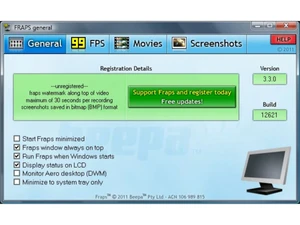
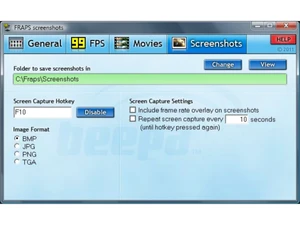
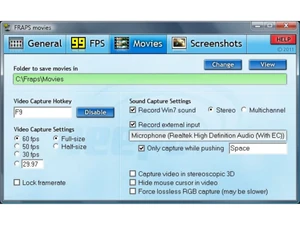
 FPS Overlay Display Shows real-time FPS in any DirectX or OpenGL application to help users monitor performance during gameplay accurately. Benchmarking Records minimum, maximum, and average FPS performance data over gameplay sessions for detailed performance analysis. Screen Recording Captures high-quality real-time video of gameplay or software screens with minimal lag using efficient raw recording. Custom Recording Hotkeys Allows users to assign custom hotkeys for starting and stopping recordings without interrupting gameplay activities. Video Compression Applies lightweight compression during recording to maintain video clarity while reducing processing load in real time. High-Resolution Capture Supports video recording up to ultra-high resolutions like 7680×4800 with adjustable fps options for premium video output. Audio Capture Records system sound and microphone input simultaneously for complete gameplay commentary and in-game audio capture needs. Screenshots Capture Enables users to take quick screenshots in BMP, PNG, or JPG formats using hotkeys without interrupting active gameplay. Frame Time Capture Measures individual frame rendering times to help diagnose stuttering or inconsistent frame performance patterns. Loop Recording Capability Records unlimited length sessions in the paid version, removing time limits imposed on the free edition of Fraps software. Simple User Interface Offers a clean, easy-to-navigate interface enabling quick setup of recording, benchmarking, and screenshot settings. Multi-Drive Save Support Lets users choose any storage drive for saving recordings, helping manage disk space across multiple internal drives. Split Video Automatically splits recordings into 4GB segments to ensure compatibility with older file systems and editing software.
 | Brand Name | Beepa |
| Information | Fraps is a universal Windows application that can be used with games using DirectX or OpenGL graphic technology. |
| Founded Year | 1999 |
| Director/Founders | Beepa |
| Company Size | 1-100 Employees |

 UAE
UAE India
India