Description
Pricing
Features
Specification
Review
Compare
FAQs
Alternatives


 View Gallery
Brand: FreeMind
FreeMind is a free mind mapping tool that helps users visually organize ideas, notes, and plans using simple diagram-based maps. ...Read more

Get Free Expert Consultation
Let us know your business needs clearly

Verified & Trusted
Vendors

Safe & Secure
Payment

Personalized
Experts Support
FREE
Features
 Drag and Drop Hyperlink Integration HTML Export Rich Text Formatting Multi-Platform Support
 See all 
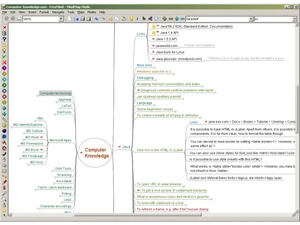
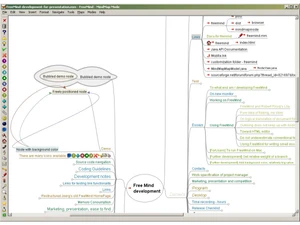
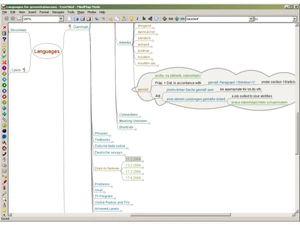
 Drag and Drop Easily rearrange nodes, links, and files using drag-and-drop actions for intuitive mind map organization. Hyperlink Integration Add clickable hyperlinks to web pages, files, or other nodes to interconnect digital resources effortlessly. HTML Export Export mind maps to interactive HTML with foldable nodes, enabling easy web publishing and content sharing. Rich Text Formatting Customize text with various fonts, colors, and styles to visually distinguish topics and highlight priorities. Multi-Platform Support Runs smoothly on Windows, macOS, and Linux systems, leveraging Java for broad cross-platform use. XML File Format Uses an open XML-based file structure, making mind maps portable, readable, and easy to integrate with other tools. Icon and Color Markers Add icons and colored nodes to classify ideas, track task progress, and create visual differentiation. Fast Navigation Use keyboard shortcuts and zooming features to move across complex mind maps quickly and intuitively. File and Folder Linking Attach or link to local documents and folders directly within nodes for quick access to reference material. Undo/Redo Functionality Supports multiple undo and redo actions, allowing safe experimentation and step-by-step revisions. Task Management Manage projects by marking nodes as tasks, subtasks, or milestones with completion percentages and notes. Search and Filter Locate specific nodes or text instantly across large maps using integrated search and filtering capabilities. Export Options Variety Export mind maps to formats like PDF, SVG, and JPEG for easy sharing and external documentation. Mind Map Creation Build structured visual mind maps with nodes and branches to represent ideas, concepts, and relationships clearly. Node Folding/Unfolding Collapse or expand branches dynamically to focus on key topics and navigate large mind maps efficiently.
 UAE
UAE India
India