Description
Pricing
Features
Specification
Review
Compare
FAQs
Alternatives


 View Gallery
Brand: Humanize AI
A generative AI tool that transforms AI-generated content into natural, human-sounding text for better readability and authenticity. ...Read more

Get Free Expert Consultation
Let us know your business needs clearly

Verified & Trusted
Vendors

Safe & Secure
Payment

Personalized
Experts Support
$ 19.00 /Month
Features
 AI Text Humanization Preset Writing Styles Custom Style Modeling AI Detector Evasion SEO Keyword Retention
 See all 
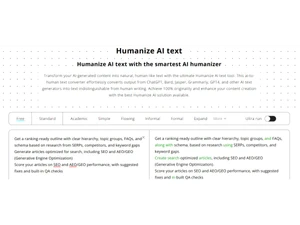
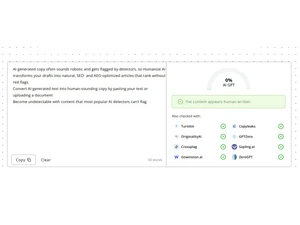
 AI Text Humanization Converts AI-generated text into natural human-like writing while retaining the original meaning, tone, intent, and clarity. Preset Writing Styles Offers multiple predefined writing styles such as formal, informal, academic, or simple to match diverse content needs. Custom Style Modeling Accepts user-provided writing samples to replicate unique tone, structure, and style patterns in rewritten output. AI Detector Evasion Produces rewritten content designed to bypass leading AI detection systems like GPTZero, Turnitin, and Originality tools. SEO Keyword Retention Preserves essential keywords during transformation to maintain search relevance and avoid harming content ranking. Free Access Mode Enables unrestricted use of the text humanizer with no usage caps, subscription requirements, or payment barriers. Multi-device Compatibility Functions reliably across desktops, tablets, and phones, supporting all major modern web browsers for ease of use. Context-Aware Rewriting Maintains original message accuracy by understanding context and adjusting sentence flow without altering core meaning. Tone Adaptation Engine Adjusts emotional tone and sentiment during rewriting to generate text that reflects human-like nuance and expressiveness. Emoji Integration Option Supports insertion of emojis or emoticons to add human-like expressiveness or informality depending on user preference. Content Privacy Control Ensures all processed text remains confidential and is neither stored, reused, nor exposed to external systems. Multi AI Source Support Accepts input from various AI tools including ChatGPT, Bard, Jasper, and Copy.ai for flexible content transformation.
Have recommended this product
Overall Score
Review this product
Your valuable feedback helps others like you make a better decision.
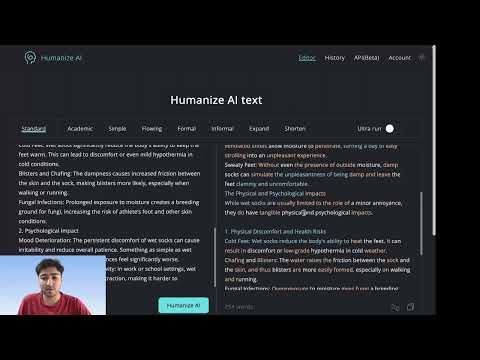
“Humanize AI: A Review”
4.3
Review by: Oorjit Sethi

 UAE
UAE India
India